

Admin Columns Pro – Manage Columns in WordPress
/Year
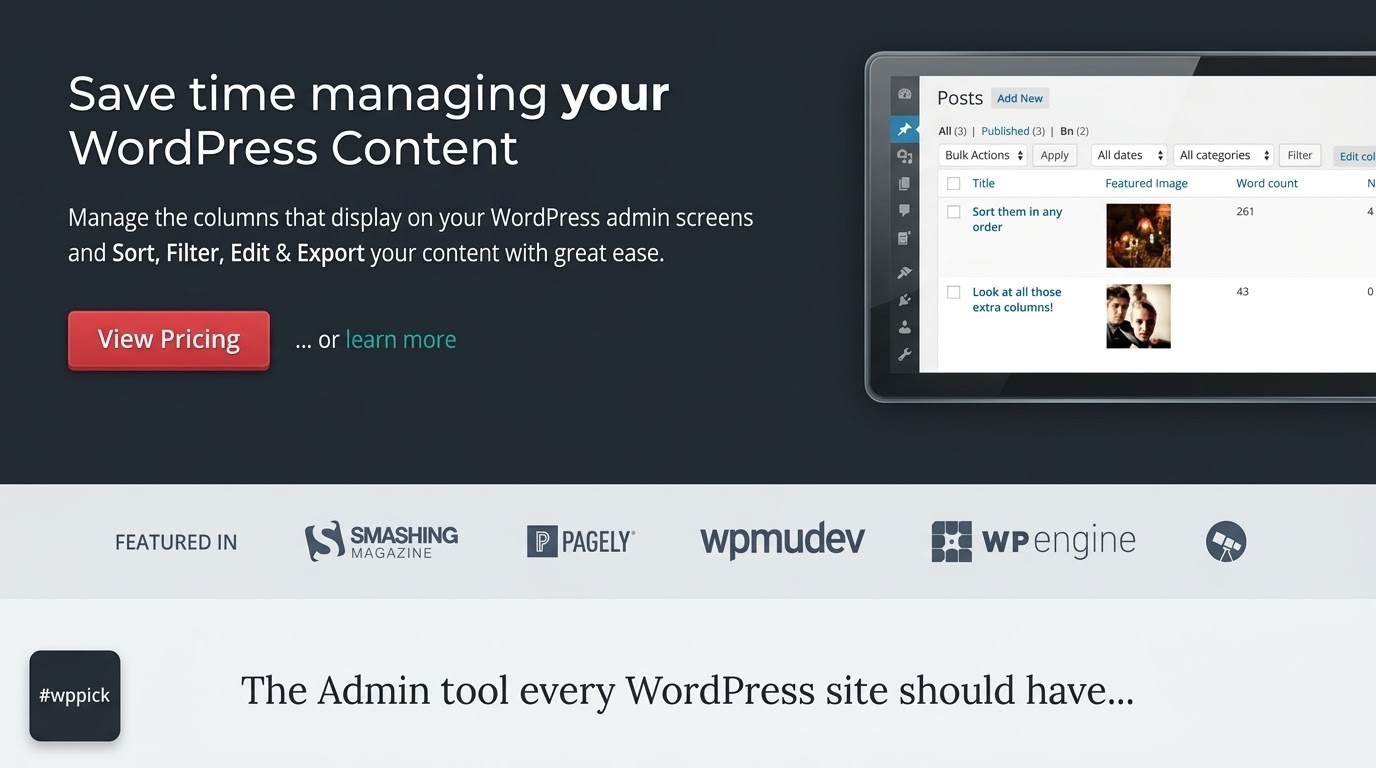
What is Admin Columns Pro?
Admin Columns Pro is a powerful WordPress plugin designed to transform standard WordPress admin list tables into highly organized, data-rich dashboards. By default, WordPress lists posts, pages, users, and comments with a rigid set of default columns that often require opening individual entries to view critical details. Admin Columns Pro gives site administrators complete control over what information is displayed, allowing teams to add, remove, resize, and reorder columns with ease.
What Does Admin Columns Pro Do?
The plugin extends native WordPress list tables by integrating advanced data management features directly into the backend interface. Users can sort entries by custom fields, filter content using smart parameters, export table data to various formats, and perform inline edits without needing to open the full edit screen. It also supports custom database tables and third-party plugins like WooCommerce, Advanced Custom Fields (ACF), MetaBox, and Gravity Forms.
- Add custom columns for post metadata, custom fields, taxonomies, and user profiles.
- Perform direct inline editing for rapid content updates right inside the list table.
- Filter and sort large datasets using smart filtering conditions.
- Export table views to CSV, Excel, or JSON formats for reporting and analysis.
- Display aggregate metrics such as sums, averages, minimums, and maximums in table footers.
Who Is Admin Columns Pro For?
Admin Columns Pro is built for web professionals, content managers, e-commerce store owners, and WordPress developers who handle large volumes of content daily. It eliminates administrative friction for multi-author blogs, membership sites, and complex WooCommerce stores where quick data oversight saves valuable time.
Key Capabilities and Advanced Features
The plugin delivers robust features aimed at optimizing editorial and administrative workflows:
- Inline Editing: Update post titles, statuses, custom fields, and taxonomies instantly from the overview screen.
- Smart Filtering: Create precise segments based on custom field values, dates, authors, or e-commerce attributes.
- Export Tools: Quickly export customized table views to share data or back up records.
- Calculated Metrics: View statistical summaries like total revenue or stock values directly at the bottom of admin tables.
- Third-Party Integrations: Deep compatibility with popular tools like ACF, WooCommerce, and MetaBox.
Practical WordPress Use Cases
Site administrators utilize Admin Columns Pro across various scenarios to streamline daily operations:
- WooCommerce Stores: Monitor product stock values, sales counts, fulfillment times, and customer purchase histories from a single screen.
- Content Heavy Sites: Manage editorial workflows by displaying word counts, post statuses, custom review dates, and assigned editors in one view.
- Custom Post Type Management: Organize complex directories, real estate listings, or event schedules built with custom fields.
Setup and Compatibility Notes
Admin Columns Pro requires WordPress version 6.2 or higher. The plugin integrates smoothly with major page builders and custom field plugins. Configuration is handled entirely through a visual drag-and-drop column builder located in the WordPress settings, requiring no coding knowledge to set up initial views.
Reasons to Choose Admin Columns Pro
Choosing Admin Columns Pro significantly reduces the time spent navigating between multiple edit screens. Its clean interface respects native WordPress design standards while introducing enterprise-grade data management features. The ability to save custom column layouts per user role ensures that different team members only see the data relevant to their specific responsibilities.
Latest Version Context
Version 7.1.3 includes multiple bug fixes addressing compatibility adjustments for WordPress 7.1 table rendering, PHP update check warnings, WooCommerce product sold count calculations, CSV export formatting improvements, and MetaBox or Gravity Forms integration fixes.
Frequently Asked Questions
Does Admin Columns Pro slow down the WordPress admin dashboard?
No, Admin Columns Pro is optimized for performance. It only loads necessary scripts on relevant admin screens and uses efficient database queries to fetch custom data without impacting front-end loading speeds.
Can I export my customized column data?
Yes, the plugin supports exporting your configured table data into CSV, XLSX, and JSON formats, making it easy to generate reports or share datasets with team members.
Is coding required to add custom fields as columns?
No coding is required. Admin Columns Pro automatically detects custom fields from plugins like Advanced Custom Fields (ACF), MetaBox, and standard WordPress meta fields, allowing you to add them via a visual drag-and-drop interface.
Can different user roles see different column setups?
Yes, you can create and assign specific column layouts based on user roles, ensuring that administrators, editors, and contributors see only the information they need.
Does it support WooCommerce order and product management?
Yes, it includes specialized columns and filters for WooCommerce products, orders, coupons, and user profiles, allowing you to track metrics like stock values and fulfillment times directly.
I. Download Limits & Account Benefits
- Free Downloads: Each email address receives 3 downloads per day for free products
- Upgrade Benefits: Purchase any paid product to increase your daily download limit by 3 for each paid product
- No Account Required: You can download immediately by receiving the download link via email
- Account Recommended: Create an account for easier access to your order history and direct update downloads
II. Understanding GPL vs Official Versions
Important: The products available on WPPick are GPL-licensed versions, which differ from official developer versions. Before purchasing, please read our comprehensive guide: Understanding GPL & Official Differences at WPPick
Key Points:
- GPL versions may not include premium support from original developers
- Updates may be delayed compared to official releases
- Some premium features might have limitations
- Always consider your specific needs and support requirements
III. Support & Assistance
We’re here to help through multiple channels:
- Email Support: Direct email assistance for all inquiries
- Live Chat: Real-time support during business hours
- Comprehensive Documentation: Detailed guides and tutorials
IV. Order Tracking
Access your complete purchase history and download links anytime: Order History
V. Account Access
New to WPPick? Login or Create Account to manage your downloads and orders efficiently.
VI. Refund Protection
We stand behind our products with a clear refund policy. Review our terms: Refund Policy
VII. Privacy & Security
Your data security is our priority. Learn how we protect your information: Privacy Policy
VII. Terms of Service
Understanding our service terms ensures a smooth experience: Terms of Use
Quick Tips for Best Experience
- Verify Compatibility: Check plugin/theme compatibility with your WordPress version
- Backup First: Always backup your site before installing new plugins or themes
- Test Environment: Consider testing on a staging site first
- Stay Updated: Regularly check for updates in your account dashboard
- Read Documentation: Review any included documentation for optimal setup
Need Help?
If you have questions about downloads, licensing, or need technical assistance, don’t hesitate to contact our support team. We’re committed to ensuring you have the best possible experience with WPPick products.
Ready to get started? Your download adventure begins with just one click!
- Fixed PHP warnings "Undefined property: stdClass::$plugin" appeared in the error log on every update check, because the plugin update entry was missing fields that WordPress expects.
- Fixed WooCommerce: the Products Sold column could show too low a number, because a refund was subtracted even when the order it belongs to was not part of the selected order statuses.
- Fixed CSV export: values containing an @, such as email addresses, were prefixed with a tab character, and fields were not quoted correctly when a custom delimiter or a line break was used.
- Fixed MetaBox: a cloneable group column skipped clone rows without a value, so the remaining rows no longer lined up with the rows in the other columns. Empty rows are shown as a dash again.
- Fixed Gravity Forms: the entries screen of a form showed a fatal error when one of its checkbox fields had "show values" enabled with the value of a choice left blank. Inline editing is now skipped for such a choice, because a checkbox without a value cannot be stored by Gravity Forms.
- Fixed MetaBox: the export of a cloneable group column separated the clone rows with a comma, which made them indistinguishable from commas within a value. Clone rows are separated with a pipe again, and an unchecked checkbox is exported as 0.
- Fixed Row selection, the value modal and the responsive table layout broke on WordPress 7.1, because the primary column is now rendered as a table header cell and the checkbox column as a table cell.
- Fixed Inline editing showed no edit buttons and bulk selection did not register the selected rows on WordPress 7.1, because the primary column is now rendered as a table header cell and the checkbox column as a table cell.
- MetaBox: the separator between clone rows of a cloneable group can now be selected.
- Parent column: filtering and inline editing now support parents from other post types.
- WooCommerce: Order Notes column set to show the latest note of a specific type (e.g. Notes to Customer) could appear blank when a note of another type was added more recently.
- Export of the Roles column on the Users table failed when a user had a role with a numeric name.
- Inline editing the Roles column could remove a user's role when that role had a numeric name.
- WooCommerce: the Product Taxonomy column and its filter listed every attribute value of a variable product instead of the value of the purchased variation.
- Added Filter
ac/metric/enableto force Metrics on or off per list table, andac/metric/enable/defaultto change the default (opt-in) while keeping the per-table setting. - WooCommerce: Grouped Products column now has a Display setting to show either a product count (opening a modal) or a configurable list of product properties.
- Small UI improvements for Metrics
- Better support for WordPress 7.0 styling on the media table
- Resolved a fatal error during import of Datasource Serialized field types.
- WooCommerce: Export of the Total column on the Orders (HPOS) table returned an empty value.
- Metrics: display calculations such as sum, average, min, max, count, and percentages for your columns in the table footer.
- Custom List Tables: turn your own custom database tables into fully featured admin tables with columns, sorting, filtering, segments, inline editing, export, and metrics.
- Export now supports JSON and XLSX formats in addition to CSV
- Multisite: Post Count column now supports time period filtering (last week, month, quarter, year, or custom days).
- WooCommerce: Added Product Reviews as a customizable admin table with filtering, segments, export, and metrics support.
- WooCommerce: Smart filter on the Order Product column now supports filtering by Product ID (numeric operators) and SKU (text operators) when those properties are displayed.
- New automatic column width handling with smoother horizontal scrolling and sticky headers and columns.
- Refreshed the Pro interface (smart filtering, conditional formatting, buttons, and modals) to align with the new WordPress 7 design.
- Modernized the codebase with strict types, PHPStan type safety, and PSR-12 coding standards.
- Hide WordPress' built-in category and post format dropdowns when a Taxonomy column is configured to prevent smart filter conflicts.
- BuddyPress: Fatal error when filtering or inline-editing the Groups column on BuddyBoss Platform sites.
- Gravity Forms: Entry list no longer shows every field as a column after Admin Columns is disabled. The default column set now matches Gravity Forms' own smart defaults.
- The minimum version required to run Admin Columns Pro is now WordPress 6.2.
- WooCommerce: New Fulfillment Time column for orders showing time between creation and completion.
- WooCommerce: New Days Since Last Sale column for products to identify stale inventory.
- WooCommerce: New Stock Value column for products showing price multiplied by stock quantity.
- WooCommerce: New Average Order Value column for users showing average spend per order.
- WooCommerce: New Days Since Last Order column for users to identify at-risk customers.
- WooCommerce: Sorting support for Product Orders and Average Order Interval columns.
- WooCommerce: Products Sold and Total Revenue columns now support time period filtering (last week, month, quarter, year, or custom days), sorting, and search.
- WooCommerce: Total Revenue column now includes an order status filter.
- ACF: Time Picker column now supports display format settings with ACF, WordPress, and custom time formats.
- Word Count columns now support Before & After text to prepend or append custom text around the count.
- Custom field column settings now display the meta key for reference.
- Added grey as a color option for conditional formatting.
- Core: ACF field settings tab to add fields as admin columns directly from the field group editor.
- Core: Column editor now scrolls to the opened column when linked from ACF field settings.
- Core: ACF date save format option for custom field date columns.
- WooCommerce: Coupon Orders column now displays order details in a modal with date, products, and totals.
- Redesigned integration notices with contextual suggestions on ACF, WooCommerce, Gravity Forms, and Events Calendar screens.
- Updated integration addon descriptions with clearer feature highlights and tooltips.
- Refreshed column settings sidebar with updated review and support panels.
- File columns now group attachments by file type and display multiple filenames separated by commas.
- Improved Before & After display options UI.
- ACF: Fixed select fields with optgroups not displaying values and causing PHP warnings in sorting, search, and editing.
- WooCommerce: Fixed product statistics not displaying on legacy (non-HPOS) order screens.
- JetEngine: Fixed select fields not displaying options with "0" as the value.
- Fixed the post link option not appearing for most property types in the Comment Post column.
- Fixed the post link option now not appearing in the User First Post and Last Post columns.
- Fixed a potential error in user property columns when the display setting has not been saved yet.
- Fixed export errors being silently saved as files instead of showing an error message.
- Fixed "Default" option duplicating in the primary column preference dropdown.
- Fixed template creation showing a success notification even when it failed.
- Fixed conditional formatting not being available for automatically detected custom field date columns.
- Fixed media custom field columns not supporting multiple file uploads.
- Fixed the remove button not appearing for non-image media files in inline editing.
- Fixed user search in table view conditionals not working with multi-word names.