

Advanced Coupons For Woocommerce Premium
/Year
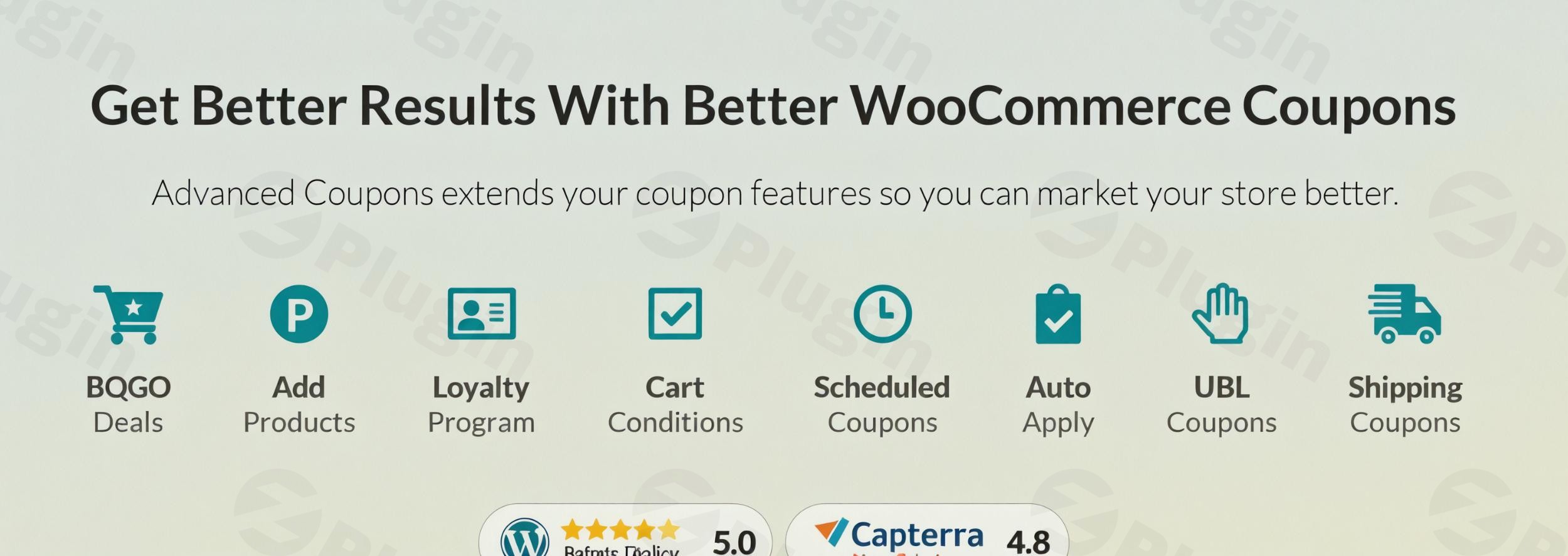
Standard WooCommerce discount features often fall short for growing online stores. While the default system allows for basic percentage or fixed discounts, it lacks the sophisticated logic required for high-conversion marketing campaigns. Advanced Coupons for WooCommerce Premium is a robust plugin designed to bridge this gap, offering store owners professional-grade tools to create complex promotions, increase average order value (AOV), and build long-term customer loyalty.
Whether you are looking to run “Buy One Get One” offers or automate your checkout experience, using WooCommerce advanced coupons allows you to move beyond simple codes and into strategic revenue generation.
Key Features of Advanced Coupons for WooCommerce Premium
This plugin transforms your marketing capabilities by introducing features that are typically only found in enterprise-level e-commerce platforms.
1. Advanced BOGO Deals (Buy One Get One)
One of the most effective ways to move inventory is through BOGO deals in WooCommerce. Unlike the free version of this plugin, the Premium edition allows for complex “Buy X Get Y” logic. You can set rules for specific products, entire categories, or product groups, giving you total control over your promotional margins.
2. Intelligent Cart Conditions & Rules
To prevent coupon abuse and ensure profitability, the plugin uses cart conditions for WooCommerce coupons. You can restrict coupon usage based on:
- User Roles: Offer exclusive discounts to wholesale customers or VIP members.
- Cart Subtotal: Ensure a minimum spend before a discount triggers.
- Payment Gateways: Incentivize specific payment methods (e.g., “5% off if you pay via Stripe”).
- Shipping Zones: Target promotions to specific geographic regions.
3. Auto-Apply Coupons
Friction is the enemy of conversion. With auto apply coupons for WooCommerce, discounts are automatically triggered when the customer’s cart meets your predefined rules. This eliminates the need for customers to remember and type in codes, significantly reducing cart abandonment rates.
4. Store Credit and Loyalty Programs
Building a sustainable brand requires repeat customers. The WooCommerce store credit system allows you to issue credit that customers can redeem on future purchases. Combined with a built-in loyalty points system, you can reward customers for every dollar spent, fostering a cycle of return visits.
5. URL Coupons and Scheduling
- URL Coupons: Generate unique links that apply a coupon automatically when clicked—perfect for influencer marketing and email campaigns.
- Advanced Scheduling: Plan your entire year of promotions by setting precise start and end times for coupons, ideal for midnight flash sales.
How to Install and Set Up Advanced Coupons for WooCommerce Premium
Setting up your advanced discount strategy is straightforward. Follow these steps to get started:
- Purchase and Download: Obtain the Premium ZIP file from the official site or your account dashboard.
- Upload the Plugin: Log into your WordPress admin area. Navigate to Plugins > Add New > Upload Plugin and select the ZIP file.
- Activate: Click Activate after the upload is complete. Ensure you have the free version of Advanced Coupons installed as well, as the Premium version acts as an extension.
- License Activation: Go to Coupons > License and enter your license key to enable automatic updates and premium features.
- Configure Global Settings: Navigate to WooCommerce > Settings > Advanced Coupons to customize default messages, store credit settings, and tax calculations for your discounts.
Practical Usage & Best Practices
To maximize your ROI with Advanced Coupons for WooCommerce Premium, consider these real-world workflows:
For Marketers: The “Flash Gift” Strategy
Use the “Add Products via Coupons” feature to automatically add a free promotional item to the cart when a customer spends over a certain amount. This creates a “surprise and delight” moment that increases brand affinity.
For Agencies: Role-Based Wholesale Discounts
If you manage a site with both retail and wholesale buyers, use the WooCommerce coupons based on user role feature. This allows you to create a single “WHOLESALE20” code that only works for users assigned the “Wholesale” role, keeping your retail margins protected.
For Store Managers: Abandoned Cart Recovery
Generate URL Coupons and include them in your abandoned cart recovery emails. When the customer clicks the link, they are taken back to their cart with the discount already applied, removing the final barrier to purchase.
FAQ & Troubleshooting
What are the main features of Advanced Coupons for WooCommerce Premium?
The main features include advanced Buy One Get One (BOGO) deals, auto-apply coupon logic, sophisticated cart conditions (based on roles, products, or subtotals), store credit systems, loyalty programs, and URL-based coupon application. It also supports coupon scheduling and “Virtual Coupons” for bulk unique code generation.
How do I set up BOGO deals in WooCommerce using this plugin?
To create a BOGO deal, go to Marketing > Coupons and create a new coupon. In the “Coupon Data” meta box, select the BOGO Deals tab. Here, you can define the “Buy” conditions (the trigger) and the “Get” conditions (the free or discounted product). You can set these for specific products or entire categories.
Is the plugin compatible with WooCommerce Subscriptions?
Yes, Advanced Coupons for WooCommerce Premium is fully compatible with WooCommerce Subscriptions and various membership plugins. It allows you to apply discounts to recurring payments or initial sign-up fees effectively.
What should I do if a coupon is not applying correctly?
First, check the Cart Conditions tab within the coupon settings to ensure the cart meets all requirements (e.g., minimum spend or specific user role). Second, ensure there are no conflicts with other “Smart Coupon” plugins. Finally, verify that your “Coupon Expiry” and “Scheduling” settings are current.
Conclusion: Final Verdict
Advanced Coupons for WooCommerce Premium is more than just a discount tool; it is a comprehensive sales engine. By moving beyond the limitations of standard coupons, it allows store owners to implement high-level marketing strategies like BOGO deals, automated rewards, and targeted cart rules.
If you are serious about scaling your e-commerce business and improving customer retention, the ROI of this plugin is clear. It provides the technical infrastructure needed to run professional promotions that feel seamless to the customer and profitable for the merchant. For anyone looking to master WooCommerce advanced coupons, this is the definitive choice.
For more WordPress plugin reviews and tutorials, visit wppick.com.
I. Download Limits & Account Benefits
- Free Downloads: Each email address receives 3 downloads per day for free products
- Upgrade Benefits: Purchase any paid product to increase your daily download limit by 3 for each paid product
- No Account Required: You can download immediately by receiving the download link via email
- Account Recommended: Create an account for easier access to your order history and direct update downloads
II. Understanding GPL vs Official Versions
Important: The products available on WPPick are GPL-licensed versions, which differ from official developer versions. Before purchasing, please read our comprehensive guide: Understanding GPL & Official Differences at WPPick
Key Points:
- GPL versions may not include premium support from original developers
- Updates may be delayed compared to official releases
- Some premium features might have limitations
- Always consider your specific needs and support requirements
III. Support & Assistance
We’re here to help through multiple channels:
- Email Support: Direct email assistance for all inquiries
- Live Chat: Real-time support during business hours
- Comprehensive Documentation: Detailed guides and tutorials
IV. Order Tracking
Access your complete purchase history and download links anytime: Order History
V. Account Access
New to WPPick? Login or Create Account to manage your downloads and orders efficiently.
VI. Refund Protection
We stand behind our products with a clear refund policy. Review our terms: Refund Policy
VII. Privacy & Security
Your data security is our priority. Learn how we protect your information: Privacy Policy
VII. Terms of Service
Understanding our service terms ensures a smooth experience: Terms of Use
Quick Tips for Best Experience
- Verify Compatibility: Check plugin/theme compatibility with your WordPress version
- Backup First: Always backup your site before installing new plugins or themes
- Test Environment: Consider testing on a staging site first
- Stay Updated: Regularly check for updates in your account dashboard
- Read Documentation: Review any included documentation for optimal setup
Need Help?
If you have questions about downloads, licensing, or need technical assistance, don’t hesitate to contact our support team. We’re committed to ensuring you have the best possible experience with WPPick products.
Ready to get started? Your download adventure begins with just one click!
- Auto-applied “individual-use-only” coupon not removed when a force-applied coupon is applied on Cart/Checkout blocks
- BOGO variable product free product is added to cart, but the discounted price is not applied
- Price calculation mismatch in WooPayments Multicurrency with auto-applied BOGO coupons
- Role and payment restriction options cannot be enabled when WooPayments is active
- Shipping override applies to all shipping classes instead of the selected class
- Add minimum redemption amount for store credits
- AI coupon generator – support for AI-generated premium coupon configuration
- Add enable/disable field for adding products, shipping overrides, and payment gateways
- Allow customers to pay manually created orders by admin with store credits
- Automatically deduct available store credits on next purchase
- Improve error message for incompatible BOGO deal types: “Same products” GET with “Specific products” BUY
- Store Credits give full discount even when credit balance is insufficient