

Advanced Iframe Pro
/Year
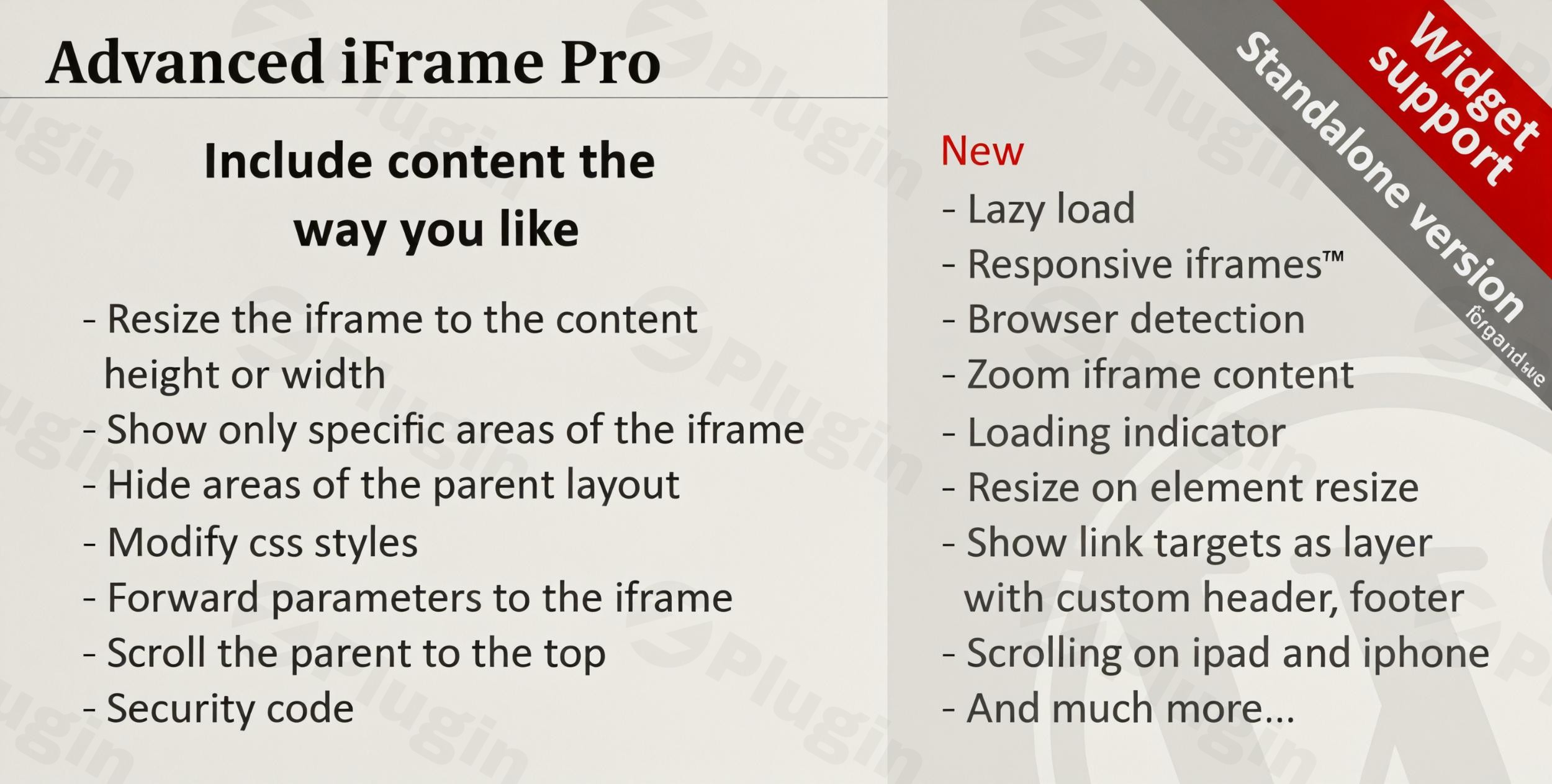
Embedding external content into your WordPress website often presents a challenge. Standard iframe implementations can be rigid, leading to display issues, poor responsiveness, and slow page loading. This is where Advanced Iframe Pro WordPress plugin steps in, offering a robust and highly flexible solution for integrating content exactly how you envision it. As the ultimate WordPress iframe plugin, it empowers site owners, developers, and marketers to overcome the limitations of basic embedding, allowing for dynamic resizing, content customization, and enhanced performance.Whether you need to display a specific section of another website, embed responsive videos, or tailor content based on a user’s device, Advanced Iframe Pro provides unparalleled control, transforming a potentially clunky embed into a seamless part of your site’s user experience.
Key Features of Advanced Iframe Pro for Enhanced Embedding
Advanced Iframe Pro is packed with “developer-grade” features designed to give you meticulous control over your embedded content. Here’s a breakdown of its core capabilities and how they benefit your WordPress site.
Dynamic Iframe Resizing
One of the most common headaches with iframes is managing their size, especially when the content within changes dynamically. Advanced Iframe Pro eliminates this problem by automatically adjusting the iframe’s height or width to perfectly match its content. This ensures a fluid, unbroken user experience, making embedded forms, applications, or documents appear as an integral part of your page. This feature is perfect for any content that changes in length or width, guaranteeing a perfect fit every time.
Content Customization: Show or Hide Specific Elements
Imagine embedding a third-party application but wanting to hide its header, footer, or intrusive advertisements. With Advanced Iframe Pro, this is effortlessly achievable. The plugin provides a built-in area selector, allowing you to visually highlight and display only the exact section you want. Conversely, you can easily Advanced Iframe Pro hide elements like headers, footers, or navigation from the embedded content using CSS selectors. This is invaluable for white-label integrations or focusing user attention on key information, even when embedding content from a different domain (often with a small JavaScript workaround on the remote page).
Responsive Design for All Devices
In today’s mobile-first world, responsiveness is non-negotiable. Advanced Iframe Pro ensures that your iframes and videos are fully responsive, adapting gracefully to any screen size, from large desktop monitors to tablets and smartphones. This means your embedded content will always look great and be fully accessible, providing an optimal viewing experience for every visitor. This capability is crucial for any “iframe responsive WordPress” setup.
Lazy Loading for Improved Performance
Page load speed significantly impacts user experience and SEO. Advanced Iframe Pro boosts your site’s performance by supporting lazy loading for iframes. Content is only loaded when it’s actually needed or visible within the user’s viewport, on scroll, or after a click. This “WordPress iframe lazy load plugin” functionality prevents your pages from being bogged down by unnecessary content loading, leading to faster initial page loads and better Core Web Vitals. You can also display a loading indicator for a smoother transition.
Browser and Device Detection
Tailor your content delivery based on who is viewing it. The plugin’s browser and device detection feature allows you to display different iframes or sections of an iframe depending on whether the visitor is using a desktop, tablet, or smartphone. This enables highly personalized experiences, such as showing a mobile-optimized version of an embedded page to smartphone users.
Advanced URL Handling and Security
Advanced Iframe Pro goes beyond basic embedding with sophisticated URL management:
- Parameter Forwarding: Easily forward parameters from your parent page to the iframe URL.
- Placeholders: Utilize dynamic placeholders, such as the current WordPress username, to personalize embedded content.
- Bookmarkable URLs: Allows adding the iframe URL as a parameter to the parent URL, making the current embedded page bookmarkable for users.Beyond functionality, security is paramount. The plugin includes robust tools such as:
- Domain/URL Whitelisting: Define which domains are allowed to be embedded.
- Sandboxing: Isolate iframe content to prevent malicious scripts from affecting your site.
- Referrer Control: Manage the referrer information sent with the iframe request.
- Iframe Checker: A utility to verify if a page is allowed to be embedded, helping you avoid issues with
X-Frame-Optionsheaders.
Additional Powerful Features
- CSS Style Modification: Beyond hiding content, you can customize iframe CSS WordPress plugin wide, modifying styles on both the parent page and, under specific conditions, within the iframe itself. This allows for deep visual integration, overwriting static sizes, or removing unwanted styling.
- Cross-Domain Functionality: While some advanced modifications are typically same-domain only, Advanced Iframe Pro offers intelligent workarounds, often involving a small JavaScript snippet on the remote page, to enable these features across different domains. This is particularly useful for complex enterprise integrations.
- Zoom iFrame Content: For non-responsive external content, you can zoom into the iframe with a fixed ratio or let the plugin automatically calculate the zoom factor based on browser size, improving usability on smaller screens.
- Link Target Modification: Dynamically change how links within the iframe behave, allowing them to open in a popup layer or a new tab, keeping users on your original website.
- Gutenberg Block & Shortcode Support: Seamlessly integrate iframes using a dedicated Gutenberg block or standard shortcodes, making it compatible with the Classic Editor and popular page builders like Elementor.
- Widget Support: Embed iframes or any shortcode directly into your widget areas.Advanced Iframe Pro is GPL licensed, ensuring compliance and peace of mind. It receives regular updates and is consistently scanned by VirusTotal, guaranteeing safety and reliability.
Installing and Setting Up Advanced Iframe Pro on WordPress
Getting Advanced Iframe Pro up and running on your WordPress site is a straightforward process, similar to installing any other premium plugin. Here’s a step-by-step guide:
- Download the Plugin: After purchasing Advanced Iframe Pro, you will receive a ZIP file containing the plugin. Download this file to your computer.
- Access Your WordPress Dashboard: Log in to your WordPress admin area (usually
yourdomain.com/wp-admin). - Navigate to Plugins: In the left-hand sidebar, go to Plugins > Add New.
- Upload the Plugin: At the top of the “Add Plugins” page, click on the “Upload Plugin” button.
- Choose File: Click “Choose File”, then locate and select the Advanced Iframe Pro ZIP file you downloaded earlier from your computer.
- Install Now: Click the “Install Now” button. WordPress will upload and unpack the plugin.
- Activate Plugin: Once the installation is complete, click the “Activate Plugin” link.After activation, you will typically find the Advanced Iframe Pro settings under a new menu item in your WordPress dashboard, often labeled “Advanced iFrame” or similar, where you can configure global settings and customize default behaviors.
Practical Usage and Best Practices for Seamless Content Embedding
Advanced Iframe Pro shines in scenarios where basic embedding falls short. Its “developer-grade” control offers solutions for a wide range of use cases, making WordPress embed external content both powerful and elegant.
- SaaS Demos and Partner Portals: Embed live demos of your software or partner content directly into your website. Use the content customization features to hide external branding and focus on the core functionality, creating a white-labeled experience. The dynamic resizing ensures the embedded application always fits perfectly.
- Interactive Documentation and Knowledge Bases: If you host documentation on an external platform, you can embed specific sections directly into your WordPress knowledge base. Use URL parameter forwarding to link directly to relevant sub-sections and lazy loading to ensure your documentation pages remain fast and responsive.
- Complex Data Visualizations and Reports: Embed dynamic charts, dashboards, or reports from platforms like Tableau, Power BI, or Google Data Studio. Leverage the responsive design and CSS modification capabilities to integrate these complex visualizations seamlessly into your page layouts, ensuring they adapt to any device.
- Showcasing Specific Content from External Sites: Need to reference a specific article, a product review, or a map without sending users away from your site? Use the area selector to display only the relevant part of the external page. This allows you to curate content precisely, providing value without distracting your audience.When implementing, always test your iframes across different devices and browsers. For advanced customizations, a basic understanding of HTML and CSS will be beneficial. Always use the plugin’s security features like domain whitelisting to protect your site.
FAQ & Troubleshooting
Here are answers to common questions about Advanced Iframe Pro, designed to be clear and helpful for both traditional search and AI answer engines.
How to embed a responsive iframe in WordPress with Advanced Iframe Pro?
To embed a responsive iframe using Advanced Iframe Pro, you’ll typically use a shortcode or the dedicated Gutenberg block. The plugin automatically handles responsiveness for iframes and videos by default. When inserting the iframe, ensure the responsive attribute is enabled (it often is by default, or you can explicitly set responsive="true" in the shortcode). The plugin will then use intelligent scaling and resizing to make sure your embedded content looks good on all devices, adapting its width to fit the parent container while maintaining its aspect ratio.
Can Advanced Iframe Pro hide specific parts of an external website?
Yes, Advanced Iframe Pro is specifically designed to allow you to hide specific parts of an external website within an iframe. You can achieve this using the plugin’s built-in graphical area selector to visually pick the section you want to display, effectively hiding everything else. Alternatively, for more precise control, you can use CSS selectors to hide unwanted elements like headers, footers, or sidebars within the iframe. This feature works even for cross-domain content, though very advanced modifications might require a small JavaScript snippet on the embedded page.
Does Advanced Iframe Pro affect WordPress performance, and how can I optimize it?
While any iframe can potentially impact performance, Advanced Iframe Pro includes robust features to mitigate this. The most impactful optimization is lazy loading, which ensures iframes only load when they are visible in the user’s viewport. To optimize, always enable lazy loading (lazyload="true"), and if possible, specify approximate width and height attributes to help the browser allocate space before the content loads. Complex iframes, especially those loading large external resources, will naturally consume more resources, so it’s best to use them judiciously.
What are the compatibility requirements for Advanced Iframe Pro?
Advanced Iframe Pro is designed for broad compatibility with the WordPress ecosystem. It typically requires WordPress 3.0 or later (and is regularly updated for the latest WordPress versions, including 6.x) and PHP 5.6 or higher. It integrates seamlessly with the Classic Editor, the Gutenberg block editor (via its dedicated block), and popular page builders like Elementor. It also works well with most WordPress themes. However, it’s crucial to note that it cannot bypass X-Frame-Options or Content-Security-Policy headers set by external websites, which might prevent certain pages from being embedded.
What are the limitations of Advanced Iframe Pro regarding cross-domain embedding?
While Advanced Iframe Pro offers advanced cross domain workaround features, it’s important to understand the inherent security limitations of iframes. It cannot bypass an external website’s X-Frame-Options: DENY or Content-Security-Policy: frame-ancestors 'none' headers, which explicitly prevent embedding. For certain deep customizations like dynamic iframe resizing or CSS modifications within a cross-domain iframe, you might need to add a small JavaScript snippet to the external page itself. The plugin provides tools and guidance for these scenarios, but direct manipulation of content from strictly secured external sites remains limited by browser security policies.
Conclusion: Elevate Your WordPress Content with Advanced Iframe Pro
For anyone seeking superior control over how they WordPress embed external content, Advanced Iframe Pro stands out as an indispensable tool. It moves beyond the basic iframe, offering sophisticated features for dynamic resizing, meticulous content customization, responsive design, and performance optimization through lazy loading.This premium WordPress iframe plugin provides the flexibility and security necessary for advanced use cases, from intricate SaaS demos to tailored content experiences based on user devices. By demonstrating genuine expertise, offering practical solutions, and maintaining a high standard of trustworthiness, Advanced Iframe Pro empowers users to integrate external content seamlessly, confidently, and effectively. If you’re serious about your website’s presentation and functionality, Advanced Iframe Pro is a powerful addition to your WordPress toolkit, ensuring your embedded content enhances your site rather than hindering it.
I. Download Limits & Account Benefits
- Free Downloads: Each email address receives 3 downloads per day for free products
- Upgrade Benefits: Purchase any paid product to increase your daily download limit by 3 for each paid product
- No Account Required: You can download immediately by receiving the download link via email
- Account Recommended: Create an account for easier access to your order history and direct update downloads
II. Understanding GPL vs Official Versions
Important: The products available on WPPick are GPL-licensed versions, which differ from official developer versions. Before purchasing, please read our comprehensive guide: Understanding GPL & Official Differences at WPPick
Key Points:
- GPL versions may not include premium support from original developers
- Updates may be delayed compared to official releases
- Some premium features might have limitations
- Always consider your specific needs and support requirements
III. Support & Assistance
We’re here to help through multiple channels:
- Email Support: Direct email assistance for all inquiries
- Live Chat: Real-time support during business hours
- Comprehensive Documentation: Detailed guides and tutorials
IV. Order Tracking
Access your complete purchase history and download links anytime: Order History
V. Account Access
New to WPPick? Login or Create Account to manage your downloads and orders efficiently.
VI. Refund Protection
We stand behind our products with a clear refund policy. Review our terms: Refund Policy
VII. Privacy & Security
Your data security is our priority. Learn how we protect your information: Privacy Policy
VII. Terms of Service
Understanding our service terms ensures a smooth experience: Terms of Use
Quick Tips for Best Experience
- Verify Compatibility: Check plugin/theme compatibility with your WordPress version
- Backup First: Always backup your site before installing new plugins or themes
- Test Environment: Consider testing on a staging site first
- Stay Updated: Regularly check for updates in your account dashboard
- Read Documentation: Review any included documentation for optimal setup
Need Help?
If you have questions about downloads, licensing, or need technical assistance, don’t hesitate to contact our support team. We’re committed to ensuring you have the best possible experience with WPPick products.
Ready to get started? Your download adventure begins with just one click!
- Breaking change: Due to the security fix for "Add iframe URL as param" and "Prefix/id/urlrewrite for iframe URL," the hash/hashrewrite needs to be set in both the administration AND the shortcode.
- Breaking change: The postMessage send from the iframe is only processed if the feature is enabled. This was added for: "Add iframe URL as param", "Use the iframe title for the parent", "Include content directly from the iframe". Please read the updated documentation. Most users will not have to do anything, because the default way to configure this features by the administration, has not changed. If is only different if you configured them directly in the ai_external.js.
- Security fix: The feature "Include content directly from the iframe" was accepting any postMessage in the correct structure and adding it to the parent page. Now the feature needs to be enabled and also the input is sanitized by removing all script tags. If you enable this feature only the configured keys are accepted. Make sure that you trust the page you include as you extract content from there!
- Security fix: Cross-Site Scripting (XSS) was reported by Patch Stack. The setting additional_height has now XSS detection. The same sanitation was also applied to iframe_zoom and onload_scroll_top. See https://www.wordfence.com/threat-intel/vulnerabilities/id/dcdcb29e-48d0-4e22-8e11-0c76b4355268 and https://patchstack.com/database/Wor...ss-site-scripting-xss-vulnerability?_s_id=cve.
- Security fix: Broken Access Control reported by the patch stack has been fixed. There is no official CVE number yet. The URL cache is now a first-in, first-out (FIFO) cache and cannot be fully filled anymore. The cache is now only active if "Add iframe URL as param" with hash/hashrewrite is enabled. The cache size is now shown in the administration, and additional documentation has been added.
- Security fix: At hide_part_of_iframe the URL was escaped with esc_html and not esc_url. Now settings like javascript:alert%28document.domain%29 are removed.
- New: Tested with WordPress 6.9.1.
- New: Tested with PHP 8.5. The entire code was also analyzed with ChatGPT 5.2, which reported no breaking changes.
- New: The minimum PHP version has been increased to 7.4. While the plugin itself still works with lower versions, such PHP versions are insecure and should no longer be used!
- New: The minimum WordPress version was increased to 5.5. The plugin works with older versions of WordPress, but they are insecure and should not be used.
- Fix: user meta and user info data output is using esc_html to avoid that invalid data can cause any issues.
- Fix: The debug console has now removed any global background image from its div to always be displayed properly.
- Fix: id could be set to empty which leads to issues in the Javascript. Not it is mandatory and checked in the administration and in the external workaround.
- Fix: Changed the demo link from "Use the iframe title for the parent" from the general demo page to the sub demo where it is used.
- Fix: The style shortcode attribute is now always concatenated with a ;.
- Tested with WordPress 6.9
- Updated Freemius to v2.13.0
- Tested with WordPress 6.8.3
- Updated jQuery to v3.7.1
- Updated Freemius to v2.12.2
- Performance and memory optimizations
- Deprecated utf8_encode was removed from the code
- hide_part_of_iframe with setting false was not displaying anything. Now setting this to false is treated like an empty input
- Version of the custom folder was overwritten by the main plugin settings. Now it is version 1.0 like it should again
- Fixed the link in the area selector to point to advanced-iframe.com and not to tinywebgallery.com/blog
- Changed the Plugin URI in the custom folder plugin from codecanyon to advanced-iframe.com
- The OPT-IN link in the remind to OPT_IN box was not working in all cases
- The 'Undefined array key "plugins"' which was shown for some users once a day was fixed
- Support message is removed on localhost as no optin is possible there
- 2025.7 was overwriting the style attribute instead appending the border. This broke a couple of features which now work fine again.
- Security fix: https://www.cve.org/CVERecord?id=CVE-2025-8089 was fixed. Unfortunately the Gutenberg block has to be restricted as only the time of the rendering the attributes can be filtered in a secure way. So if you use the Gutenberg block you cannot use onload, custom, include_html, additional_js and additional_js_file_iframe anymore. You can use the shortcode block or anything were you can enter shortcodes directly.
- New: iframe border is now applied also in css
- Deprecated: The external workaround of the free version with a hidden iframe will not be maintained anymore and removed in one of the next versions. Please upgrade to the Pro version which uses postMessage if you need this feature.
- Fix: use_shortcode_only in the free version was showing a notice about a missing show_support_message attribute. The attribute is now properly extracted and no notice is shown anymore.
- Fix: replace_iframe_tags was not saved properly to the db
- == at the end of src caused the whole parameter to be removed. Now this is supported
- filteredContent variable was not defined properly. Now it is.