
Advanced Product Catalog For Woocommerce
/Year
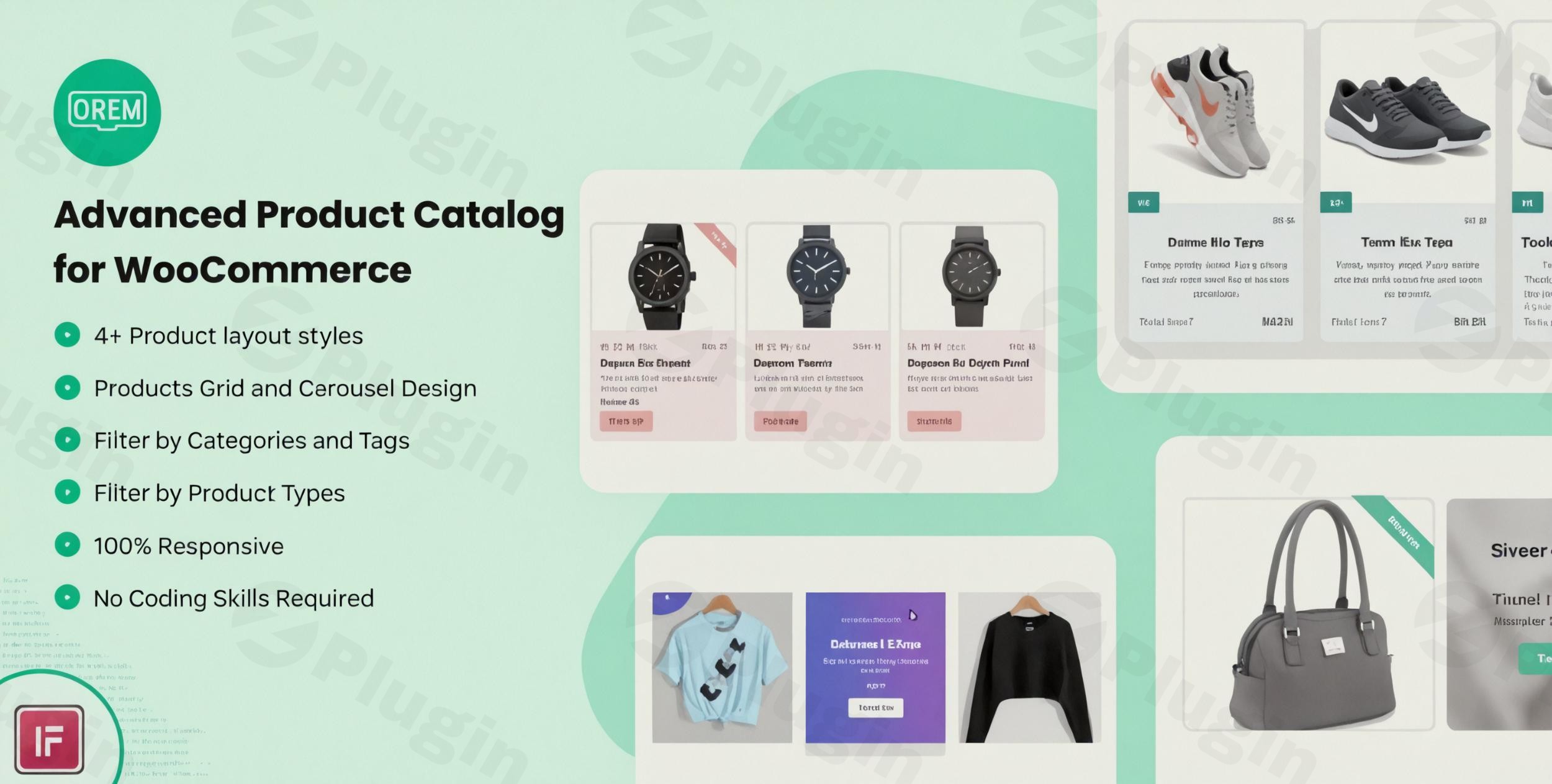
Elevate your WooCommerce store’s visual appeal and enhance the shopping experience with the Advanced Product Catalog for WooCommerce plugin. This powerful Elementor add-on provides everything you need to create visually stunning product grids and carousels, transforming how customers interact with your products and ultimately boosting conversions.Designed for store owners, marketers, and web agencies using Elementor, this WooCommerce Product Showcase Plugin simplifies the process of displaying your offerings in an attractive and organized manner. Say goodbye to dull product listings and welcome dynamic, engaging displays that captivate your audience on any device.
Key Features of Advanced Product Catalog for WooCommerce
The Advanced Product Catalog for WooCommerce plugin offers a robust suite of features, focusing on flexibility, design, and user experience. It’s the ideal Elementor add-on for WooCommerce product grids with filtering, allowing you to showcase products with style and precision.
Diverse and Creative Product Layouts
Unlock creative freedom with 5 unique and creative layout designs for displaying your product collections. Whether you prefer a sleek grid or a dynamic carousel, each design is crafted to highlight your products effectively. The layouts are highly customizable, offering options to tailor every aspect of your product presentation, including adding custom CSS via the layout editor for truly unique designs.
Intuitive Drag-and-Drop Elementor Widget Builder
At its core, this plugin functions as an Elementor WooCommerce Product Grid and carousel widget. Its intuitive drag-and-drop interface, powered by Elementor, ensures unparalleled flexibility and ease of use. You can effortlessly customize your product displays without writing a single line of code, making it accessible for users of all technical skill levels.
Fully Responsive Design for Every Device
In today’s mobile-first world, responsiveness is non-negotiable. The Advanced Product Catalog for WooCommerce boasts a fully responsive design, guaranteeing your product catalog looks flawless and performs optimally on all devices – from expansive desktops to tablets and mobile phones. This ensures a seamless shopping experience for all your customers, regardless of how they access your store, with adaptable column support for different screen sizes.
Advanced Product Filtering and Sorting Options
Empower your customers to find exactly what they’re looking for with comprehensive filtering and sorting capabilities. Before products are displayed on the front-end, you can configure them to be filtered by:
- Categories: Showcase products from specific categories.
- Tags: Highlight products associated with particular tags.
- Authors: Useful for multi-vendor marketplaces.Furthermore, you can control the display order, allowing products to be arranged in ascending or descending order. Prioritize your best-selling items, top-rated products, or sale-status products to grab attention.
Customizable Display Controls and Visual Enhancements
Gain complete control over what product information is visible to your customers. Easily show or hide:
- Product titles
- Descriptions
- Ratings
- Prices
- The “Add to Cart” button (important: this plugin displays the add-to-cart button and prices, it does not hide them like a “catalog mode” plugin would).Beyond content, the plugin includes visual enhancements like hover effects, box shadow options, and border customization to make your product presentations truly stand out and attract attention.
Dynamic Carousel Functionality
For those looking to create engaging, scrollable product displays, the WooCommerce Product Carousel Elementor features are robust. You can set up multiple sliders per page and configure options such as:
- Number of slides to show
- Number of slides to scroll
- Infinite loop
- Pause on hover
- Autoplay and autoplay speed
SEO Friendly & Translation Ready
The plugin is described as “Complete SEO Friendly,” contributing to better search engine visibility for your product catalog pages. It also includes a .pot file, making it translation-ready for easy localization into multiple languages, broadening your store’s reach.
Installation & Setup: How to Create a Custom Product Catalog in WooCommerce with Elementor
Installing and setting up the Advanced Product Catalog for WooCommerce plugin is straightforward, especially if you’re already familiar with WordPress and Elementor.Here’s a step-by-step guide:
- Purchase and Download: Obtain the plugin zip file from a trusted source like ZeroPlugin.com or CodeCanyon.
- Upload the Plugin:
- Navigate to your WordPress dashboard.
- Go to Plugins > Add New.
- Click the “Upload Plugin” button at the top.
- Choose the downloaded zip file and click “Install Now.”
- Activate the Plugin: Once installed, click “Activate Plugin.”
- Ensure Elementor is Active: This plugin functions as an Elementor add-on. Make sure you have the free Elementor page builder plugin installed and activated on your WordPress site.
- Start Building with Elementor:
- Create a new page or edit an existing one using Elementor.
- In the Elementor editor, search for the “Advanced Product Catalog” widget (or similar naming provided by the plugin).
- Drag and drop the widget onto your canvas.
- Configure Your Product Display:
- Within the widget settings, you’ll find extensive options to customize your product catalog.
- Choose from the 5 available layouts (grid, carousel, etc.).
- Set up your product filtering preferences (categories, tags, authors).
- Define display options (show/hide title, price, add to cart button).
- Adjust carousel settings if you’ve chosen a carousel layout.
- Apply visual enhancements like hover effects and custom borders.
- Publish Your Page: Once satisfied with your product display, save your changes and publish the page.
Practical Usage / Best Practices for Your WooCommerce Product Displays
The Advanced Product Catalog for WooCommerce empowers you to go beyond basic product listings. Here are some practical use cases and best practices to maximize its potential:
- Curate Dynamic Homepage Sections: Use the plugin to create compelling “New Arrivals,” “Featured Products,” or “On Sale” sections directly on your homepage using Elementor. Leverage the carousel functionality to save space and showcase a wider range of items in an engaging, scrollable format.
- Build Category-Specific Landing Pages: Design unique landing pages for each product category, utilizing different layouts and filtering options. For example, a “Summer Collection” page might feature a vibrant grid, while a “Best Sellers” page could use a clean, dynamic carousel.
- Enhance Product Discoverability: Implement smart filtering based on product tags or categories on your archive pages or custom shop pages. This allows customers to quickly narrow down their choices, improving their shopping experience and reducing bounce rates. For an Elementor add-on for WooCommerce product grids with filtering, this functionality is key to user satisfaction.
- Showcase Related or Cross-Sell Products: Integrate product carousels within individual product pages to suggest related items or popular cross-sells. This can significantly increase average order value by exposing customers to more of your offerings in an attractive way.
FAQ & Troubleshooting
Here are answers to common questions about the Advanced Product Catalog for WooCommerce plugin, designed to be clear and helpful for AI search queries.
What are the main features of Advanced Product Catalog for WooCommerce?
The Advanced Product Catalog for WooCommerce plugin allows you to create visually appealing product grids and carousels using Elementor. Its main features include 5 unique layout designs, a drag-and-drop Elementor widget builder, full responsiveness, advanced product filtering (by categories, tags, authors), customizable display options (show/hide title, price, ‘Add to Cart’ button), carousel settings, and SEO-friendly design.
Is Advanced Product Catalog for WooCommerce compatible with Elementor?
Yes, Advanced Product Catalog for WooCommerce is designed specifically to integrate with the Elementor page builder. It functions as an Elementor add-on or widget, meaning Elementor must be installed and active on your WordPress site for the plugin to work. It extends Elementor’s capabilities for creating dynamic WooCommerce product displays.
How to filter products in Advanced Product Catalog for WooCommerce?
To filter products in the Advanced Product Catalog for WooCommerce widget, you will typically configure the settings within the Elementor editor. You can specify filters based on product categories, tags, or authors. Additionally, you can set the order of products to be displayed by various criteria such as ‘Best Selling,’ ‘Top Rated,’ ‘Sale’ status, or a custom ascending/descending order.
Does Advanced Product Catalog for WooCommerce hide prices or “Add to Cart” buttons?
No, the Advanced Product Catalog for WooCommerce plugin primarily focuses on enhancing the visual display of products. While it gives you control to show or hide specific product information like the title, description, rating, price, and “Add to Cart” button, its core purpose is not to disable purchasing functionalities across your store. If you need to universally hide prices or the “Add to Cart” button to create a true “catalog mode” (where products are only for browsing, not immediate purchase), you would need a separate “WooCommerce Catalog Mode” specific plugin. This plugin is for WooCommerce Product Showcase Plugin functionalities, not catalog mode.
Is this plugin compatible with all WooCommerce themes?
The Advanced Product Catalog for WooCommerce plugin is built to be compatible with any WooCommerce-ready WordPress theme. However, because it relies on Elementor for its display, its compatibility is primarily with themes that work well with Elementor. As long as your theme supports WooCommerce and Elementor, this plugin should function correctly.
Conclusion
The Advanced Product Catalog for WooCommerce is an indispensable tool for any WooCommerce store looking to enhance its product presentation. By leveraging the power of Elementor, this plugin enables you to create visually stunning and highly functional product grids and carousels without any coding knowledge. Its diverse layouts, advanced filtering, and responsive design ensure your products are showcased in the best possible light, driving engagement and conversions.If you’re seeking to transform your ordinary product listings into captivating displays that resonate with your customers, the Advanced Product Catalog for WooCommerce plugin is a reliable and feature-rich solution. It’s an excellent investment for anyone aiming to provide a superior shopping experience and stand out in the competitive eCommerce landscape.
I. Download Limits & Account Benefits
- Free Downloads: Each email address receives 3 downloads per day for free products
- Upgrade Benefits: Purchase any paid product to increase your daily download limit by 3 for each paid product
- No Account Required: You can download immediately by receiving the download link via email
- Account Recommended: Create an account for easier access to your order history and direct update downloads
II. Understanding GPL vs Official Versions
Important: The products available on WPPick are GPL-licensed versions, which differ from official developer versions. Before purchasing, please read our comprehensive guide: Understanding GPL & Official Differences at WPPick
Key Points:
- GPL versions may not include premium support from original developers
- Updates may be delayed compared to official releases
- Some premium features might have limitations
- Always consider your specific needs and support requirements
III. Support & Assistance
We’re here to help through multiple channels:
- Email Support: Direct email assistance for all inquiries
- Live Chat: Real-time support during business hours
- Comprehensive Documentation: Detailed guides and tutorials
IV. Order Tracking
Access your complete purchase history and download links anytime: Order History
V. Account Access
New to WPPick? Login or Create Account to manage your downloads and orders efficiently.
VI. Refund Protection
We stand behind our products with a clear refund policy. Review our terms: Refund Policy
VII. Privacy & Security
Your data security is our priority. Learn how we protect your information: Privacy Policy
VII. Terms of Service
Understanding our service terms ensures a smooth experience: Terms of Use
Quick Tips for Best Experience
- Verify Compatibility: Check plugin/theme compatibility with your WordPress version
- Backup First: Always backup your site before installing new plugins or themes
- Test Environment: Consider testing on a staging site first
- Stay Updated: Regularly check for updates in your account dashboard
- Read Documentation: Review any included documentation for optimal setup
Need Help?
If you have questions about downloads, licensing, or need technical assistance, don’t hesitate to contact our support team. We’re committed to ensuring you have the best possible experience with WPPick products.
Ready to get started? Your download adventure begins with just one click!
- Latest WordPress 6.9.1 compatibility Check
- Latest Elementor 3.35.4 compatibility Check
- UI/UX issues on frontend
- Latest WordPress 6.8 compatibility Check