
Advanced Product Features Showcase For Elementor
/Year
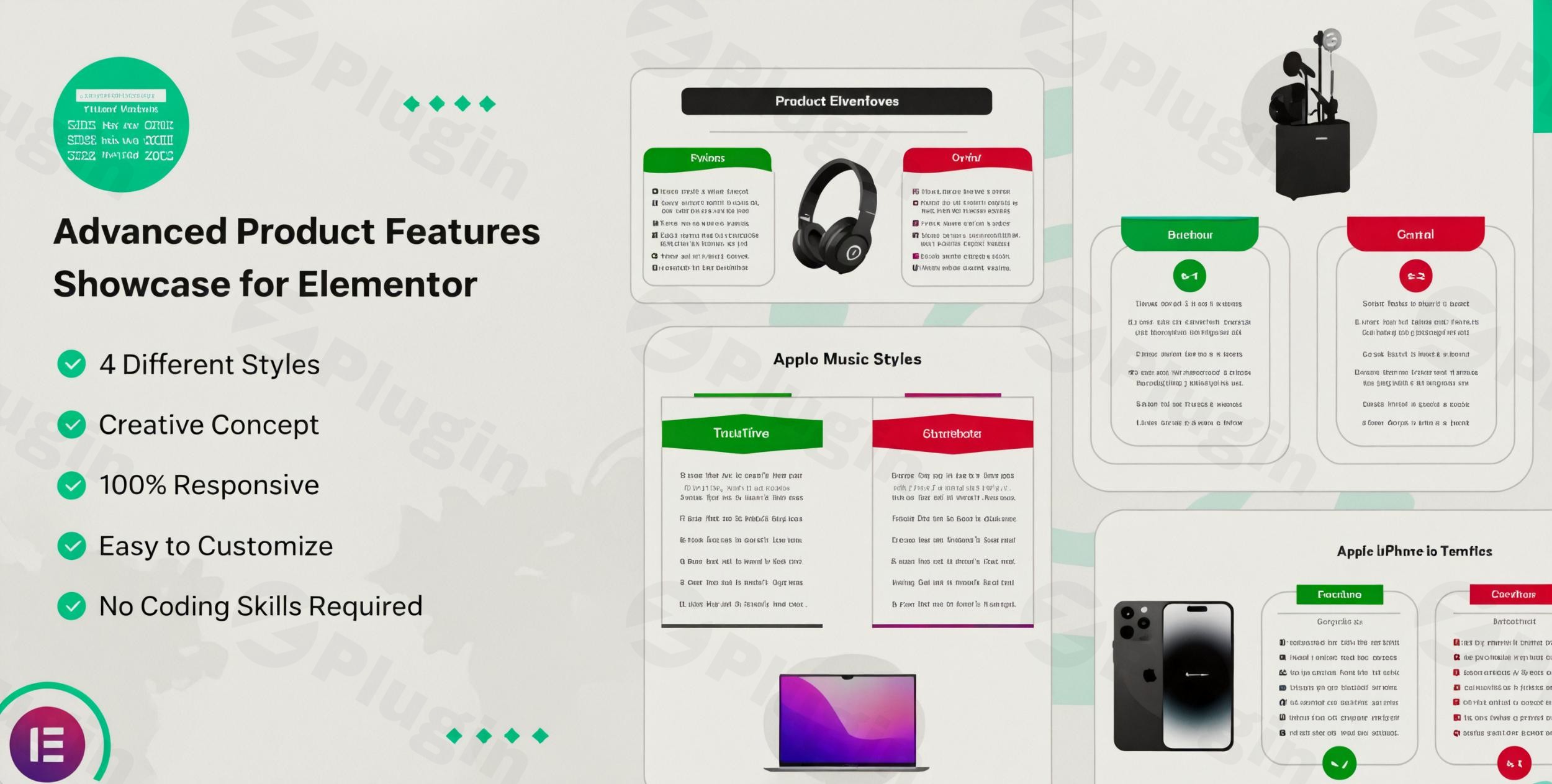
In the competitive digital landscape, merely listing your products isn’t enough. To truly capture attention and drive sales, you need to present your offerings in a compelling, visually stunning, and informative way. This is precisely where the Advanced Product Features Showcase for Elementor plugin shines. It’s an indispensable Elementor product features plugin designed to transform mundane product descriptions into captivating showcases, helping you highlight benefits, specifications, and unique selling points with ease and style.Whether you manage an eCommerce store, curate an affiliate marketing blog, or present a portfolio of services, this plugin provides the tools to create engaging product displays that resonate with your audience and encourage action.
Key Features: Transform Your Product Presentation
The Advanced Product Features Showcase for Elementor isn’t just another widget; it’s a comprehensive solution for dynamic product storytelling. It seamlessly integrates with Elementor to provide powerful capabilities without requiring any coding expertise.
1. Diverse and Unique Design Styles
Gone are the days of generic product layouts. This plugin offers 4 unique design styles to present your product features. From sleek grids and interactive sliders to intuitive cards and detailed tabs, you have the flexibility to choose a creative layout that perfectly complements your brand and product type. These diverse options ensure your product feature showcase Elementor widget stands out.
2. Intuitive Drag-and-Drop Elementor Integration
As an Elementor add-on, it leverages the familiar drag-and-drop interface, making customization incredibly straightforward. You can effortlessly add the product features widget to any page or post and visually configure its appearance. This Elementor drag and drop product feature builder empowers users of all skill levels to create stunning layouts.
3. Fully Responsive and Mobile-Ready
In today’s mobile-first world, responsive design is non-negotiable. The plugin ensures that all your product feature showcases are 100% responsive, looking flawless and performing optimally across all devices—desktops, tablets, and mobile phones. This commitment to a responsive product feature showcase Elementor experience guarantees your content is accessible to every visitor.
4. Seamless WooCommerce Integration
For eCommerce businesses, the plugin offers robust Elementor WooCommerce product features integration. It can automatically pull dynamic product data from your WooCommerce store, making it ideal for creating high-converting product pages. Display product details, pricing, stock status, and more, all synced effortlessly.
5. Extensive Customization and Styling Options
Beyond pre-designed layouts, the plugin offers deep customization capabilities. You can fine-tune every aspect of your feature showcase, including:
- Color Customization: Match your brand’s palette with full control over text, backgrounds, and interactive elements.
- Button Hover Effects: Add subtle animations to calls-to-action for increased engagement.
- Box Shadow & Border Options: Enhance visual appeal and define distinct sections.
- Interactive Elements: Incorporate hovers, toggles, and accordions for a more dynamic user experience.
- Visual Storytelling: Support for icons, images, and even Lottie animations to make your features pop.
- Global Styles & Templates: Maintain consistent branding across your website with reusable designs.
6. Perfect for Affiliate Marketing
If you’re an affiliate marketer, presenting products professionally is crucial for conversions. This plugin allows you to highlight affiliate product details, benefits, and call-to-action buttons in an organized and appealing manner, helping you effectively display product benefits Elementor.
7. User-Friendly Interface & No Coding Required
Designed for simplicity, the plugin requires absolutely no coding knowledge. Its user-friendly interface means that marketers, store owners, and content creators can quickly and easily create advanced product feature sections.
8. ZeroPlugin.com Advantages: Trust and Quality
When acquiring the plugin from ZeroPlugin.com, you benefit from:
- GPL License: Enjoy the freedom and flexibility of a fully compliant and legal GPL license.
- Regular Updates: Stay current with the latest features, improvements, and WordPress compatibility.
- VirusTotal Scanned: Download with confidence, knowing the files are rigorously scanned for security.
Installation & Setup: Get Started with Advanced Product Features Showcase
Installing and setting up the Advanced Product Features Showcase for Elementor is a straightforward process, designed for users of all technical levels.Prerequisites:Before you begin, ensure you have:
- A working WordPress installation (WordPress 6.0+ recommended).
- The Elementor Page Builder plugin installed and activated (as this plugin functions as an Elementor add-on).
- WooCommerce installed and activated if you plan to showcase eCommerce products.Here’s how to install the plugin:
- Download the Plugin: Obtain the plugin zip file from your purchase source (e.g., ZeroPlugin.com).
- Upload to WordPress:
- Log in to your WordPress dashboard.
- Navigate to Plugins > Add New.
- Click on the “Upload Plugin” button at the top of the page.
- Click “Choose File”, select the
advanced-product-features-showcase-for-elementor.zipfile you downloaded, and click “Install Now”.
- Activate the Plugin: Once the installation is complete, click the “Activate Plugin” button.Initial Setup & Usage:
- Open an Elementor Page/Post: Go to an existing page or post, or create a new one, and click “Edit with Elementor.”
- Locate the Widget: In the Elementor editor sidebar, search for “Product Features” or “Showcase.” You should find the Advanced Product Features Showcase widget.
- Drag and Drop: Drag the widget onto your canvas where you want to display your product features.
- Configure Content & Style:
- In the widget’s content tab, you’ll find options to add product features, titles, descriptions, images/icons, and links.
- If integrated with WooCommerce, you might find options to select specific products or pull dynamic data.
- Switch to the “Style” tab to customize colors, typography, spacing, borders, and more, leveraging the advanced product features in Elementor for visual appeal.
- Save & Publish: Once satisfied with your design, click “Update” or “Publish” to make your changes live.
Practical Usage & Best Practices
The Advanced Product Features Showcase for Elementor empowers various users to create high-converting product sections. Here are a few practical use cases and best practices:
1. Crafting High-Converting eCommerce Product Pages
Ideal for: Online store owners, eCommerce managers.Instead of a simple list of specifications, use the plugin to create engaging feature blocks that highlight the benefits of each product. For instance, a tech gadget store can use different design styles to showcase “Key Innovations,” “Performance Metrics,” and “User Experience” in distinct, visually appealing sections on the product page. Utilize dynamic content to show “in-stock” badges or “limited-time offer” ribbons to drive urgency. This makes it a powerful Elementor product display plugin for WooCommerce.
2. Building Effective Affiliate Marketing Review Sites
Ideal for: Affiliate marketers, bloggers.If you review products and link to affiliate offers, this plugin is invaluable for presenting comprehensive, comparison-ready features. You can use it to create a product comparison table Elementor plugin style layout, allowing visitors to quickly understand the pros and cons of different products, helping them make informed purchasing decisions. Present features side-by-side with clear calls to action for each affiliate product.
3. Showcasing Portfolio Items or Service Packages
Ideal for: Agencies, freelancers, service providers.Even if you don’t sell physical products, the plugin can be adapted to showcase services or portfolio items. Each “feature” can represent a key aspect of your service, a case study highlight, or a unique selling proposition for a project. For example, a web design agency could use it to break down “Our Process,” “Technologies Used,” and “Client Results” for a specific project. This is the best Elementor add-on to highlight product features or service benefits in detail.
4. Creating Informative Landing Pages for Digital Products
Ideal for: SaaS companies, course creators, e-book authors.For digital products, it’s essential to clearly articulate what users will gain. Use the plugin to create dedicated landing pages that break down course modules, e-book chapters, or software functionalities into digestible, visually appealing sections. Use icons and short descriptions to convey value quickly, addressing common user questions and driving sign-ups or purchases.
FAQ & Troubleshooting
Here are answers to some common questions about the Advanced Product Features Showcase for Elementor:
Q1: How to add advanced product features in Elementor using this plugin?
To add advanced product features, simply drag the “Advanced Product Features Showcase” widget from the Elementor editor sidebar onto your page. Then, use the widget’s settings to add individual feature items, customize their content (title, description, image/icon), link them, and choose from the available design styles. All customization is done through Elementor’s visual interface without any coding.
Q2: What is the best Elementor plugin for product highlights?
While many Elementor add-ons offer general product display widgets, the “Advanced Product Features Showcase for Elementor” is specifically designed and optimized for highlighting product features and benefits in an engaging, conversion-focused manner. Its unique design styles, deep customization options, and WooCommerce integration make it a top contender for creating detailed and attractive product highlights.
Q3: Does Elementor Pro have product feature showcase widgets built-in?
Elementor Pro includes various widgets for displaying WooCommerce products (e.g., Product Archive, Single Product widgets), and you can use basic text and image widgets to manually create feature lists. However, Elementor Pro does not have a dedicated, specialized widget like the “Advanced Product Features Showcase for Elementor” that offers multiple unique design styles, advanced interactive elements, and dedicated controls specifically for showcasing individual product features and their benefits in such a comprehensive and conversion-oriented way. For truly advanced feature displays, a specialized plugin like this one is necessary.
Q4: Is the Advanced Product Features Showcase for Elementor compatible with other popular WordPress plugins?
Yes, the plugin is built to be compatible with Elementor (which is a requirement) and WooCommerce (for product data). It is also generally compatible with most well-coded WordPress themes and other major plugins, as long as they follow WordPress coding standards. ZeroPlugin.com ensures regular updates to maintain broad compatibility and security.
Q5: Can I use this plugin for non-eCommerce products or services?
Absolutely! While it excels with WooCommerce integration, its flexible design styles and customization options make it perfectly suitable for showcasing features of any kind. You can use it to highlight services, key points of an article, portfolio project details, or even features of a digital product like an e-book or online course, making it a versatile Elementor product features plugin.
Conclusion: Elevate Your Product Storytelling
The Advanced Product Features Showcase for Elementor is more than just a WordPress plugin; it’s a strategic tool for enhancing your online presence and driving conversions. By enabling you to present your products with stunning visual appeal, diverse design options, and seamless Elementor integration, it empowers you to tell your product’s story in a way that truly captivates your audience.For anyone looking to move beyond basic product listings and create dynamic, engaging, and high-converting product pages—whether for an eCommerce store, an affiliate site, or a service-based business—this Elementor product features plugin is an exceptional investment. Its user-friendly interface combined with powerful customization options ensures that you can highlight your offerings effectively, build trust, and ultimately boost your sales. Transform your product displays and elevate your website today.
I. Download Limits & Account Benefits
- Free Downloads: Each email address receives 3 downloads per day for free products
- Upgrade Benefits: Purchase any paid product to increase your daily download limit by 3 for each paid product
- No Account Required: You can download immediately by receiving the download link via email
- Account Recommended: Create an account for easier access to your order history and direct update downloads
II. Understanding GPL vs Official Versions
Important: The products available on WPPick are GPL-licensed versions, which differ from official developer versions. Before purchasing, please read our comprehensive guide: Understanding GPL & Official Differences at WPPick
Key Points:
- GPL versions may not include premium support from original developers
- Updates may be delayed compared to official releases
- Some premium features might have limitations
- Always consider your specific needs and support requirements
III. Support & Assistance
We’re here to help through multiple channels:
- Email Support: Direct email assistance for all inquiries
- Live Chat: Real-time support during business hours
- Comprehensive Documentation: Detailed guides and tutorials
IV. Order Tracking
Access your complete purchase history and download links anytime: Order History
V. Account Access
New to WPPick? Login or Create Account to manage your downloads and orders efficiently.
VI. Refund Protection
We stand behind our products with a clear refund policy. Review our terms: Refund Policy
VII. Privacy & Security
Your data security is our priority. Learn how we protect your information: Privacy Policy
VII. Terms of Service
Understanding our service terms ensures a smooth experience: Terms of Use
Quick Tips for Best Experience
- Verify Compatibility: Check plugin/theme compatibility with your WordPress version
- Backup First: Always backup your site before installing new plugins or themes
- Test Environment: Consider testing on a staging site first
- Stay Updated: Regularly check for updates in your account dashboard
- Read Documentation: Review any included documentation for optimal setup
Need Help?
If you have questions about downloads, licensing, or need technical assistance, don’t hesitate to contact our support team. We’re committed to ensuring you have the best possible experience with WPPick products.
Ready to get started? Your download adventure begins with just one click!
- Latest WordPress 6.8 compatibility Check