
Ai Chatbot For Automated Live Chat Support
/Year
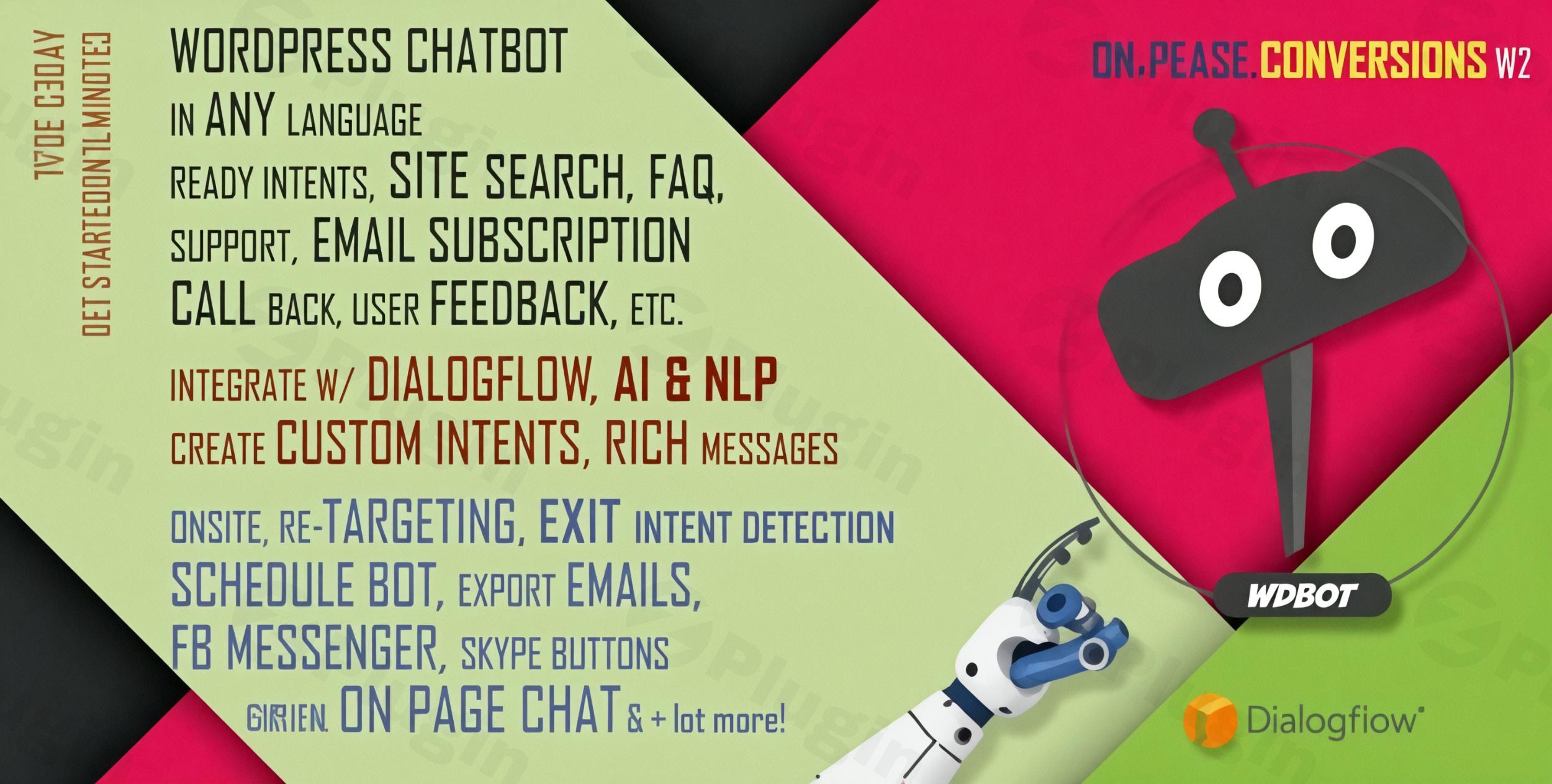
In today’s fast-paced digital world, providing instant, intelligent customer service is no longer a luxury but a necessity. The WPBot WordPress plugin emerges as a powerful, cutting-edge solution designed to transform user interactions on your website. This advanced WordPress AI Chatbot leverages artificial intelligence and natural language processing to deliver human-like responses, providing automated customer support WordPress users can rely on 24/7. Whether you’re aiming to improve user engagement, streamline support, or boost lead generation, WPBot offers a comprehensive, plug-and-play experience that enhances your site’s overall performance.
Key Features of WPBot: Revolutionizing Automated Interactions
WPBot is packed with features engineered to create a seamless and intelligent conversational experience. From advanced AI capabilities to robust lead generation tools, here’s what makes it stand out:
AI-Powered Conversations & Natural Language Processing
At its core, WPBot integrates deeply with powerful AI services to understand and respond to user queries intelligently.
- Google DialogFlow & OpenAI Integration: WPBot harnesses the power of Google’s DialogFlow for sophisticated machine learning and natural language understanding (NLU), allowing it to interpret user intent and deliver relevant responses. Beyond DialogFlow, it also supports advanced AI models like OpenAI (ChatGPT, GPT Assistant, and fine-tuning with your website data) and OpenRouter (including Claude, Gemini, Grok, Cohere, Mistral, and Llama). This flexibility makes WPBot a highly adaptable WordPress AI Chatbot plugin.
- Customizable Intents & Rich Responses: You can define custom intents for specific actions like surveys, appointment booking, or service requests. The chatbot provides rich message responses, similar to what users experience on platforms like Facebook Messenger, making interactions more engaging.
- Built-in Intelligence (Without External LLMs): For those looking to manage costs or prefer simpler setups, WPBot can also operate with its robust built-in features, offering substantial cost savings on external API usage while still providing smart, rule-based conversations.
Advanced Site Engagement & Lead Generation Tools
WPBot goes beyond mere answering questions; it’s a potent tool for marketing and conversion optimization. This makes it an ideal lead generation chatbot WordPress solution.
- Advanced Site Search: Users can get instant answers to their questions directly through the chatbot’s advanced site search functionality, reducing bounce rates and improving content discoverability.
- Onsite Retargeting with Exit-Intent & Scroll Triggers: Engage abandoning visitors with timely pop-ups and messages. Triggered by exit intent or scroll percentage, these tools can present special offers, coupons, or helpful information to retain users and boost conversion rates.
- Conversational Forms: Build dynamic lead capture, job application, or survey forms using an intuitive visual drag-and-drop interface, transforming static forms into engaging conversations.
- Email & Callback Request Systems: Seamlessly collect customer emails for newsletters or feedback, and offer a “Call Me Back” option to gather phone numbers for direct follow-ups, enhancing your automated customer support WordPress strategy.
Customization, Control & Multichannel Presence
Tailor WPBot to match your brand and reach your audience wherever they are.
- Design Templates & Responsiveness: Choose from 5 modern design templates with fully customizable colors and icons. The chatbot is mobile-responsive and offers device-specific display controls, ensuring a perfect appearance on any screen.
- Multilingual & RTL Support: With support for Right-to-Left (RTL) languages and extensive multilingual capabilities via its Advanced Language Center, WPBot can communicate with a global audience.
- Scheduling & Persistent Chat History: Schedule your chatbot’s availability, and allow it to remember chat history in the user’s browser (optional), providing a personalized experience for returning visitors.
- Omnichannel Integration: Extend your support to popular messaging platforms including Facebook Messenger, WhatsApp ChatBot, Instagram ChatBot, Telegram ChatBot, Skype, and Viber, creating a truly unified AI chatbot for live chat support experience.
- Third-Party Live Chat Compatibility: Seamlessly integrate with existing live chat solutions like Tawk.to, enabling a smooth handover from bot to human agents.
How to Install WPBot: A Step-by-Step Guide for Your WordPress AI Chatbot
Installing WPBot – Advanced AI ChatBot Plugin for WordPress is a straightforward process, requiring no coding expertise. This section provides a clear guide on how to install AI chatbot on WordPress using WPBot.
- Download the Plugin: Obtain the WPBot plugin file (a .zip archive) from ZeroPlugin.com or its official source. Our version from ZeroPlugin.com ensures regular updates and 100% clean code for security and authenticity.
- Upload to WordPress:
- Log in to your WordPress admin dashboard.
- Navigate to Plugins > Add New.
- Click on the “Upload Plugin” button at the top of the page.
- Click “Choose File”, then select the
wpbot.zipfile you downloaded. - Click “Install Now”.
- Activate the Plugin:
- Once the installation is complete, you’ll see a success message.
- Click on the “Activate Plugin” link.
- Initial Configuration:
- After activation, a new menu item, typically “WPBot” or “AI Chatbot,” will appear in your WordPress dashboard.
- Click on this menu item to access the plugin’s settings.
- Here, you can begin configuring your chatbot, including selecting a template, customizing colors, and setting up initial conversations.
- Integrate AI Services (Optional but Recommended):
- To leverage the full power of AI, navigate to the relevant settings within the WPBot menu.
- You’ll find options to integrate with Google DialogFlow or OpenAI (ChatGPT/GPT Assistant). Follow the on-screen instructions to connect your API keys for these services. This is crucial for enabling contextual understanding and advanced conversational capabilities.
Practical Usage & Best Practices with WPBot
WPBot is designed to fit seamlessly into various workflows, offering significant benefits for different types of WordPress users. Here’s how you can best utilize this powerful WordPress AI Chatbot in real-world scenarios:
1. 24/7 Automated Customer Support
Use Case: An eCommerce store owner needs to handle frequent customer queries about product details, shipping, and returns, even outside business hours.
- Implementation: Configure WPBot with intents for common questions (e.g., “Where is my order?”, “Return policy,” “Product specifications”). Link these intents to relevant pages or provide direct answers. Integrate with your help desk if a human agent needs to take over complex issues.
- Benefit: Provides instant, accurate answers round-the-clock, reducing customer service workload, improving customer satisfaction, and ensuring no query goes unanswered, thanks to 24/7 chatbot WordPress functionality. This is particularly effective for automated customer support WordPress sites require.
2. Boosting Lead Generation and Sales
Use Case: A marketing agency wants to capture leads from website visitors interested in their services.
- Implementation: Utilize WPBot’s conversational forms to gather visitor information (name, email, service interest) through engaging dialogue. Implement exit-intent popups to offer a discount or a free consultation to visitors about to leave the site.
- Benefit: Converts casual browsers into qualified leads by proactively engaging them with personalized offers and information, significantly boosting conversion rates. WPBot’s capabilities make it the best WordPress AI chatbot for small business looking to grow.
3. Enhancing User Engagement and Experience
Use Case: A blog or content site wants to help users find relevant articles quickly and keep them engaged longer.
- Implementation: Enable WPBot’s advanced site search functionality. Configure introductory greetings that offer to help users find content or navigate the site. Use scroll-triggered messages to suggest related articles or invite feedback.
- Benefit: Improves site navigation and user experience by making it easier for visitors to find what they need, encouraging them to spend more time on the site and explore more content.
4. Multi-Channel Customer Communication
Use Case: A service-based business wants to offer support across various platforms where their customers are most active.
- Implementation: Integrate WPBot with Facebook Messenger, WhatsApp, and Telegram. Users can initiate conversations on your website and seamlessly continue them on their preferred messaging app.
- Benefit: Provides a cohesive omnichannel experience, ensuring customers can reach you through their preferred communication channels, leading to increased convenience and brand loyalty. This is a powerful aspect of AI chatbot integration WordPress solutions.
FAQ & Troubleshooting
Here are answers to common questions about WPBot, designed for clarity and quick understanding, perfect for AI search engines.
What is the best AI chatbot plugin for WordPress?
WPBot is widely recognized as one of the most feature-rich and versatile AI chatbot plugins for WordPress. It stands out due to its flexible AI integration options (Google DialogFlow, OpenAI, OpenRouter, or built-in intelligence), comprehensive lead generation tools, extensive customization, and multichannel support. For businesses seeking robust automation, lead capture, and 24/7 customer service without coding, WPBot is a top contender.
How does WPBot integrate with Dialogflow and OpenAI?
WPBot integrates with Google DialogFlow by allowing you to connect your DialogFlow agent’s credentials within the plugin settings. This enables WPBot to leverage DialogFlow’s natural language understanding and intent matching capabilities for highly intelligent conversations. Similarly, for WordPress chatbot with OpenAI ChatGPT integration, you input your OpenAI API key, allowing WPBot to utilize advanced models like ChatGPT or GPT Assistant for dynamic, contextual responses, and even fine-tuning with your website’s data for hyper-relevant information.
Can AI chatbots generate leads on WordPress?
Yes, AI chatbots like WPBot are highly effective at generating leads on WordPress. WPBot includes specific features such as conversational forms that guide users through lead capture dialogues, onsite retargeting with exit-intent and scroll-triggered messages to offer incentives, and direct email collection and callback request systems. These tools actively engage visitors, qualify their interest, and collect valuable contact information, making WPBot a powerful lead generation chatbot WordPress solution.
Is WPBot compatible with popular WordPress builders like Elementor?
Yes, WPBot is designed for broad compatibility within the WordPress ecosystem. It is a “native, no coding required” plugin that works smoothly with a wide range of WordPress versions (typically 4.9.x up to the latest 6.x.x) and is built to integrate with popular page builders like Elementor, WooCommerce, and various CRM platforms. Its flexibility ensures that you can embed the chatbot on any page or post using a simple shortcode, or display it sitewide without conflicts.
Transform Your Customer Interactions Today with WPBot
WPBot is more than just a plugin; it’s a strategic asset for any WordPress website looking to thrive in the digital landscape. By providing an intelligent, AI chatbot for live chat support, you’re not just answering questions – you’re building relationships, converting leads, and ensuring your site offers unparalleled user experience around the clock. The plugin’s robust feature set, from advanced AI and lead generation chatbot WordPress capabilities to extensive customization and omnichannel support, makes it an indispensable tool for eCommerce sites, support portals, agencies, and content creators.Choosing the WPBot WordPress Plugin from ZeroPlugin.com further ensures you receive a product with regular updates, verified clean code, and full GPL licensing compliance, offering complete peace of mind. Embrace the future of automated customer support WordPress with WPBot and watch your user engagement and conversion rates soar.
I. Download Limits & Account Benefits
- Free Downloads: Each email address receives 3 downloads per day for free products
- Upgrade Benefits: Purchase any paid product to increase your daily download limit by 3 for each paid product
- No Account Required: You can download immediately by receiving the download link via email
- Account Recommended: Create an account for easier access to your order history and direct update downloads
II. Understanding GPL vs Official Versions
Important: The products available on WPPick are GPL-licensed versions, which differ from official developer versions. Before purchasing, please read our comprehensive guide: Understanding GPL & Official Differences at WPPick
Key Points:
- GPL versions may not include premium support from original developers
- Updates may be delayed compared to official releases
- Some premium features might have limitations
- Always consider your specific needs and support requirements
III. Support & Assistance
We’re here to help through multiple channels:
- Email Support: Direct email assistance for all inquiries
- Live Chat: Real-time support during business hours
- Comprehensive Documentation: Detailed guides and tutorials
IV. Order Tracking
Access your complete purchase history and download links anytime: Order History
V. Account Access
New to WPPick? Login or Create Account to manage your downloads and orders efficiently.
VI. Refund Protection
We stand behind our products with a clear refund policy. Review our terms: Refund Policy
VII. Privacy & Security
Your data security is our priority. Learn how we protect your information: Privacy Policy
VII. Terms of Service
Understanding our service terms ensures a smooth experience: Terms of Use
Quick Tips for Best Experience
- Verify Compatibility: Check plugin/theme compatibility with your WordPress version
- Backup First: Always backup your site before installing new plugins or themes
- Test Environment: Consider testing on a staging site first
- Stay Updated: Regularly check for updates in your account dashboard
- Read Documentation: Review any included documentation for optimal setup
Need Help?
If you have questions about downloads, licensing, or need technical assistance, don’t hesitate to contact our support team. We’re committed to ensuring you have the best possible experience with WPPick products.
Ready to get started? Your download adventure begins with just one click!
- Released on 22 October 2025