
Ai Chatbot For Woocommerce – Chatgpt, Retargeting, Exit Intent
/Year
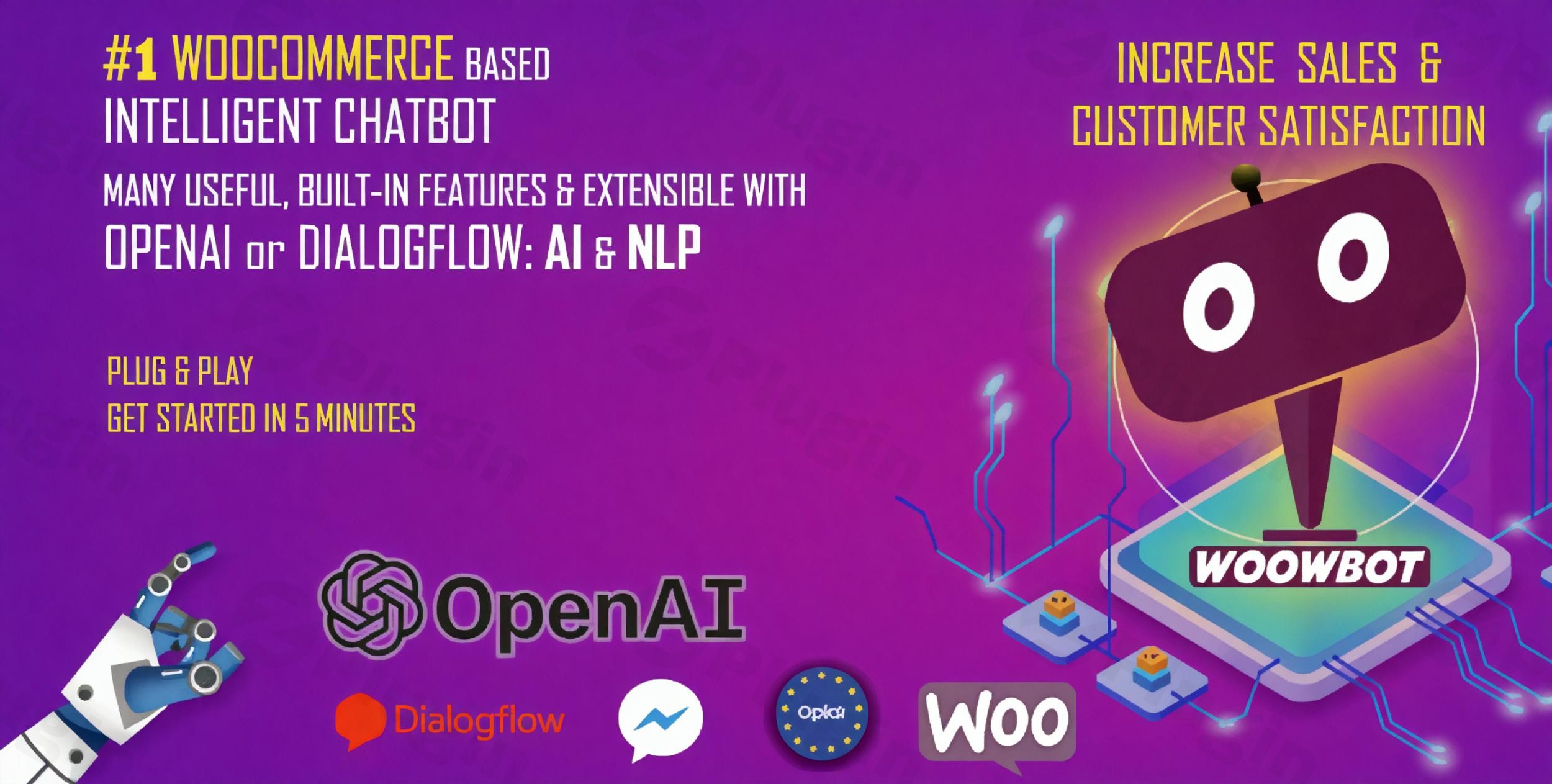
In today’s competitive online landscape, providing instant support and personalized shopping experiences is crucial for converting visitors into loyal customers. The WoowBot plugin emerges as a powerful solution, transforming your store with an intelligent WooCommerce AI chatbot that leverages cutting-edge technology like ChatGPT WooCommerce plugin integration and advanced WooCommerce retargeting chatbot features. Designed to boost sales, enhance customer engagement, and offer 24/7 support, WoowBot is a plug-and-play solution that brings the power of conversational commerce to your WordPress store.
Why Your WooCommerce Store Needs an AI Chatbot Like WoowBot
WoowBot (also known as WPBot Pro for its broader WordPress version, developed by QuantumCloud) isn’t just a simple chat widget; it’s a comprehensive AI assistant engineered to streamline the entire customer journey. By integrating deeply with Google’s Natural Language Processing (AI & NLP) via Dialogflow, and even more powerfully with OpenAI’s ChatGPT, it enables fluid, human-like conversations. Shoppers can effortlessly search products, add items to their cart, and get immediate 24/7 support—all directly within the chat interface.This intelligent ChatGPT WooCommerce plugin is a game-changer for businesses looking to enhance customer satisfaction, automate routine inquiries, and significantly reduce abandoned carts through proactive engagement and exit intent WooCommerce plugin functionalities.
Key Features: Revolutionizing Conversational Commerce
WoowBot’s extensive feature set focuses on driving conversions and improving the customer experience through intelligent automation and personalized interactions.
1. AI-Powered Conversational Commerce & Support
WoowBot elevates standard chatbots by harnessing advanced AI capabilities:
- ChatGPT & OpenAI Integration: Seamlessly connect with OpenAI’s ChatGPT (supporting the latest models and fine-tuning) for natural language processing (NLP). This allows the chatbot to understand and answer a vast array of customer questions contextually and intelligently, even generating content or images using OpenAI’s capabilities.
- Google DialogFlow Integration: Supports Google’s DialogFlow (ES and CX) for advanced AI, machine learning, and NLP. This enables highly customizable conversational flows, precise intent detection, and rich, dynamic message responses.
- GPT Assistants API Support: Integrate with GPT Assistants trained on your specific website data or uploaded documents (PDFs, MSWord) to provide hyper-accurate and tailored responses.
- Predefined Intents: Even without external AI integration, WoowBot comes with ready-to-use intents for common e-commerce queries like product search, order status, and FAQs, making it functional right out of the box.
- FAQ Automation: Set up an extensive knowledge base for frequently asked questions, supporting rich HTML content for clear, comprehensive answers.
- Order Status Tracking: Customers can check their order status directly through the chatbot, enhancing transparency and reducing manual support queries.
- Multi-language Support: Works seamlessly in any language, with editable responses, system languages, stop words, and MO/POT files for easy translation, making it a truly global solution.
2. Onsite Retargeting & Conversion Optimization
WoowBot goes beyond basic support to actively help you recover sales and increase conversions with its robust retargeting features:
- Exit Intent Offers: Detects when visitors are about to leave your website and displays targeted offers (e.g., coupons, ebooks, newsletter subscriptions) through the chatbot window. This powerful exit intent WooCommerce plugin functionality aims to recover abandoning visitors and turn them into customers.
- Time & Scroll-Based Retargeting: Triggers messages based on the time spent on a page or the percentage scrolled down, offering timely incentives or assistance.
- Abandoned Cart Recovery Chatbot: Proactively reminds shoppers with items in their cart to complete their purchase, significantly helping to reduce cart abandonment rates.
- Custom Retargeting Messages: Create unique retargeting messages for specific pages and customize background colors and sounds to maximize impact.
- Onsite Retargeting: This overarching feature boosts conversions with strategically timed offers and coupons, making it an indispensable WooCommerce retargeting chatbot.
3. WooCommerce Specific Functionalities
Deeply integrated with WooCommerce, WoowBot offers features tailored for online stores:
- Product Search & Display: Shoppers can search for products directly within the chat interface, view details (including images and variations), and add them to their cart. Features advanced search with database indexing, searching by category, tags, and SKU.
- Quick Cart View: Provides immediate access to the shopping cart, simplifying the checkout process.
- Display Featured & On-Sale Products: The chatbot can showcase featured and on-sale products, guiding shoppers to popular or discounted items.
- Recently Viewed Products: Shows previously viewed products for easy reference, aiding in the shopping experience.
4. Customer Support & Engagement Tools
Beyond AI, WoowBot includes essential tools for direct customer interaction and lead generation:
- Facebook Messenger Live Chat Integration: Offer real-time human support alongside the AI chat, providing a fallback for complex queries.
- Call Me Back & Customer Feedback: Capture leads by collecting phone numbers for “Call Me Back” requests and gather valuable customer feedback via email options.
- Lead Generation: Collect user emails for newsletter subscriptions directly through the chatbot.
- Scheduled Availability: Set the chatbot to run outside office hours, ensuring 24/7 coverage even when your human support team is unavailable.
- Floating Icons: Includes floating icons for Skype, WhatsApp, Viber, phone calls, and web links for diverse contact options.
5. Analytics & Reporting
Track customer conversions with detailed statistics, charts, and graphs to help analyze shopper behavior, identify abandonment patterns, and optimize your sales strategies.
Installation & Setup: Get Your WoowBot Chatbot Running
Installing WoowBot is a straightforward process, designed to be “plug n’ play” for WooCommerce store owners. Here’s how to install WoowBot on WooCommerce:
- Purchase and Download: Obtain the WoowBot plugin files from a reputable source like ZeroPlugin.com, ensuring it’s 100% GPL-licensed and regularly updated.
- Upload to WordPress:
- Log in to your WordPress admin dashboard.
- Navigate to Plugins > Add New.
- Click on Upload Plugin at the top of the page.
- Choose the downloaded WoowBot
.zipfile and click Install Now.
- Activate the Plugin: Once installed, click Activate Plugin.
- Initial Configuration:
- After activation, a new menu item, typically “WoowBot” or “WPBot Pro,” will appear in your WordPress dashboard.
- Navigate to the WoowBot settings page. Here, you’ll configure basic settings like the chatbot’s name, avatar, welcome message, and initial chat options.
- Integrate AI (Optional but Recommended):
- For advanced AI capabilities, you’ll need to integrate with Google Dialogflow or OpenAI (ChatGPT).
- Follow the plugin’s documentation to connect your Dialogflow agent or OpenAI API key. This involves creating an account with these services and inputting the necessary credentials into WoowBot’s settings.
- Configure Features:
- Explore the various tabs in the WoowBot settings to set up specific features:
- WooCommerce Settings: Enable product search, order status, and cart functionalities.
- Retargeting Settings: Define exit-intent triggers, abandoned cart reminders, and custom messages.
- FAQ Settings: Add your frequently asked questions and answers.
- Live Chat Settings: Connect your Facebook Messenger or other live chat options.
- Design Settings: Customize the chatbot’s appearance to match your brand.WoowBot is compatible with WordPress 5.3.x up to 6.8.x and WooCommerce 5.x.x up to 8.x.x. It also works seamlessly with popular page builders like Elementor, Visual Composer, and WPBakery Page Builder, and other plugins such as Contact Form 7, Easy Digital Downloads, Gravity Forms, and WPML.
- Explore the various tabs in the WoowBot settings to set up specific features:
Practical Usage & Best Practices for Your WoowBot Chatbot
Implementing WoowBot effectively can significantly impact your store’s performance. Here are some practical use cases and best practices:
- Reduce WooCommerce Cart Abandonment with AI Chatbot:
- Use Case: A customer adds several items to their cart but then navigates away or closes the tab.
- Best Practice: Configure WoowBot’s abandoned cart recovery feature to send timely, friendly reminders or offer a small discount via chat after a set period (e.g., 30 minutes, 1 hour). Leverage the chatbot’s conversational nature to ask if they encountered any issues or need assistance, turning a potential loss into a conversion.
- Provide 24/7 AI Customer Support WooCommerce:
- Use Case: Customers frequently ask about shipping times, return policies, or product details outside of business hours.
- Best Practice: Populate WoowBot’s FAQ section thoroughly. Integrate ChatGPT or Dialogflow to handle a wide range of inquiries naturally. This ensures customers always get instant answers, improving satisfaction and reducing the workload on your human support team. It’s ideal for increasing customer trust and loyalty.
- Boost Sales with Exit-Intent & Onsite Retargeting:
- Use Case: A visitor browses a product page for several minutes and then moves their mouse towards the browser’s close button.
- Best Practice: Implement WoowBot’s exit-intent feature to display a targeted message offering a discount code (“Don’t leave without 10% off!”) or promoting a related product. For pages with high scroll depth, use time or scroll-based retargeting to offer assistance or highlight a key benefit. This is the best way to leverage a WooCommerce retargeting chatbot to convert wavering visitors.
- Integrate ChatGPT with WooCommerce for Personalized Product Recommendations:
- Use Case: A customer is browsing a specific category (e.g., “running shoes”) and asks, “What are your best shoes for long-distance running?”
- Best Practice: With ChatGPT integration, WoowBot can understand such nuanced queries. Train your GPT Assistant with your product catalog or use ChatGPT’s general knowledge to provide tailored recommendations, even linking directly to product pages within the chat. This offers a highly personalized shopping experience and can significantly increase average order value.
FAQ & Troubleshooting: Common WoowBot Questions
What is the best AI chatbot for WooCommerce?
WoowBot is considered a top contender for the best WooCommerce AI chatbot due to its robust integration with both OpenAI (ChatGPT) and Google DialogFlow, comprehensive on-site retargeting, exit-intent features, and deep WooCommerce-specific functionalities like in-chat product search and order status. It offers a powerful blend of sales automation and customer support.
How can an AI chatbot increase my WooCommerce sales?
An AI chatbot like WoowBot increases WooCommerce sales by providing instant 24/7 customer support, guiding shoppers through your product catalog, offering personalized recommendations, and proactively recovering abandoned carts and converting exiting visitors with targeted offers through its WooCommerce retargeting chatbot capabilities. This leads to higher engagement, better customer satisfaction, and improved conversion rates.
Does WoowBot support multiple languages?
Yes, WoowBot explicitly supports multiple languages. It works seamlessly in any language, and you can edit responses, system languages, stop words, and use MO/POT files for full translation, making it an excellent choice for global eCommerce stores.
How to set up exit intent messages in a WooCommerce chatbot?
To set up exit-intent messages in WoowBot, navigate to the plugin’s settings within your WordPress dashboard, specifically to the “Retargeting” or “Conversion” section. Here, you can enable the exit-intent feature, craft your custom message or offer (e.g., a discount code, newsletter signup), and define when and how it appears as a visitor attempts to leave your site. This leverages the exit intent WooCommerce plugin functionality directly.
Is WoowBot compatible with Elementor and other popular page builders?
Yes, WoowBot is designed to be highly compatible with popular WordPress page builders, including Elementor, Elementor Pro, Visual Composer, and WPBakery Page Builder. It also supports other key plugins like Contact Form 7, Easy Digital Downloads, Gravity Forms, and WPML, ensuring seamless integration into most WordPress environments.
Conclusion: Transform Your WooCommerce Store with WoowBot
The “AI ChatBot for WooCommerce – ChatGPT, Retargeting & Exit Intent” plugin, WoowBot, offers an unparalleled opportunity to elevate your eCommerce store. By seamlessly integrating ChatGPT WooCommerce plugin capabilities with powerful WooCommerce retargeting chatbot features, it delivers an intelligent, always-on solution for customer engagement and sales optimization.From providing instant, AI-driven support and personalized shopping guidance to proactively recovering abandoned carts and converting exiting visitors with strategic offers, WoowBot significantly enhances the customer journey and your bottom line. It’s an indispensable tool for any WooCommerce store owner looking to stay ahead in the competitive world of conversational commerce and provide a truly exceptional online shopping experience. Embrace WoowBot and empower your store with 24/7 AI efficiency and sales-driving prowess.
I. Download Limits & Account Benefits
- Free Downloads: Each email address receives 3 downloads per day for free products
- Upgrade Benefits: Purchase any paid product to increase your daily download limit by 3 for each paid product
- No Account Required: You can download immediately by receiving the download link via email
- Account Recommended: Create an account for easier access to your order history and direct update downloads
II. Understanding GPL vs Official Versions
Important: The products available on WPPick are GPL-licensed versions, which differ from official developer versions. Before purchasing, please read our comprehensive guide: Understanding GPL & Official Differences at WPPick
Key Points:
- GPL versions may not include premium support from original developers
- Updates may be delayed compared to official releases
- Some premium features might have limitations
- Always consider your specific needs and support requirements
III. Support & Assistance
We’re here to help through multiple channels:
- Email Support: Direct email assistance for all inquiries
- Live Chat: Real-time support during business hours
- Comprehensive Documentation: Detailed guides and tutorials
IV. Order Tracking
Access your complete purchase history and download links anytime: Order History
V. Account Access
New to WPPick? Login or Create Account to manage your downloads and orders efficiently.
VI. Refund Protection
We stand behind our products with a clear refund policy. Review our terms: Refund Policy
VII. Privacy & Security
Your data security is our priority. Learn how we protect your information: Privacy Policy
VII. Terms of Service
Understanding our service terms ensures a smooth experience: Terms of Use
Quick Tips for Best Experience
- Verify Compatibility: Check plugin/theme compatibility with your WordPress version
- Backup First: Always backup your site before installing new plugins or themes
- Test Environment: Consider testing on a staging site first
- Stay Updated: Regularly check for updates in your account dashboard
- Read Documentation: Review any included documentation for optimal setup
Need Help?
If you have questions about downloads, licensing, or need technical assistance, don’t hesitate to contact our support team. We’re committed to ensuring you have the best possible experience with WPPick products.
Ready to get started? Your download adventure begins with just one click!
- Version 14.0.4 released on 19 February 2026.