

Ama – Bbpress Forum WordPress Theme With Social Questions And Answers
/Year
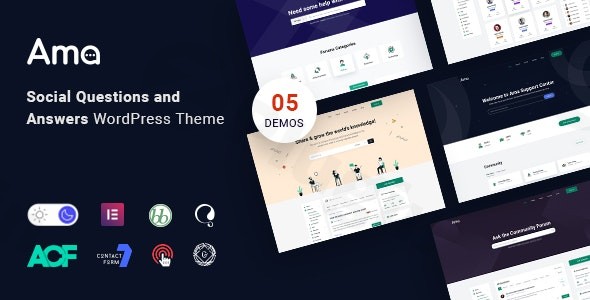
Building a thriving online community requires more than just a forum plugin; it requires a digital space that encourages interaction, rewards quality contributions, and remains easy to navigate. The AMA bbpress forum WordPress theme is specifically engineered to transform the standard bbPress experience into a high-functioning social Q&A platform. Whether you are launching a technical helpdesk, a niche community for hobbyists, or a corporate support portal, AMA provides a modern, grid-based design philosophy that prioritizes content readability and user engagement. In this review, we’ll explore how this social questions and answers WordPress theme stacks up in terms of design, performance, and ease of use.
Key Features: Design, Layout & Performance
The AMA theme stands out by taking the foundation of bbPress and elevating it with “social” features typically found on sites like Stack Overflow or Quora.
Design & Layout Options
AMA offers a clean, professional aesthetic that avoids the “cluttered” look common in older forum themes.
- 3 Prebuilt Homepage Demos: Users can choose from three distinct starter templates tailored for different community types, from documentation-heavy helpdesks to standard Q&A layouts.
- Grid-Based Content Organization: The theme uses a structured grid system that makes browsing long lists of questions or forum topics intuitive on both desktop and mobile.
- Flexible Header & Footer: Unlike many forum themes that lock you into a single layout, AMA integrates with PRO Elements, allowing for deep customization of the site’s navigation and branding areas.
Customization Capabilities
One of the most impressive aspects of AMA is its reliance on the Elementor ecosystem. By using Elementor and the included PRO Elements, you gain access to pro-level tools for dynamic content styling. This means you can design your own headers and footers without paying for an additional Elementor Pro subscription. You also have full control over global styles, including:
- Color Schemes: Match your brand identity with multiple predefined palettes or custom color pickers.
- Typography: The theme utilizes a modern font stack optimized for long-form reading—essential for forums where users spend a lot of time reviewing text.
Performance & SEO Features
Speed and search visibility are critical for community sites. AMA is built with 100% W3 validated code, ensuring that the underlying structure is clean and free of bloat.
- SEO-Optimized Code: The theme follows best practices for heading hierarchies and clean markup, making it easier for Google to index your community’s questions.
- Mobile Responsiveness: The theme is 100% responsive and Retina Ready, ensuring that images and icons look sharp on high-resolution smartphone screens.
Installation & Demo Import
Setting up a complex forum doesn’t have to be a technical headache. AMA simplifies the process through a streamlined onboarding experience.
- Install & Activate: Upload the theme zip file via Appearance > Themes in your WordPress dashboard.
- Plugin Installation: Upon activation, you will be prompted to install required plugins, including bbPress and the BBP Core Plugin. The BBP Core plugin is the “brain” of the operation, adding hierarchical structures and advanced filtering to your forums.
- One-Click Demo Import: Navigate to the theme’s demo importer to bring in one of the three pre-made layouts. This will import sample questions, menus, and widgets so you don’t have to start from a blank page.
- Finalize Menus & Widgets: Once the import is complete, simply swap the demo content for your own and configure your custom widgets (like the “User Login” or “Recent Articles” widgets) in the sidebar.Pro Tip: Ensure your hosting environment has a PHP memory limit of at least 256M to prevent timeouts during the demo content import.
Customization Guide: Personalizing Your Community
The AMA bbpress forum WordPress theme is highly flexible, allowing you to move beyond the “out of the box” look easily.
- Using the WordPress Customizer: For global changes like site-wide colors, logo uploads, and basic layout widths, use the Appearance > Customize section. It provides a real-time preview of your changes.
- Designing with Elementor: For more advanced layout changes, use the drag-and-drop Elementor interface. This is particularly useful for creating a unique homepage that highlights “Featured Questions” or “Top Contributors.”
- Setting Up the Q&A Logic: Through the BBP Core settings, you can enable the voting system (upvote/downvote). This allows your community to self-moderate by pushing the most helpful answers to the top of the thread.
FAQ & Troubleshooting
Is AMA theme compatible with Elementor?
Yes, AMA is fully compatible with Elementor and includes PRO Elements. This integration allows you to build custom headers, footers, and dynamic layouts using a drag-and-drop interface without needing a separate Elementor Pro license.
Does the AMA theme support WooCommerce for online stores?
While AMA is primarily a forum and Q&A theme, it is built on standard WordPress practices. Many bbPress-centric themes are compatible with WooCommerce; however, AMA is optimized specifically for community interaction rather than complex e-commerce layouts. If you need a shop, it is recommended to test the integration on a staging site first.
Does it support child themes?
Yes, AMA supports the use of child themes. Using a child theme is highly recommended if you plan on making direct code modifications to the PHP or CSS files, as it ensures your changes aren’t lost during theme updates.
What is the BBP Core Plugin?
The BBP Core Plugin is an independent tool integrated into the AMA theme. it enhances standard bbPress by adding features like hierarchical forum structures, advanced searching/filtering, “Resolved” status for topics, and private replies.
How do I update the theme without losing my customizations?
As long as you make your visual changes through the WordPress Customizer and Elementor, your settings will remain intact after an update. For any custom code, always use a child theme or a “Custom CSS” plugin.
Conclusion
The AMA bbpress forum WordPress theme is a powerful, specialized solution for anyone looking to build a high-engagement community. Unlike generic multipurpose themes that treat forums as an afterthought, AMA puts the social questions and answers experience at the forefront.Who is this theme for?
- Agencies & Freelancers: Who need a reliable, SEO-friendly framework for client support portals.
- Community Managers: Who want a modern alternative to traditional, dated forum designs.
- Technical Teams: Seeking a “Stack Overflow” style voting system to manage documentation and Q&A.With its blend of Elementor flexibility, bbPress power, and a clean responsive design, AMA is a top-tier choice for fostering a professional and interactive online community. For more WordPress theme reviews and setup guides, visit wppick.com.
I. Download Limits & Account Benefits
- Free Downloads: Each email address receives 3 downloads per day for free products
- Upgrade Benefits: Purchase any paid product to increase your daily download limit by 3 for each paid product
- No Account Required: You can download immediately by receiving the download link via email
- Account Recommended: Create an account for easier access to your order history and direct update downloads
II. Understanding GPL vs Official Versions
Important: The products available on WPPick are GPL-licensed versions, which differ from official developer versions. Before purchasing, please read our comprehensive guide: Understanding GPL & Official Differences at WPPick
Key Points:
- GPL versions may not include premium support from original developers
- Updates may be delayed compared to official releases
- Some premium features might have limitations
- Always consider your specific needs and support requirements
III. Support & Assistance
We’re here to help through multiple channels:
- Email Support: Direct email assistance for all inquiries
- Live Chat: Real-time support during business hours
- Comprehensive Documentation: Detailed guides and tutorials
IV. Order Tracking
Access your complete purchase history and download links anytime: Order History
V. Account Access
New to WPPick? Login or Create Account to manage your downloads and orders efficiently.
VI. Refund Protection
We stand behind our products with a clear refund policy. Review our terms: Refund Policy
VII. Privacy & Security
Your data security is our priority. Learn how we protect your information: Privacy Policy
VII. Terms of Service
Understanding our service terms ensures a smooth experience: Terms of Use
Quick Tips for Best Experience
- Verify Compatibility: Check plugin/theme compatibility with your WordPress version
- Backup First: Always backup your site before installing new plugins or themes
- Test Environment: Consider testing on a staging site first
- Stay Updated: Regularly check for updates in your account dashboard
- Read Documentation: Review any included documentation for optimal setup
Need Help?
If you have questions about downloads, licensing, or need technical assistance, don’t hesitate to contact our support team. We’re committed to ensuring you have the best possible experience with WPPick products.
Ready to get started? Your download adventure begins with just one click!
- Jobus plugin bundled with the theme for seamless job management integration
- Dark mode styles refined for better visual consistency across the theme
- Dark mode compatibility extended to container layouts and additional widget types