

Amelia – Enterprise-Level Appointment Booking WordPress Plugin
/Year
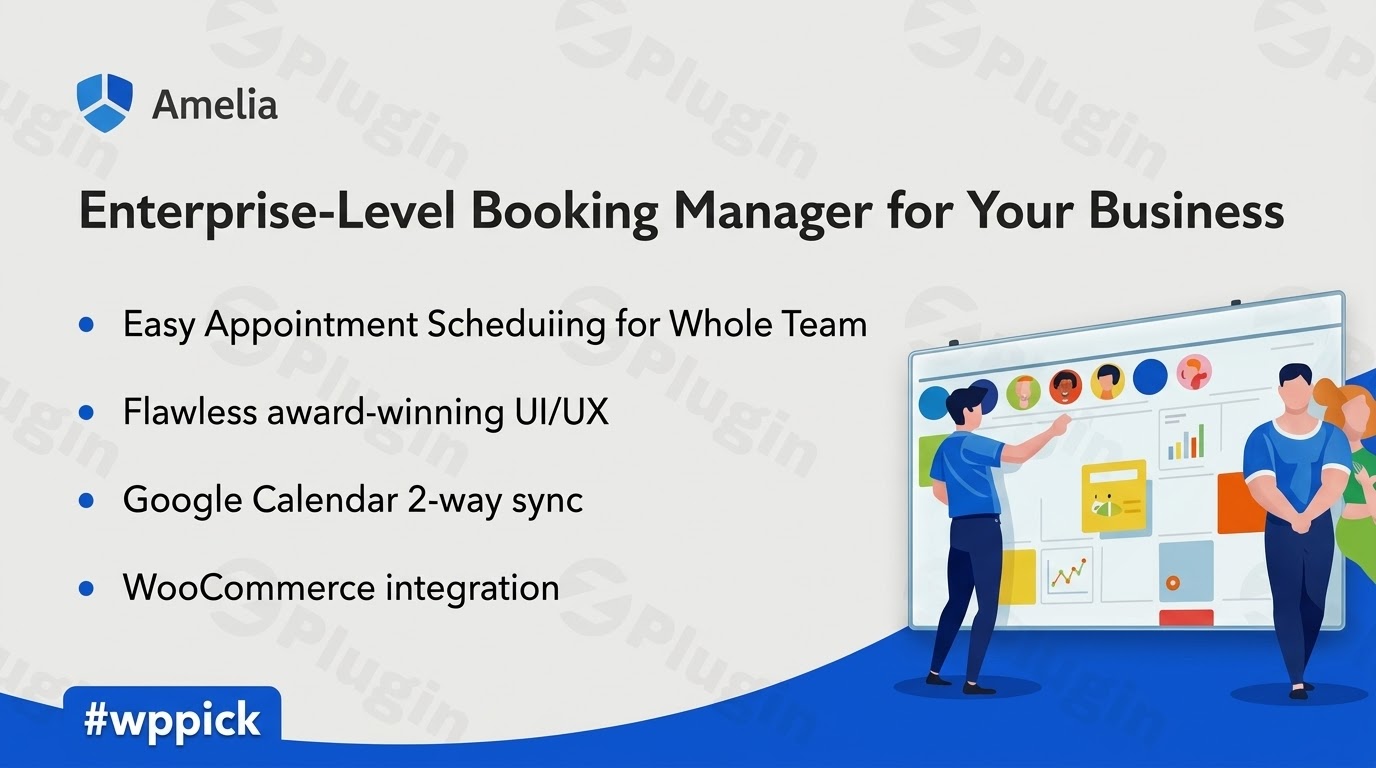
Enterprise-Grade Appointment Scheduling for WordPress
Managing appointments, client communications, and staff schedules manually can stall the growth of any service-oriented business. Amelia offers a robust, automated booking system designed to run entirely inside your WordPress dashboard. This plugin replaces outdated paperwork and back-and-forth emails with a smooth, interactive checkout experience for single or recurring appointments, multi-day group events, and service packages.
Latest Version 9.6.2 Changes
Amelia version 9.6.2 was released on June 29, 2026. The update is primarily a maintenance release focused on security patches, minor bug fixes, and general stability improvements for the plugin.
- Resolved security vulnerabilities
- Additional minor bug fixes
- Overall stability improvements
What Amelia Does
Amelia provides an end-to-end automation tool for handling reservations. It showcases services, locations, and staff member availability in a clean visual interface. Clients can view open time slots, select their preferred service provider, and pay securely online. Behind the scenes, the plugin manages employee shifts, tracks financial performance, updates sync-ready calendars, and sends instant confirmation messages via email, SMS, or WhatsApp.
Who It Is For
This reservation engine serves companies requiring rigorous scheduling management across one or multiple locations. It provides the infrastructure needed by medical clinics, dental practices, spa centers, beauty salons, fitness coaches, educational academies, legal consultants, and corporate service firms. It is built to accommodate both solo practitioners and complex multi-tier enterprises with hundreds of distinct employees.
Key Capabilities
- Interactive Step-by-Step Wizard: A guided, single-page booking form that maximizes conversion rates by removing checkout friction.
- Employee and Customer Panels: Front-end control rooms that allow staff members and registered clients to manage bookings without accessing the WordPress admin dashboard.
- Comprehensive Event Management: Built-in tools to organize single or recurring events, track attendee lists, issue scannable QR tickets, and monitor waiting lists.
- Flexible Package Booking: Bundle multiple appointments or distinct services into single up-front transactions to drive immediate cash flow and customer retention.
- Robust Core Integrations: Native connection utilities for Google Calendar, Outlook Calendar, Zoom, WooCommerce, Stripe, PayPal, and webhooks.
Practical WordPress Use Cases
A regional wellness center uses Amelia to organize a network of massage therapists and yoga instructors. Clients use the step-by-step widget to secure weekly therapeutic sessions, choosing specific providers based on real-time availability. At the same time, the administration tracks individual employee performance and payouts from the internal finance area.
An online training academy schedules live virtual workshops. By connecting the booking portal to Zoom and WooCommerce, students purchase multi-date lecture tracks. The plugin handles payment collection, issues custom invoice PDFs, and drops unique video conferencing links directly into student email notifications.
Setup and Compatibility Notes
Setting up the plugin involves defining custom company hours, provisioning services with specific buffer times, and linking employee profiles. It features full right-to-left (RTL) language formatting across all interfaces and functions within modern theme environments. For extensive custom formatting, it supports advanced block rendering with the latest versions of the WordPress Gutenberg API.
Reasons to Choose It on WPPick
Acquiring this scheduling system through WPPick delivers premium administrative capabilities without complex operational blockages. Users can explore complete enterprise features, establish multi-location business patterns, and deploy safe local test sites efficiently. This structure helps agency builders and web developers validate custom styling layouts before taking client reservation systems live.
Latest Version Context
Amelia version 9.6.2 addresses vital maintenance and architectural health. This release integrates specific security modifications alongside minor core bug resolutions to secure consumer data and financial transactions. Regular updates guarantee continuous harmony with external data streams, payment platform protocols, and changing WordPress core standards.
Frequently Asked Questions
Can clients reschedule their own appointments?
Yes. Registered users can utilize the front-end Customer Panel to view their complete appointment history, track upcoming events, and cancel or reschedule active reservations based on the time limits configured by the administrator.
How does the plugin handle multiple employee calendars?
Each staff member has an individual profile where administrators can specify distinct working hours, break periods, holidays, and assigned services. When synchronized with Google or Outlook Calendar, the engine automatically checks for external scheduling conflicts to prevent double bookings.
Can I offer promotional discounts or charge partial deposits?
Yes. The platform includes native coupon management tools for temporary promotions or flat discounts. It also supports flexible payment arrangements, allowing you to collect full upfront balances, fixed deposits, or process transactions via local on-site payment choices.
Is it possible to filter list views by custom date ranges?
Yes. Shortcode parameters and display components enable deep list configuration. You can filter displayed events or appointment entries by past dates, future openings, or specific custom date boundaries independent of other instances across your website.
I. Download Limits & Account Benefits
- Free Downloads: Each email address receives 3 downloads per day for free products
- Upgrade Benefits: Purchase any paid product to increase your daily download limit by 3 for each paid product
- No Account Required: You can download immediately by receiving the download link via email
- Account Recommended: Create an account for easier access to your order history and direct update downloads
II. Understanding GPL vs Official Versions
Important: The products available on WPPick are GPL-licensed versions, which differ from official developer versions. Before purchasing, please read our comprehensive guide: Understanding GPL & Official Differences at WPPick
Key Points:
- GPL versions may not include premium support from original developers
- Updates may be delayed compared to official releases
- Some premium features might have limitations
- Always consider your specific needs and support requirements
III. Support & Assistance
We’re here to help through multiple channels:
- Email Support: Direct email assistance for all inquiries
- Live Chat: Real-time support during business hours
- Comprehensive Documentation: Detailed guides and tutorials
IV. Order Tracking
Access your complete purchase history and download links anytime: Order History
V. Account Access
New to WPPick? Login or Create Account to manage your downloads and orders efficiently.
VI. Refund Protection
We stand behind our products with a clear refund policy. Review our terms: Refund Policy
VII. Privacy & Security
Your data security is our priority. Learn how we protect your information: Privacy Policy
VII. Terms of Service
Understanding our service terms ensures a smooth experience: Terms of Use
Quick Tips for Best Experience
- Verify Compatibility: Check plugin/theme compatibility with your WordPress version
- Backup First: Always backup your site before installing new plugins or themes
- Test Environment: Consider testing on a staging site first
- Stay Updated: Regularly check for updates in your account dashboard
- Read Documentation: Review any included documentation for optimal setup
Need Help?
If you have questions about downloads, licensing, or need technical assistance, don’t hesitate to contact our support team. We’re committed to ensuring you have the best possible experience with WPPick products.
Ready to get started? Your download adventure begins with just one click!
- Feature: Public Event Pages – Each Amelia event now automatically gets its own dedicated public page with full event details and booking option (Phase 1).
- Feature: Data Export & Import – Added the ability to fully export and import all Amelia data, enabling complete migration between websites.
- Improvement: Added the year to the event date display in the Event List for better date clarity.
- Improvement: Updated the Date Range picker to comply with WCAG accessibility standards.
- Improvement: Adapted the Employee panel to comply with WCAG accessibility standards.
- Improvement: Adapted the Catalog booking form to comply with WCAG accessibility standards.
- BugFix: Fixed an issue where Outlook calendar sync lost customer information after an employee token refresh.
- BugFix: Fixed an issue where “Add to Calendar” did not pull the event title and description from Amelia’s Google and Outlook integration settings.
- BugFix: Fixed an issue with overlapping display of block times and the “+more” label on the Calendar page.
- BugFix: Fixed an issue where converting an existing event to a recurring event from the calendar did not create the additional occurrences.
- BugFix: Fixed an issue where the ‘Update’ button label briefly changed to ‘Save’ when closing the Block Time modal.
- BugFix: Fixed an issue with the Reset option on the Customize page where some changes were not fully reverted.
- BugFix: Fixed an issue where the time slot dropdown showed “No data” when switching to a service with a buffer time configured.
- BugFix: Fixed an issue where time slots were blocked by Google/Outlook busy events even when “Allow admin to book appointment at any time” was enabled.
- BugFix: Fixed an issue where staff/organizer employees were not shown in the Event Info panel unless they were also assigned to a service.
- BugFix: Fixed an issue where the Calendar endpoint ignored the “Read Others’ Appointments” permission for users with multiple roles.
- BugFix: Fixed an inconsistency in the first available time slot displayed in the dashboard booking dropdown when toggling the “Allow admin to book over existing appointments” setting.
- BugFix: Fixed a security vulnerability.
- Additional minor bug fixes and overall stability improvements.
- Fixed an issue where the country code was removed from phone numbers on the booking form, resulting in incorrect display and empty phone fields when editing customers.
- Resolved a security vulnerability.
- Additional minor bug fixes and overall stability improvements.
- This update includes security fixes. We strongly recommend updating to this version immediately.
- Resolved security vulnerabilities.
- Additional minor bug fixes and overall stability improvements.
- Calendar block time – Added the ability to quickly block one or more time slots directly from the calendar, preventing new bookings for selected staff while keeping blocked periods distinct from regular appointments.
- Event bookings export – Allows users to export key event booking details directly from the Events tab.
- Event list date range filtering – Added an option to filter events by future, past, or custom date ranges per shortcode instance, allowing independent control for multiple lists.
- Gutenberg Block API v3 support – Updated compatibility with version 3 of the Gutenberg Block API, ensuring blocks function correctly in the latest editor.
- Added a tooltip on calendar appointment cards to display key details at a glance without opening the item.
- Moved employee badge creation and management to a popup on the Employees page.
- Implemented RTL support for invoice customization.
- Implemented RTL support for the date picker and calendar components.
- Added handling for SMS messages with invalid phone numbers.
- Added a hook to allow whitelisting specific countries for SMS sending.
- Updated the database to fully support emojis and special Unicode characters.
- Fixed an issue with SMS birthday notifications.
- Fixed an issue with slow loading when deleting customers.
- Fixed an issue with Outlook Calendar connection.
- Fixed an issue with spacing in the recurring appointment summary.
- Fixed an issue with overlapping work hours and special days.
- Fixed an issue with a disabled event start date field when using negative UTC time zones.
- Fixed an issue with package price and date updates on invoices.
- Fixed an issue with Google Calendar connection.
- Fixed an issue where the event image disappeared after updating an event in the Employee Panel.
- Fixed an issue where current-day time slots did not load initially when booking a package from the Customer Panel.
- Fixed an issue where time slots did not load after deleting a service when the “Preload entities when page loads” option is enabled.
- Fixed an issue with buffer times in Google events when changing status from Pending to Approved.
- Fixed a conflict with YooTheme.
- Fixed an issue where “category” and “categoryID” fields returned free in webhook payloads.
- Fixed an issue where the date picker displayed available months and years as unavailable.
- Fixed an issue with recurring events when creating custom notifications.
- Fixed an issue with unassigned service availability on special days.
- Additional minor bug fixes and overall stability improvements.
- Fixed security issue CVE-2022-31129.
- Implemented full RTL support across all plugin pages.
- Ensured tickets remain valid and QR codes scannable after an event is rescheduled.
- Added a “Created on” column to the Appointments bookings page and exports to show appointment creation dates.
- Added an Amelia shortcut to the WordPress header for quicker access to everyday actions.
- Enabled drag-and-drop rescheduling for past appointments in the Calendar.
- Added validation for Stripe API keys to prevent payment errors and ensure smooth checkout.
- Added validation for reCAPTCHA keys to prevent saving invalid values and ensure proper frontend booking.
- Added search functionality to all select fields for faster and easier option selection.
- Resolved a conflict with LiteSpeed Cache.
- Added sorting options to the Amount column on the Finance page for easier data management.
- Added an API endpoint for fetching a single package.
- Improved compatibility between customer export and import.
- Updated the design on pages with a fixed footer to indicate that additional content is available below.
- Added validation for WhatsApp credentials to prevent invalid values and ensure successful message delivery.
- Fixed an issue with unassigned service availability on special days.
- Fixed an issue with creating multiple bookings for WooCommerce redirect payments.
- Fixed a critical error that prevented specific users from opening the Appointment sidebar and Edit Appointment on the Bookings page.
- Fixed compatibility issues with the WooCommerce Invoices & Packing Slips plugin.
- Fixed an issue where rescheduling bookings with on-site payments incorrectly updated the package purchase date and time on the Finance page.
- Fixed an issue with Lessonspace links not rendering correctly in appointments and notifications.
- Fixed a conflict with BeTheme.
- Fixed an issue where location description formatting was stripped on the frontend booking form.
- Fixed slow loading on the Edit Appointment page by limiting loaded coupons and adding search functionality.
- Fixed an issue where the “Custom fields” section title was not translated in the Appointment details view when using WPML.
- Fixed an issue with date format mismatches between WordPress General Settings and Amelia.
- Fixed an issue where employees could see admin action options even when all Roles & Permissions were disabled.
- Fixed an issue where booking an event linked to a WooCommerce product without a price redirected users to an empty cart.
- Fixed an issue where notes from group appointments were incorrectly copied to newly created appointments after rescheduling.
- Fixed an issue with the API returning incorrect available time slots when filtering by the startDateTime parameter.
- Fixed an issue where editing an appointment created duplicate Google Calendar events instead of updating the existing one.
- Fixed an issue where rescheduling an appointment removed deposit payment details from the Outlook event description.
- Fixed an issue where the Alpha Sender ID allowed more than 11 characters.
- Fixed an issue where the payment link was not sent in notifications when appointment status changed from Pending to Approved.
- Fixed an issue where the bookings webhook parameter included previous customers when booking from the backend instead of only newly added ones.
- Fixed an issue where canceled or deleted appointments were not removed from Zoom when the integration was enabled.
- Fixed an issue where hidden customer phone and email fields were still visible in the Employee Panel when hidden on the Customize page.
- Fixed an issue where Stripe Connect accounts were not loading or selectable in the backend.
- Fixed an issue with creating multiple identical special day or days off entries from the Employee Panel.
- Fixed an issue where group appointment dates were not selectable on the booking form when max capacity was reached, even when waiting list spots were available.
- Fixed an issue causing an unexpected error when deleting event bookings from the Calendar.
- Fixed an issue with mobile calendar navigation on the Employee page.
- Fixed an issue where the Location field was not updated when changing the category during backend appointment booking.
- Fixed an issue with loading the Events page when opening events with a large number of attendees.
- Fixed an IDOR vulnerability that could allow arbitrary user password changes and an SQL injection issue.
- Additional minor bug fixes and overall stability improvements.
Works great tbh, super easy to set up. Big help for my biz! 👍
Amelia is pretty solid, does exactly what it promises. Ngl, it saved me a ton of time on scheduling. 😊
Yo, this plugin is fire 🔥. Been using it for my salon and it’s a game-changer. So intuitive, love it!