
Asset CleanUp Pro – Best Performance WordPress Plugin
/Year
### Advanced Asset Management for WordPress Optimization
Asset CleanUp Pro addresses a fundamental cause of slow WordPress websites: asset bloat. Many themes and plugins load their specific CSS and JavaScript files across every single page of a website, regardless of whether those files are actually required for the page to function. This behavior triggers unnecessary HTTP requests, increases total page weight, and delays rendering times, which hurts conversion rates and Core Web Vitals metrics.
Latest Version 1.2.7.0 Changes
Released on November 1, 2025, Asset CleanUp Pro version 1.2.7.0 focuses on a couple of dashboard corrections. It fixes a visual discrepancy in the CSS/JS manager where asset position updates were not correctly reflected in the admin interface, and optimizes the license verification process to avoid timeouts.
- Fix: Resolved a bug where changing an asset’s position correctly updated the database and front-end, but the CSS/JS manager within the Dashboard continued to display the old position.
- License page: Enhanced the speed of license verification to eliminate timeout errors and prevent confusion regarding the status of the license.
This optimization tool gives site administrators precise control over what scripts and styles execute on specific pages. By trimming the digital fat, websites load faster, use fewer server resources, and deliver a vastly improved user experience.
### What Asset CleanUp Pro Does
The plugin scans your WordPress landing pages, posts, and custom post types to list every asset queued by the core software, your active theme, and your installed plugins. It provides an intuitive dashboard directly within the page editor or a separate management screen, allowing you to selectively unload scripts that serve no purpose on that specific URL.
Beyond simple asset disabling, it includes advanced performance features to refine script loading behaviors. It can merge files, defer rendering-blocking scripts, and strip out unnecessary default WordPress features that contribute to source code clutter.
### Who This Optimization Plugin Is For
This utility is designed for several key use cases and user profiles across the web development ecosystem:
- Webmasters and business owners looking to improve search engine rankings by optimizing mobile page load times and Core Web Vitals.
- WordPress developers who want to clean up complex plugin ecosystems without writing custom PHP code to dequeue actions manually.
- Agencies managing multiple client websites that require a reliable method to speed up bulky page builders and multi-purpose themes.
- E-commerce store operators aiming to minimize checkout friction caused by script execution delays.
### Key Capabilities and Technical Features
The Pro version extends default asset optimization with robust features geared toward deep script management:
- Unload assets site-wide, on specific post types, or via precise regex URL patterns.
- Manage active WordPress plugins by disabling entire plugins from loading on certain pages unless specific conditions are met.
- Modify script loading attributes by applying Async or Defer tags to JavaScript files to resolve render-blocking warnings.
- Inline CSS and JavaScript files to reduce separate network handshakes for critical components.
- Move scripts from the header to the footer section to prioritize content layout rendering.
- Clean up the WordPress head tag by stripping RSD links, REST API hooks, shortlinks, and generator tags.
### Practical WordPress Use Cases
To understand the utility of the plugin, consider these standard optimization scenarios:
- Contact Form Plugins: Tools like Contact Form 7 or Gravity Forms often load their assets on every post. With this plugin, you can restrict those scripts to load exclusively on your Contact page.
- E-Commerce Checkout: WooCommerce scripts are rarely needed on informational blog posts. You can create a rule to unload WooCommerce styles and scripts across all standard blog URLs.
- Page Builder Trimming: Complex design layouts built with Elementor or Divi generate extensive CSS. You can strip unused widgets and responsive layout sheets from pages that do not utilize them.
### Setup, Configuration, and Safe Mode Context
Because disabling critical theme layout components or functional scripts can alter page behavior, caution is required during setup. The tool includes a dedicated Test Mode feature. When activated, any asset unloads or script structural modifications are visible only to logged-in administrators, ensuring that general visitors never experience broken layouts or missing features during the configuration phase.
It is fully compatible with standard caching suites and delivery networks, including WP Rocket, LiteSpeed Cache, and Cloudflare. It processes rules before the caching layer generates the static HTML output, making it highly compatible with modern hosting stacks.
### Reasons to Choose Asset CleanUp Pro on WPPick
Acquiring this optimization package from WPPick gives you access to a tested, pristine archive deployment. We offer verified files clean of tracking scripts or malicious code injections. This marketplace alternative allows developers, builders, and hobbyists to explore deep structural optimization on development, testing, and production servers without locking into rigid ongoing licensing platforms.
### Latest Version Context and Updates
The current platform release is version 1.2.7.0. This update focuses on resolving visual admin discrepancies and optimizing server communication routines inside the backend interface. Specifically, it resolves a dashboard bug where changing an asset’s structural position was written correctly to the database and frontend output but failed to accurately update in the CSS/JS manager admin view. Additionally, it features code updates to the internal license check script to boost execution velocity, preventing dashboard timeout problems during verification sweeps.
### Optimization and Usage FAQ
Can unloading the wrong script break my WordPress site layout?
Yes. If you unload a JavaScript file or a stylesheet required for interactive menus, sliders, or dynamic forms, those components will stop working. Use the integrated Test Mode to preview changes safely as an administrator before making rules active for the public.
How does this plugin differ from standard caching utilities?
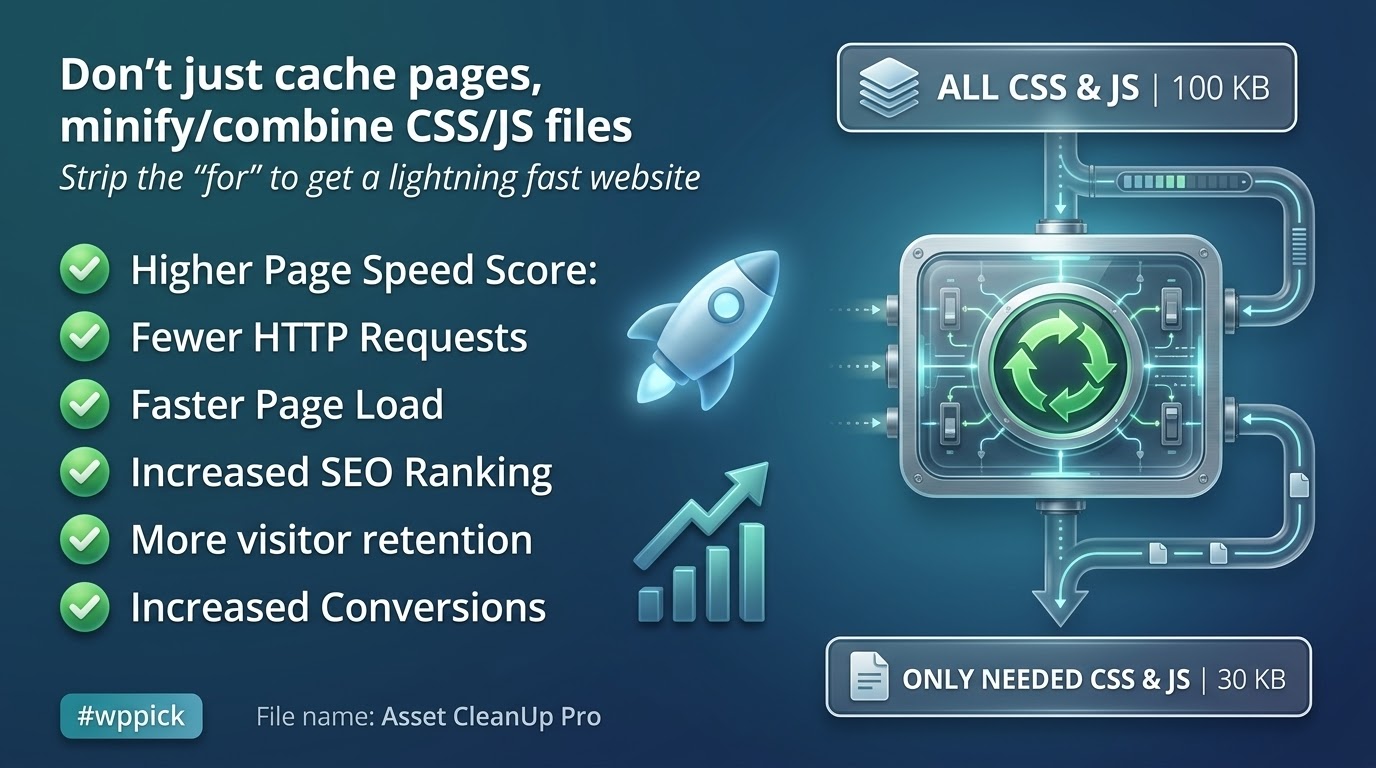
Standard caching engines combine, minify, and compress files to make them load faster. This plugin actually prevents unneeded code files from executing at all, stripping out redundant data blocks instead of simply making them smaller.
Can I write global rules instead of editing every post manually?
Yes. You can configure global site-wide unload rules, create pattern rules using wildcard formulas, or disable specific scripts across entire taxonomies and custom post types in a single step.
Is it safe to run alongside tools like WP Rocket or Autoptimize?
Yes. It functions seamlessly alongside popular caching extensions. You simply configure asset exclusions here first, and your caching tool will merge and serve the remaining optimized assets correctly.
I. Download Limits & Account Benefits
- Free Downloads: Each email address receives 3 downloads per day for free products
- Upgrade Benefits: Purchase any paid product to increase your daily download limit by 3 for each paid product
- No Account Required: You can download immediately by receiving the download link via email
- Account Recommended: Create an account for easier access to your order history and direct update downloads
II. Understanding GPL vs Official Versions
Important: The products available on WPPick are GPL-licensed versions, which differ from official developer versions. Before purchasing, please read our comprehensive guide: Understanding GPL & Official Differences at WPPick
Key Points:
- GPL versions may not include premium support from original developers
- Updates may be delayed compared to official releases
- Some premium features might have limitations
- Always consider your specific needs and support requirements
III. Support & Assistance
We’re here to help through multiple channels:
- Email Support: Direct email assistance for all inquiries
- Live Chat: Real-time support during business hours
- Comprehensive Documentation: Detailed guides and tutorials
IV. Order Tracking
Access your complete purchase history and download links anytime: Order History
V. Account Access
New to WPPick? Login or Create Account to manage your downloads and orders efficiently.
VI. Refund Protection
We stand behind our products with a clear refund policy. Review our terms: Refund Policy
VII. Privacy & Security
Your data security is our priority. Learn how we protect your information: Privacy Policy
VII. Terms of Service
Understanding our service terms ensures a smooth experience: Terms of Use
Quick Tips for Best Experience
- Verify Compatibility: Check plugin/theme compatibility with your WordPress version
- Backup First: Always backup your site before installing new plugins or themes
- Test Environment: Consider testing on a staging site first
- Stay Updated: Regularly check for updates in your account dashboard
- Read Documentation: Review any included documentation for optimal setup
Need Help?
If you have questions about downloads, licensing, or need technical assistance, don’t hesitate to contact our support team. We’re committed to ensuring you have the best possible experience with WPPick products.
Ready to get started? Your download adventure begins with just one click!
- When an asset's position was changed, it was correctly saved in the database and displayed properly on the front-end. However, in the CSS/JS manager (within the Dashboard), the old position was still shown, which could cause confusion.
- License page: Improved the speed of license verification to prevent timeout errors and avoid confusing the admin into thinking there was an issue with the license.
- "Plugins Manager" Fix: Unload and load exception via user role stopped working if the WordPress version is 6.8 or higher
- Fix: "PHP Fatal error: Uncaught Error: Cannot use object of type WP_Error as array in [...]/classes/Admin/MainAdmin.php:1167" (when assets are fetched via "WP Remote POST" and for some reason the fetching fails, make sure no PHP error is generated and it prints the WP error resulted from the "wp_remote_post" function
- If a JS file is loading based on the media query set (e.g. only on mobile view), make sure that any associated inline JS that is printed "after" the main JS file, is triggered only after the main JS file is loading (if the media query matches), and never immediatelly to avoid JS "undefined" errors in the console and even broken functionality
- When the WordPress core file "wp-i18n" is unloaded, the SCRIPT tag is replaced with another tag (much ligther) keeping "setLocaleData" and other functions active to avoid JS errors being shown in the console (ideal for websites with just one language)
- When a JS asset is unloaded and the option 'Ignore dependency rule and keep the "children" loaded' is used, make sure the inline JS associated with the asset is also cleared to avoid any JS errors in the console or even broken page functionality
- Detect an attribute found in a tag without using RegEx (for faster PHP processing)
- When using the "Direct" assets retrieval method, any unloaded plugins for the homepage, would not show up as unloaded in the CSS/JS manager, confusing the admin that the rules might not be applied
- Avoid errors such as the following (in case plugin functions are called too early by external code): 'Asset CleanUp's object cache is not valid (from method "WpAssetCleanUpObjectCache::wpacu_cache_get").'