

Astra Pro – Extend Astra Theme With Pro Addon
/Year
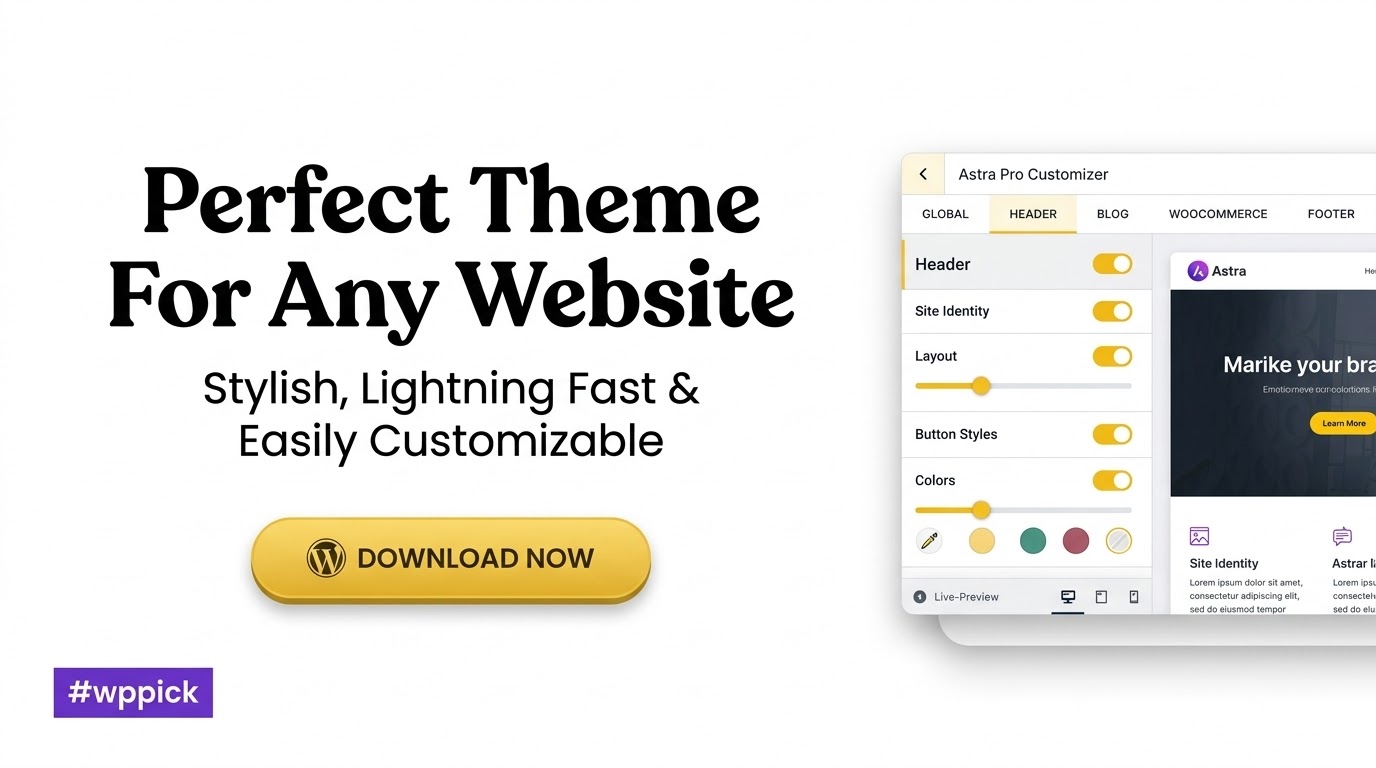
Are you looking to build a high-performing, visually stunning, and highly customizable WordPress website without writing a single line of code? The free Astra theme is an excellent starting point, but to truly unlock its full potential, you need Astra Pro. This premium Astra Pro addon transforms your website with advanced design capabilities, lightning-fast performance, and deep integrations, making it an indispensable tool for businesses, bloggers, eCommerce stores, and agencies alike.Astra Pro addresses the common challenges of website building: the need for speed, extensive customization without complexity, and seamless compatibility with essential tools. It extends the core Astra theme, providing a robust framework that empowers you to create professional websites efficiently and effectively.
Key Features of Astra Pro
Astra Pro significantly enhances your website-building experience by offering a modular approach, allowing you to enable only the features you need. This ensures your site remains lightweight and fast while providing unparalleled design flexibility.
1. Pre-Built Website Demos & Starter Templates
Save countless hours of design and development with Astra Pro’s extensive library of professionally designed starter sites. These pixel-perfect templates cover a wide range of niches and are compatible with popular page builders like Elementor, Beaver Builder, Brizy, and the WordPress Block Editor (Gutenberg). Simply import a demo and customize it to match your brand’s unique identity effortlessly. This feature is a game-changer for quick project launches and client work.
2. No-Code Customization & Intuitive Design Control
Astra Pro emphasizes a no-code customization approach. You can modify virtually every aspect of your website’s design using the intuitive WordPress Customizer. This means point, click, and customize – no coding skills required.
- Colors & Typography: Gain extensive control over global color palettes, individual element colors, an expansive font library (including Google Fonts and custom fonts), typography presets, and responsive typography. This ensures visual appeal and readability across all devices, allowing you to manage brand colors site-wide effortlessly.
- Spacing Control: Enjoy granular control over element spacing throughout your website, aiding in precise design and layout.
3. Optimized for Page Builders and Integrations
Astra Pro integrates seamlessly with all popular page builders, including Elementor, Beaver Builder, Brizy, Spectra, and the WordPress Block Editor (Gutenberg). It allows you to create stunning full-width pages by disabling titles and sidebars, giving you limitless design freedom. Beyond page builders, Astra Pro also offers seamless integrations with popular WordPress plugins and learning management systems (LMS) such as LifterLMS, LearnDash, Easy Digital Downloads, GiveWP, CartFlows, LatePoint, and SureCart. It also works flawlessly with major SEO plugins like Yoast and RankMath.
4. Lightning-Fast Performance
Built for speed, Astra Pro ensures your website loads quickly, providing an exceptional user experience and boosting your SEO rankings. It’s engineered for speed, often loading pages in under 500ms, with a default page size of less than 50 KB – significantly smaller than many other themes. Astra uses Vanilla JavaScript and no jQuery, reducing render-blocking issues and contributing to its remarkable speed. The modular architecture further ensures that only necessary code is loaded, maintaining optimal performance.
5. Deep WooCommerce Integration
Transform your online store with Astra Pro’s deep Astra Pro WooCommerce integration. Enjoy unique features and endless customization options to create a store that truly reflects your brand identity and enhances the shopping experience. This includes:
- Shop card designs
- Quick view functionality
- Advanced product filters
- Customizable checkout pages (two-step, distraction-free)
- Off-canvas sidebars for filters
- Product gallery styles
- Sticky add-to-cart buttons
- Optimized product pages to boost conversions
6. Advanced Customization Options
Beyond the basics, Astra Pro provides advanced controls to fine-tune every detail of your site:
- Layout Settings: Control your website’s layout, including headers, footers, blog posts, and sidebars, all from the WordPress Customizer. Choose from various site layouts such as full-width, contained, padded, and fluid layouts.
- Header & Footer Builder: Utilize a drag-and-drop interface to create custom, professional headers and footers with dynamic elements, sticky options, transparent designs, and mobile-specific layouts. This includes elements like copyright information, menus, buttons, and widgets.
- Custom Layouts (Hooks): A powerful feature allowing you to create custom headers, footers, 404 pages, and inject custom content or code at various hook locations with conditional display rules (e.g., based on user roles, page types, or devices). This is perfect for developers and advanced users.
- Blog & Archive Customization: Tailor your blog and archive pages with precision. Adjust widths, content layouts (grid, list, masonry), and meta information to suit your needs, creating an appealing and user-friendly display of posts.
- Mega Menu: Create intricate navigation structures with background images, column organization, and custom labels, significantly improving user experience for content-rich sites.
- Scroll to Top Link: Add a customizable scroll-to-top button for improved navigation, available for both mobile and desktop.
- White Labeling: Ideal for agencies and developers, this feature allows you to rebrand Astra Pro with your own branding when building client websites, offering a professional touch.
Installation & Setup: How to Install Astra Pro Addon WordPress
Installing Astra Pro addon is a straightforward process, similar to installing any other premium WordPress plugin. Here’s a step-by-step guide:
- Ensure Astra Free Theme is Installed: Astra Pro is an addon for the free Astra theme. Before installing Astra Pro, make sure you have the free Astra theme installed and activated on your WordPress website. You can find it under
Appearance > Themes > Add Newin your WordPress dashboard. - Download Astra Pro: After purchasing Astra Pro (e.g., from ZeroPlugin.com), you will receive a downloadable
.zipfile for the plugin. - Upload the Plugin:
- Navigate to
Plugins > Add Newin your WordPress admin dashboard. - Click on the “Upload Plugin” button at the top of the page.
- Click “Choose File” and select the
astra-addon.zipfile you downloaded. - Click “Install Now.”
- Navigate to
- Activate the Plugin: Once the plugin is installed, click “Activate Plugin.”
- Enter Your License Key (if applicable): Depending on where you acquired Astra Pro, you might need to enter a license key to receive updates and support. Navigate to
Appearance > Astra Optionsand look for a section to activate your license. (Note: If using a GPL licensed version from a trusted source like ZeroPlugin.com, updates are managed by the provider, and a license key may not be required for the addon itself, as the GPL license covers usage). - Enable Modules: After activation, go to
Appearance > Astra Options. Here, you’ll see a list of Astra Pro modules. Enable the modules you intend to use to keep your site lean and optimized. For example, if you need a sticky header, activate the “Sticky Header” module.
Practical Usage and Best Practices with Astra Pro
Astra Pro is incredibly versatile, catering to a wide array of users and website types. Here’s how different individuals and businesses can leverage its power:
For Bloggers and Content Creators
Astra Pro provides fantastic options for crafting engaging content sites. Use the Blog & Archive Customization features to create unique layouts for your blog posts and categories, making your content more appealing and easier to navigate. The Colors & Typography settings allow you to maintain consistent branding, while the lightning-fast performance ensures your readers have a smooth experience, which is crucial for SEO and reducing bounce rates. For example, you can set up a compelling grid layout for your article archives and ensure your headlines and body text are perfectly readable across all devices.
For eCommerce Store Owners
If you’re running an online store, Astra Pro’s deep WooCommerce integration is a game-changer. From customizable shop pages to advanced product filters and a distraction-free checkout, it provides all the tools you need to optimize your store for conversions. For instance, you can design unique product cards, implement a quick view option for products, and customize your checkout process to reduce cart abandonment. This is an ideal solution for anyone seeking a best WooCommerce theme experience.
For Agencies and Web Developers
Astra Pro is an excellent choice for agencies and developers building client websites. The vast library of pre-built website demos allows for rapid prototyping and deployment. The White Labeling feature (available in the agency bundle) enables you to brand the theme as your own, offering a professional and consistent experience to your clients. Furthermore, the Custom Layouts (Hooks) module provides advanced developers with the flexibility to inject custom code or content at specific locations, allowing for highly tailored solutions without modifying core theme files. Its modular architecture and lean codebase also make it a developer-friendly theme.
FAQ & Troubleshooting
Q1: What are the main features of Astra Pro?
A1: The main features of Astra Pro include a vast library of pre-built starter templates, extensive no-code customization options via the WordPress Customizer, deep WooCommerce integration for online stores, a powerful drag-and-drop header and footer builder, advanced blog and archive layouts, modular architecture for speed, and seamless compatibility with popular page builders like Elementor.
Q2: Is Astra Pro compatible with popular page builders like Elementor?
A2: Yes, Astra Pro is highly compatible and optimized to work seamlessly with popular page builders such as Elementor, Beaver Builder, Brizy, and the native WordPress Block Editor (Gutenberg). It offers dedicated controls to disable titles and sidebars, allowing page builders to take full control of the layout and design.
Q3: How fast is Astra Pro compared to other themes?
A3: Astra Pro is renowned for its lightning-fast performance. It’s built with speed in mind, often achieving page load times under 500ms and boasting a default page size of less than 50 KB. This is due to its modular architecture, use of Vanilla JavaScript (no jQuery), and optimized code. While individual site performance can vary based on hosting and other plugins, Astra Pro provides a robust foundation for a very fast website, often outperforming many alternatives including GeneratePress Premium and Kadence.
Q4: Does Astra Pro offer deep WooCommerce integration?
A4: Absolutely. Astra Pro offers one of the most comprehensive WooCommerce integrations among premium WordPress themes. It provides advanced customization options for shop pages, product cards, product galleries, quick view functionality, advanced filters, and customizable checkout pages to help boost conversions for your online store.
Q5: Is Astra Pro worth it for agencies?
A5: Yes, Astra Pro is highly recommended for agencies and web developers. Its vast library of starter templates speeds up client project delivery, while the White Labeling feature allows agencies to brand the theme as their own. The developer-friendly codebase, modular structure, and robust custom layout options (hooks) provide the flexibility needed for diverse client requirements, making it an excellent investment for agency workflows.
Conclusion
Astra Pro stands out as an exceptionally powerful and flexible WordPress theme addon. By extending the free Astra theme, it provides an unparalleled combination of speed, extensive customization without code, and deep integration with essential WordPress tools. Whether you are a blogger, an eCommerce store owner, or an agency managing multiple client sites, Astra Pro offers a significant return on investment through its efficiency, performance benefits, and design capabilities.For those seeking a lightweight, fast, and highly customizable solution to build any kind of WordPress website, Astra Pro is a confident recommendation. It empowers users to create professional, high-performing websites that deliver an outstanding user experience and perform strongly in traditional SEO and AI search environments. When you choose Astra Pro, especially from trusted sources like ZeroPlugin.com which provides it under a GPL license with regular updates and security scans, you’re investing in a legitimate and safe product that truly elevates your online presence.
I. Download Limits & Account Benefits
- Free Downloads: Each email address receives 3 downloads per day for free products
- Upgrade Benefits: Purchase any paid product to increase your daily download limit by 3 for each paid product
- No Account Required: You can download immediately by receiving the download link via email
- Account Recommended: Create an account for easier access to your order history and direct update downloads
II. Understanding GPL vs Official Versions
Important: The products available on WPPick are GPL-licensed versions, which differ from official developer versions. Before purchasing, please read our comprehensive guide: Understanding GPL & Official Differences at WPPick
Key Points:
- GPL versions may not include premium support from original developers
- Updates may be delayed compared to official releases
- Some premium features might have limitations
- Always consider your specific needs and support requirements
III. Support & Assistance
We’re here to help through multiple channels:
- Email Support: Direct email assistance for all inquiries
- Live Chat: Real-time support during business hours
- Comprehensive Documentation: Detailed guides and tutorials
IV. Order Tracking
Access your complete purchase history and download links anytime: Order History
V. Account Access
New to WPPick? Login or Create Account to manage your downloads and orders efficiently.
VI. Refund Protection
We stand behind our products with a clear refund policy. Review our terms: Refund Policy
VII. Privacy & Security
Your data security is our priority. Learn how we protect your information: Privacy Policy
VII. Terms of Service
Understanding our service terms ensures a smooth experience: Terms of Use
Quick Tips for Best Experience
- Verify Compatibility: Check plugin/theme compatibility with your WordPress version
- Backup First: Always backup your site before installing new plugins or themes
- Test Environment: Consider testing on a staging site first
- Stay Updated: Regularly check for updates in your account dashboard
- Read Documentation: Review any included documentation for optimal setup
Need Help?
If you have questions about downloads, licensing, or need technical assistance, don’t hesitate to contact our support team. We’re committed to ensuring you have the best possible experience with WPPick products.
Ready to get started? Your download adventure begins with just one click!
- Fixed gaps around featured images when Blog Card Content Alignment is enabled.
- Sticky header not working when jQuery 4.0 is loaded.
- Accordion tab content clipped on initial page load when containing dynamic content on single product pages.
- Translated custom layout hooks are displayed across all languages instead of only their assigned language when using the "Front Page" display condition with Polylang.
- File Generation – Implemented a selective caching strategy where only the relevant post/page CSS is refreshed instead of clearing all dynamic CSS files during post updates.
- Resolved an issue where the sticky header width unexpectedly changed to full width.
- Added a new "Click" trigger option for Mega Menu, allowing it to open on click without affecting normal submenu behavior.
- Added the astra_mobile_nav_submenu_items_arrow_icon filter to customize the mobile submenu arrow icon.
- Enhanced compatibility with WPML Multilingual & Multicurrency for WooCommerce.
- Blog Pro – Introduced vertical (Top, Middle, Bottom) and horizontal (Left, Center, Right) alignment controls for blog cards and categories in the blog archive design.
- Blog Pro – Added Card Height, Text Background, and Text Border Radius options for the Cover Layout.
- Blog Pro – Added an “Inherit Blog Card Style” option for Related Posts to conditionally inherit the Blog Card alignment settings.
- Blog Pro – Added a helpful tooltip for the Box Shadow control, explaining how to create border effects.
- Display conditions now remain independent for each language when using Polylang with translation-linked hooks in the Site Builder.
- The single post infinite scroll script was loading unnecessarily on pages; it now loads only on blog posts.
- Automatically expands the Reviews accordion when navigating to the “Customer Reviews” section via an anchor link on mobile for improved UX.
- Quantity buttons now load instantly in the slide-in cart when it auto-opens from the single product page.
- Blog Pro – Fixed unintended left and right spacing gaps in single-column blog layouts when using box shadow or borders.
- Fixed an issue where clicking an anchor link in the Off-Canvas menu kept the close icon enabled when scrolling up.
- Added a new option to duplicate Custom Layouts.
- The password field is now visible and usable in the Modern Checkout layout.
- Duplicate account menu click handlers were attaching on layout resize, causing the menu to toggle twice.
- Fixed the checkout form heading layout on mobile devices to stack the heading and login label vertically instead of forcing them onto one line.
- Added an option to enable header and footer layouts on child pages and posts using advanced hooks display conditions.
- Language Switcher – Introduced the astra_language_switcher_additional_languages filter to allow adding custom languages. (https://wpastra.com/docs/how-to-add-new-languages-to-astra-language-switcher)
- Added a filter to allow overriding template files.
- Resolved the “Add to Cart” issue in Elementor templates by using form-specific selectors for variations and quantity.
- Resolved an issue where variable products could not be added to the cart from the related products quick view modal on the single product page.
- Resolved an issue where body text color was being applied to the mega menu heading.
- Enhanced accessibility for two-step checkout navigation buttons.
- Redirect to product reviews/comments was not working properly unless the review tab was open.
- Sidebar widget title color was not applying correctly on the frontend.
- Resolved a UI breaking issue with the Mega Menu icon field.
- Improved two-step checkout navigation buttons to work smoothly.
- Corrected LifterLMS course grid display in Astra Pro to prevent individual course boxes from appearing shrunk in a three-column layout.
- The "Sale" badge was incorrectly showing on single product pages when the Enable Sticky Product Image option was enabled, even if the product was not on sale.
- Resolved a scrolling glitch that occurred after opening the sticky header menu when the Move Body option was enabled.
- Added support for Dark Mode logo
- Enhanced the loading performance of the Quantity Plus and Minus buttons by using placeholders
- Improved accessibility in header builder elements
- Fade out variation option buttons when a product variant combination doesn't exist, preventing fallback to the default image for valid selections
- Enhanced accessibility by adding role="region" to <aside> elements in footer dynamic components
- Introduce a filter "astra_blog_pro_filter_url_change" to change blog filter url change
- Resolved extra spacing issue in Quick View modal when "First Image Large" layout is enabled
So glad I got this! My website looks professional now and it was surprisingly easy to set up. Thanks!
Hi, I’m currently using 4.10.5 on a site still running WP 6.5. Is updating to the official 4.11.10 version safe? I’m worried about the known conflicts with PHP 8.2 and the recent WP updates. Thanks!
Been using this for a while now, really solid addon. Makes my site look so much better. Ngl, it’s pretty good.
Having trouble getting the custom layouts feature to work correctly with conditional display rules. I want to show a specific layout only on custom post types, but it’s either showing everywhere or not at all. The documentation isn’t super clear on advanced conditions. Any tips or a more detailed tutorial on this?
I was looking for Astra Pro but wanted a reliable source outside the official site, and WPPick delivered! Their selection is truly well-curated, and the download process was incredibly easy and straightforward. It’s a fantastic alternative if you’re looking for premium plugins from a trustworthy platform. So grateful for WPPick’s excellent service!
After the last update, my transparent header option is completely broken on mobile devices. It looks fine on desktop, but on mobile, it’s just a solid white bar, even though the setting is enabled. I’ve cleared all caches (theme, plugin, browser) and it persists. Please look into this bug!
Astra Pro is a game changer fr! Super easy to use and adds so much 🔥 to my site. Def worth it.
WPPick is fantastic! I got Astra Pro from here, and the whole experience was seamless. Their curation of plugins is spot on, making it easy to find what you need. The download process was incredibly simple, and it’s clear they are a reliable source. For anyone needing a solid alternative to the official repositories, WPPick’s service is absolutely stellar.
Excellent plugin! I saw in the changelog for 4.11.10 that the custom breakpoints functionality has been significantly improved. I’m still rocking 4.8.2, which is solid, but I need those new controls. When will this latest version be available here?
Finding Astra Pro on WPPick was a game-changer! I love that they have such a good selection of premium plugins, and the fact that it’s a reliable source gives me so much peace of mind. The download was super easy, no fuss at all. It’s definitely a top-notch alternative to the official repos, and I’m really impressed with WPPick’s service.