

Ax Social Stream – WordPress Plugin
/Year
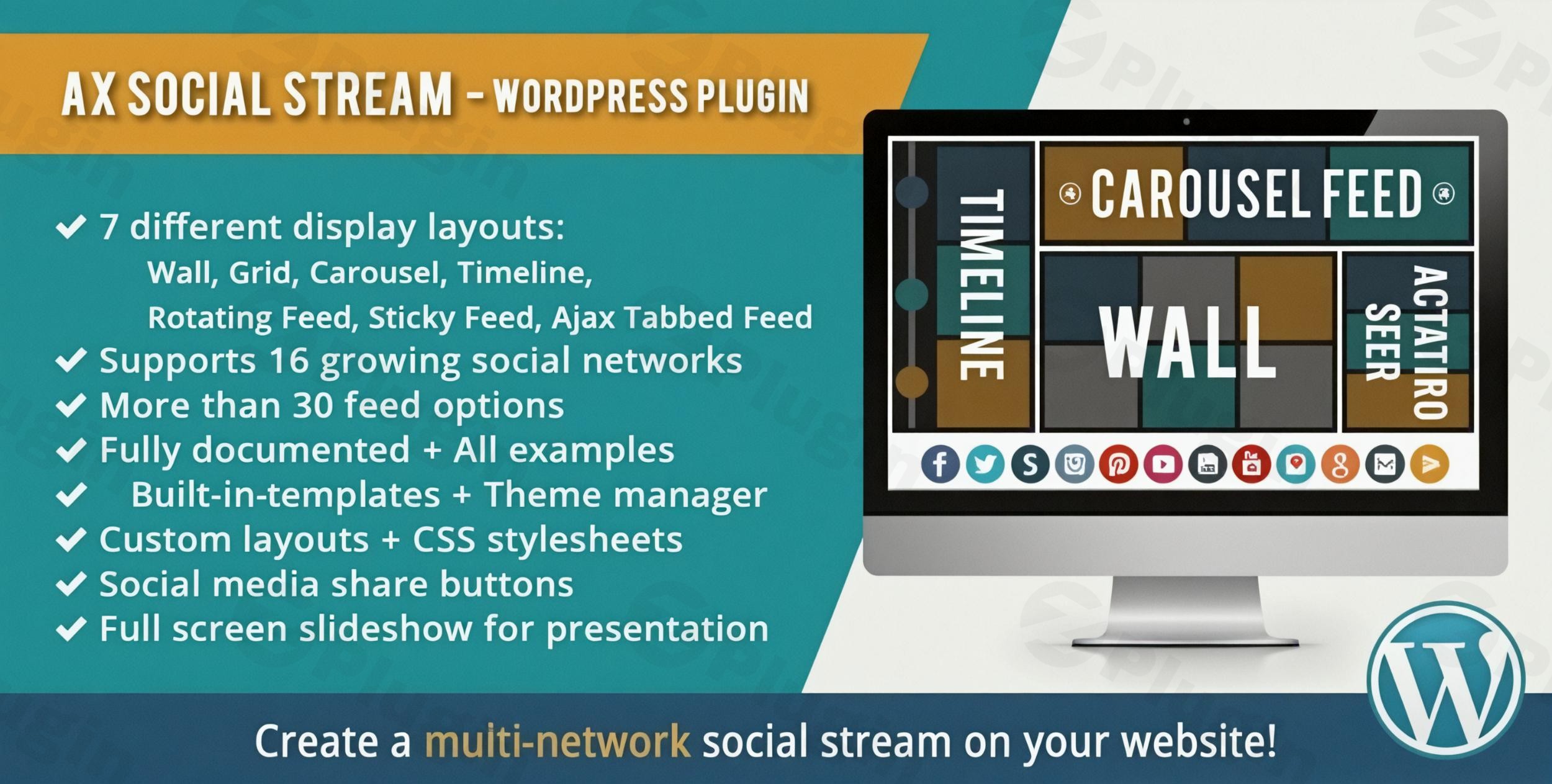
In today’s digital landscape, your brand’s story is told across multiple platforms—Instagram, Twitter, Facebook, and beyond. Keeping your website updated with this content manually is nearly impossible. AX Social Stream WordPress is a premium solution designed to solve this problem by consolidating all your social media activity into a single, dynamic, and automated feed.
By using a social media feed WordPress plugin like AX Social Stream, you can transform your website from a static brochure into a living social hub. This not only increases the time visitors spend on your site but also builds social proof and encourages cross-platform following.
Key Features of AX Social Stream
The AX Social Stream plugin stands out as a comprehensive WordPress social media aggregator because it focuses on both variety and performance. Here are the core features that provide real-world value to site owners:
1. Massive Multi-Platform Integration
The plugin supports an extensive list of networks, including:
- Mainstream: Facebook (Pages/Groups), Instagram, Twitter (X), and YouTube.
- Niche & Visual: Pinterest, Flickr, Vimeo, Tumblr, and SoundCloud.
- Global & Feeds: VK and standard RSS feeds.You can pull content based on user accounts, specific albums, or even trending hashtags and search terms.
2. Eight Distinct Display Layouts
Unlike basic plugins that offer only a simple list, AX Social Stream provides 8 professional layouts to match your site’s design:
- Wall (Masonry): Perfect for visual-heavy content like Instagram.
- Carousel & Grid: Ideal for homepage sections.
- Timeline: Great for brand history or event updates.
- Sticky & Ajax Tabbed Feeds: Innovative ways to keep social content accessible without cluttering the page.
3. Built for Performance and Speed
Loading dozens of social media posts can often slow down a site. AX Social Stream mitigates this with:
- Lazy Loading: Images only load as the user scrolls down.
- Efficient Caching: Minimizes API calls to social platforms, ensuring your site stays fast and stays within API limits.
4. Advanced Customization & Ads Management
You don’t need to be a developer to make the feed look great. The plugin includes a Theme Manager and supports custom CSS. Furthermore, for publishers looking to monetize their traffic, the plugin allows you to insert Ad blocks directly into the social stream.
How to Install AX Social Stream on WordPress
Setting up your WordPress social stream plugin is a straightforward process. Follow these steps to get started:
- Purchase and Download: Secure the plugin files from a reputable source like CodeCanyon.
- Upload to WordPress:
- Log in to your WordPress dashboard.
- Navigate to Plugins > Add New > Upload Plugin.
- Select the
ax-social-stream.zipfile and click Install Now.
- Activate: Once uploaded, click the Activate Plugin button.
- Configure API Keys: For platforms like Instagram or Twitter, you will need to enter your API credentials (found under the plugin’s “Network Settings” tab).
- Create Your First Stream: Go to the AX Social Stream menu, select your desired social networks, choose a layout (like Masonry or Grid), and use the generated shortcode to place the feed on any page or post.
Practical Usage & Best Practices
To get the most out of your social media feed, consider these professional workflows:
Use Case 1: Live Event Coverage
If you are running a conference or a live event, use AX Social Stream to pull in a specific hashtag feed. Display this as a “Wall” layout on a dedicated page or a large screen at the venue to encourage attendee participation in real-time.
Use Case 2: eCommerce Social Proof
For WooCommerce store owners, placing an Instagram feed of customers using your products on the product page is the best way to build trust. AX Social Stream’s filtering allows you to show only the most relevant posts.
Use Case 3: Brand Authority for Agencies
Agencies can use the “Timeline” layout to showcase their latest work across Vimeo, Behance (via RSS), and Twitter in one cohesive stream, demonstrating active engagement and a broad portfolio.
Pro Tip: Always enable caching in the plugin settings. This ensures that even if a social network experiences a temporary outage, your website will still display the last cached version of your feed.
FAQ & Troubleshooting
What is AX Social Stream WordPress plugin?
AX Social Stream is a premium WordPress plugin that aggregates content from various social media platforms (like Facebook, Instagram, and YouTube) and displays them in a single, customizable feed on your website. It helps increase user engagement and social media visibility.
Does AX Social Stream support multiple accounts from the same network?
Yes. You can configure the plugin to pull data from multiple accounts, pages, or groups within the same social network, allowing you to combine social media feeds into one WordPress stream seamlessly.
Is the plugin compatible with Page Builders?
AX Social Stream is fully compatible with popular WordPress page builders, including Visual Composer (WPBakery) and Cornerstone. It also works perfectly with the standard Gutenberg editor via shortcodes.
What are the technical requirements for AX Social Stream?
To run the plugin smoothly, your server should meet the following:
- PHP Version: 7.2.5 or higher.
- WordPress Version: 5.0.0 or higher.
- Extensions: PHP Multibyte String, iconv, and XML extensions (usually enabled by default on most hosts).
Conclusion: Final Verdict
If you are looking for a robust, high-performance social media feed WordPress plugin, AX Social Stream is a top-tier choice. Its combination of 8 layout styles, performance-focused features like lazy loading, and the ability to aggregate over a dozen social platforms makes it a highly versatile tool for any site owner.
Whether you are a blogger looking to showcase your latest tweets or an agency needing a complex WordPress social media aggregator, this plugin provides the ROI through increased dwell time and improved brand trust. You can find more tutorials and WordPress tips at wppick.com.
I. Download Limits & Account Benefits
- Free Downloads: Each email address receives 3 downloads per day for free products
- Upgrade Benefits: Purchase any paid product to increase your daily download limit by 3 for each paid product
- No Account Required: You can download immediately by receiving the download link via email
- Account Recommended: Create an account for easier access to your order history and direct update downloads
II. Understanding GPL vs Official Versions
Important: The products available on WPPick are GPL-licensed versions, which differ from official developer versions. Before purchasing, please read our comprehensive guide: Understanding GPL & Official Differences at WPPick
Key Points:
- GPL versions may not include premium support from original developers
- Updates may be delayed compared to official releases
- Some premium features might have limitations
- Always consider your specific needs and support requirements
III. Support & Assistance
We’re here to help through multiple channels:
- Email Support: Direct email assistance for all inquiries
- Live Chat: Real-time support during business hours
- Comprehensive Documentation: Detailed guides and tutorials
IV. Order Tracking
Access your complete purchase history and download links anytime: Order History
V. Account Access
New to WPPick? Login or Create Account to manage your downloads and orders efficiently.
VI. Refund Protection
We stand behind our products with a clear refund policy. Review our terms: Refund Policy
VII. Privacy & Security
Your data security is our priority. Learn how we protect your information: Privacy Policy
VII. Terms of Service
Understanding our service terms ensures a smooth experience: Terms of Use
Quick Tips for Best Experience
- Verify Compatibility: Check plugin/theme compatibility with your WordPress version
- Backup First: Always backup your site before installing new plugins or themes
- Test Environment: Consider testing on a staging site first
- Stay Updated: Regularly check for updates in your account dashboard
- Read Documentation: Review any included documentation for optimal setup
Need Help?
If you have questions about downloads, licensing, or need technical assistance, don’t hesitate to contact our support team. We’re committed to ensuring you have the best possible experience with WPPick products.
Ready to get started? Your download adventure begins with just one click!
- TikTok refresh token issue resolved