

Bank Ifsc Code Pro – WordPress Plugin
/Year
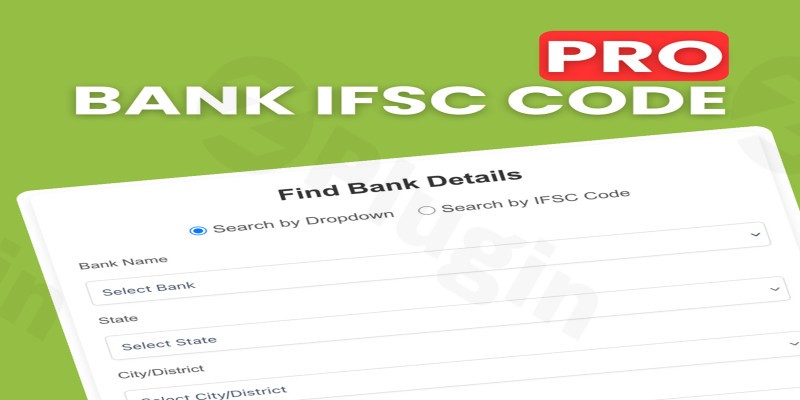
Running a financial directory or an Indian e-commerce store requires providing users with accurate banking data. The Bank Ifsc Code Pro is a high-performance WordPress IFSC code plugin designed to help site owners manage and display Indian Financial System Codes (IFSC) with ease. Whether you are building a dedicated banking portal or need to streamline bank transfer payments on a WooCommerce store, this plugin provides a robust, searchable database solution.
In this guide, we will explore the features, setup process, and best practices for using Bank Ifsc Code Pro to enhance your site’s functionality and user experience.
Key Features of Bank Ifsc Code Pro
This plugin is more than just a simple lookup tool; it is a comprehensive data management system for Indian banking information. Here is why it stands out as a leading Indian bank IFSC code plugin:
1. High-Capacity CSV Data Management
Managing tens of thousands of bank branches can be a technical nightmare. Bank Ifsc Code Pro simplifies this with a CSV upload WordPress plugin architecture that supports files up to 200MB. This allows administrators to import massive datasets without the server timeouts or performance lags typical of smaller plugins.
2. Intelligent Column Mapping
You don’t need to format your data to fit the plugin; the plugin fits your data. During the import process, an intuitive dropdown interface allows you to map your CSV columns to specific fields such as:
- Bank Name
- Branch Name
- City/District
- State
- IFSC Code
3. AJAX-Powered Frontend Selector
For the end-user, the experience is seamless. The plugin features a mobile-responsive Bank IFSC code lookup WordPress interface. Users can filter results using a hierarchical dropdown system: Bank → State → City → Branch. Because it uses AJAX, the results update instantly without refreshing the page.
4. Deep Integration with Page Builders and WooCommerce
The plugin is built for the modern WordPress ecosystem:
- WooCommerce IFSC code integration: Use the
[ifsc_finder]shortcode on checkout pages to assist customers making direct bank transfers. - Elementor & Gutenberg: Fully compatible with the Elementor Shortcode widget and the Gutenberg block editor.
How to Install and Setup Bank Ifsc Code Pro
Setting up a bank IFSC code finder WordPress shortcode is straightforward, even for those without coding knowledge. Follow these steps to get started:
Step 1: Installation
- Download the plugin zip file from your provider.
- Log in to your WordPress Dashboard and navigate to Plugins > Add New > Upload Plugin.
- Choose the file, click Install Now, and then Activate.
Step 2: Configuring Server Settings
Since the plugin handles large datasets, ensure your server can manage the file size.
- Go to your hosting panel (CPanel/DirectAdmin) and set
upload_max_filesizeandpost_max_sizeto 200MB. - This ensures your CSV imports proceed without interruption.
Step 3: Importing Bank Data
- Navigate to the Bank IFSC Pro menu in your dashboard.
- Upload your CSV file containing the Indian bank details.
- Use the Column Mapping tool to match your CSV headers to the plugin’s data fields.
- Run the import. The plugin will create custom database tables to ensure your site remains fast and responsive.
Step 4: Displaying the Lookup Tool
To display the search tool on any page, post, or widget, simply paste the following shortcode:[ifsc_finder]
Practical Usage & Best Practices
To get the most out of your WordPress bank directory plugin, consider these real-world workflows:
Use Case 1: E-commerce Bank Transfers
If your WooCommerce store accepts “Direct Bank Transfer” (BACS), customers often struggle to find their specific branch’s IFSC code. By placing the lookup tool on the “Order Received” or “Checkout” page, you reduce payment friction and improve the customer experience.
Use Case 2: Financial Information Portals
For SEO-focused blogs, creating a dedicated “IFSC Lookup” page is an excellent way to capture high-volume search traffic. Use the shortcode on a dedicated landing page and optimize the surrounding text for long-tail keywords like “How to find my bank IFSC code online.”
Use Case 3: Regional Business Directories
If you run a directory for a specific state or city, you can use the plugin to provide localized banking data, making your site a one-stop shop for local business needs.
Pro-Tip: Always keep your data updated. As banks merge (common in India), ensure you re-upload a fresh CSV every few months to maintain data integrity.
FAQ & Troubleshooting
Is Bank Ifsc Code Pro compatible with Elementor?
Yes. You can easily integrate the IFSC selector into any Elementor layout. Simply drag the Shortcode Widget into your section and paste [ifsc_finder]. It will inherit your theme’s styling while remaining fully responsive.
Can I use this plugin for WooCommerce checkout?
Absolutely. This is a popular WooCommerce IFSC code integration method. You can add the shortcode to the checkout page via a hook or a page builder to help users verify their banking details before completing a transaction.
What should I do if my CSV upload fails?
If your upload fails, it is usually due to server limits. Ensure your PHP upload_max_filesize is set to at least 200MB. Also, check that your CSV file is UTF-8 encoded to avoid character errors during the mapping process.
Does the plugin support SEO-friendly URLs?
While the core functionality is AJAX-based for speed, you can use the lookup tool on dedicated pages that you have optimized for SEO. This helps search engines index your “Bank Directory” content more effectively.
Final Verdict
The Bank Ifsc Code Pro is a powerful, lightweight, and highly specialized tool for any WordPress site dealing with Indian financial data. By offering high-capacity CSV uploads and a seamless AJAX frontend, it removes the technical barriers to managing bank information.
If you are looking for a reliable WordPress IFSC code plugin that balances performance with ease of use, Bank Ifsc Code Pro is an excellent investment for your site’s ROI and user engagement. Visit wppick.com for more insights and updates on the latest WordPress tools and strategies.
I. Download Limits & Account Benefits
- Free Downloads: Each email address receives 3 downloads per day for free products
- Upgrade Benefits: Purchase any paid product to increase your daily download limit by 3 for each paid product
- No Account Required: You can download immediately by receiving the download link via email
- Account Recommended: Create an account for easier access to your order history and direct update downloads
II. Understanding GPL vs Official Versions
Important: The products available on WPPick are GPL-licensed versions, which differ from official developer versions. Before purchasing, please read our comprehensive guide: Understanding GPL & Official Differences at WPPick
Key Points:
- GPL versions may not include premium support from original developers
- Updates may be delayed compared to official releases
- Some premium features might have limitations
- Always consider your specific needs and support requirements
III. Support & Assistance
We’re here to help through multiple channels:
- Email Support: Direct email assistance for all inquiries
- Live Chat: Real-time support during business hours
- Comprehensive Documentation: Detailed guides and tutorials
IV. Order Tracking
Access your complete purchase history and download links anytime: Order History
V. Account Access
New to WPPick? Login or Create Account to manage your downloads and orders efficiently.
VI. Refund Protection
We stand behind our products with a clear refund policy. Review our terms: Refund Policy
VII. Privacy & Security
Your data security is our priority. Learn how we protect your information: Privacy Policy
VII. Terms of Service
Understanding our service terms ensures a smooth experience: Terms of Use
Quick Tips for Best Experience
- Verify Compatibility: Check plugin/theme compatibility with your WordPress version
- Backup First: Always backup your site before installing new plugins or themes
- Test Environment: Consider testing on a staging site first
- Stay Updated: Regularly check for updates in your account dashboard
- Read Documentation: Review any included documentation for optimal setup
Need Help?
If you have questions about downloads, licensing, or need technical assistance, don’t hesitate to contact our support team. We’re committed to ensuring you have the best possible experience with WPPick products.
Ready to get started? Your download adventure begins with just one click!