
Barn2 Media Woocommerce Discount Manager
/Year
Transform Your Store with Advanced Discount Strategies
In the competitive landscape of e-commerce, a strategic approach to pricing and promotions is paramount for driving sales, increasing average order value, and cultivating lasting customer loyalty. The Barn2 Media WooCommerce Discount Manager is a premium, professional-grade plugin engineered to empower your WooCommerce store with the most sophisticated discount and pricing engine available. This solution goes far beyond basic WooCommerce functionalities, enabling you to implement dynamic, targeted, and highly effective promotional campaigns that resonate with your customers and significantly boost your profitability.Whether you’re looking to reward loyal customers, clear inventory, or attract new shoppers, this plugin provides the precision tools needed to execute your vision seamlessly.
Key Features: Unleashing Unrivaled Pricing Power
The Barn2 Media WooCommerce Discount Manager delivers a comprehensive suite of features designed for maximum flexibility and control over your pricing strategies.
Six Powerful Discount Types for Maximum Flexibility
This plugin offers a diverse array of discount types, allowing you to craft compelling offers for any scenario:
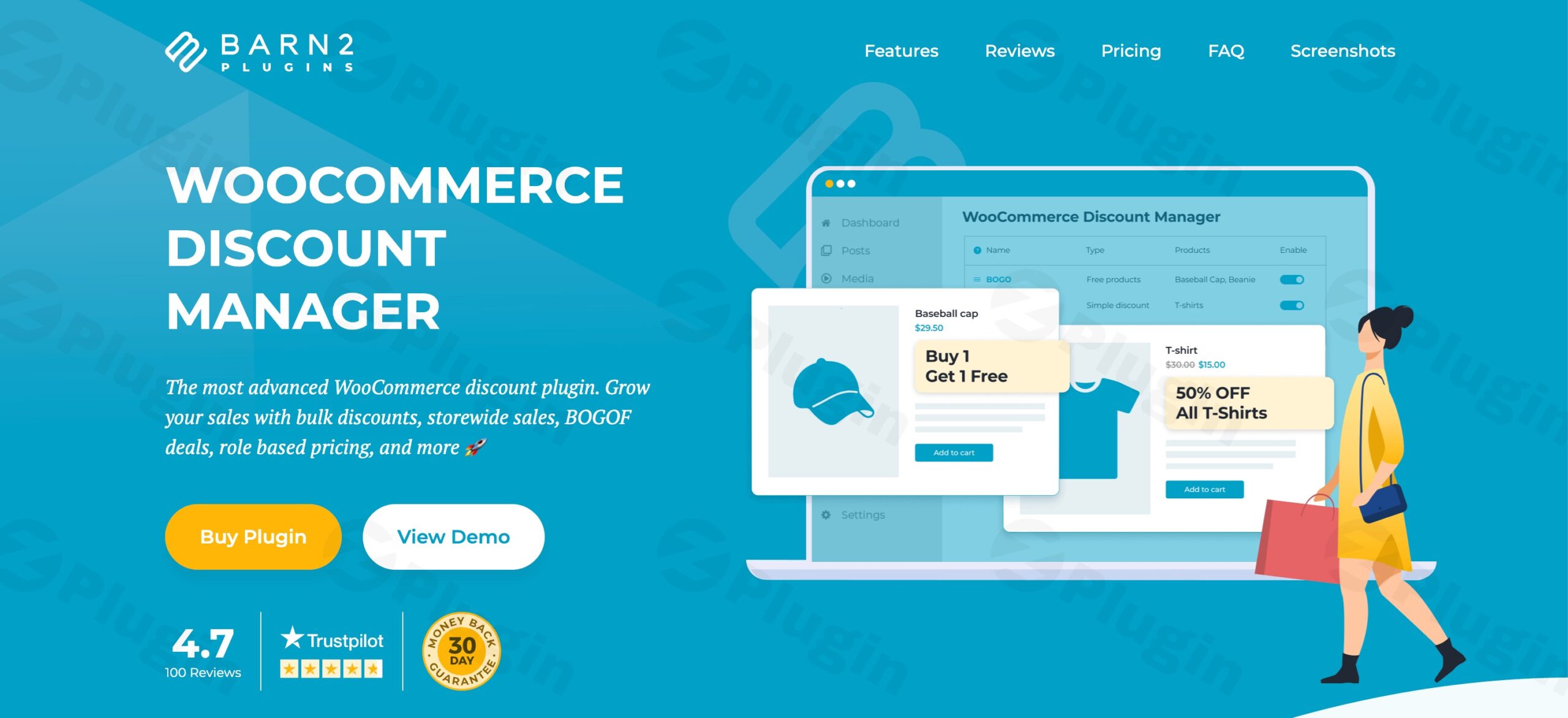
- Percentage & Fixed Price Discounts: Implement straightforward percentage reductions (e.g., 10% off) or set specific fixed prices (e.g., all T-shirts for $15) to create clear, compelling offers that customers instantly understand.
- Dynamic Cart-Based Discounts: Create intelligent discounts that automatically adjust based on total cart value, encouraging customers to add more items to qualify for better savings (e.g., “Spend $100, get 20% off your entire order”).
- Bulk & Quantity Discount Strategies: Reward customers for purchasing larger quantities with tiered pricing that increases savings as order volumes grow. This is ideal for wholesale or bulk-buy scenarios (e.g., “Buy 5-9 items, get 10% off; Buy 10+ items, get 20% off”).
- Buy One Get One (BOGO) Deals: Execute sophisticated free product offers where customers receive complimentary items based on specific purchase criteria (e.g., “Buy a laptop, get a free mouse”).
- Package Pricing Rules: Set creative pricing structures like “Buy 5 products for $100” to move specific inventory and create perceived value bundles for your customers.
- “Buy X Products for X Discount”: Tailor specific quantity-based discounts where purchasing a certain number of items grants a defined discount.
Complete Discount Management System
Beyond just the discount types, the plugin provides robust management tools:
- Precision Targeting Capabilities: Run storewide sales events or create hyper-targeted discounts for specific products, variations, entire categories, or even product tags, all with granular control. This allows for highly focused campaigns.
- Scheduled Promotional Campaigns: Plan your sales strategy in advance by setting precise start and end dates and times for all discount campaigns. This creates urgency, allows for automated sales management, and helps you effectively manage inventory.
- User Role-Based Pricing: Create exclusive pricing for different customer segments, including wholesale customers, VIP members, specific user groups, or even individual users. This fosters loyalty and enables highly personalized offers.
- Dynamic Pricing Engine: Implement sophisticated dynamic pricing rules that react to various conditions, allowing you to adapt your prices in real-time to market demands or customer behavior.
- Comprehensive Reporting: Gain valuable insights into the performance of your discount campaigns with detailed reports. Track what’s working and optimize your future promotions for maximum impact.
Professional Discount Display & Promotion
Effective communication of your discounts is crucial for conversion. The Barn2 Media WooCommerce Discount Manager ensures your promotions are highly visible and compelling:
- Visual Price Presentation: Prominently display discounted prices with clear strikethrough original pricing on product pages, shop archives, and the cart, making savings immediately visible and appealing to shoppers.
- Tiered Pricing Tables: For bulk and quantity discounts, elegant pricing tables are displayed directly on product pages. These tables clearly communicate volume-based savings, encouraging customers to purchase more.
- Custom Promotional Messaging: Add persuasive custom messages to product pages, cart displays, and even checkout to maximize conversion rates during promotional periods. You can also display sale banners and badges to draw attention to offers.
Setup and Installation: Getting Started with Barn2 Media WooCommerce Discount Manager
Installing and configuring the Barn2 Media WooCommerce Discount Manager is a straightforward process designed to get you up and running quickly. This is a premium plugin, meaning you will typically download it from your purchase account after acquiring a license.Prerequisites:Before installation, ensure you have an active WordPress installation and the WooCommerce plugin already installed and activated. The Barn2 Media WooCommerce Discount Manager seamlessly integrates with WooCommerce and requires it to function.Step-by-Step Installation:
- Download the Plugin: After purchasing the plugin, download the
.zipfile from your Barn2 Media account area. Do not unzip this file. - Access WordPress Dashboard: Log in to your WordPress admin panel.
- Navigate to Plugins: Go to
Plugins > Add New. - Upload Plugin: Click the “Upload Plugin” button at the top of the page.
- Choose File: Click “Choose File” and select the
.zipfile you downloaded from your computer. - Install Now: Click “Install Now”. WordPress will upload and install the plugin.
- Activate Plugin: Once installed, click the “Activate Plugin” button.
- Enter License Key (if prompted): After activation, you might be prompted to enter your license key. This key is crucial for receiving updates and support. You can usually find it in your Barn2 Media account.Compatibility:The Barn2 Media WooCommerce Discount Manager is built for seamless integration:
- Theme Compatibility: It is designed to work flawlessly with any well-coded WordPress theme.
- Plugin Compatibility: The plugin integrates perfectly with other popular Barn2 Media plugins, such as Barn2 Media WooCommerce Product Table and Barn2 Media WooCommerce Wholesale Pro, allowing you to build a powerful e-commerce ecosystem.
Usage Guide: Crafting Your First Discount Rule
Once installed and activated, you can begin leveraging the powerful features of the Barn2 Media WooCommerce Discount Manager.
- Access Plugin Settings: Navigate to the dedicated discount management area, usually found under
WooCommerce > Discountsor a similar menu item in your WordPress dashboard. - Create a New Discount Rule: Click on “Add New Discount” or a similar button to begin configuring your first promotion.
- Define Discount Type: Choose from the six powerful discount types (Percentage, Fixed Price, Cart-Based, Bulk/Quantity, BOGO, Package Pricing) based on your marketing goal.
- Set Conditions: Specify the conditions under which the discount applies. This can include:
- Products/Categories: Apply the discount to specific products, product variations, or entire categories.
- Quantity: Define minimum or maximum quantities for the discount to be valid (e.g., “buy 3 or more”).
- Cart Total: Set a minimum or maximum cart value for the discount to activate.
- User Roles: Target specific customer roles (e.g., “Wholesale Customers,” “VIPs”).
- Configure Discount Value: Enter the specific percentage, fixed amount, or other value for the discount.
- Schedule Promotion: Utilize the scheduling options to set precise start and end dates and times for your campaign, ensuring it runs automatically.
- Customize Display: Add custom messages, define how discounted prices are shown, and manage tiered pricing table displays to optimize visibility and encourage conversions.
- Save and Publish: Once satisfied with your rule, save and publish it. The discount will immediately become active according to your defined schedule and conditions.By following these steps, you can create sophisticated and highly effective discount campaigns tailored to your business objectives.
Why Choose Barn2 Media WooCommerce Discount Manager?
Choosing a premium solution like the Barn2 Media WooCommerce Discount Manager means investing in reliability, security, and advanced functionality that standard WooCommerce features simply cannot provide.
Expertise, Authoritativeness & Trustworthiness (EEAT)
- Premium & Reliable Solution: This professional-grade plugin is distributed under GPL licensing, ensuring complete compatibility and legal compliance. It is developed and maintained by Barn2 Media, a reputable name in the WordPress plugin ecosystem, known for high-quality solutions.
- Constant Updates & Compatibility: Our team maintains frequent update schedules to guarantee compatibility with the latest WooCommerce versions, WordPress releases, and PHP standards. This ensures your store remains secure, stable, and performing optimally.
- Rigorous Security: All source code undergoes rigorous third-party security scanning, including through services like VirusTotal, to ensure complete safety and reliability for your e-commerce environment. Your store’s security is a top priority.
- Highly Rated & Flexible: The plugin consistently receives high user ratings and positive reviews, with customers frequently praising its extensive flexibility and customizable discount options. It’s ideal for store owners seeking robust customization capabilities.
- Exceptional Customer Support: Customers consistently highlight the quality of Barn2 Media’s customer service, ensuring you have expert assistance whenever needed.
- Developer-Friendly: For those with technical expertise, Barn2 provides comprehensive developer documentation, allowing for further customization and integration into complex workflows.
Superior to WooCommerce’s Built-in Features
WooCommerce’s native discount capabilities are basic, primarily limited to simple coupon codes and basic product price adjustments. It notably lacks dynamic pricing, the ability to create unique discount rules based on complex conditions, or sophisticated quantity-based offers. Features like “buy one get one free” or tiered pricing are completely absent, making the Barn2 Media WooCommerce Discount Manager an essential upgrade for any serious e-commerce store.
Benefits for All Users
- For Non-Technical Users (Marketers, Store Owners): The intuitive interface and clear options make it easy to set up complex promotions without needing to write a single line of code. Marketers can quickly implement seasonal sales, BOGO offers, or loyalty discounts, translating directly into increased conversions and ROI. The scheduled campaigns simplify workload and allow for strategic planning.
- For Technical Users (Developers, Agencies): The clean code, comprehensive documentation, and robust architecture ensure seamless integration and extensibility. Developers can confidently customize and build upon the plugin’s foundation, knowing it’s secure and well-maintained. Its compatibility with other Barn2 plugins further enhances its utility in complex setups.
Conclusion: Elevate Your WooCommerce Store Today
The Barn2 Media WooCommerce Discount Manager is more than just a discount plugin; it’s a comprehensive pricing mastery solution designed to elevate your e-commerce strategy. By providing enterprise-level discount management without the complexity, it empowers you to create compelling offers, drive customer engagement, and ultimately, significantly boost your sales. Experience the power of precision pricing and robust promotional tools. Transform your pricing strategy and watch your sales grow with the most comprehensive WooCommerce discounts solution available.
I. Download Limits & Account Benefits
- Free Downloads: Each email address receives 3 downloads per day for free products
- Upgrade Benefits: Purchase any paid product to increase your daily download limit by 3 for each paid product
- No Account Required: You can download immediately by receiving the download link via email
- Account Recommended: Create an account for easier access to your order history and direct update downloads
II. Understanding GPL vs Official Versions
Important: The products available on WPPick are GPL-licensed versions, which differ from official developer versions. Before purchasing, please read our comprehensive guide: Understanding GPL & Official Differences at WPPick
Key Points:
- GPL versions may not include premium support from original developers
- Updates may be delayed compared to official releases
- Some premium features might have limitations
- Always consider your specific needs and support requirements
III. Support & Assistance
We’re here to help through multiple channels:
- Email Support: Direct email assistance for all inquiries
- Live Chat: Real-time support during business hours
- Comprehensive Documentation: Detailed guides and tutorials
IV. Order Tracking
Access your complete purchase history and download links anytime: Order History
V. Account Access
New to WPPick? Login or Create Account to manage your downloads and orders efficiently.
VI. Refund Protection
We stand behind our products with a clear refund policy. Review our terms: Refund Policy
VII. Privacy & Security
Your data security is our priority. Learn how we protect your information: Privacy Policy
VII. Terms of Service
Understanding our service terms ensures a smooth experience: Terms of Use
Quick Tips for Best Experience
- Verify Compatibility: Check plugin/theme compatibility with your WordPress version
- Backup First: Always backup your site before installing new plugins or themes
- Test Environment: Consider testing on a staging site first
- Stay Updated: Regularly check for updates in your account dashboard
- Read Documentation: Review any included documentation for optimal setup
Need Help?
If you have questions about downloads, licensing, or need technical assistance, don’t hesitate to contact our support team. We’re committed to ensuring you have the best possible experience with WPPick products.
Ready to get started? Your download adventure begins with just one click!
- Added "All products except selected" option in the discount editor.
- Wholesale Pro - Crossed out price showing regular price instead of wholesale price.
- Wholesale Pro - Cart line item displaying regular price instead of wholesale price as strikethrough.
- Respect WooCommerce's "Redirect to cart" setting and the redirect filter.
- Updated internal libraries.
- Tested up to WooCommerce 10.6.1.
- Reduced assets size.
- Incorrect "total savings" value under certain circumstances.
- Updated internal libraries.
- Tested up to WooCommerce 10.4.3.
- Added volume bundles discount type.
- Discounted price display on order edit screen.
- Wholesale Pro - Hide prices until login not working.
- Updated internal libraries.
- Tested up to WooCommerce 10.3.4.
- Tested up to WooCommerce 10.1.2.
- Updated internal libraries.