

Barn2 Media Woocommerce Lead Time
/Year
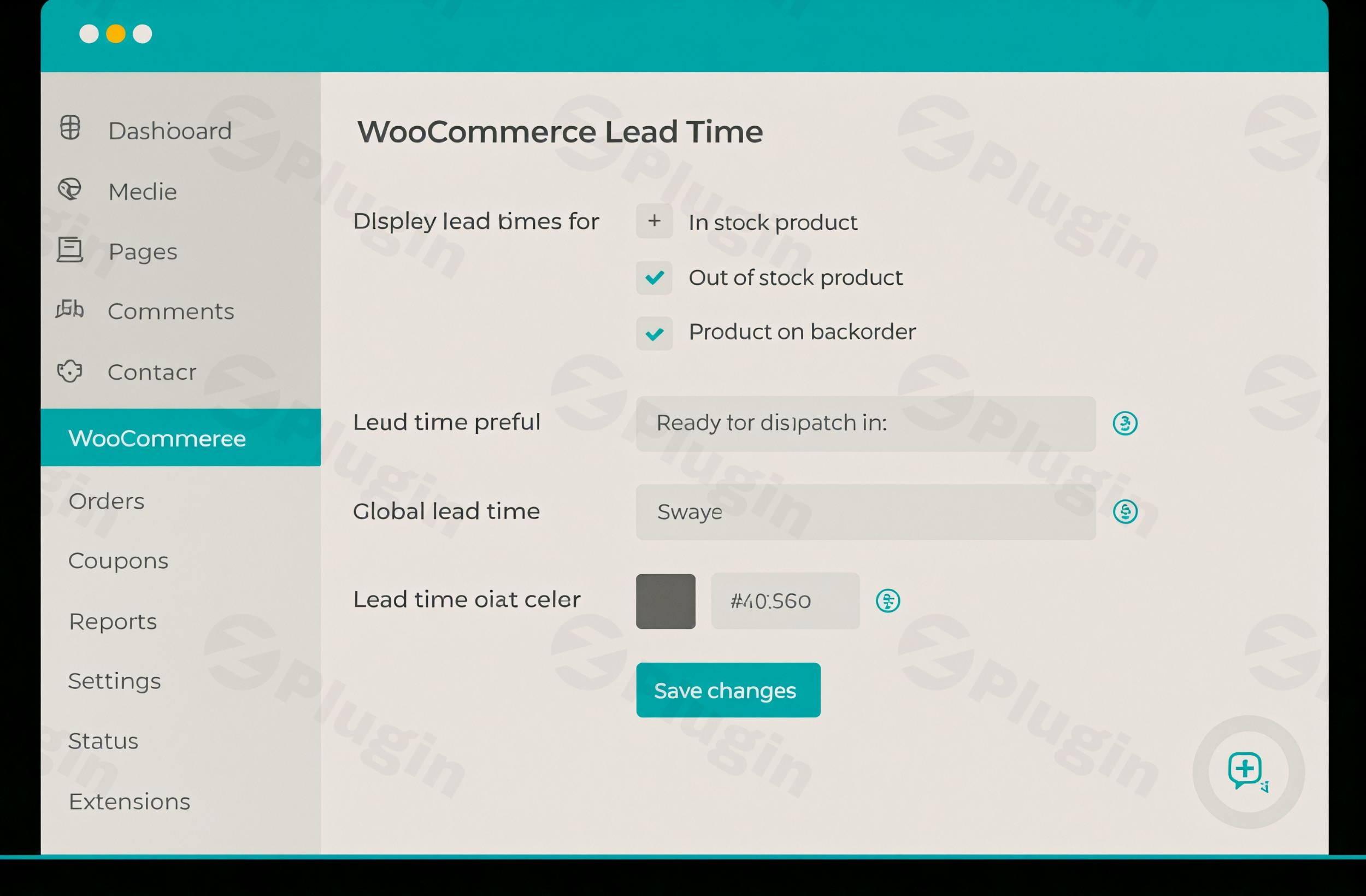
In the dynamic world of e-commerce, customer expectations for clear, real-time information are higher than ever. For online stores selling custom-made, non-stock, or backordered products, managing and communicating product availability, or “lead time,” is crucial. The Barn2 Media WooCommerce Lead Time plugin emerges as a robust, premium solution designed to enhance transparency, build customer trust, and streamline your sales process. This article provides a comprehensive overview of this essential tool, demonstrating why it’s an indispensable asset for any serious WooCommerce store owner.
Introduction to Barn2 Media WooCommerce Lead Time
The Barn2 Media WooCommerce Lead Time plugin empowers WooCommerce store owners to clearly display product lead times to their customers. This vital information, such as “Ready for despatch in 5 days” or “Available on 25th March,” allows customers to make informed purchasing decisions, reducing uncertainty and improving their overall shopping experience. By providing accurate expectations upfront, the plugin significantly minimizes “Where’s my order?” inquiries and helps prevent cart abandonment due to unclear delivery timelines.This premium plugin is developed by Barn2 Media, a reputable name in the WordPress ecosystem known for creating high-quality, reliable, and user-friendly WooCommerce extensions. It’s built for both beginners seeking a quick setup and developers requiring advanced configuration, ensuring a powerful yet accessible solution for managing product availability.
Key Features & Functionality
Barn2 Media WooCommerce Lead Time is packed with features designed for ultimate flexibility and control over how you communicate product availability.
Precise Lead Time Display
At its core, the plugin excels at displaying clear lead time information on the single product page, informing customers exactly how long they’ll wait before a product is shipped or becomes available. This critical detail directly impacts a customer’s decision to place an order.
Static and Dynamic Lead Times
The plugin offers versatile options for presenting lead times:
- Static Lead Times: Display fixed text (e.g., “5 days,” “3 weeks”), ideal for products with consistent, predictable availability.
- Dynamic Lead Times: Automatically calculate the waiting time based on a future availability date, providing precise, real-time information. This includes calculating the number of days remaining until a product is available.
Stock Status-Based Lead Times
One of the plugin’s most powerful features is the ability to define different lead times based on a product’s stock status. You can set specific messages for:
- In Stock Products: Inform customers of standard processing times.
- Out of Stock Products: Clearly state when the product will become available again.
- Backorder Products: Manage expectations for items ordered before they are back in stock.When a product’s stock status changes, the displayed lead time automatically updates, ensuring customers always receive accurate information.
Hierarchical Lead Time Management
The plugin provides unparalleled flexibility with its hierarchical settings, allowing you to manage lead times at various levels:
- Global Lead Times: Apply a default lead time across your entire store.
- Category-Specific Lead Times: Override the global setting for specific product categories.
- Product-Specific Lead Times: Set unique lead times for individual products.
- Variation-Specific Lead Times: Manage lead times even down to individual product variations, perfect for complex product catalogs.This system ensures that you have precise control over every item in your store.
Customizable Text and Wording
Maintain your brand voice and clarity by customizing the lead time wording and text color. Barn2 suggests alternative phrases for “lead time,” such as “Available On,” “Ready For Despatch In,” “Handling Time,” “Processing Time,” or “Made to Order,” allowing you to choose the most appropriate language for your products. You can also customize measurements to fit your needs.
Multiple Location Display
To maximize transparency, lead times can be displayed in various crucial locations throughout your customer’s journey:
- Single product page
- Shop page
- Product categories
- Cart page
- Checkout page
- Order details page
- Order confirmation emailsThis comprehensive display ensures customers are consistently aware of availability at every touchpoint.
Seamless Integration with Other Plugins
Barn2 Media WooCommerce Lead Time is designed for maximum compatibility. It integrates effortlessly with other popular Barn2 plugins, such as WooCommerce Product Table, WooCommerce Quick View Pro, and WooCommerce Fast Cart, allowing lead times to be displayed in product tables or quick view lightboxes. It also works with most themes and is compatible with the WooCommerce New Product Editor and High-Performance Order Storage (HPOS), ensuring it fits smoothly into your existing e-commerce infrastructure.
Benefits for Your WooCommerce Store
Implementing the Barn2 Media WooCommerce Lead Time plugin brings significant advantages:
- Enhanced Customer Experience: By providing clear availability information, you empower customers to make informed decisions, simplifying their purchasing process and minimizing uncertainty.
- Increased Transparency and Trust: Openly communicating lead times builds trust with your audience, positioning your brand as reliable and customer-centric.
- Reduced Cart Abandonment: Unclear delivery times are a major reason for abandoned carts. By setting expectations upfront, you reduce this friction point.
- Fewer “Where’s My Order?” Inquiries: Proactive communication significantly decreases the volume of customer support requests related to order status, freeing up valuable staff time.
- Optimized for Custom & Non-Stock Products: This plugin is particularly beneficial for businesses selling made-to-order items, handcrafted goods, or products with variable stock, making it easy to manage unique lead time requirements.
- Improved Conversions: A transparent and trustworthy shopping experience often leads to higher conversion rates and repeat business.
Quick 2-Minute Setup & Usage Guide
One of the standout features of Barn2 Media WooCommerce Lead Time is its incredible ease of use, designed for both beginners and experienced developers.Step-by-Step Installation:
- Download & Upload: After purchasing, download the plugin ZIP file from your Barn2 Media account.
- Install via WordPress: Navigate to your WordPress dashboard, go to Plugins > Add New > Upload Plugin, then select the ZIP file and click “Install Now.”
- Activate: Once installed, click “Activate Plugin.”
- License Key: Enter your license key in the plugin settings to unlock all features and updates.Configuration & Usage:
- Global Settings: Go to WooCommerce > Settings > Products > Lead Times to configure global lead time settings. Here, you can set a default lead time, choose display locations, and customize the text.
- Product-Specific Settings: For individual products, edit the product in your WordPress dashboard. In the “Product Data” section, you’ll find a dedicated “Lead Time” tab where you can override global settings for that specific product or its variations.
- Category Settings: Similarly, lead times can be configured at the category level, providing another layer of granular control.
- Customization: Experiment with the customizable text options and various display locations to find the perfect fit for your store’s aesthetic and customer communication strategy.The plugin’s intuitive interface ensures you can start adding lead times for your WooCommerce products almost immediately after installation.
Technical Specifications & Compatibility
Barn2 Media prides itself on developing robust and lightweight plugins. The WooCommerce Lead Time plugin is no exception:
- Lightweight Design: Optimized for performance, ensuring it doesn’t slow down your website.
- Broad Compatibility: Fully compatible with all other Barn2 plugins and designed to work seamlessly with most third-party plugins and WordPress themes.
- Modern WooCommerce Support: Fully compatible with the WooCommerce New Product Editor and High-Performance Order Storage (HPOS), ensuring future-proof integration with WooCommerce’s evolving architecture.
- Translation Ready: The plugin is translation-ready, making it suitable for multilingual stores and catering to a global customer base.While specific minimum server requirements are generally aligned with standard WordPress and WooCommerce hosting recommendations, Barn2’s documentation provides further guidance if needed.
Why Choose Barn2 Media WooCommerce Lead Time? (EEAT Focus)
When considering a premium solution for managing product lead times, expertise, experience, authoritativeness, and trustworthiness are paramount. Barn2 Media WooCommerce Lead Time excels in these areas:
- Expertise & Authoritativeness: Developed by Barn2 Media, a highly regarded and specialized WooCommerce plugin developer. Their focus on creating niche-specific, high-quality tools establishes them as an authority in the field.
- Experience: The plugin’s comprehensive feature set and thoughtful design reflect years of experience in understanding and addressing the complex needs of WooCommerce store owners. It’s not just a basic feature; it’s a finely tuned system for managing product availability.
- Trustworthiness: The plugin boasts generally positive customer reviews, with an impressive average rating of 4.85 out of 5. Customers consistently praise its ease of use, comprehensive features, and, crucially, excellent customer support—a hallmark of a trustworthy premium provider. The transparent communication of capabilities, without exaggeration, further builds this trust.
- Premium Value: While alternatives exist, Barn2 Media WooCommerce Lead Time distinguishes itself through its robust feature set, hierarchical control, extensive display options, and seamless compatibility. It’s a premium solution that delivers advanced, reliable capabilities, providing significant ROI by reducing customer support overhead and improving conversion rates.
Conclusion
The Barn2 Media WooCommerce Lead Time plugin is an indispensable premium tool for any WooCommerce store that needs to clearly and efficiently communicate product availability. Its comprehensive features, from dynamic lead time calculations and stock status-based messaging to hierarchical management and extensive customization, make it a powerful asset. By enhancing transparency, building customer trust, and streamlining the purchasing process, this plugin not only improves the customer experience but also significantly benefits your business’s bottom line. Invest in Barn2 Media WooCommerce Lead Time to set clear expectations and empower your customers with the information they need to buy with confidence.
I. Download Limits & Account Benefits
- Free Downloads: Each email address receives 3 downloads per day for free products
- Upgrade Benefits: Purchase any paid product to increase your daily download limit by 3 for each paid product
- No Account Required: You can download immediately by receiving the download link via email
- Account Recommended: Create an account for easier access to your order history and direct update downloads
II. Understanding GPL vs Official Versions
Important: The products available on WPPick are GPL-licensed versions, which differ from official developer versions. Before purchasing, please read our comprehensive guide: Understanding GPL & Official Differences at WPPick
Key Points:
- GPL versions may not include premium support from original developers
- Updates may be delayed compared to official releases
- Some premium features might have limitations
- Always consider your specific needs and support requirements
III. Support & Assistance
We’re here to help through multiple channels:
- Email Support: Direct email assistance for all inquiries
- Live Chat: Real-time support during business hours
- Comprehensive Documentation: Detailed guides and tutorials
IV. Order Tracking
Access your complete purchase history and download links anytime: Order History
V. Account Access
New to WPPick? Login or Create Account to manage your downloads and orders efficiently.
VI. Refund Protection
We stand behind our products with a clear refund policy. Review our terms: Refund Policy
VII. Privacy & Security
Your data security is our priority. Learn how we protect your information: Privacy Policy
VII. Terms of Service
Understanding our service terms ensures a smooth experience: Terms of Use
Quick Tips for Best Experience
- Verify Compatibility: Check plugin/theme compatibility with your WordPress version
- Backup First: Always backup your site before installing new plugins or themes
- Test Environment: Consider testing on a staging site first
- Stay Updated: Regularly check for updates in your account dashboard
- Read Documentation: Review any included documentation for optimal setup
Need Help?
If you have questions about downloads, licensing, or need technical assistance, don’t hesitate to contact our support team. We’re committed to ensuring you have the best possible experience with WPPick products.
Ready to get started? Your download adventure begins with just one click!
- Lead time was not saved for variations
- Added the lead time block to the block editor
- Show the lead time for shortcodes when the "Product Lists" option is checked
- Updated internal libraries and tested up to WooCommerce 10.4.3 and WordPress 6.9
- Improved the security and added the missing nonce
- Updated internal libraries and tested up to WooCommerce 10.1.2
- Added translation files
- Lead time prefix was required for admin orders