

Barn2 Media Woocommerce Product Tabs Pro
/Year
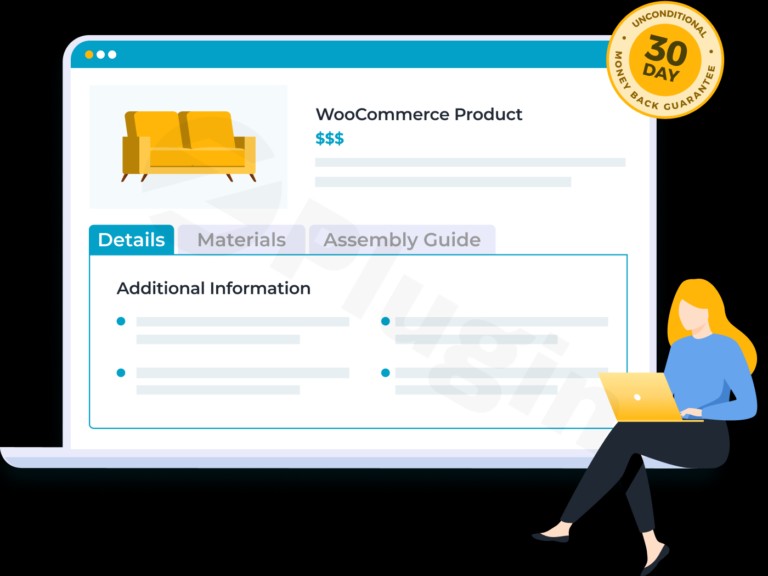
Transform Your Product Pages with Advanced Tab Management
Elevate your WooCommerce store’s product presentation with WooCommerce Product Tabs Pro, the premium tab management solution designed to create organized, informative, and engaging product pages. This powerful plugin empowers you to present comprehensive product details in a structured, user-friendly format, effectively converting visitors into loyal customers. By enhancing how product information is delivered, WooCommerce Product Tabs Pro significantly improves the overall shopping experience, providing all essential details at a glance.
Key Features and Benefits
WooCommerce Product Tabs Pro is engineered to provide advanced, reliable capabilities, making it an indispensable tool for any serious e-commerce venture. Its unique selling points lie in its flexibility, robust feature set, and seamless integration with the WooCommerce ecosystem.
Intuitive Tab Management Interface
Experience seamless tab creation and organization with WooCommerce Product Tabs Pro’s intuitive drag-and-drop interface. This feature allows you to effortlessly add, remove, and rearrange tabs, enabling you to create the perfect information hierarchy for your products. Each tab can be customized with unique icons and descriptive titles, significantly enhancing user experience and navigation. You can also easily choose which tab opens by default, guiding your customers to the most crucial information first.
Unlimited and Rich Content Compatibility
Break free from content limitations. WooCommerce Product Tabs Pro supports an unlimited number of custom tabs, each featuring a full WYSIWYG editor. This allows you to format and style content without needing any coding knowledge. Populate your tabs with diverse content types, including:
- Text and Images: Provide detailed descriptions, high-quality visuals, and infographics.
- Multimedia: Embed audio clips, videos, and other media directly into your tabs.
- Advanced Elements: Utilize custom shortcodes, HTML, and embedded code for dynamic content. You can embed contact forms, maps, social media feeds, and live chat windows to provide comprehensive customer service.
- Page Builder Integration: The plugin integrates flawlessly with popular page builders like Elementor, Beaver Builder, and WPBakery, offering unlimited creative possibilities for tab content creation and design.
Advanced Targeting Options
Implement tabs with precision using our sophisticated targeting system. This granular control ensures relevant information reaches the right audience every time:
- Global Tabs: Create tabs that automatically appear on all products across your store.
- Category-Specific Tabs: Assign tabs to particular product categories, ideal for displaying information relevant to a group of products.
- Tag-Specific Tabs: Target tabs based on product tags for even more refined content delivery.
- Individual Product Tabs: Design unique tabs for specific items, perfect for highlighting unique features or promotions.
- Dynamic Visibility: Control tab visibility based on product, category, or tag, ensuring that customers only see the information pertinent to their selected product.
Enhanced E-commerce Performance
By providing comprehensive product information in an easily digestible format, WooCommerce Product Tabs Pro helps to reduce product return rates and minimize customer inquiries. Showcase vital details such as:
- Technical Specifications: For electronics or machinery.
- Size Guides: Essential for fashion and apparel stores.
- Care Instructions: Important for delicate items.
- Testimonials and FAQs: Build trust and address common questions proactively.
- Downloads: Offer instruction manuals or supplementary files.
- Promotions and Upsells: Utilize tabs to promote related products or special offers.Presenting these details in dedicated tabs empowers customers to make informed purchasing decisions, leading to higher satisfaction and fewer post-purchase issues.
Why Choose Our Plugin Version?
When selecting a premium solution for your WooCommerce store, trust and reliability are paramount. WooCommerce Product Tabs Pro is distributed under principles that guarantee a secure and continuously improving experience. Barn2 Media is a trusted WooCommerce plugin provider, known for its expertise and commitment to quality.
GPL Licensed and Regularly Updated
Our plugin is distributed under the GPL license, ensuring compatibility with WordPress standards and ethical distribution practices. We provide regular updates that maintain compatibility with the latest WordPress and WooCommerce versions, implement essential security patches, and introduce new features to keep your store at the forefront of e-commerce innovation.
Security Verified Source
Every release of WooCommerce Product Tabs Pro undergoes thorough security scanning through industry-standard tools like VirusTotal and other third-party security validators. We guarantee clean, malware-free code that will not compromise your website’s security or performance, ensuring a safe environment for your business and your customers.
Professional Support Ready
While we provide the core plugin files, we recommend consulting with professional WordPress developers for customization and implementation. This ensures optimal performance tailored to your specific business needs, helping you unlock the full potential of WooCommerce Product Tabs Pro and achieve your e-commerce goals. Users consistently praise Barn2’s helpful support team and the plugin’s ease of use, contributing to its 5-star rating based on numerous positive customer reviews.
Ideal For Various E-commerce Applications
WooCommerce Product Tabs Pro is perfect for a wide array of online merchants requiring organized product details:
- Fashion Stores: Easily present detailed size charts and material compositions.
- Electronics Retailers: Display comprehensive technical specifications and compatibility information.
- Food Businesses: Share nutritional information, ingredients, and allergen warnings.
- Furniture Stores: Provide assembly instructions, care guides, and warranty details.
- Digital Products: Offer download links, licensing information, and support resources.No matter your niche, this plugin simplifies the task of delivering vital information, improving workflows and providing a clear return on investment.
Technical Specifications and Compatibility
WooCommerce Product Tabs Pro is built with performance and broad compatibility in mind:
- WordPress Compatibility: Requires WordPress 5.0+ and has been thoroughly tested up to WordPress 6.8 (compatible with 6.1+).
- WooCommerce Compatibility: Fully compatible with WooCommerce 3.0+.
- PHP Requirement: Requires PHP 7.4 or higher for optimal performance and security.
- Theme and Plugin Compatibility: Compatible with most standard WordPress themes and integrates seamlessly with popular page builders like Elementor, Beaver Builder, and WPBakery. It also works well with other Barn2 plugins such as WooCommerce Quick View Pro, Document Library Pro, and WooCommerce Product Table.
- Performance: Designed with lightweight code to ensure fast loading times without affecting your site’s overall performance.
- Responsive Design: Features a responsive design that works perfectly across all devices and screen sizes, providing an excellent user experience whether on desktop, tablet, or mobile.
Getting Started: Installation and Setup Guide
Installing and configuring WooCommerce Product Tabs Pro is a straightforward process, designed to get you up and running quickly.
- Download the Plugin: After purchasing, download the plugin’s
.zipfile from your account. - Upload to WordPress:
- Navigate to your WordPress dashboard.
- Go to Plugins > Add New.
- Click on the Upload Plugin button.
- Choose the
.zipfile you downloaded and click Install Now.
- Activate the Plugin: Once installed, click Activate Plugin.
- Enter License Key: Go to WooCommerce > Settings > Products > Product Tabs Pro (or similar menu path) and enter your license key to enable updates and support.
- Configure Tabs: Access the plugin’s settings interface to start creating and managing your tabs.
- Use the drag-and-drop editor to add new tabs.
- Utilize the WYSIWYG editor to add content (text, images, videos, shortcodes).
- Set global tabs, or use the advanced targeting options to assign tabs to specific products, categories, or tags.
- Customize tab titles, icons, and default open status.For detailed, step-by-step instructions and best practices, always refer to the official documentation provided by Barn2 Media.
Conclusion
WooCommerce Product Tabs Pro is an essential premium WordPress plugin for any e-commerce store looking to enhance product page functionality and customer experience. By offering advanced, enterprise-grade tab management capabilities, it transforms chaotic product descriptions into well-organized, engaging content. From intuitive interfaces to rich content compatibility and precise targeting options, this plugin delivers a professional, trustworthy, and effective solution for presenting product information. Invest in WooCommerce Product Tabs Pro to simplify your store’s management, reduce customer friction, and ultimately drive higher conversions and satisfaction.
I. Download Limits & Account Benefits
- Free Downloads: Each email address receives 3 downloads per day for free products
- Upgrade Benefits: Purchase any paid product to increase your daily download limit by 3 for each paid product
- No Account Required: You can download immediately by receiving the download link via email
- Account Recommended: Create an account for easier access to your order history and direct update downloads
II. Understanding GPL vs Official Versions
Important: The products available on WPPick are GPL-licensed versions, which differ from official developer versions. Before purchasing, please read our comprehensive guide: Understanding GPL & Official Differences at WPPick
Key Points:
- GPL versions may not include premium support from original developers
- Updates may be delayed compared to official releases
- Some premium features might have limitations
- Always consider your specific needs and support requirements
III. Support & Assistance
We’re here to help through multiple channels:
- Email Support: Direct email assistance for all inquiries
- Live Chat: Real-time support during business hours
- Comprehensive Documentation: Detailed guides and tutorials
IV. Order Tracking
Access your complete purchase history and download links anytime: Order History
V. Account Access
New to WPPick? Login or Create Account to manage your downloads and orders efficiently.
VI. Refund Protection
We stand behind our products with a clear refund policy. Review our terms: Refund Policy
VII. Privacy & Security
Your data security is our priority. Learn how we protect your information: Privacy Policy
VII. Terms of Service
Understanding our service terms ensures a smooth experience: Terms of Use
Quick Tips for Best Experience
- Verify Compatibility: Check plugin/theme compatibility with your WordPress version
- Backup First: Always backup your site before installing new plugins or themes
- Test Environment: Consider testing on a staging site first
- Stay Updated: Regularly check for updates in your account dashboard
- Read Documentation: Review any included documentation for optimal setup
Need Help?
If you have questions about downloads, licensing, or need technical assistance, don’t hesitate to contact our support team. We’re committed to ensuring you have the best possible experience with WPPick products.
Ready to get started? Your download adventure begins with just one click!
- Updated internal libraries and tested up to WordPress 6.9 and WooCommerce 10.4.3
- Enhanced the plugin's security and added some extra checks
- Icons were not showing in some of the themes