

Bit Flows Pro – Advanced Workflow Automation Alternative To Zapier In WordPress
/Year
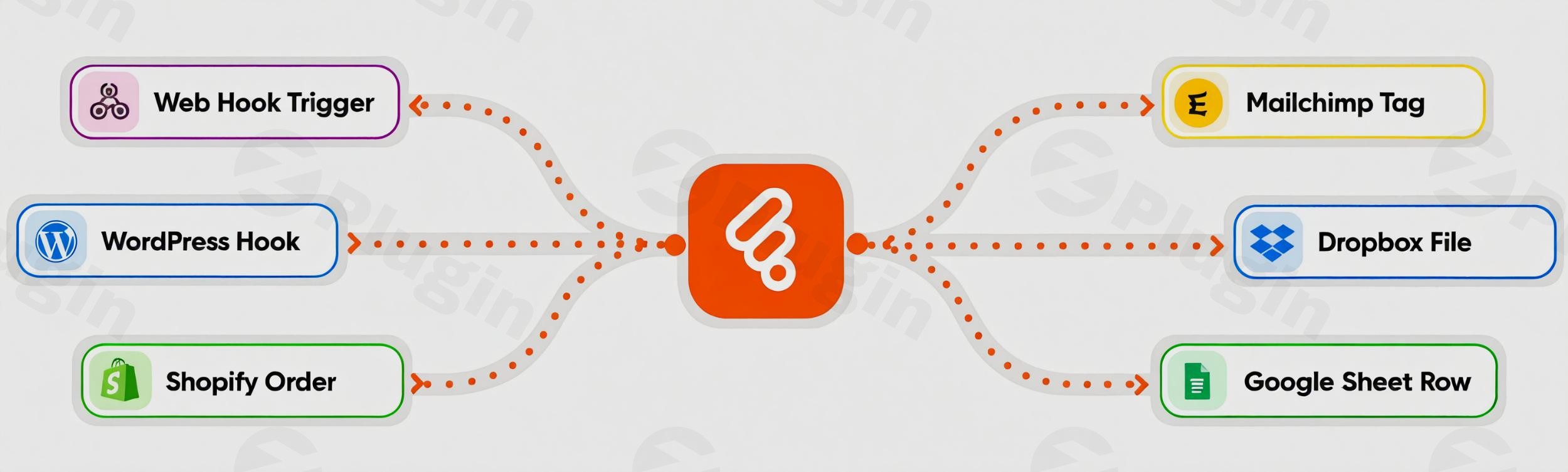
In today’s fast-paced digital world, automating repetitive tasks is crucial for efficiency and growth. For WordPress users, this often means grappling with expensive, cloud-based services like Zapier that come with recurring subscription fees and limitations on tasks. Bit Flows Pro emerges as a game-changer, offering a powerful, self-hosted WordPress workflow automation solution that not only rivals leading SaaS platforms but also eliminates ongoing costs.This WordPress automation plugin empowers site owners, marketers, and agencies to build sophisticated, multi-step workflows directly within their WordPress dashboard, giving them complete control over their data and processes. Say goodbye to external dependencies and hello to unparalleled flexibility with Bit Flows Pro.
Key Features of Bit Flows Pro for Seamless Automation
Bit Flows Pro is engineered to provide a comprehensive and intuitive automation experience. Its robust set of features ensures you can connect, automate, and streamline virtually any task within your WordPress site and across integrated external platforms.
Intuitive Drag-and-Drop Visual Flow Builder
The core of Bit Flows Pro is its drag-and-drop workflow builder WordPress. This no-code visual canvas allows users to design complex automation sequences in minutes, regardless of technical skill. Simply drag “triggers” and “actions” onto the canvas, connect them, and build intricate, multi-step workflows with ease. It’s a truly intuitive experience that makes WordPress no-code automation accessible to everyone.
Unlimited Workflows, Tasks, and Steps
One of the most significant advantages of Bit Flows Pro, setting it apart from many SaaS alternatives, is its commitment to unlimited usage. Unlike services that impose strict task limits or tier-based pricing, Bit Flows Pro offers unlimited workflows WordPress, steps, and task executions across all its paid plans. This ensures true flexibility and scalability for all your automation needs, without hidden costs as your site grows.
Extensive Multi-Platform Integrations
To truly automate your online operations, your tools need to talk to each other. Bit Flows Pro excels here, connecting WordPress with over 220+ platforms and popular WordPress plugins. This includes:
- eCommerce: WooCommerce, Shopify
- CRM: HubSpot, FluentCRM
- Form Builders: Elementor Forms, Contact Form 7, Fluent Forms
- Email Marketing: Mailchimp, MailerLite
- Productivity: Google Sheets, Notion
- LMS Tools: Various learning management systemsThis broad compatibility makes it a powerful WordPress integrations plugin, enabling seamless data flow across your entire digital ecosystem.
Advanced Conditional Logic and Smart Automation Tools
Bring intelligence to your workflows with Bit Flows Pro’s advanced conditional logic. You can route data dynamically and automate decisions based on specific rules, incorporating math, string, and system functions. Beyond this, the plugin includes unique tools for precise control over data flow and timing:
- Router: Splits workflows into multiple branches, sending data to various platforms simultaneously.
- Iterator: Breaks down large datasets into smaller, manageable parts for individual processing.
- Repeater: Automates the repetition of tasks for bulk processes or looping through data.
- Delay: Schedules actions for precise timing, ensuring operations happen exactly when needed.
- JSON Parser: Essential for handling complex JSON data within your workflows.
Custom Triggers & Actions / Custom Apps & Webhook Support
For services without native integrations, Bit Flows Pro empowers you to create custom triggers actions WordPress automation. You can integrate with virtually any API or service by setting up authentication and endpoints. Furthermore, its comprehensive webhook functionality allows external platforms to trigger workflows on your WordPress site (incoming webhooks) and enables your site to send processed data to third-party services (outgoing webhooks), facilitating seamless cross-platform communication.
AI Automation Capabilities
Future-proof your workflows with Bit Flows Pro’s AI integration. The plugin supports connection with leading AI tools like OpenAI, Claude, Gemini, and DeepSeek, allowing you to create complex, AI-powered workflows directly from your WordPress dashboard.
Robust Logging, Error Handling, and Self-Hosted Advantage
Bit Flows Pro includes a powerful logging system that tracks every workflow step with real-time insights, simplifying debugging and optimization. It can also automatically retry or skip failed nodes, ensuring reliability. As a self-hosted automation WordPress solution, Bit Flows Pro runs entirely within your WordPress environment, giving you complete control over your data and processes without relying on third-party servers.
Cost-Effective One-Time Payment Model
Perhaps the most compelling benefit is its cost-effectiveness. Bit Flows Pro is positioned as a significant cost-saving Zapier alternative WordPress. It offers unlimited features at a fraction of the cost of competitors, often with attractive one-time payment and lifetime deal options, freeing you from recurring SaaS expenses.
Installing & Setting Up Bit Flows Pro
Getting started with Bit Flows Pro is a straightforward process, following standard WordPress plugin installation practices. Here’s a step-by-step guide to help you install Bit Flows Pro:
- Obtain the Plugin: If you’re looking for the Pro version with all advanced features, you’ll typically acquire it from a reputable vendor like ZeroPlugin.com or the official Bit Flows website. There is also a free version with core features available on WordPress.org for initial testing.
- Upload the Plugin:
- Log in to your WordPress admin dashboard.
- Navigate to Plugins > Add New.
- Click on the “Upload Plugin” button at the top of the page.
- Click “Choose File” and select the
.zipfile you downloaded for Bit Flows Pro. - Click “Install Now”.
- Activate the Plugin: Once the plugin is uploaded and installed, click on the “Activate Plugin” button.
- Configuration (Initial Setup): After activation, Bit Flows Pro will typically add a new menu item to your WordPress dashboard (e.g., “Bit Flows” or “Automation”). Click on this to access the visual flow builder and begin configuring your first workflows. While specific initial setup instructions might vary based on the version, the interface is designed to be intuitive for creating triggers, actions, and connections.
Practical Usage & Best Practices with Bit Flows Pro
Bit Flows Pro is ideal for anyone looking to automate WordPress tasks without Zapier, streamlining operations and saving valuable time. Here are a few concrete use cases and best practices:
- Automate Lead Nurturing and CRM Integration:
- Use Case: When a user fills out a contact form (e.g., Fluent Forms, Elementor Forms) on your WordPress site, automatically add them as a new lead in your CRM (e.g., HubSpot, FluentCRM) and simultaneously subscribe them to a specific email list in Mailchimp.
- Best Practice: Use conditional logic to segment leads based on form fields (e.g., “service interest”) before sending them to different CRM pipelines or email sequences.
- Streamline eCommerce Order Management:
- Use Case: Upon a new WooCommerce order, automatically create a new row in Google Sheets with order details, notify your shipping team via Slack, and send a personalized thank-you email to the customer. This is an excellent example of how to connect WooCommerce to Google Sheets WordPress plugin style.
- Best Practice: Implement the “Delay” tool to schedule follow-up emails a few days after purchase, encouraging reviews or repeat business.
- Content Syndication and Social Media Scheduling:
- Use Case: When a new blog post is published on your WordPress site, automatically share it across multiple social media platforms (e.g., Twitter, Facebook, LinkedIn) and notify subscribers via Telegram.
- Best Practice: Utilize the “Repeater” or “Delay” function to schedule multiple social shares over a week or month, maximizing content reach without manual effort.
- AI-Powered Content Generation and Data Analysis:
- Use Case: Automatically send new user comments or forum posts to an AI tool (like OpenAI) for sentiment analysis, then flag negative comments for moderation in your WordPress dashboard, or summarize positive feedback in a Google Sheet.
- Best Practice: Leverage custom triggers and actions WordPress automation to connect niche AI services if a native integration isn’t available, expanding your capabilities.
FAQ & Troubleshooting
Is Bit Flows Pro free?
Bit Flows Pro operates on a freemium model. A free version with core features and basic integrations is available on WordPress.org, allowing users to experience its capabilities. The Pro version, available through a one-time payment, unlocks advanced tools, extensive integrations, and unlimited workflow capabilities.
How does Bit Flows Pro compare to Zapier?
Bit Flows Pro is a powerful Zapier alternative WordPress users. The key differences lie in its self-hosted nature, offering users complete control over their data, and its one-time payment model for unlimited tasks and workflows. In contrast, Zapier is a cloud-based SaaS with recurring subscription fees based on task usage, which can become expensive for high-volume automation. Bit Flows Pro also provides a native WordPress experience, keeping all your automation within your website environment.
What are the benefits of self-hosted WordPress automation?
The primary benefits of self-hosted automation WordPress with Bit Flows Pro include enhanced data control and privacy, as your workflow data remains on your server rather than third-party clouds. It also typically results in significant cost savings due to the absence of recurring subscription fees. Furthermore, it offers deeper integration and a more unified experience within your WordPress dashboard.
How to build multi-step workflows in WordPress with Bit Flows Pro?
Building multi-step workflows with Bit Flows Pro involves using its drag-and-drop visual flow builder. You start by selecting a “trigger” (e.g., new form submission), then add subsequent “actions” (e.g., add user to CRM, send email, update spreadsheet). You can connect these steps, add conditional logic for dynamic routing, and incorporate smart automation tools like Routers, Iterators, and Delays to create complex sequences, all without writing any code.
Does Bit Flows Pro slow down WordPress?
No, Bit Flows Pro is designed with performance in mind. The plugin runs tasks asynchronously in the background, meaning that even complex or high-volume workflows do not slow down your website’s performance or affect page load times. It is optimized to operate efficiently, even on shared hosting environments, ensuring your WordPress site remains fast and responsive.
Conclusion
Bit Flows Pro stands out as an exceptional WordPress workflow automation solution, offering an unparalleled combination of power, flexibility, and affordability. By empowering users with a self-hosted, drag-and-drop builder and a one-time payment model for unlimited features, it truly revolutionizes how automation is approached in the WordPress ecosystem.For businesses, agencies, and individual site owners weary of recurring SaaS costs and desiring greater control over their data, Bit Flows Pro presents a compelling, professional-grade Zapier alternative WordPress. It’s an investment that pays dividends in efficiency, cost savings, and peace of mind. Transform your WordPress operations today and experience the freedom of advanced automation with Bit Flows Pro.
I. Download Limits & Account Benefits
- Free Downloads: Each email address receives 3 downloads per day for free products
- Upgrade Benefits: Purchase any paid product to increase your daily download limit by 3 for each paid product
- No Account Required: You can download immediately by receiving the download link via email
- Account Recommended: Create an account for easier access to your order history and direct update downloads
II. Understanding GPL vs Official Versions
Important: The products available on WPPick are GPL-licensed versions, which differ from official developer versions. Before purchasing, please read our comprehensive guide: Understanding GPL & Official Differences at WPPick
Key Points:
- GPL versions may not include premium support from original developers
- Updates may be delayed compared to official releases
- Some premium features might have limitations
- Always consider your specific needs and support requirements
III. Support & Assistance
We’re here to help through multiple channels:
- Email Support: Direct email assistance for all inquiries
- Live Chat: Real-time support during business hours
- Comprehensive Documentation: Detailed guides and tutorials
IV. Order Tracking
Access your complete purchase history and download links anytime: Order History
V. Account Access
New to WPPick? Login or Create Account to manage your downloads and orders efficiently.
VI. Refund Protection
We stand behind our products with a clear refund policy. Review our terms: Refund Policy
VII. Privacy & Security
Your data security is our priority. Learn how we protect your information: Privacy Policy
VII. Terms of Service
Understanding our service terms ensures a smooth experience: Terms of Use
Quick Tips for Best Experience
- Verify Compatibility: Check plugin/theme compatibility with your WordPress version
- Backup First: Always backup your site before installing new plugins or themes
- Test Environment: Consider testing on a staging site first
- Stay Updated: Regularly check for updates in your account dashboard
- Read Documentation: Review any included documentation for optimal setup
Need Help?
If you have questions about downloads, licensing, or need technical assistance, don’t hesitate to contact our support team. We’re committed to ensuring you have the best possible experience with WPPick products.
Ready to get started? Your download adventure begins with just one click!
- New Trigger Survey Monkey (12)
- New Trigger Ninja Tables (02)
- New Trigger RafflePress (02)
- New Trigger ElevenLabs (02)
- New Action MailWizz (04)
- New Action AITable (05)
- New Action Salesforce (16)
- New Action Monday.com (20)
- New Action ElevenLabs (09)
- New Action Mailster (01)
- New Action Ninja Tables (05)
- New Action WP Courseware (01)
- New Action SureFeedback (01)
- New Action RafflePress (04)
- New Feature Added Date Time...
- Fixed WordPress Plugin Check compliance issues
- Added 69 new actions across multiple services: Gemini Image (1 event), Microsoft Excel (9 events), Google Tasks (8 events), SendFox (8 events), JetEngine (19 events), WPCafe (6 events), SEOPress (5 events), Zoho Project (7 events), GoHighLevel (6 events).
- Added 33 new triggers across multiple services: Bit Social (14 events), JetEngine (8 events), WPCafe (7 events), SEOPress (4 events).
- Bit Flows AI Agent is officially live 🎉. This is the first time an AI Agent is available natively inside a WordPress automation plugin.
- Instead of just running static workflows, your workflows can now think, decide, and act.
- The AI Agent can analyze inputs and context, decide what should happen next, and choose actions dynamically inside a workflow (no complex conditions, no manual logic).
- Example: A student submits a quiz → AI checks the answers → If passed: enroll in the next course + send confirmation; If failed: ask to retake. All handled by the AI Agent.
- The AI Agent is completely available for all users.
- New Trigger: BuddyBoss (14)
- New Trigger: Advanced Custom Fields (ACF) (03)
- New Trigger: Essential Addons for Elementor (2)
- New Trigger: Poptics (02)
- New Trigger: Sendy (04)
- New Action: BuddyBoss (20)
- New Action: FluentCart (01)
- New Action: Advanced Custom Fields (ACF) (08)
- New Action: Dropbox (11)
- New Action: Google Drive (18)
- New Action: Flowlu (40)
- New Action: Twilio (06)
- New Action: ActiveCampaign (03)
- New Action: Sendy (06)
- New Action: OpenRouter (03)
- New Action: Poptics (05)
- Added OpenAI request caching to significantly improve performance and reduce repeated API calls.
- Fixed request content-type handling issue.
- Fixed pro namespace issue.
- Fixed custom app machine field fetch issue.
- New Trigger FluentCart (13)
- New Trigger MailerPress (07)
- New Action FluentCart (57)
- New Action MailerPress (17)
- New Trigger FluentAffiliate (08)
- New Trigger WooCommerce (01)
- New Trigger FormGent (10)
- New Trigger WP User Frontend (05)
- New Trigger EasyCommerce (31)
- New Action Gmail
- Fixed minor bugs
- New Trigger FluentAffiliate (08)
- New Trigger WooCommerce (01)
- New Trigger FormGent (10)
- New Trigger WP User Frontend (05)
- New Trigger EasyCommerce (31)
- New Action Gmail
- Fixed minor bugs
- New Actions (10 total)
- Gmail – 10 events
- New Triggers (55 total)
- Fluent Affiliate – 8 events
- WooCommerce – 1 event
- FormGent – 10 events
- WP User Frontend – 5 events
- EasyCommerce – 31 events
- Fixed minor bugs