

Booking Hub
/Year
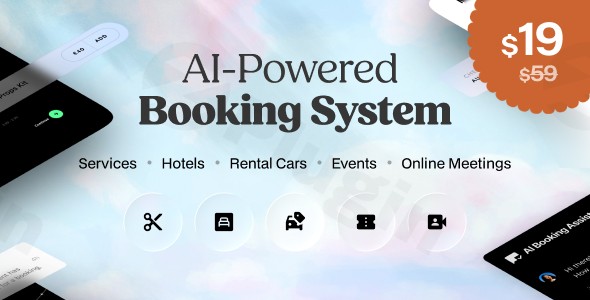
The digital landscape for service providers, hospitality businesses, event organizers, and rental companies is constantly evolving, demanding more intelligent and efficient solutions. The Booking Hub WordPress plugin emerges as a game-changer, offering a sophisticated, AI-powered booking system WordPress solution that streamlines scheduling, enhances customer experience, and significantly reduces administrative overhead. It’s designed to automate your entire booking process, allowing you to focus on your core business while an intelligent system handles reservations 24/7.
Key Features of the Booking Hub WordPress Plugin
Booking Hub is packed with innovative features that make it a truly multi-purpose WordPress booking plugin, adaptable to a wide range of industries and business models. These features don’t just add functionality; they deliver tangible benefits by automating complex tasks and improving user satisfaction.
Intelligent AI Booking Assistant
At the core of Booking Hub is its integrated artificial intelligence engine, transforming your WordPress appointment system AI. This smart AI assistant engages potential customers in a friendly chat environment directly on your website. It provides detailed information about your services, products, staff, and any extras, checks real-time availability, and seamlessly guides users through the entire booking process within the live chat interface. The AI assistant also optimizes scheduling, predicts peak demand, suggests optimal pricing strategies, and automatically manages rescheduling requests, all while maintaining perfect calendar synchronization across platforms. This WordPress scheduling plugin with AI chat truly elevates customer interaction and efficiency.
Multi-Service Management Platform & Flexible Booking Modes
Booking Hub offers a unified dashboard to manage diverse booking types, making it an ideal WordPress reservation plugin AI for various sectors. Its flexible booking modes cater to specific business models, including:
- Professional Services: Salons, spas, doctors, therapists, consultants.
- Hospitality: Hotels, resorts, Airbnb, guesthouses.
- Rentals: Cars, bikes, boats, equipment, party supplies.
- Events: Concerts, workshops, classes, conferences, tours.
- Products: Bookable products with time slots.
- Specialized Taxi/Chauffeur/Airport Transfer Mode: Offers distance-based pricing, time-based trips, or fixed-rate tours for transportation services.This versatility ensures that whether you’re managing appointments, reservations, or rentals, Booking Hub adapts to your unique requirements with customizable booking parameters.
Seamless Customer Experience
Booking Hub prioritizes an effortless experience for your clients. They benefit from:
- Instant Booking Confirmation: Clients receive immediate confirmation of their booking.
- Automated Reminders: Reduces no-shows with timely reminders.
- Easy Rescheduling Options: Clients can manage their appointments without needing staff intervention.
- Multiple Payment Gateway Integrations: Supports deposits, multiple currencies, conditional discounts, and various tax settings, with seamless integration with WooCommerce for robust payment processing.
- Responsive Design: Ensures perfect functionality and a consistent experience across desktop, tablet, and mobile devices.
Advanced Administrative Tools
For business owners and administrators, Booking Hub provides comprehensive oversight and control:
- Comprehensive Reporting Analytics: Gain insights into your booking trends and performance.
- Revenue Tracking: Monitor your earnings and financial health.
- Staff Management Modules: Efficiently manage staff schedules, availability, and assignments.
- Inventory Control Systems: Keep track of resources and prevent overbooking.
- Real-time Notifications: Stay informed of all booking activities.
- Integrated CRM Dashboards: Both staff and customers get intuitive dashboards for booking history, chat features, feedback, and notifications.
Customizable Booking Forms
With Booking Hub, you get customizable booking forms WordPress users will appreciate. You can build custom forms from scratch or select from expertly crafted designs. These forms feature real-time visual editing, translation capabilities, and custom fields to create unique booking experiences tailored to your brand.
Enterprise-Grade Reliability and Security
Booking Hub is built with robust architecture to ensure maximum uptime and performance, even during high traffic periods. It receives frequent feature enhancements and security patches, aligning with its GPL license for flexibility and customization. Every release undergoes comprehensive virus scanning through third-party security services like VirusTotal, guaranteeing a malware-free installation and operation. This commitment to security and reliability makes it a trustworthy choice for your business.
Installation & Setup: How to Automate Appointments with AI on WordPress
Installing and setting up the Booking Hub WordPress plugin is straightforward, designed even for non-developers. To efficiently automate appointments with AI on WordPress, follow these steps:
- Download the Plugin: Obtain the
bookinghub.zipfile from your purchase source. - Install via WordPress Dashboard:
- Log in to your WordPress admin area.
- Navigate to Plugins > Add New.
- Click on Upload Plugin at the top of the page.
- Click Choose File, select the
bookinghub.zipfile, and click Install Now. - Once installed, click Activate Plugin.
- Manual Installation (FTP):
- Unzip the
bookinghub.zipfile. - Connect to your website via FTP (using a client like FileZilla).
- Navigate to
wp-content/plugins/directory. - Upload the unzipped
bookinghubfolder to this directory. - Log in to your WordPress admin area, go to Plugins > Installed Plugins, and activate Booking Hub.
- Unzip the
- Initial Setup Wizard: Upon activation, Booking Hub typically presents an intuitive setup wizard. This wizard will guide you through the initial configuration steps, such as setting up your business hours, services, staff, and basic booking parameters. Follow the prompts to configure your system.
- Technical Requirements: For optimal performance and to avoid common issues like upload limit errors or timeouts, ensure your server meets the following recommendations:
upload_max_filesize:64Mor higherpost_max_size:64Mor highermax_execution_time: Adequately increased (e.g.,300or600)max_input_time: Adequately increased (e.g.,300or600)You can usually adjust these settings in yourphp.inifile or by contacting your hosting provider.
Practical Usage & Best Practices for Your Multi-purpose WordPress Booking Plugin
Leveraging the Booking Hub WordPress plugin effectively can significantly impact your business operations. Here are a few practical use cases and best practices for this multi-purpose WordPress booking plugin:
- For Service-Based Businesses (Salons, Healthcare, Coaching):
- Workflow: Define all your services, staff members, and their individual availability. Use the AI booking assistant to greet clients, answer questions about treatments or consultations, and guide them to available slots.
- Best Practice: Implement automated SMS or email reminders to minimize no-shows. Utilize the staff management module to easily adjust schedules for holidays or absences, ensuring up-to-date availability for clients. This is the
best WordPress booking plugin for hotels with AItoo.
- For Hospitality & Rental Companies:
- Workflow: Set up specific booking modes for hotel rooms, vacation rentals, or equipment leases. Clearly define pricing based on duration, features, and seasonal demand. The AI can help customers quickly find suitable dates and understand rental terms.
- Best Practice: Integrate with WooCommerce to handle deposits and full payments securely. Use inventory control to prevent double-booking of rooms or rental items. Leverage the reporting analytics to identify peak booking seasons and adjust pricing strategies.
- For Event Organizers & Educators:
- Workflow: Create event listings or class schedules, setting capacity limits and ticket pricing. The
WordPress AI chatbot for scheduling customerscan inform attendees about event details, prerequisites, and guide them through ticket purchases. - Best Practice: Utilize the customizable booking forms to collect essential attendee information (e.g., dietary restrictions for workshops). Promote easy rescheduling options for attendees, reducing customer service queries.
- Workflow: Create event listings or class schedules, setting capacity limits and ticket pricing. The
- For Agencies & Developers (Whitelabel Ready):
- Workflow: Since Booking Hub is whitelabel ready, agencies can implement and brand the solution for their diverse client portfolio. This allows for consistent deployment of a powerful booking system across multiple client websites.
- Best Practice: Leverage the comprehensive feature set to offer bespoke booking solutions for clients in various niches (e.g., a taxi service, a beauty salon, a consulting firm) from a single, robust plugin.
FAQ & Troubleshooting
Here are answers to common questions about the Booking Hub WordPress plugin:
What is Booking Hub WordPress plugin?
The Booking Hub WordPress plugin is an advanced, AI-powered scheduling, reservation, and appointment system designed to automate and optimize booking processes for a wide array of businesses on WordPress. It helps manage diverse booking types, offers a smart AI assistant for customer interaction, and provides comprehensive administrative tools.
How does Booking Hub AI assistant work?
The Booking Hub AI assistant functions as a smart chatbot embedded on your website. It interacts with potential customers in a conversational manner, providing detailed information about your offerings, checking real-time availability, and guiding them step-by-step through the entire booking and payment process, all within the chat interface. It also handles scheduling optimization and rescheduling requests automatically.
Is Booking Hub compatible with Elementor?
Yes, Booking Hub is developed with broad compatibility in mind. According to the developers, it is tested with all major WordPress themes. While specific mention of Elementor isn’t explicitly stated, this general compatibility implies it should work seamlessly with popular page builders like Elementor, allowing you to integrate booking forms and functionalities within your page layouts without conflicts.
Can Booking Hub manage multiple staff schedules?
Absolutely. Booking Hub includes robust staff management modules that allow you to effectively manage multiple staff members, their individual availability, shift schedules, and assigned services. This ensures that customers can book appointments with specific staff members, and your team’s workload is balanced, preventing conflicts.
What payment gateways does Booking Hub support?
Booking Hub offers extensive multi-payment support, including options for deposits, multiple currencies, and conditional discounts. Crucially, it integrates seamlessly with WooCommerce for payment gateways, meaning you can leverage the wide array of payment options supported by WooCommerce (e.g., PayPal, Stripe, credit cards) to process your bookings securely.
Transform Your Booking Process Today with Booking Hub
The Booking Hub WordPress plugin represents the future of online scheduling and reservation management. By integrating cutting-edge artificial intelligence with a robust, feature-rich platform, it offers an unparalleled solution for businesses looking to enhance efficiency, reduce manual tasks, and provide an exceptional customer experience. For any service provider, hospitality business, event organizer, or rental company seeking an advanced WordPress appointment system AI, Booking Hub delivers significant ROI through automation, reliability, and intelligent insights. Experience the confidence that comes with a secure, regularly updated, and intelligently managed booking ecosystem.
I. Download Limits & Account Benefits
- Free Downloads: Each email address receives 3 downloads per day for free products
- Upgrade Benefits: Purchase any paid product to increase your daily download limit by 3 for each paid product
- No Account Required: You can download immediately by receiving the download link via email
- Account Recommended: Create an account for easier access to your order history and direct update downloads
II. Understanding GPL vs Official Versions
Important: The products available on WPPick are GPL-licensed versions, which differ from official developer versions. Before purchasing, please read our comprehensive guide: Understanding GPL & Official Differences at WPPick
Key Points:
- GPL versions may not include premium support from original developers
- Updates may be delayed compared to official releases
- Some premium features might have limitations
- Always consider your specific needs and support requirements
III. Support & Assistance
We’re here to help through multiple channels:
- Email Support: Direct email assistance for all inquiries
- Live Chat: Real-time support during business hours
- Comprehensive Documentation: Detailed guides and tutorials
IV. Order Tracking
Access your complete purchase history and download links anytime: Order History
V. Account Access
New to WPPick? Login or Create Account to manage your downloads and orders efficiently.
VI. Refund Protection
We stand behind our products with a clear refund policy. Review our terms: Refund Policy
VII. Privacy & Security
Your data security is our priority. Learn how we protect your information: Privacy Policy
VII. Terms of Service
Understanding our service terms ensures a smooth experience: Terms of Use
Quick Tips for Best Experience
- Verify Compatibility: Check plugin/theme compatibility with your WordPress version
- Backup First: Always backup your site before installing new plugins or themes
- Test Environment: Consider testing on a staging site first
- Stay Updated: Regularly check for updates in your account dashboard
- Read Documentation: Review any included documentation for optimal setup
Need Help?
If you have questions about downloads, licensing, or need technical assistance, don’t hesitate to contact our support team. We’re committed to ensuring you have the best possible experience with WPPick products.
Ready to get started? Your download adventure begins with just one click!
- Initial release version 1.0.2