

Bookme Pro – WordPress Appointment Booking And Scheduling Software
/Year
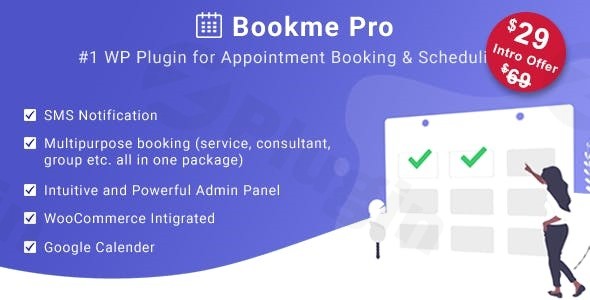
In today’s fast-paced digital world, efficient online scheduling software for WordPress is no longer a luxury—it’s a necessity. For businesses ranging from solo consultants to large clinics, managing appointments, staff, and customer interactions can quickly become overwhelming. This is where Bookme Pro WordPress plugin steps in, offering a robust, responsive, and highly customizable solution designed to streamline your entire booking process. It empowers your clients to easily check availability and book services, while providing you with unparalleled control over your scheduling, payments, and notifications.Bookme Pro is much more than just a booking calendar; it’s a comprehensive WordPress appointment booking software that automates the reservation workflow, integrates with popular payment gateways like PayPal and Stripe, and ensures a smooth, intuitive experience for both customers and administrators. If you’re looking to transform your website into a powerful, self-service booking portal, Bookme Pro offers the features and flexibility you need.
Key Features of Bookme Pro
Bookme Pro stands out with its rich set of functionalities, crafted to cater to a diverse range of service-based businesses. Here’s a detailed look at what makes it a top-tier choice:
- Fully Responsive Front-End Design: Your booking forms will look stunning and function flawlessly on any device—desktops, tablets, or smartphones. This ensures a consistent and positive user experience, boosting conversion rates for your online scheduling software for WordPress.
- Intuitive and Powerful Admin Panel: Manage every aspect of your booking system with ease. The backend dashboard provides a clear overview of appointments, staff, services, and customer data, making administration straightforward even for non-technical users.
- Multipurpose Booking System: Bookme Pro is incredibly versatile, supporting various booking types:
- Default Booking: Standard one-on-one service appointments.
- Group Booking: Ideal for classes, workshops, or events where multiple clients can book the same slot.
- Consultant Booking: Perfect for scheduling meetings with specific experts or team members.
- Add to Cart Booking: Allows customers to book multiple services or appointments in a single session, similar to an e-commerce checkout.
- Free Booking: Disable payments for services you manage manually or offer for free.
- WooCommerce Booking: Seamlessly integrate your booking system with WooCommerce for robust e-commerce payment and order management.
- Extensive Online Payment Integration: Securely accept payments from your clients with a wide array of popular gateways, including PayPal, Stripe, Mollie, 2Checkout, Authorize.Net, and Payson. The plugin also supports offline payment options and full integration with the WooCommerce payment system. This makes it a powerful WordPress booking plugin with multiple payment gateways.
- Customizable Forms and Calendars: Tailor your booking forms to collect exactly the information you need. You can modify text, colors, labels, and layouts without any coding. Show or hide fields, and customize the appearance with unlimited color choices to match your brand. This flexibility is key for customizable booking forms for WordPress Bookme Pro.
- Automated Email and SMS Notifications: Reduce no-shows and keep clients informed with automated notifications. The plugin sends editable email templates and SMS reminders (via Twilio SMS API integration) for confirmations, changes, and follow-ups.
- Unlimited Services, Customers, and Employees: Scale your business without limitations. Bookme Pro allows you to manage any number of services, maintain a growing customer database, and onboard an unlimited number of staff members, each with their own configurable schedules. This feature makes it an ideal WordPress appointment plugin for multiple staff.
- Google Calendar Integration: Enable your staff members to sync their schedules directly with Google Calendar, ensuring they always have an up-to-date view of their appointments and preventing double-bookings.
- Discount Coupons: Boost your bookings with promotional discount codes. Easily create and manage coupons for specific services or durations, encouraging new sign-ups and rewarding loyal customers.
- Multilingual Support: Reach a global audience with full compatibility with WPML and included .pot files for easy translation. Your booking forms can be presented in the client’s preferred language.
- Data Management & Export: Maintain full control over your data with the ability to export bookings to CSV files for reporting, analysis, or migration.
Installation & Setup of Bookme Pro
Getting Bookme Pro up and running on your WordPress site is a straightforward process, even for those without extensive technical knowledge. Here’s a step-by-step guide:
- Purchase and Download: First, purchase the Bookme Pro plugin from its official source. You will receive a
.zipfile containing the plugin. - Upload the Plugin:
- Log in to your WordPress admin dashboard.
- Navigate to Plugins > Add New.
- Click on the “Upload Plugin” button at the top of the page.
- Click “Choose File” and select the Bookme Pro
.zipfile you downloaded. - Click “Install Now”.
- Activate the Plugin: Once the plugin is installed, click on “Activate Plugin”.
- Install IonCube Loaders: Bookme Pro requires ionCube Loaders to be installed on your server. If you encounter an error message after activation or during initial setup, contact your web hosting provider and ask them to enable or install ionCube Loaders for your hosting environment. This is a common requirement for many premium WordPress plugins.
- Initial Configuration:
- After activation, you’ll find a new menu item, typically labeled “Bookme Pro” or “Appointments,” in your WordPress dashboard sidebar.
- Navigate to the plugin’s settings to begin your initial configuration. Start by setting up your general booking options, business hours, and service categories.
- Add Services: Go to the “Services” section and create your first services. Define their duration, price, capacity, and any padding time needed between appointments.
- Add Employees: Under the “Employees” section, add your staff members. Assign services to each employee, set their individual working hours, and configure their days off. You can also connect their personal Google Calendars for synchronization.
- Configure Payments: Visit the “Payments” section to integrate your preferred online payment gateways (PayPal, Stripe, etc.) or enable WooCommerce payment processing.
- Customize Booking Form: Use the “Forms” or “Settings” area to customize the appearance of your booking form, colors, text, and fields to match your website’s branding.
- Display the Booking Form:
- Bookme Pro provides shortcodes to display the booking form anywhere on your website.
- Create a new page (e.g., “Book an Appointment”) or edit an existing one.
- Insert the main booking shortcode (e.g.,
[bookme]) into the page content using the WordPress block editor or classic editor. - Publish or update the page. Your WordPress appointment booking software is now live!
Practical Usage & Best Practices
Bookme Pro is designed for real-world application across various industries. Here’s how different users can leverage its power for effective online scheduling software for WordPress:
1. For Salons, Spas, and Fitness Centers: Automating Client Bookings
- Workflow: Set up distinct services like “Haircut,” “Massage,” or “Yoga Class.” Assign specific stylists, therapists, or instructors to each service.
- Best Practice: Utilize Group Booking for fitness classes, allowing multiple clients to reserve a spot for the same session. Implement the Cart System so clients can book a haircut and a massage in one go. Use automated SMS reminders to significantly reduce no-shows, a common issue in these industries. Leverage the customizable booking forms for WordPress Bookme Pro to ask for specific preferences (e.g., “preferred stylist,” “skin type for facial”).
- Benefit: Streamlines front-desk operations, allows staff to focus on services, and provides clients with 24/7 self-service booking convenience. This is an ideal setup for how to set up Bookme Pro for a salon.
2. For Consultants, Coaches, and Agencies: Efficient Meeting Management
- Workflow: Offer “Discovery Call,” “Consultation Session,” or “Project Kick-off Meeting” as services. Set individual availability for each consultant or coach.
- Best Practice: Integrate Google Calendar synchronization for each consultant, ensuring their personal and professional schedules are always aligned. Use Free Booking for initial discovery calls where no payment is required, then transition to paid “Consultant Booking” for in-depth sessions. Use the email notifications to send pre-meeting questionnaires.
- Benefit: Reduces administrative overhead for scheduling, provides a professional booking experience for clients, and prevents scheduling conflicts across multiple team members.
3. For Clinics and Healthcare Providers: Simplified Patient Scheduling
- Workflow: Create services for different types of appointments (e.g., “Initial Consultation,” “Follow-up,” “Vaccination”). Assign doctors or specialists.
- Best Practice: Utilize customizable booking forms to collect essential patient information upfront (e.g., reason for visit, new patient status). While online payments can be optional, the ability to integrate with the WooCommerce payment system offers flexibility. Emphasize the clear, step-by-step booking process for patients.
- Benefit: Improves patient access to care by allowing convenient online booking, reduces phone call volume for receptionists, and helps manage practitioner schedules effectively.
4. For Businesses with Multiple Staff: Centralized Staff Management
- Workflow: Add all employees, define their roles, and link them to specific services. Each employee gets their independent booking calendar.
- Best Practice: Regularly review the “Export Bookings to CSV” feature for performance analysis and staff workload balancing. Use the staff management features to set different working hours and days off for each team member. This ensures the best WordPress appointment plugin for multiple staff effectively handles complex schedules.
- Benefit: Provides a bird’s-eye view of staff availability and performance, optimizes resource allocation, and ensures consistent service delivery across your team.
FAQ & Troubleshooting
Here are answers to some common questions about the Bookme Pro WordPress plugin:
What are the main features of Bookme Pro?
Bookme Pro is a comprehensive WordPress appointment booking software offering a responsive design, powerful admin panel, multipurpose booking types (service, group, consultant), extensive online payment integrations (PayPal, Stripe, WooCommerce), customizable forms, automated email and SMS notifications, Google Calendar sync, staff and service management, discount coupons, and multilingual support. It’s designed to automate and streamline your entire scheduling process.
Does Bookme Pro support WooCommerce payments?
Yes, Bookme Pro offers full compatibility with the WooCommerce payment system. This means you can leverage WooCommerce’s robust checkout, payment gateways, and order management functionalities for your booked appointments, providing a seamless experience for customers familiar with the platform. To enable it, navigate to the Bookme Pro payment settings in your WordPress admin and select the WooCommerce option.
Is Bookme Pro mobile-friendly?
Absolutely. Bookme Pro features a fully responsive front-end design, ensuring that your booking forms and calendars display perfectly and function smoothly across all devices, including smartphones, tablets, and desktop computers. This responsive WordPress booking plugin optimizes the user experience, making it easy for clients to book appointments regardless of how they access your website.
How does Bookme Pro compare to Bookly?
Bookme Pro and Bookly are both strong contenders in the WordPress appointment booking software market. Bookme Pro is known for its comprehensive feature set built into a single plugin, with extensive customization options for forms and appearance, and a wide array of built-in payment integrations. Bookly, while also powerful, often utilizes a modular add-on system, meaning some advanced features might require separate purchases. Bookme Pro aims to be a full-fledged solution with fewer dependencies, making it a strong alternative to Bookly for users seeking an all-in-one package.
How to manage staff schedules with Bookme Pro?
Managing staff schedules in Bookme Pro is intuitive. From the admin panel, navigate to the “Employees” section. Here, you can add unlimited staff members, assign them to specific services, define their individual working hours for each day of the week, and set days off (e.g., holidays, personal leave). Each employee can also connect their Google Calendar for automatic synchronization, preventing manual double-bookings and ensuring their availability is always accurate.
What should I do if Bookme Pro Google Calendar synchronization issues occur?
If you experience Bookme Pro Google Calendar synchronization issues, first ensure that:
- The Google Calendar API is correctly enabled in your Google Cloud Console project.
- Your API credentials (Client ID, Client Secret) are accurately entered in Bookme Pro settings.
- Each staff member has correctly authenticated and granted necessary permissions to their Google Calendar within the Bookme Pro employee profile.
- Your server time is correctly configured.If issues persist, consult the official documentation or contact Bookme Pro’s support team for specific troubleshooting steps, as they can diagnose server-side or configuration problems unique to your setup.
Conclusion
Bookme Pro offers an unparalleled solution for any business looking to implement or upgrade its WordPress appointment booking software. Its robust feature set, including multipurpose booking, extensive payment integrations, and deep customization capabilities, makes it a powerful asset for clinics, salons, consultants, and service-based businesses of all sizes.By automating your scheduling, enhancing customer experience with a responsive design, and providing detailed control over your operations, Bookme Pro delivers significant return on investment. It frees up valuable staff time, reduces no-shows through automated notifications, and ensures a seamless booking journey for your clients. If you’re ready to transform your website into a highly efficient, self-service booking machine, the Bookme Pro WordPress plugin is a trustworthy and expert choice to help you achieve your goals.
I. Download Limits & Account Benefits
- Free Downloads: Each email address receives 3 downloads per day for free products
- Upgrade Benefits: Purchase any paid product to increase your daily download limit by 3 for each paid product
- No Account Required: You can download immediately by receiving the download link via email
- Account Recommended: Create an account for easier access to your order history and direct update downloads
II. Understanding GPL vs Official Versions
Important: The products available on WPPick are GPL-licensed versions, which differ from official developer versions. Before purchasing, please read our comprehensive guide: Understanding GPL & Official Differences at WPPick
Key Points:
- GPL versions may not include premium support from original developers
- Updates may be delayed compared to official releases
- Some premium features might have limitations
- Always consider your specific needs and support requirements
III. Support & Assistance
We’re here to help through multiple channels:
- Email Support: Direct email assistance for all inquiries
- Live Chat: Real-time support during business hours
- Comprehensive Documentation: Detailed guides and tutorials
IV. Order Tracking
Access your complete purchase history and download links anytime: Order History
V. Account Access
New to WPPick? Login or Create Account to manage your downloads and orders efficiently.
VI. Refund Protection
We stand behind our products with a clear refund policy. Review our terms: Refund Policy
VII. Privacy & Security
Your data security is our priority. Learn how we protect your information: Privacy Policy
VII. Terms of Service
Understanding our service terms ensures a smooth experience: Terms of Use
Quick Tips for Best Experience
- Verify Compatibility: Check plugin/theme compatibility with your WordPress version
- Backup First: Always backup your site before installing new plugins or themes
- Test Environment: Consider testing on a staging site first
- Stay Updated: Regularly check for updates in your account dashboard
- Read Documentation: Review any included documentation for optimal setup
Need Help?
If you have questions about downloads, licensing, or need technical assistance, don’t hesitate to contact our support team. We’re committed to ensuring you have the best possible experience with WPPick products.
Ready to get started? Your download adventure begins with just one click!
- Compatible with WordPress 6.8
- a few issues