

Brave – Drag N Drop WordPress Popup, Optin, Lead Gen & Survey Builders
/Year
What is Brave for WordPress?
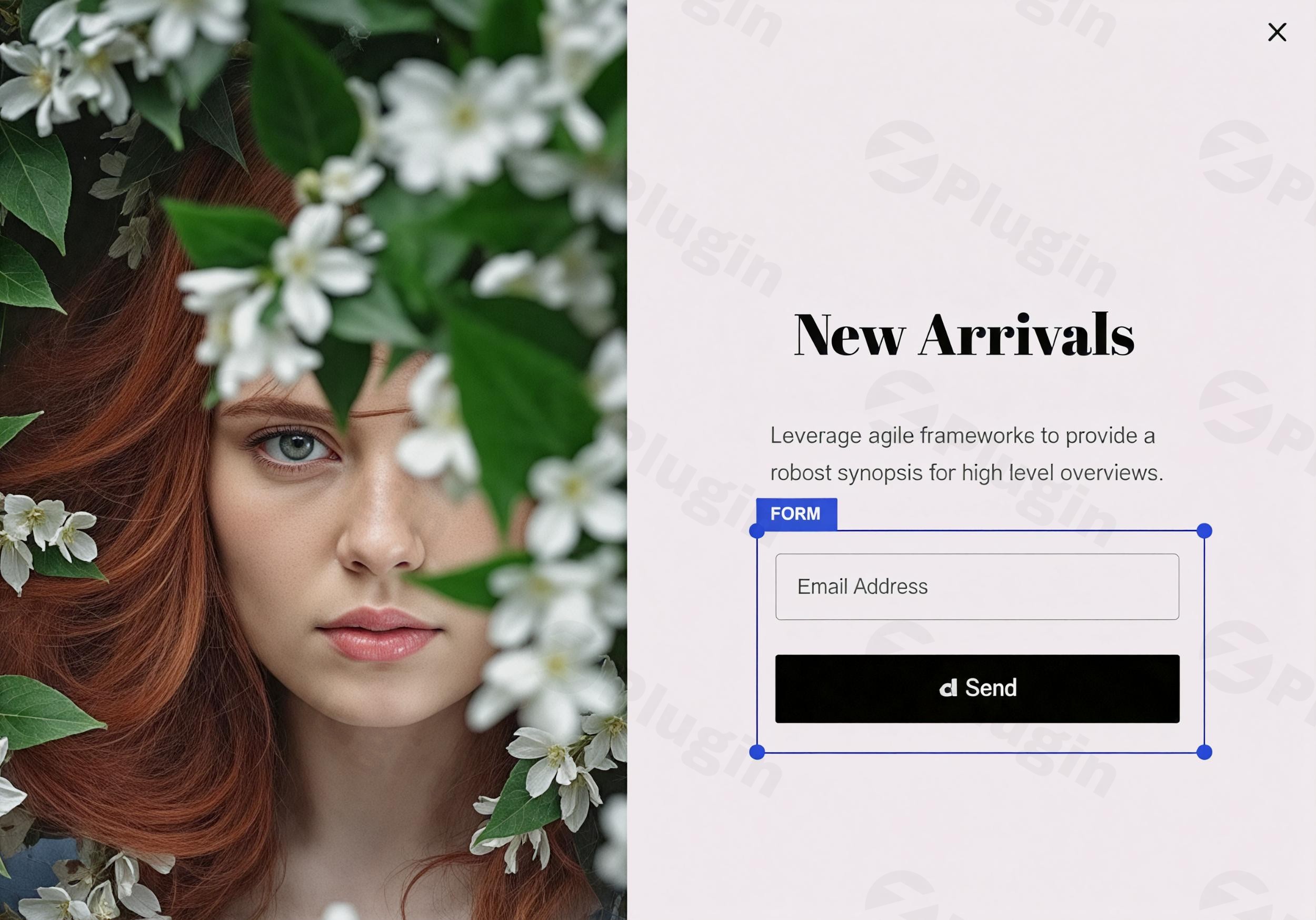
Brave is a feature-rich WordPress popup and lead generation plugin designed to help site owners capture visitor attention, build email lists, and boost conversions. Equipped with an intuitive visual drag-and-drop interface, it allows users to design custom popups, sticky bars, sidebars, inline forms, and interactive surveys without writing a single line of code.
Who is This Plugin For?
This plugin is ideal for digital marketers, e-commerce store owners, bloggers, and agencies looking to scale their subscriber base and increase on-site engagement. Whether you want to reduce cart abandonment, offer targeted discounts, or gather customer feedback through multi-step surveys, Brave provides the flexibility required for diverse conversion strategies.
Key Capabilities and Features
- Visual drag-and-drop editor for designing custom popups and inline elements from scratch or using pre-built templates.
- Advanced targeting rules to display popups based on user behavior, device type, geographic location, and page URLs.
- Exit-intent technology that triggers messages precisely when a visitor is about to leave your website.
- Built-in form builder supporting newsletter integrations, contact submissions, and user registration fields.
- Interactive survey tools to collect valuable audience insights and feedback directly on your pages.
Practical WordPress Use Cases
Site administrators utilize Brave for various growth-oriented tasks. E-commerce stores can deploy exit-intent popups offering discount codes to recover abandoning shoppers. Content creators can embed lead magnets within blog posts to convert casual readers into loyal subscribers. Additionally, businesses can run targeted feedback surveys to better understand customer preferences and improve user experience.
Setup and Compatibility Notes
Brave integrates seamlessly with popular caching plugins, SEO tools, and major email marketing services. Installation is straightforward: simply upload the plugin zip file through your WordPress dashboard, activate your license, and begin building campaigns using the visual editor. No complex configuration steps are required to get your first popup live.
Reasons to Choose Brave on WPPick
- Streamlined visual workflow that eliminates the need for separate form and popup plugins.
- Robust compatibility with WooCommerce for targeted product promotions and cart recovery workflows.
- Lightweight architecture designed to ensure fast page load times and optimal front-end performance.
- Comprehensive integration options connecting directly with leading newsletter and CRM platforms.
Latest Version Context
Version 0.8.7 includes important security updates, specifically resolving an XSS vulnerability issue in the license admin notice to ensure safer administrative operations.
Frequently Asked Questions
Can I use Brave to create multi-step forms and surveys?
Yes, the plugin supports multi-step layouts, enabling you to build engaging surveys, quizzes, and detailed lead generation forms.
Does Brave support exit-intent triggers?
Yes, built-in exit-intent technology detects cursor movements toward the top of the browser window and displays your chosen popup right before the user departs.
Is Brave compatible with WooCommerce?
Yes, it integrates closely with WooCommerce, allowing you to target shoppers based on cart contents, purchase history, and store activity.
Do I need coding skills to design popups with Brave?
No coding knowledge is required. The visual drag-and-drop editor lets you arrange elements, adjust styles, and publish campaigns entirely through a graphical interface.
Which email marketing services can I connect with Brave?
Brave connects with a wide variety of popular email marketing platforms and newsletter services to automatically sync new leads as they submit your forms.
I. Download Limits & Account Benefits
- Free Downloads: Each email address receives 3 downloads per day for free products
- Upgrade Benefits: Purchase any paid product to increase your daily download limit by 3 for each paid product
- No Account Required: You can download immediately by receiving the download link via email
- Account Recommended: Create an account for easier access to your order history and direct update downloads
II. Understanding GPL vs Official Versions
Important: The products available on WPPick are GPL-licensed versions, which differ from official developer versions. Before purchasing, please read our comprehensive guide: Understanding GPL & Official Differences at WPPick
Key Points:
- GPL versions may not include premium support from original developers
- Updates may be delayed compared to official releases
- Some premium features might have limitations
- Always consider your specific needs and support requirements
III. Support & Assistance
We’re here to help through multiple channels:
- Email Support: Direct email assistance for all inquiries
- Live Chat: Real-time support during business hours
- Comprehensive Documentation: Detailed guides and tutorials
IV. Order Tracking
Access your complete purchase history and download links anytime: Order History
V. Account Access
New to WPPick? Login or Create Account to manage your downloads and orders efficiently.
VI. Refund Protection
We stand behind our products with a clear refund policy. Review our terms: Refund Policy
VII. Privacy & Security
Your data security is our priority. Learn how we protect your information: Privacy Policy
VII. Terms of Service
Understanding our service terms ensures a smooth experience: Terms of Use
Quick Tips for Best Experience
- Verify Compatibility: Check plugin/theme compatibility with your WordPress version
- Backup First: Always backup your site before installing new plugins or themes
- Test Environment: Consider testing on a staging site first
- Stay Updated: Regularly check for updates in your account dashboard
- Read Documentation: Review any included documentation for optimal setup
Need Help?
If you have questions about downloads, licensing, or need technical assistance, don’t hesitate to contact our support team. We’re committed to ensuring you have the best possible experience with WPPick products.
Ready to get started? Your download adventure begins with just one click!
- Fixed: Resolves XSS vulnerability issue in license admin notice.
- Fixed: Resolves broken access control vulnerability in Popup Previews. Reported by Huseyin Mertoglu.
- Fixed: Resolves XSS vulnerability in form elements via UTM. Reported by Huseyin Mertoglu.
- Ability to Search Newsletter list item in Newsletter dropdown field.
- Cloudflare Turnstile Integration.
- Fixed: Draft Popup Content could be loaded by anyone using custom Javascript. (CVSS 5.3)
- ActiveCampaign Subscription Issue
- Form Phone Field Validation
- Minor CSS issues
- Ability to reload page on Button Click
- Non-social Login/Signup stopped working after the last update.
- The Newsletter Plugin Integration.
- Broken AWeber Integration.
- Click Goal tracking was not working.
- Get Error details of Newsletter subscription error in the admin notification email
- Display error message to visitor when Newsletter subscription fails
- Ability to subscribe users to a newsletter when they Signup on your site
- Major Social Login Vulnerability
- MailWizz Integration