
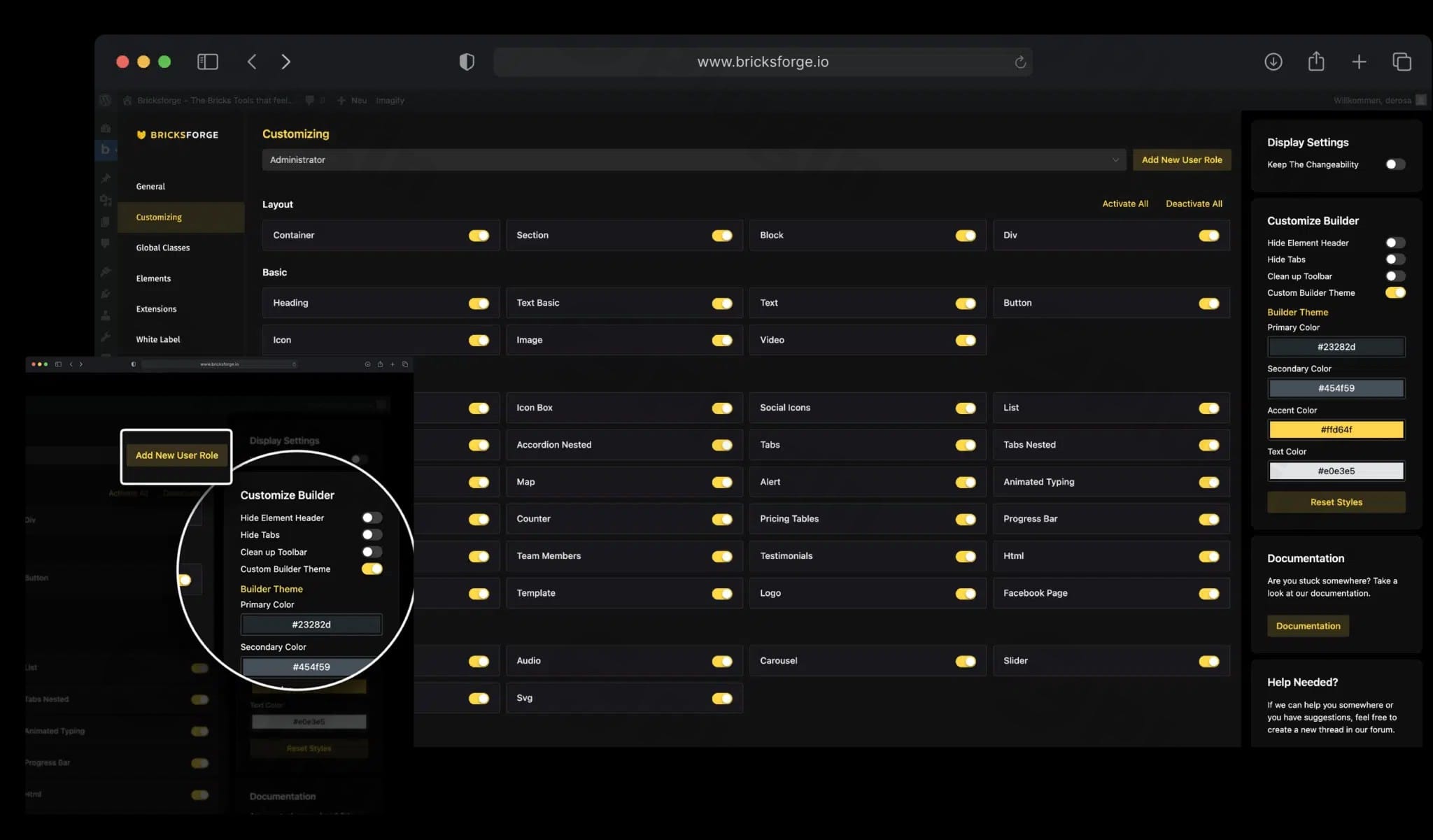
Bricksforge – The Bricks Tools That Feel Native
/Year
Advanced Utility Suite for Professional Bricks Builder Workflows
Bricksforge is an expansion toolkit designed exclusively for the Bricks Builder ecosystem on WordPress. Created for developers, designers, and agencies, it integrates deep backend controls and front-end layout enhancements directly into the native editor UI. By complementing Bricks Builder rather than replacing its core structures, this extension introduces complex functionality such as structural animations, multi-step forms, and client dashboard management without inflicting performance bloat or dependency on multiple independent plugins.
Latest Version 3.1.8.7 Changes
Bricksforge version 3.1.8.7 was released on July 14, 2026, primarily to address a critical security vulnerability (CVE-2026-14956) involving an unauthenticated privilege escalation bug within the Pro Forms submission handling framework.
- 3.1.8.7 14. July 2026 Fixed a privilege escalation issue in the Pro Forms submission handling (CVE-2026-14956), reported through responsible disclosure.
What It Does and Who It Is For
Bricksforge bridges the gap between layout creation and complex logic deployment. It empowers WordPress creators to engineer interactive elements, establish advanced data workflows, and rebrand the WordPress administration interface seamlessly. This extension is ideal for freelance developers looking to build clean custom interfaces, agencies managing complex site rollouts, and conversion-focused web designers who require granular control over animations, user pathways, and interactive form structures without writing expansive custom JavaScript configurations from scratch.
Key Capabilities and Modular Features
GSAP Animation Integration
Includes a dedicated workspace leveraging the GreenSock Animation Platform (GSAP) directly inside the builder. Creators can configure advanced scroll-driven timelines, stagger effect triggers, and intricate mouse-tracking interactions through a visual interface.
Pro Forms Framework
Upgrades native form building into a powerful lead capture utility supporting multi-step layouts, custom database entries, dynamic front-end conditional visibility logic, and file uploads with automated cleanup routines.
Custom Admin Pages and Backend Designer
Allows developers to create tailor-made dashboard structures for clients. Registered custom layouts can bypass standard WordPress design constraints to output professional user portals, control hubs, or clean instruction pages.
API Query Builder and Node Editor
Facilitates complex dynamic data connections by querying external APIs or structuring multi-layered logic pathways using a dedicated node visualization area for efficient data distribution.
Practical WordPress Use Cases
Client Portal Customization
Agencies can design customized onboarding dashboards or restrict default navigation bars using the Backend Designer, presenting clean, white-labeled control rooms for simple site upkeep.
High-Conversion Multi-Step Lead Capture
Marketers can replace complex external form systems with highly optimized multi-step forms that register users, handle file attachments seamlessly, and log data straight into regional database setups.
Interactive Product Showcases
E-commerce sites can implement custom scroll-tied product walk-throughs using the integrated visual timeline tool, boosting user time-on-page through precise responsive animations.
Setup, Environment, and Compatibility Notes
Bricksforge operates strictly as an add-on layer for WordPress sites running an active version of the Bricks Builder theme. The plugin is engineered to run on modern hosting environments equipped with standard PHP configurations and requires no heavy secondary dependencies. It maintains broad ecosystem compatibility with major custom field managers like Advanced Custom Fields (ACF) and dynamic translation tools, ensuring metadata handles properly across localized dynamic template environments.
Reasons to Choose Bricksforge on WPPick
Procuring this utility through WPPick ensures that your development stack remains highly performant, secure, and ready for active deployments. WPPick delivers untouched, secure installation archives that undergo rigorous automated integrity scans. This lets agency builders and individual web developers focus entirely on feature implementation, rapid testing, and secure prototyping across local or staging environments with full peace of mind.</p
Latest Version Context and Security Status
The current release, version 3.1.8.7, delivers an essential development cycle enhancement focused on security, site stability, and core operational logic. This release contains an important security patch addressing an unauthenticated privilege escalation vulnerability detected in the Pro Forms submission framework. Additionally, this iteration optimizes administrative workflows by introducing new constant helpers that allow developers to register admin pages without cluttering the native sidebar, improves column visibility management for CSV database exports, and resolves edge-case plugin conflicts involving payment processor checkouts.
Frequently Asked Questions
Does Bricksforge slow down front-end website performance?
No. The extension is built with a strictly modular philosophy. Features, stylesheets, and asset libraries like GSAP script instances only load on pages where those specific components or interactive features are actively deployed.
Can I create full multi-step forms with calculated fields?
Yes. The built-in Pro Forms framework provides native components tailored for multi-stage user navigation, file routing rules, double opt-in validation systems, and responsive dynamic execution pathways.
Is it possible to hide custom admin layouts from the main WordPress menu?
Yes. Beginning with recent updates, developers can leverage administrative canvas rules to register active custom admin dashboards while completely omitting them from the default sidebar list for clean direct-link routing.
Do I need an external subscription to use the animation features?
No. Core visual timeline and orchestration toolsets use integrated compilation layers that allow you to orchestrate premium layouts directly within your Bricks workflow without external licensing overheads.
I. Download Limits & Account Benefits
- Free Downloads: Each email address receives 3 downloads per day for free products
- Upgrade Benefits: Purchase any paid product to increase your daily download limit by 3 for each paid product
- No Account Required: You can download immediately by receiving the download link via email
- Account Recommended: Create an account for easier access to your order history and direct update downloads
II. Understanding GPL vs Official Versions
Important: The products available on WPPick are GPL-licensed versions, which differ from official developer versions. Before purchasing, please read our comprehensive guide: Understanding GPL & Official Differences at WPPick
Key Points:
- GPL versions may not include premium support from original developers
- Updates may be delayed compared to official releases
- Some premium features might have limitations
- Always consider your specific needs and support requirements
III. Support & Assistance
We’re here to help through multiple channels:
- Email Support: Direct email assistance for all inquiries
- Live Chat: Real-time support during business hours
- Comprehensive Documentation: Detailed guides and tutorials
IV. Order Tracking
Access your complete purchase history and download links anytime: Order History
V. Account Access
New to WPPick? Login or Create Account to manage your downloads and orders efficiently.
VI. Refund Protection
We stand behind our products with a clear refund policy. Review our terms: Refund Policy
VII. Privacy & Security
Your data security is our priority. Learn how we protect your information: Privacy Policy
VII. Terms of Service
Understanding our service terms ensures a smooth experience: Terms of Use
Quick Tips for Best Experience
- Verify Compatibility: Check plugin/theme compatibility with your WordPress version
- Backup First: Always backup your site before installing new plugins or themes
- Test Environment: Consider testing on a staging site first
- Stay Updated: Regularly check for updates in your account dashboard
- Read Documentation: Review any included documentation for optimal setup
Need Help?
If you have questions about downloads, licensing, or need technical assistance, don’t hesitate to contact our support team. We’re committed to ensuring you have the best possible experience with WPPick products.
Ready to get started? Your download adventure begins with just one click!
- Fixed a privilege escalation issue in the Pro Forms submission handling (CVE-2026-14956), reported to us through responsible disclosure.
- [Admin Pages] Hide an Admin Page from the WP admin sidebar Register an Admin Page without adding it to the sidebar — still reachable by direct link.
- [Admin Pages] Added BRICKSFORGE_ADMIN_PAGE_CANVAS constant and bricksforge_is_admin_page_canvas() helper
- [Submissions] CSV exports now respect column visibility and order
- [Pro Forms] MailerPress status default now respects double opt-in
- [Pro Forms] Compatibility Fix for plugin "Payment Plugins for Stripe WooCommerce"
- Minor Bug Fix with the Pro Forms Element Toggle in the Backend
- Fixed PHP Warnings
- Bricks 2.2 Compatibility Fix for Admin Pages
- Bricks 2.2 Compatibility Fix for Backend Designer
- Log System not logging unsuccessful webhooks correctly
- Fixed PHP Warnings
- Minor Bug Fixes on how page transitions behave
- [Pro Forms] Fixed PHP Error
- [Page Transitions] Fixed issues with "Play on Initial Page Load" not firing
- [Pro Forms] Fixed File Upload MIME Type Validation Issues related to ZIP Files
- [Pro Forms] Improved Cron Job to clear temp files
- [Node Editor] New Folder and Canvas Structure - You can now organize your nodes into different folders and canvases.
- [Pro Forms] New "Readonly" control for textual form fields
- [Pro Forms] Undefined Array Key "Label" for Submit Button
- [Pro Forms] Automatically Trigger Next Step – Accessibility Fixes
- [Pro Forms] Compatibility Fixes with Multilingual plugins
- [Pro Forms] File Field Accessibility: "for" not matches input ID
- [Pro Forms] Number Field not accepting default value of 0
- [Pro Forms] Submit Button not reacting if required field has parent with display:none
- [Pro Forms] "Conditionally Selected" not retrieving parent post ID correctly
- [Pro Forms] Featured Image not added if ACPT and ACF both are installed
- [Animation Panel] Fixed Safari UI Issues
- [API Query Builder] Access Token not considered on clearing cache