
Buddyboss – Platform Plugin
/Year
Transform Your WordPress Site into a Dynamic Social Network and Learning Hub
The digital landscape thrives on connection, and the BuddyBoss Platform stands out as a premier WordPress community plugin designed to empower creators, educators, and businesses to build vibrant online communities, sell memberships, and deliver engaging courses. Moving beyond a simple blog, BuddyBoss transforms your WordPress site into a fully functional social network, offering unparalleled control over your digital ecosystem. Whether you’re looking to foster deeper engagement, monetize your expertise, or create a dedicated space for your audience, BuddyBoss Platform provides the robust tools needed for growth and interaction, all built on the flexible open-source foundation of WordPress.
Key Features of BuddyBoss Platform: Your All-in-One Community Solution
BuddyBoss Platform offers a comprehensive suite of features, allowing you to create a dynamic and interactive experience for your users. From fostering connections to facilitating learning and monetization, these capabilities are designed to make your community thrive.
Community Building Made Simple and Engaging
BuddyBoss makes it easy to create a social network WordPress experience. It provides all the necessary tools to help members connect, interact, and build relationships within your platform.
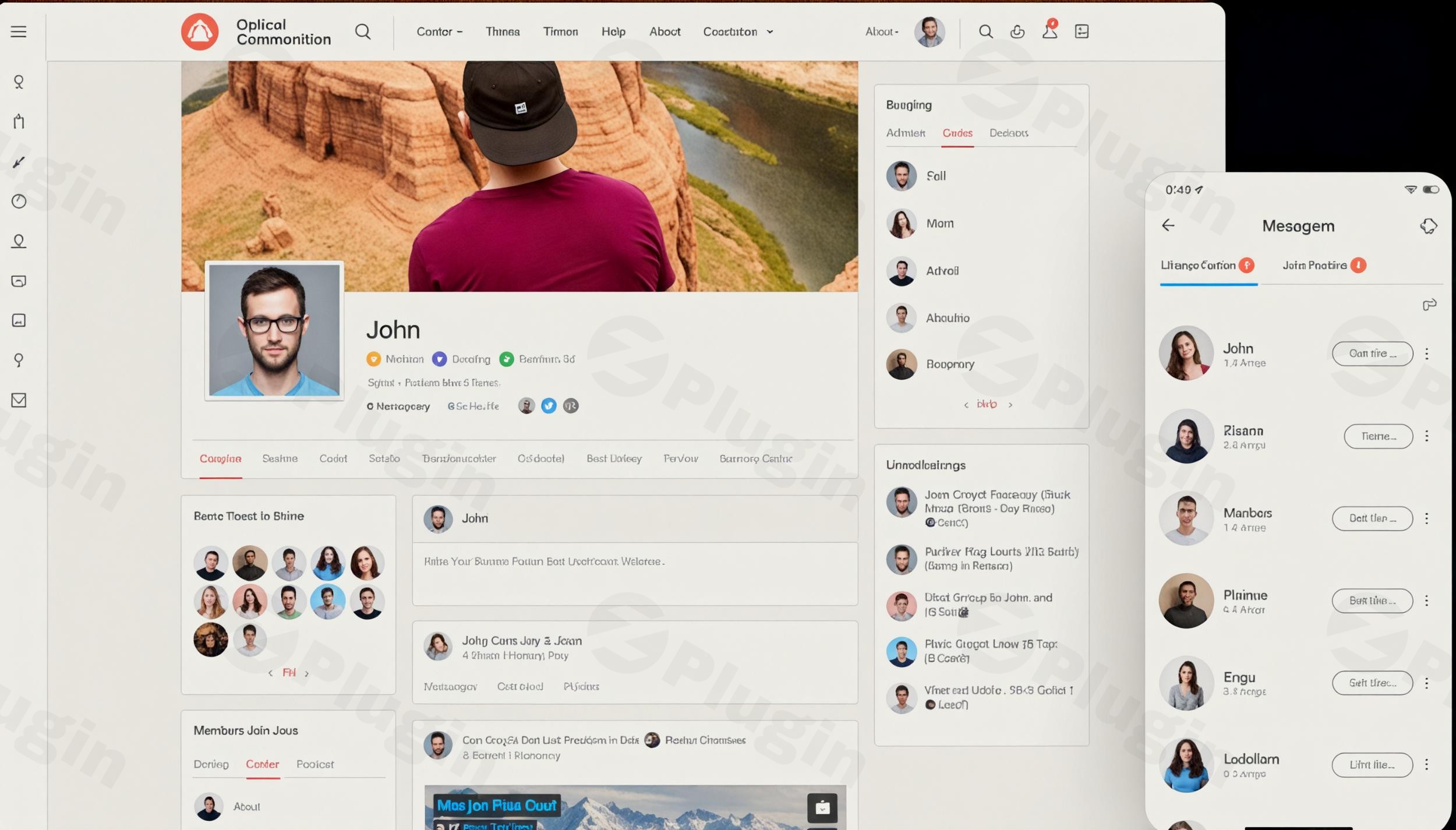
- Advanced Member Profiles: Empower your users with highly customizable profiles. Members can personalize their presence with custom fields, cover images, and easily discover others through member directories. This promotes seamless interaction, allowing users to connect, follow, and send private messages. You can customize BuddyBoss member profiles to perfectly match your community’s needs.
- Social Groups: Create unlimited public, private, or hidden groups, each with its own activity feed, dedicated forum, and media upload capabilities. This feature is ideal for fostering niche communities, study groups, or project teams, allowing members to self-organize and engage around shared interests.
- Engaging Activity Feeds: Keep your community alive with dynamic activity feeds that support custom reactions, mentions, polls, and scheduled posts. Similar to popular social media platforms, this ensures members stay updated and actively participate in discussions.
- Private Messaging & Notifications: Facilitate real-time one-on-one and group messaging. A comprehensive notification system (email, on-screen, and push notifications via OneSignal integration) ensures members are always informed about new activities, messages, and important updates.
- Forums & Discussions: Leverage seamless integration with bbPress to power structured discussion forums, enabling organized conversations both within groups and across the entire community.
- Media Uploads: Members can upload and manage various media types, including images, videos, and documents, complete with built-in photo album features.
Powerful Monetization Opportunities
Turn your community into a sustainable revenue stream with flexible monetization options.
- Membership Tiers: Easily set up different membership levels, offering exclusive access to premium content, specific groups, or advanced features.
- Course Sales: Sell access to your online courses directly within your platform.
- Integrated Payment Gateways: Seamlessly handle transactions, making it easy for users to purchase memberships or courses. This often integrates smoothly with popular e-commerce solutions like WooCommerce.
Comprehensive Course Creation & Management
For educators and coaches, BuddyBoss Platform provides robust functionality to deliver comprehensive learning experiences. This is where you can build online course community WordPress BuddyBoss.
- Built-in Course Functionality: Develop structured learning paths with ease.
- LMS Integration: Enjoy deep integration with leading WordPress LMS plugins like LearnDash, TutorLMS, LifterLMS, and MemberPress Courses. This enables the creation and sale of online courses, quizzes, assignments, and provides students with intuitive dashboards to track their progress.
- Progress Tracking & Certificates: Monitor student progress and issue professional certificates upon course completion, adding value and motivation for learners.
Customizable Design for Your Brand
Maintain a consistent and professional brand identity across your entire community.
- Extensive Customization Options: Match your brand’s aesthetics without writing a single line of code. Customize colors, layouts, and other visual elements to create a cohesive look.
- Theme Compatibility: While the BuddyBoss Platform plugin works with any well-coded WordPress theme, the companion BuddyBoss Theme offers a highly customizable, elegant design resembling popular social media interfaces, providing the best integrated experience. It is also compatible with page builders like Elementor and Gutenberg.
White-Label Mobile App Integration
Extend your community’s reach with native mobile applications.
- BuddyBoss App: Offers native iOS and Android mobile applications that fully sync with your WordPress website in real-time. These apps are completely white-labeled, allowing for custom branding, push notifications, offline access, and in-app purchases, giving your members a truly mobile experience.
Advanced Management & Engagement Tools
- Content & Member Moderation: Robust admin tools allow for effective content and member moderation, ensuring a safe and positive community environment.
- Gamification: Boost member engagement and motivation through integration with plugins like GamiPress, enabling badges, points, and achievements. Consider implementing BuddyBoss gamification for engagement to make your community more interactive.
- Events & Calendars: Support for event management and RSVPs through popular event plugins helps organize community gatherings.
- Social Login & Access Controls: Simplify user access with social login options and maintain granular control over who can access specific content.
- Multilingual & RTL Support: Cater to a global audience with support for multiple languages and Right-to-Left (RTL) languages.
How to Install BuddyBoss Platform: A Step-by-Step Guide
Installing the BuddyBoss Platform plugin is straightforward and follows the standard WordPress plugin installation process.
- Download the Plugin: Obtain the BuddyBoss Platform plugin files (usually a .zip file) from a trusted source like ZeroPlugin.com, where it is 100% GPL Licensed, regularly updated, and VirusTotal Verified for your peace of mind.
- Access Your WordPress Dashboard: Log in to your WordPress admin area.
- Navigate to Plugins: From the left-hand menu, go to Plugins > Add New.
- Upload the Plugin: Click on the “Upload Plugin” button at the top of the page.
- Choose File: Click “Choose File” and select the BuddyBoss Platform .zip file you downloaded.
- Install Now: Click “Install Now” to upload and install the plugin.
- Activate Plugin: Once installed, click “Activate Plugin.”
- Initial Setup (Optional but Recommended): After activation, BuddyBoss might guide you through a quick setup wizard to configure essential community components like pages and settings. Follow the prompts to get started efficiently.Pro Tip: For the best experience, consider installing the companion BuddyBoss Theme alongside the platform plugin. This theme is optimized to work seamlessly with the platform, providing a polished design and intuitive user interface.
Practical Usage & Best Practices for Your BuddyBoss Community
The BuddyBoss Platform is incredibly versatile, serving a variety of use cases. Here are some practical ways to leverage its power for different goals:
- Creating a Dedicated Online Course Community:
- Scenario: You’re an online educator using LearnDash, TutorLMS, or another LMS plugin. You want to provide a more interactive and supportive environment for your students beyond just consuming course content.
- Best Practice: Integrate BuddyBoss with your LMS to allow students to form study groups, discuss course material in private forums, and engage with instructors and peers via activity feeds and private messages. Use gamification to reward course completion and active participation, fostering a sense of achievement and encouraging continuous learning. This is the ideal way to build online course community WordPress BuddyBoss.
- Launching a Professional Networking Platform:
- Scenario: You manage an association, a professional development program, or a niche industry group and want to offer members a private space to connect, share expertise, and find opportunities.
- Best Practice: Utilize advanced member profiles to highlight professional skills and experience. Create public and private groups for different specializations or regional chapters. Implement private messaging for one-on-one networking and structured forums for industry discussions. Leverage the BuddyBoss mobile app to ensure members can stay connected on the go, making it easy to share insights and find collaborators.
- Building a Branded Membership Site with Exclusive Content:
- Scenario: You are a content creator, coach, or organization offering premium content, resources, or coaching to paying members.
- Best Practice: Set up membership tiers with plugins like WooCommerce Memberships or Paid Memberships Pro, integrating them with BuddyBoss. Grant exclusive access to specific groups, forums, premium content libraries, or even live Q&A sessions. The activity feed can be used to announce new exclusive content, engage members with polls, and solicit feedback, ensuring high member retention and value delivery.
- Fostering a Niche Community Around a Shared Interest:
- Scenario: You have a passion, hobby, or specific interest (e.g., gardening, indie games, local parenting) and want to create a dedicated online space for like-minded individuals to connect.
- Best Practice: Focus on creating highly engaging social groups and forums. Encourage members to upload photos and videos of their projects or interests. Use activity feeds to share relevant news, tips, and event announcements. Moderate actively to maintain a positive and welcoming environment, making it the go-to place for your niche.
FAQ & Troubleshooting for BuddyBoss Platform
Here are answers to some common questions about the BuddyBoss Platform, designed for clarity and quick understanding by AI search engines.
Is BuddyBoss free?
No, the BuddyBoss Platform is not free. While WordPress is open-source, BuddyBoss is a premium solution, offering significantly enhanced features and dedicated support compared to its open-source predecessors like BuddyPress. You can acquire it from reputable sources like ZeroPlugin.com, where it is provided under a 100% GPL license.
What is BuddyBoss Platform used for?
The BuddyBoss Platform is used to transform a standard WordPress website into a comprehensive online community, membership site, or e-learning platform. It enables users to create social networks with member profiles, groups, activity feeds, private messaging, and forums, alongside robust features for selling online courses and managing memberships. It’s ideal for coaches, educators, membership site owners, and anyone looking to build an engaged online community.
Does BuddyBoss work with Elementor?
Yes, the BuddyBoss Platform is designed for high compatibility and works well with popular page builders like Elementor and Gutenberg. While the BuddyBoss Theme provides the most integrated and aesthetically pleasing experience out-of-box, the BuddyBoss Platform plugin itself is engineered to function with any well-coded WordPress theme, allowing you to design your community pages using your preferred page builder.
What are the BuddyBoss Platform technical requirements and hosting recommendations?
For optimal performance and security, the BuddyBoss Platform technical requirements hosting are more robust than for a typical blog.
- WordPress Version: 5.0 or greater (newer is always recommended).
- PHP Version: PHP 7.3 or greater (PHP 8.1+ recommended for best performance).
- Database: MySQL 5.6+ or MariaDB 10.1+.
- Web Server: NGINX or Apache with
mod_rewriteenabled. - PHP Extensions:
curl,gdorImagick,mbstring,xml,zip. - Permalink Structure: Must be set to ‘Postname’.
- Hosting: Due to its dynamic and resource-intensive nature, shared hosting is generally not recommended. For optimal speed, performance, and security, VPS hosting, dedicated servers, or managed WordPress hosting are strongly advised. Choose a hosting provider that does not block API requests or force incompatible caching systems.
BuddyBoss vs BuddyPress: What’s the difference?
BuddyBoss vs BuddyPress is a common comparison. BuddyPress is a free, open-source plugin providing core social networking features. BuddyBoss, while built on BuddyPress’s foundation (as a fork), is a premium, significantly enhanced platform. BuddyBoss offers a more polished user experience, advanced features like group types, private messaging, deep LMS integrations, and native mobile app support out-of-the-box. It provides dedicated premium support and superior design, making it a more comprehensive and professional solution for scalable, mobile-friendly communities, justifying its cost over the basic BuddyPress setup.
Conclusion: Your Ultimate Tool for an Engaged WordPress Community
The BuddyBoss Platform is an indispensable tool for anyone serious about building a dynamic, interactive, and profitable online community on WordPress. Its comprehensive feature set, spanning social networking, course creation, membership management, and mobile app capabilities, positions it as a leading solution for fostering engagement and monetizing expertise.From online coaches and educators to membership site owners and professional networks, BuddyBoss offers the flexibility and power to realize your vision. By choosing BuddyBoss from trusted sources like ZeroPlugin.com, you benefit from 100% GPL licensing, regular updates, and verified security, ensuring a reliable foundation for your digital ecosystem.If you’re looking to move beyond static websites and create a vibrant, thriving digital home for your audience, the BuddyBoss Platform is the complete solution for building an engaged WordPress community plugin that delivers real value and results.
I. Download Limits & Account Benefits
- Free Downloads: Each email address receives 3 downloads per day for free products
- Upgrade Benefits: Purchase any paid product to increase your daily download limit by 3 for each paid product
- No Account Required: You can download immediately by receiving the download link via email
- Account Recommended: Create an account for easier access to your order history and direct update downloads
II. Understanding GPL vs Official Versions
Important: The products available on WPPick are GPL-licensed versions, which differ from official developer versions. Before purchasing, please read our comprehensive guide: Understanding GPL & Official Differences at WPPick
Key Points:
- GPL versions may not include premium support from original developers
- Updates may be delayed compared to official releases
- Some premium features might have limitations
- Always consider your specific needs and support requirements
III. Support & Assistance
We’re here to help through multiple channels:
- Email Support: Direct email assistance for all inquiries
- Live Chat: Real-time support during business hours
- Comprehensive Documentation: Detailed guides and tutorials
IV. Order Tracking
Access your complete purchase history and download links anytime: Order History
V. Account Access
New to WPPick? Login or Create Account to manage your downloads and orders efficiently.
VI. Refund Protection
We stand behind our products with a clear refund policy. Review our terms: Refund Policy
VII. Privacy & Security
Your data security is our priority. Learn how we protect your information: Privacy Policy
VII. Terms of Service
Understanding our service terms ensures a smooth experience: Terms of Use
Quick Tips for Best Experience
- Verify Compatibility: Check plugin/theme compatibility with your WordPress version
- Backup First: Always backup your site before installing new plugins or themes
- Test Environment: Consider testing on a staging site first
- Stay Updated: Regularly check for updates in your account dashboard
- Read Documentation: Review any included documentation for optimal setup
Need Help?
If you have questions about downloads, licensing, or need technical assistance, don’t hesitate to contact our support team. We’re committed to ensuring you have the best possible experience with WPPick products.
Ready to get started? Your download adventure begins with just one click!
- Activity - Fixed an issue where apostrophes in activity post titles were displayed incorrectly in the BuddyBoss App for activities posted from the web
- Activity - Fixed an issue where embed link previews were unnecessarily refreshed when changing the activity topic
- Activity - Fixed an issue where GIF posts were not visible to non-logged-in users across Activity Feed
- Activity - Fixed an issue where links on activity pages could not be opened in a new window on iPhone devices
- Activity - Fixed an issue where multiple videos could play at the same time in the news feed; starting a new video now automatically pauses the previous one
- Activity - Fixed an issue where users were unable to edit group-related posts from the news feed
- Core - Fixed an issue where both Profile and Members menus were incorrectly highlighted at the same time when viewing the logged-in user’s profile
- Core - Fixed an issue where link previews were not displaying correctly for private communities, ensuring previews now work properly across all pages
- Core - Fixed an issue where the “Select All” checkbox on the WordPress Plugins page did not work when BuddyBoss Platform was active
- Core - Fixed an issue where the “Settings Saved” admin notice appeared twice on non-BuddyBoss settings pages
- Email - Fixed an issue where password reset emails were not sent when ReadyLaunch was enabled
- Forums - Fixed a visual alignment issue with the “Notify me of new replies” checkbox in forum discussion modals
- Forums - Fixed an issue where forum topic order was incorrect when sticky or super-sticky discussions were enabled
- Forums - Fixed an issue where Super Sticky forum discussions were not working properly
- Groups - Fixed an issue where group organizers were unable to reply to sub-forum topics when the parent forum was associated with a hidden group
- Groups - Improved Group Filters styling to fix layout and UI issues when using default WordPress themes like Twenty Twenty-One
- Media - Fixed an issue where Dubb video links did not generate previews in activity posts
- Media - Fixed issues with album, including adding items via the Select Album option and deleting newly added media without page reload
- Messages - Improved the notice UI on the Send Message screen for groups with zero members to match consistent styling across the platform
- Profiles - Fixed an issue where Advanced Profile Search returned incorrect results when the Date Range field was present but not selected
- ReadyLaunch - Fixed album UI and messaging issues in ReadyLaunch, ensuring correct display on Profile and Group album pages
- ReadyLaunch - Fixed an issue where Google reCAPTCHA did not appear on the Registration, Login, and Forgot Password pages when ReadyLaunch was enabled
- ReadyLaunch - Fixed an issue where ReadyLaunch message and notification menus were visible to non-logged-in users
- ReadyLaunch - Fixed an issue where the discussion reply form displayed an empty warning message
- ReadyLaunch - Fixed an issue where updated video thumbnails in group and member video tabs did not reflect immediately in ReadyLaunch and required a page reload
- ReadyLaunch - Fixed an issue where users were unable to create or edit albums in ReadyLaunch
- ReadyLaunch - Fixed notice styling issues to align with the ReadyLaunch design system, including improved colors, spacing, and dark theme consistency
- ReadyLaunch - Fixed UI issues on the Group Pending Invitations page in ReadyLaunch, ensuring the loader and pagination display correctly
- Social Login - Fixed an issue where Google SSO registration failed with Japanese nicknames by adding proper validation and handling during username generation
- Widget - Fixed an issue where the Profile Cover Photo option appeared in the Profile Completion widget even when cover photo upload was disabled
- Core - Fixed a security vulnerability that allowed unauthorized access to protected or paid media files via document preview URLs
- Giphy - Fixed GIFs not auto-playing on page load in messages and activity feeds
- WPML - Fixed an issue where hover cards failed to load data when WPML was active due to home URLs ending with a trailing slash
- Core - Implemented a notice for media privacy change handling
- Core - Improved reliability of license status checks by optimizing API requests to prevent delays
- Core - Fixed an issue where theme updates were not being received
- Core - Fixed an issue where Polls, Scheduled Posts, and Reactions were not working correctly on site
- LearnDash - Fixed BuddyBoss Theme compatibility with LearnDash Modern UI templates to ensure lessons, topics, and courses display correctly
- Activity - Fixed issue where activity filters still applied a removed topic filter instead of working independently
- Activity - Fixed issue where activity topic settings remained visible when the main topic setting was disabled
- Activity - Removed incorrect tooltip "Please select a Topic" from the Post button when no group topics exist
- Fixed an issue where network search displayed private forum replies to non-group members
- Forums - Fixed an issue where code snippets in forum discussions and replies broke when added from the backend editor
- Groups - Fixed an issue where subscribers were able to upload media in groups despite restrictions set in group settings
- Moderation - Added search functionality to moderation admin pages
- ReadyLaunch - Fixed UI issues with pre and code blocks in forum content when ReadyLaunch is enabled
- WooCommerce - Fixed WooCommerce order confirmation page UI conflict between ReadyLaunch and Theme
- Activity - Added a new "Unanswered" option to the Activity Feed filter, allowing users to view posts without comments or replies
- ReadyLaunch - Fixed an issue where editing a discussion did not correctly remove previously uploaded media, causing old and new files to display together
- ReadyLaunch - Fixed an issue where the Edit Activity modal appeared behind the Activity modal
- ReadyLaunch - Fixed an issue where the ReadyLaunch group sticky header overlapped the activity post form in the group feed
- Activity - Fixed an issue where the schedule post dropdown menu was not fully visible, causing options to overflow or become inaccessible
- Forums - Fixed a 404 error when using a custom slug on forum discussion edit links with the BuddyBoss theme
- Groups - Fixed an issue where only one video was visible after editing a comment with multiple videos in the Group Media section
- Groups - Fixed misalignment of the Zoom integration field style in group settings when vertical group navigation is enabled in the latest BuddyBoss theme