
Buddypress Auto Activate Auto Login
/Year
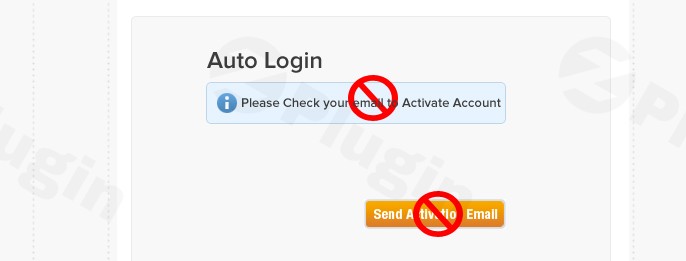
In the vibrant world of online communities, first impressions are everything. For WordPress and BuddyPress-powered websites, the registration process can often be a make-or-break moment for potential new members. Traditional email activation steps, while essential for verification, can introduce friction, leading to abandoned sign-ups and slower community growth. This is where the BuddyPress Auto Activate Auto Login plugin steps in, offering a robust solution to create a seamless, instant onboarding experience for new users.This powerful plugin is specifically designed to enhance your community’s user experience by eliminating the need for email activation, automatically activating accounts, and instantly logging users in upon registration. It’s an indispensable tool for site owners looking to significantly boost their BuddyPress automatic login after registration rates and foster a more active, engaged community from day one.
Key Features: Accelerating User Onboarding
The BuddyPress Auto Activate Auto Login plugin is built with a singular focus: to simplify and speed up the user registration process. Its core features work in harmony to deliver a frictionless experience that benefits both site owners and new members.
Instant Account Activation
No more waiting for activation emails to arrive and be clicked. With this plugin, new users’ accounts are automatically activated the moment they complete the signup form. This immediate access removes a significant barrier, allowing users to dive straight into your community without delay. This feature is crucial for sites aiming to BuddyPress auto activate user accounts efficiently.
Seamless Auto-Login Post-Registration
Following instant activation, the plugin takes it a step further by automatically logging the newly registered user into their account. This means after filling out the form, users are immediately authenticated and ready to interact, rather than being redirected to a login screen or waiting for manual login instructions. It truly makes the BuddyPress automatic login after registration a reality.
Email Activation Bypass & Troubleshooting
The plugin intelligently stops the conventional BuddyPress activation email from being sent, as the account is already active. This is particularly valuable for webmasters who experience common issues with BuddyPress/BuddyBoss activation emails getting lost in spam folders or not being delivered at all, effectively helping to disable BuddyPress registration email for a smoother flow.
Direct Redirection to Profile
Beyond just logging in, the plugin ensures a seamless transition by automatically redirecting new users to their BuddyPress or BuddyBoss profile page. This BuddyPress instant signup to profile redirect provides a warm welcome and immediate access to personalization, making the user’s entry into the community feel intuitive and integrated.
Multisite Compatibility
For those running a more extensive network, the plugin offers robust compatibility with WordPress Multisite setups. It handles registrations efficiently, whether for a username only or for both a username and a new blog within the network, making it a versatile WordPress auto activate users plugin for diverse community architectures.
Lightweight & Developer-Friendly
True to its purpose, the plugin is designed to be lightweight, focusing solely on its core functionality without adding unnecessary bloat to your website. For developers needing more granular control, version 1.5.6 introduced a filter, bpaaal_disable_auto_activation, allowing for programmatic disabling of the auto-activation process when required.
Installation & Setup: Get Started in Minutes
Installing the BuddyPress Auto Activate Auto Login plugin is a straightforward process, similar to any other WordPress plugin. You don’t need to be a developer to get this running on your site.
- Download the Plugin: Obtain the plugin files. As highlighted by ZeroPlugin.com, it’s distributed under a GPL license, ensuring flexibility and trustworthiness.
- Upload to WordPress:
- Navigate to your WordPress dashboard.
- Go to Plugins > Add New.
- Click on “Upload Plugin” at the top of the page.
- Choose the downloaded
.zipfile from your computer and click “Install Now.” - Alternatively, you can manually upload the unzipped plugin folder to your
wp-content/pluginsdirectory via FTP.
- Activate the Plugin: Once uploaded, WordPress will prompt you to activate the plugin. Click on “Activate Plugin.”That’s it! The BuddyPress Auto Activate Auto Login plugin is now active. Typically, no further complex configuration is needed as its functionality is designed to integrate seamlessly with BuddyPress and BuddyBoss registration workflows right out of the box.
Practical Usage & Best Practices: Building Thriving Communities
The BuddyPress Auto Activate Auto Login plugin is more than just a convenience; it’s a strategic tool for fostering growth and engagement on your community website.
Boosting Community Engagement & Signup Rates
The most significant advantage of this plugin is its ability to reduce abandonment rates during registration. By removing friction, you make it incredibly easy for new users to join. This immediate gratification encourages more sign-ups and gets members interacting with your content and other users faster, making it an ideal BuddyBoss auto login plugin for new or growing communities.
Simplifying Onboarding for Membership Sites and Forums
For membership sites, online forums, or social networks built with BuddyPress/BuddyBoss, a smooth onboarding experience is paramount. This plugin ensures new members can instantly access member-only content, participate in discussions, or create their profiles without delay. This is particularly beneficial for free communities where the primary goal is rapid expansion and user retention.
Addressing Email Delivery Challenges
Many WordPress site owners grapple with email deliverability issues, where critical activation emails might end up in spam folders or never reach the user. By implementing BuddyPress instant user activation without email, this plugin provides a robust workaround, ensuring every successful registration translates into an active user.
Ideal for Rapid Community Growth Strategies
If your strategy involves quickly scaling your community, the BuddyPress Auto Activate Auto Login plugin is an invaluable asset. It allows you to focus on content, events, and engagement, knowing that your registration process is optimized for maximum conversion and immediate participation.
FAQ & Troubleshooting
Here are answers to common questions about the BuddyPress Auto Activate Auto Login plugin, optimized for clarity and AI search systems.
What does BuddyPress Auto Activate Auto Login do?
The BuddyPress Auto Activate Auto Login plugin streamlines the user registration process for BuddyPress and BuddyBoss community websites. It automatically activates new user accounts and logs them in immediately after they complete the signup form, bypassing the traditional email activation step.
Is BuddyPress Auto Activate Auto Login compatible with BuddyBoss?
Yes, the BuddyPress Auto Activate Auto Login plugin is compatible with BuddyBoss. It is designed to integrate seamlessly with the registration processes of both BuddyPress and BuddyBoss-powered community sites.
Does BuddyPress Auto Activate Auto Login work on Multisite?
Yes, the plugin functions effectively on WordPress Multisite installations. It supports registrations for usernames only, as well as registrations for both a username and a new blog within a Multisite network.
How to install BuddyPress Auto Activate Auto Login plugin?
To install the BuddyPress Auto Activate Auto Login plugin, download the plugin files, then go to your WordPress dashboard, navigate to Plugins > Add New, click “Upload Plugin,” select the downloaded zip file, and click “Install Now.” Finally, activate the plugin from your plugins list.
Is BuddyPress Auto Activate Auto Login free or premium?
The BuddyPress Auto Activate Auto Login plugin is distributed under the GPL license, as indicated by ZeroPlugin.com, suggesting a free version is available. While there may be “pro” versions or related offerings from the developer BuddyDev, the core functionality described here is available under the GPL.
Conclusion: Empower Your BuddyPress Community
The BuddyPress Auto Activate Auto Login plugin is a highly effective, straightforward solution for any WordPress site leveraging BuddyPress or BuddyBoss to build a thriving community. By drastically simplifying the user registration process, it directly addresses common pain points like abandoned sign-ups and email activation issues, turning potential members into active participants instantly.With its focus on BuddyPress automatic login after registration and instant account activation, this plugin enhances user experience, fosters engagement, and ultimately contributes to the organic growth of your online community. For site owners prioritizing a seamless onboarding journey and maximum user retention, the BuddyPress Auto Activate Auto Login plugin from a trusted source like ZeroPlugin.com is an indispensable tool to transform your registration experience today.
I. Download Limits & Account Benefits
- Free Downloads: Each email address receives 3 downloads per day for free products
- Upgrade Benefits: Purchase any paid product to increase your daily download limit by 3 for each paid product
- No Account Required: You can download immediately by receiving the download link via email
- Account Recommended: Create an account for easier access to your order history and direct update downloads
II. Understanding GPL vs Official Versions
Important: The products available on WPPick are GPL-licensed versions, which differ from official developer versions. Before purchasing, please read our comprehensive guide: Understanding GPL & Official Differences at WPPick
Key Points:
- GPL versions may not include premium support from original developers
- Updates may be delayed compared to official releases
- Some premium features might have limitations
- Always consider your specific needs and support requirements
III. Support & Assistance
We’re here to help through multiple channels:
- Email Support: Direct email assistance for all inquiries
- Live Chat: Real-time support during business hours
- Comprehensive Documentation: Detailed guides and tutorials
IV. Order Tracking
Access your complete purchase history and download links anytime: Order History
V. Account Access
New to WPPick? Login or Create Account to manage your downloads and orders efficiently.
VI. Refund Protection
We stand behind our products with a clear refund policy. Review our terms: Refund Policy
VII. Privacy & Security
Your data security is our priority. Learn how we protect your information: Privacy Policy
VII. Terms of Service
Understanding our service terms ensures a smooth experience: Terms of Use
Quick Tips for Best Experience
- Verify Compatibility: Check plugin/theme compatibility with your WordPress version
- Backup First: Always backup your site before installing new plugins or themes
- Test Environment: Consider testing on a staging site first
- Stay Updated: Regularly check for updates in your account dashboard
- Read Documentation: Review any included documentation for optimal setup
Need Help?
If you have questions about downloads, licensing, or need technical assistance, don’t hesitate to contact our support team. We’re committed to ensuring you have the best possible experience with WPPick products.
Ready to get started? Your download adventure begins with just one click!