
Buddypress Friends Suggestions Pro
/Year
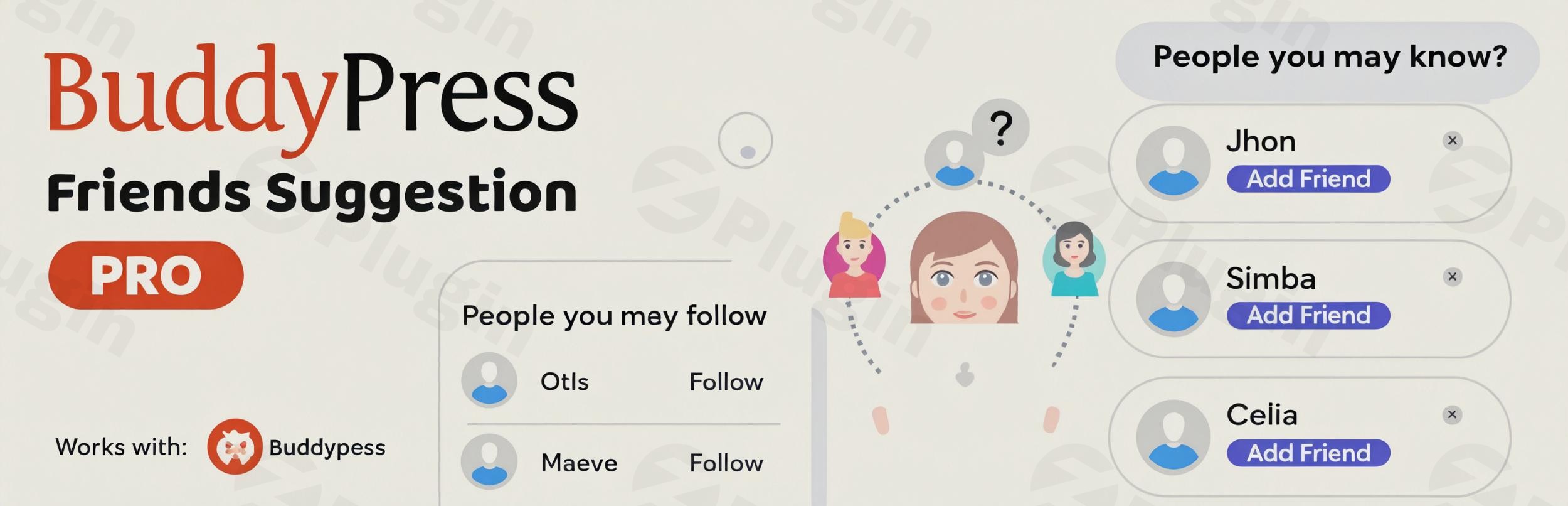
Building a thriving online community on WordPress often hinges on one crucial element: connection. Users are more engaged when they can easily discover and interact with like-minded individuals. This is where BuddyPress Friends Suggestions Pro steps in – a powerful and intelligent BuddyPress friend recommendation plugin designed to transform your community into a more interactive and dynamic social space.This premium plugin empowers your BuddyPress or BuddyBoss Platform-powered social network by intelligently suggesting potential friends and followers to your members, much like the “People You May Know” feature found on major social media platforms. By fostering meaningful connections, BuddyPress Friends Suggestions Pro helps boost user engagement, increase retention, and grow your community organically.
Key Features of BuddyPress Friends Suggestions Pro
BuddyPress Friends Suggestions Pro isn’t just a simple suggestion tool; it’s a sophisticated engine that leverages user data to create highly relevant connection opportunities.
- Smart Matching Algorithms: At its core, the plugin utilizes AI-like smart matching algorithms to suggest friends based on shared interests, profile data (BuddyPress xProfile fields), and even behavioral patterns. This ensures that suggestions aren’t random but are genuinely relevant to the user.
- Multiple Rule Configurations for Customizable BuddyPress Friend Matching: You gain unprecedented control over how suggestions are generated. Administrators can create one or more sophisticated rule sets, defining multiple conditions and using various operators to control the matching logic. This allows for highly tailored recommendations, ensuring users get suggestions they actually want to connect with.
- Profile Field Integration: The plugin seamlessly integrates with existing user profile data. It intelligently leverages the information members provide in their BuddyPress or BuddyBoss profiles to generate meaningful connection suggestions, making the recommendations highly accurate.
- Mutual Connections & Group Weighting: To further enhance relevance, the algorithm gives higher priority to suggestions based on mutual friends and common group memberships. This significantly increases the likelihood of users forming genuine connections within your network.
- Customizable Widget & Flexible Display Options: You can display suggestions in a familiar “People You May Know” format using a real-time, on-page widget. Additionally, suggestions can be shown via shortcodes, on a dedicated suggestions page, and even integrated into the activity stream, providing multiple prominent display areas.
- Follow Suggestions: Beyond traditional friend requests, the plugin also offers “follow” suggestions. This is particularly useful for communities that utilize the BuddyPress Follow plugin, providing another avenue for members to engage with content creators and influencers.
- Profile Matching Percentage: A unique feature, the plugin can display a profile matching percentage in the member header area. This visual cue quickly indicates how closely two profiles align based on shared information, further encouraging connection.
- Role-Based Controls: Maintain granular control over your community. The plugin provides settings to enable, disable, or fine-tune suggestions based on specific member types or roles. You can even exclude certain users or roles from appearing in suggestions altogether.
- AJAX-based Actions: For a smooth and modern user experience, actions like “load more” suggestions and options to dismiss or undo suggestions are all AJAX-based, meaning the page doesn’t need to reload.
- Translation Ready & GDPR Friendly: Designed for a global audience, the plugin is fully translation-ready and respects user privacy settings, aligning with GDPR guidelines.
- Performance Optimization: Even for large communities, the plugin is optimized for performance. It incorporates caching mechanisms (suggestions are cached for an hour per user per ruleset) and query optimization techniques.
Installation & Setup: How to Add “People You May Know” to BuddyPress
Installing and setting up BuddyPress Friends Suggestions Pro is a straightforward process, even for those new to WordPress plugins. Here’s a step-by-step guide to get you started:
- Purchase and Download: First, purchase BuddyPress Friends Suggestions Pro from ZeroPlugin.com. Once purchased, you’ll receive a genuine GPL-licensed product. Download the plugin’s
.zipfile to your computer. - Upload the Plugin:
- Log in to your WordPress admin dashboard.
- Navigate to Plugins > Add New.
- Click the “Upload Plugin” button at the top of the page.
- Click “Choose File”, select the
.zipfile you downloaded, and then click “Install Now”.
- Activate the Plugin: After successful installation, click the “Activate Plugin” button.
- Configure Friend Suggestion Rules:
- Once activated, navigate to the plugin’s settings, typically found under Settings or a dedicated BuddyPress/BuddyBoss menu item in your WordPress dashboard.
- Here, you’ll find options to create your “rule sets” for friend suggestions. This is where you define the criteria for matching users.
- Example: You might create a rule that suggests friends based on matching “City” and “Interests” profile fields. You can add multiple conditions and choose operators (e.g., “contains,” “equals”).
- Remember the performance tips: While you can set multiple conditions, keeping the number of conditions low (ideally not more than 4) will improve speed, as profile data search is an expensive operation.
- Display Suggestions:
- You can display the “People You May Know” widget in your sidebar or other widget-ready areas by going to Appearance > Widgets.
- For more flexible placement, explore the plugin’s documentation for specific shortcodes to display suggestions on pages or within post content.
- Check for dedicated settings to integrate suggestions into the activity stream or create a specific “Suggestions” page.By following these steps, you’ll have BuddyPress Friends Suggestions Pro up and running, ready to enhance your community’s connectivity.
Practical Usage and Best Practices
BuddyPress Friends Suggestions Pro is ideal for any WordPress site running BuddyPress or BuddyBoss that aims to foster a more connected and engaging social environment. Here are a few concrete use cases and best practices:
- For Niche Communities & Forums: If you run a niche community (e.g., photography enthusiasts, local business network, specific hobby group), use the customizable BuddyPress friend suggestion algorithm to connect members based on very specific interests or locations. This ensures highly relevant matches that lead to deeper interactions.
- Best Practice: Create rule sets that prioritize the most unique or defining characteristics of your community members, such as “Photography Genre” or “Local Region.”
- Boosting Member Engagement on Membership Sites: For membership sites where interaction is key to retention, implementing the BuddyBoss friend suggestion feature helps new members quickly find and connect with existing ones. This reduces feelings of isolation and encourages active participation.
- Best Practice: Encourage members to complete their profiles thoroughly. The more data the plugin has, the smarter and more relevant the suggestions will be. Highlight the profile matching percentage feature to show the value of complete profiles.
- Enhancing Professional Networks: On a WordPress-powered professional networking site, the plugin can suggest colleagues or industry peers based on “Job Title,” “Company,” or “Skills” fields. This facilitates networking and collaboration.
- Best Practice: Clearly communicate the benefits of connecting with suggested friends – perhaps offering a guide on “how to increase BuddyPress connections” for career growth.
- Optimizing Performance for Large Communities: For large and rapidly growing social networks, optimize BuddyPress friend suggestions performance by regularly reviewing your rule sets.
- Best Practice: Keep your matching conditions concise and avoid overly complex rules that might slow down the database queries. Leverage the plugin’s caching capabilities to its fullest extent.
FAQ & Troubleshooting
Here are answers to some common questions about BuddyPress Friends Suggestions Pro:
What is BuddyPress Friends Suggestions Pro?
BuddyPress Friends Suggestions Pro is a premium WordPress plugin that provides intelligent “People You May Know”-style friend and follow recommendations for BuddyPress and BuddyBoss communities. It uses customizable algorithms to suggest connections based on shared profile data, mutual friends, and group memberships, aiming to boost user engagement and community interaction.
Does BuddyPress Friends Suggestions Pro work with BuddyBoss?
Yes, BuddyPress Friends Suggestions Pro is fully compatible and designed to work seamlessly with the BuddyBoss Platform and most BuddyBoss themes. It extends the social networking capabilities of BuddyBoss by adding advanced friend and follow suggestion features.
How to set up friend suggestion rules in BuddyPress?
To set up friend suggestion rules, navigate to the plugin’s settings area in your WordPress admin dashboard (usually under BuddyPress/BuddyBoss settings or a dedicated plugin menu). Here, you can create one or more rule sets. For each rule set, you’ll define matching conditions based on BuddyPress xProfile fields, specifying which fields should match and using various operators (e.g., “equals,” “contains”) to dictate the suggestion logic.
Is BuddyPress Friends Suggestions Pro translation ready?
Yes, the plugin is designed to be translation-ready, allowing you to easily translate it into different languages to cater to a global audience. This ensures that your international members can experience the friend suggestion feature in their native language.
What should I do if friend suggestions are not appearing?
First, ensure the plugin is activated and your rule sets for suggestions are correctly configured. Check that you have selected appropriate profile fields for matching and that there’s enough data in user profiles for the algorithm to find matches. Also, verify that the suggestion widget or shortcode is correctly placed and that no conflicting plugins or theme settings are interfering with its display. For follow suggestions, confirm that the BuddyPress Follow plugin is also installed and active.
Conclusion
BuddyPress Friends Suggestions Pro is an indispensable tool for anyone serious about cultivating a dynamic and interconnected WordPress social network. By mimicking the proven “People You May Know” feature of major platforms, it solves the fundamental challenge of user discovery and connection. Its intelligent algorithms, deep profile integration, and extensive customization options offer a sophisticated solution that generic community plugins often lack.If you’re looking to significantly boost user engagement, foster deeper connections, and ultimately grow your BuddyPress or BuddyBoss community, investing in BuddyPress Friends Suggestions Pro will provide a strong return on investment. It’s the intelligent way to help your members find the connections they’re genuinely looking for.
I. Download Limits & Account Benefits
- Free Downloads: Each email address receives 3 downloads per day for free products
- Upgrade Benefits: Purchase any paid product to increase your daily download limit by 3 for each paid product
- No Account Required: You can download immediately by receiving the download link via email
- Account Recommended: Create an account for easier access to your order history and direct update downloads
II. Understanding GPL vs Official Versions
Important: The products available on WPPick are GPL-licensed versions, which differ from official developer versions. Before purchasing, please read our comprehensive guide: Understanding GPL & Official Differences at WPPick
Key Points:
- GPL versions may not include premium support from original developers
- Updates may be delayed compared to official releases
- Some premium features might have limitations
- Always consider your specific needs and support requirements
III. Support & Assistance
We’re here to help through multiple channels:
- Email Support: Direct email assistance for all inquiries
- Live Chat: Real-time support during business hours
- Comprehensive Documentation: Detailed guides and tutorials
IV. Order Tracking
Access your complete purchase history and download links anytime: Order History
V. Account Access
New to WPPick? Login or Create Account to manage your downloads and orders efficiently.
VI. Refund Protection
We stand behind our products with a clear refund policy. Review our terms: Refund Policy
VII. Privacy & Security
Your data security is our priority. Learn how we protect your information: Privacy Policy
VII. Terms of Service
Understanding our service terms ensures a smooth experience: Terms of Use
Quick Tips for Best Experience
- Verify Compatibility: Check plugin/theme compatibility with your WordPress version
- Backup First: Always backup your site before installing new plugins or themes
- Test Environment: Consider testing on a staging site first
- Stay Updated: Regularly check for updates in your account dashboard
- Read Documentation: Review any included documentation for optimal setup
Need Help?
If you have questions about downloads, licensing, or need technical assistance, don’t hesitate to contact our support team. We’re committed to ensuring you have the best possible experience with WPPick products.
Ready to get started? Your download adventure begins with just one click!
- Update operator labels in admin
- Do not show suggestions if component is disabled
- Regenerated archive for WordPress 6.4.3 compatibility