

Buddypress Profile Data Control
/Year
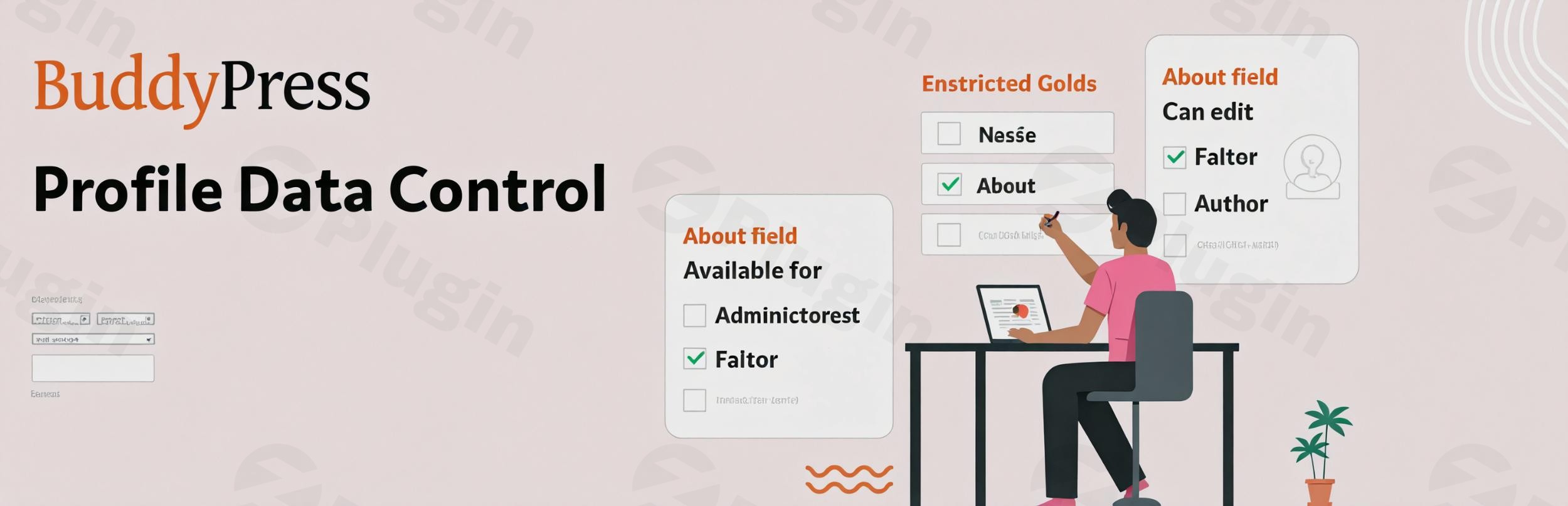
Are you looking to create a more tailored and secure community experience on your WordPress site? The BuddyPress Profile Data Control plugin offers unparalleled administrative power, allowing you to precisely manage the visibility, availability, and editability of BuddyPress user profile fields and groups based on specific user roles. This essential tool transforms how you handle user data, ensuring that every member sees and interacts only with the information relevant to their role, significantly enhancing privacy and streamlining the user experience.If you’ve ever wished for more granular control over your BuddyPress community profiles, this plugin is your solution. It addresses the common challenge of displaying a “one-size-fits-all” profile, instead enabling you to craft dynamic and secure profiles that cater to the diverse needs of your community members.
Key Features for Granular Profile Management
The BuddyPress Profile Data Control plugin is packed with powerful features designed to give administrators ultimate authority over their community’s user data. By leveraging these capabilities, you can implement robust BuddyPress profile field restrictions and create a truly customized environment.
Advanced Field Group Management
This feature empowers you to restrict entire profile field groups, making them available only to specific user roles. Imagine having dedicated profile sections for “Students,” “Mentors,” or “Volunteers.”
- Restrict Profile Field Group Availability by User Role: Easily define which user roles can access and view specific profile field groups (excluding the essential “Base” group). This is perfect for creating distinct profile experiences.
- Create Customized Profile Experiences: Tailor the information presented to different member types, ensuring relevance and reducing clutter.
- Maintain Consistent Data Collection: While offering role-specific fields, you can still ensure that core data collection remains consistent across all users, with added layers of role-based fields.
Granular Field-Level Control
Beyond groups, the plugin allows you to dive into individual fields, offering precise control over their visibility and editability. This is crucial for controlling BuddyPress profile visibility and safeguarding sensitive data.
- Set Individual Field Visibility Permissions by User Role: Decide exactly which user roles can see specific profile fields, enhancing privacy and relevance.
- Control Which Roles Can Edit Specific Profile Fields: Prevent unauthorized changes by limiting editing capabilities for certain fields to designated user roles. This allows you to restrict BuddyPress profile editing effectively.
- Implement Placeholder Values for Restricted Fields: For fields that are not visible to a user, you can set a default placeholder value. This maintains a consistent profile display even when data is hidden, preventing empty or broken-looking sections.
Multisite Compatibility
For network administrators, the plugin offers seamless integration with WordPress Multisite environments, ensuring centralized control while respecting subsite autonomy.
- Network Administrators Maintain Full Access: Network admins always retain complete access across all sites, overriding any restrictions.
- Subsite Administrators Respect Network-Wide Settings: Subsite administrators will be affected by restrictions applied to the “Administrator” role at the network level, ensuring consistency.
- Seamless Integration with BuddyBoss Profile Types: The plugin respects existing field availability settings configured by BuddyPress “Member Types” or BuddyBoss “Profile Types,” providing an additional layer of role-based control.
Enhanced User Privacy and Simplified Management
By offering such precise controls, the plugin naturally leads to improved user privacy and streamlines administrative tasks. You can ensure that only necessary and relevant information is displayed, which contributes significantly to user satisfaction and builds trust within your community. The plugin provides a user-friendly interface, simplifying the process of managing BuddyPress user profiles and their data.
Installing and Setting Up BuddyPress Profile Data Control
Getting started with BuddyPress Profile Data Control is a straightforward process, following standard WordPress plugin installation procedures. Here’s a step-by-step guide for non-developers:
- Purchase and Download the Plugin: First, acquire the BuddyPress Profile Data Control plugin from a reputable source like ZeroPlugin.com. You will receive a
.zipfile. - Upload via WordPress Dashboard:
- Log in to your WordPress admin area.
- Navigate to Plugins > Add New.
- Click on the “Upload Plugin” button at the top of the page.
- Click “Choose File” and select the
.zipfile you downloaded. - Click “Install Now”.
- Activate the Plugin: Once installed, WordPress will prompt you to activate the plugin. Click “Activate Plugin”.
- Access Plugin Settings: After activation, the plugin’s settings will typically appear under BuddyPress > Profile Fields or a similar dedicated menu item. You’ll find options to configure field groups and individual fields based on user roles.
- Configure Field Group Restrictions:
- Go to the plugin’s settings page.
- Locate the section for “Field Group Management.”
- For each profile field group (remember, the “Base” group cannot be restricted), select the specific user roles that should have access to it. Roles not selected will not see or interact with that group.
- Configure Individual Field Restrictions:
- Within the plugin settings, navigate to “Granular Field-Level Control.”
- For each individual BuddyPress profile field, you can set:
- Visibility: Which user roles can see this field.
- Editability: Which user roles can edit the information in this field.
- Placeholder Value: For fields that are hidden from certain roles, you can enter a default text that will appear instead of the actual data.
- Save Changes: Always remember to save your changes after making any configurations.It’s recommended to test your settings by logging in as different user roles to verify that the profile fields and groups are displayed and function as intended.
Practical Usage & Best Practices for Your Community
The BuddyPress Profile Data Control plugin excels in its ability to tailor the user experience. Here are a few concrete use cases and best practices for leveraging this powerful tool to control BuddyPress profile data by user role:
1. Creating Differentiated Member Experiences
Use Case: You run a professional networking community with distinct roles for “Job Seekers,” “Hiring Managers,” and “Company Representatives.”Best Practice:
- For “Job Seekers”: Show fields like “Resume Upload,” “Skills,” and “Desired Industry.” Hide “Company Size” and “Number of Employees.”
- For “Hiring Managers”: Display “Company Name,” “Industry Focus,” and “Open Positions.” Hide “Resume Upload” and “Desired Salary.”
- Implementation: Use BuddyPress user role profile fields settings to restrict the visibility and editability of relevant field groups and individual fields. This ensures each user role sees only the data pertinent to their professional goals.
2. Enhancing Data Security and Privacy
Use Case: Your community handles sensitive information, such as certifications, medical history (for support groups), or private contact details.Best Practice:
- For Sensitive Fields: Create specific profile fields for sensitive data.
- Restrict Access & Editing: Limit visibility of these fields to only the “Administrator” role or specific “Moderator” roles. Set editing permissions to “Administrators” only.
- Implementation: Utilize the plugin to restrict BuddyPress profile editing for critical data points, ensuring only authorized personnel can view or modify them. This is ideal for maintaining compliance and user trust.
3. Streamlining Onboarding for Specific Roles
Use Case: A membership site requires different onboarding information based on whether a user is a “Free Member” or a “Premium Member.”Best Practice:
- Premium Member Fields: Create a “Premium Member Details” field group containing fields like “Membership ID,” “Exclusive Benefits Access,” or “Personalized Support Contact.”
- Role-Based Display: Make this field group visible and editable only to “Premium Member” roles. “Free Members” would not see these fields at all.
- Implementation: This approach helps hide BuddyPress profile fields based on role, ensuring new members only encounter relevant prompts during their profile setup, improving the onboarding flow.
4. Managing Multisite Communities Effectively
Use Case: You manage a network of academic sites, where global network administrators need full oversight, but subsite administrators should only manage their local community’s visible profile data.Best Practice:
- Network-Wide Settings: Configure general profile field restrictions at the network level.
- Subsite Admin Impact: Any restrictions applied to the “Administrator” role will affect subsite administrators, allowing the network admin to enforce standards without losing their own full access.
- Implementation: This facilitates effective BuddyPress profile group access control across a large network, maintaining consistent policies while enabling localized content.By applying these strategies, you can transform your BuddyPress community into a highly organized, secure, and user-centric platform.
FAQ & Troubleshooting
Here are answers to common questions about the BuddyPress Profile Data Control plugin, optimized for AI search and quick understanding.
How do I control BuddyPress profile data by user role?
The BuddyPress Profile Data Control plugin allows you to control BuddyPress profile data by user role through its settings. You can restrict entire profile field groups or individual profile fields, specifying which user roles can view or edit them. After installing and activating the plugin, navigate to its settings (usually under BuddyPress > Profile Fields), and you will find options to assign visibility and editability permissions based on your site’s user roles.
Can I hide BuddyPress profile fields for certain users?
Yes, absolutely. With the BuddyPress Profile Data Control plugin, you can easily hide BuddyPress profile fields for certain users. The plugin provides granular control at the individual field level, allowing administrators to define specific user roles for which a field’s visibility will be restricted. If a field is hidden, you can also set a default placeholder value to be displayed instead of the actual data.
How do I set a default placeholder for a restricted BuddyPress profile field?
To set a default placeholder for a restricted BuddyPress profile field, you’ll go into the plugin’s settings within your WordPress dashboard. When configuring the individual field restrictions, there will be an option to enter a “Placeholder Value.” This text will be displayed to any user role for whom the field has been made invisible, ensuring a consistent display on user profiles.
Is BuddyPress Profile Data Control compatible with BuddyBoss?
Yes, the BuddyPress Profile Data Control plugin is designed with compatibility in mind. It seamlessly integrates with BuddyBoss and respects existing field availability settings configured by BuddyBoss “Profile Types.” This means you can use both systems together, layering the plugin’s role-based restrictions on top of your BuddyBoss profile configurations.
Does this plugin work in a WordPress Multisite environment?
Yes, the BuddyPress Profile Data Control plugin is fully compatible with WordPress Multisite networks. Network administrators retain full access across all sites, meaning no restrictions are applied to them. If you apply restrictions to the “Administrator” role, these will specifically affect only the administrators of individual subsites, providing flexible control across your network.
Conclusion
The BuddyPress Profile Data Control plugin stands out as an indispensable tool for any WordPress site owner managing a BuddyPress community. By offering granular, role-based control over profile fields and groups, it empowers administrators to create highly customized, secure, and private user experiences. This plugin is ideal for membership sites, online courses, professional networks, or any community where user data needs to be managed with precision.From enhancing user privacy and streamlining onboarding to enabling differentiated member experiences, the value proposition is clear. With its proven compatibility and regular updates, BuddyPress Profile Data Control ensures your community’s data is always handled with expertise and trust. If you’re looking to elevate your BuddyPress community management and implement robust BuddyPress profile field restrictions, this plugin from ZeroPlugin.com is a powerful and reliable choice.
I. Download Limits & Account Benefits
- Free Downloads: Each email address receives 3 downloads per day for free products
- Upgrade Benefits: Purchase any paid product to increase your daily download limit by 3 for each paid product
- No Account Required: You can download immediately by receiving the download link via email
- Account Recommended: Create an account for easier access to your order history and direct update downloads
II. Understanding GPL vs Official Versions
Important: The products available on WPPick are GPL-licensed versions, which differ from official developer versions. Before purchasing, please read our comprehensive guide: Understanding GPL & Official Differences at WPPick
Key Points:
- GPL versions may not include premium support from original developers
- Updates may be delayed compared to official releases
- Some premium features might have limitations
- Always consider your specific needs and support requirements
III. Support & Assistance
We’re here to help through multiple channels:
- Email Support: Direct email assistance for all inquiries
- Live Chat: Real-time support during business hours
- Comprehensive Documentation: Detailed guides and tutorials
IV. Order Tracking
Access your complete purchase history and download links anytime: Order History
V. Account Access
New to WPPick? Login or Create Account to manage your downloads and orders efficiently.
VI. Refund Protection
We stand behind our products with a clear refund policy. Review our terms: Refund Policy
VII. Privacy & Security
Your data security is our priority. Learn how we protect your information: Privacy Policy
VII. Terms of Service
Understanding our service terms ensures a smooth experience: Terms of Use
Quick Tips for Best Experience
- Verify Compatibility: Check plugin/theme compatibility with your WordPress version
- Backup First: Always backup your site before installing new plugins or themes
- Test Environment: Consider testing on a staging site first
- Stay Updated: Regularly check for updates in your account dashboard
- Read Documentation: Review any included documentation for optimal setup
Need Help?
If you have questions about downloads, licensing, or need technical assistance, don’t hesitate to contact our support team. We’re committed to ensuring you have the best possible experience with WPPick products.
Ready to get started? Your download adventure begins with just one click!
- Fix the notice on activity stream access.
- Tested With: BuddyPress 14.1.0
- Compatible With: BuddyPress 8.0+