

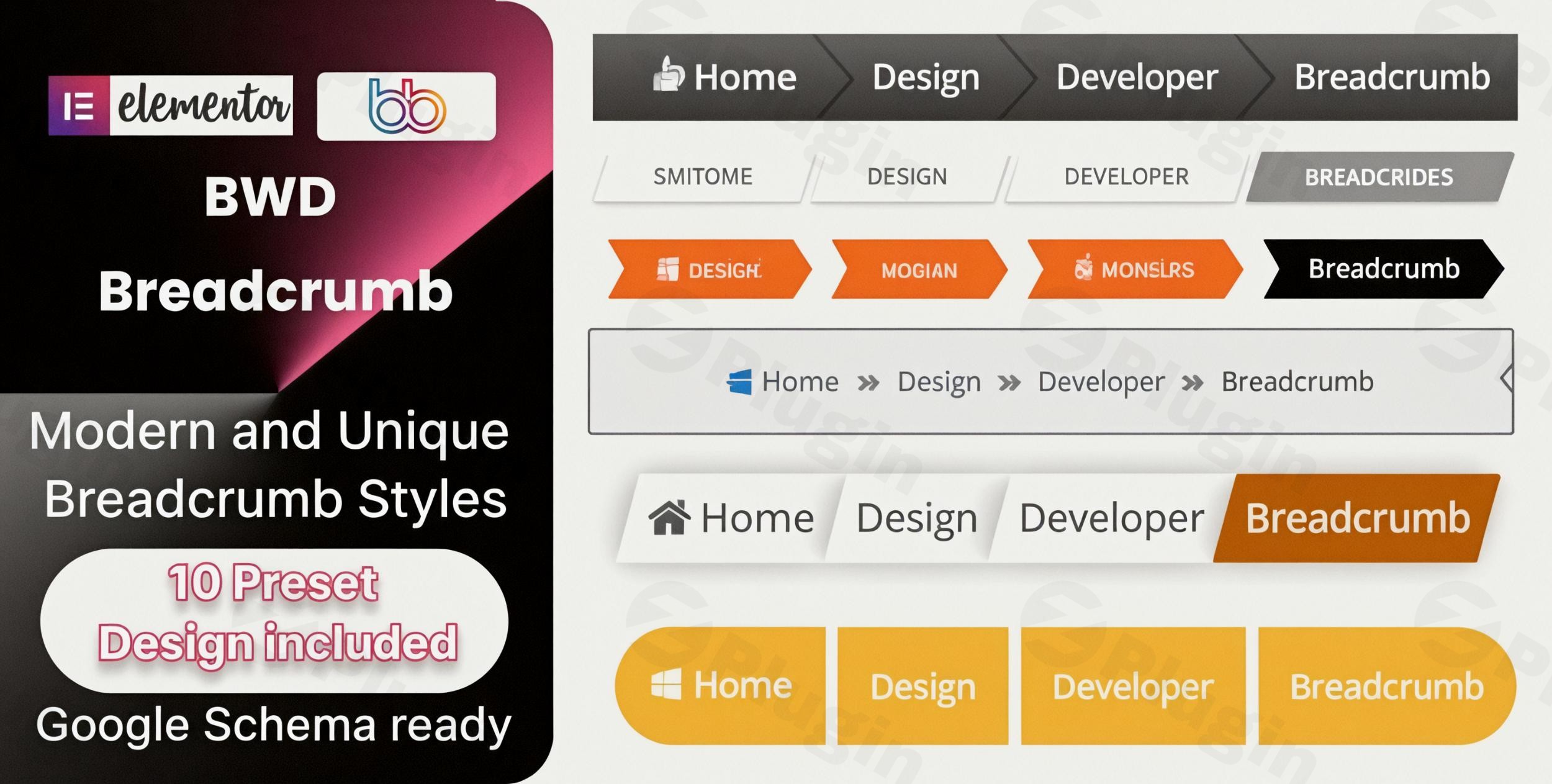
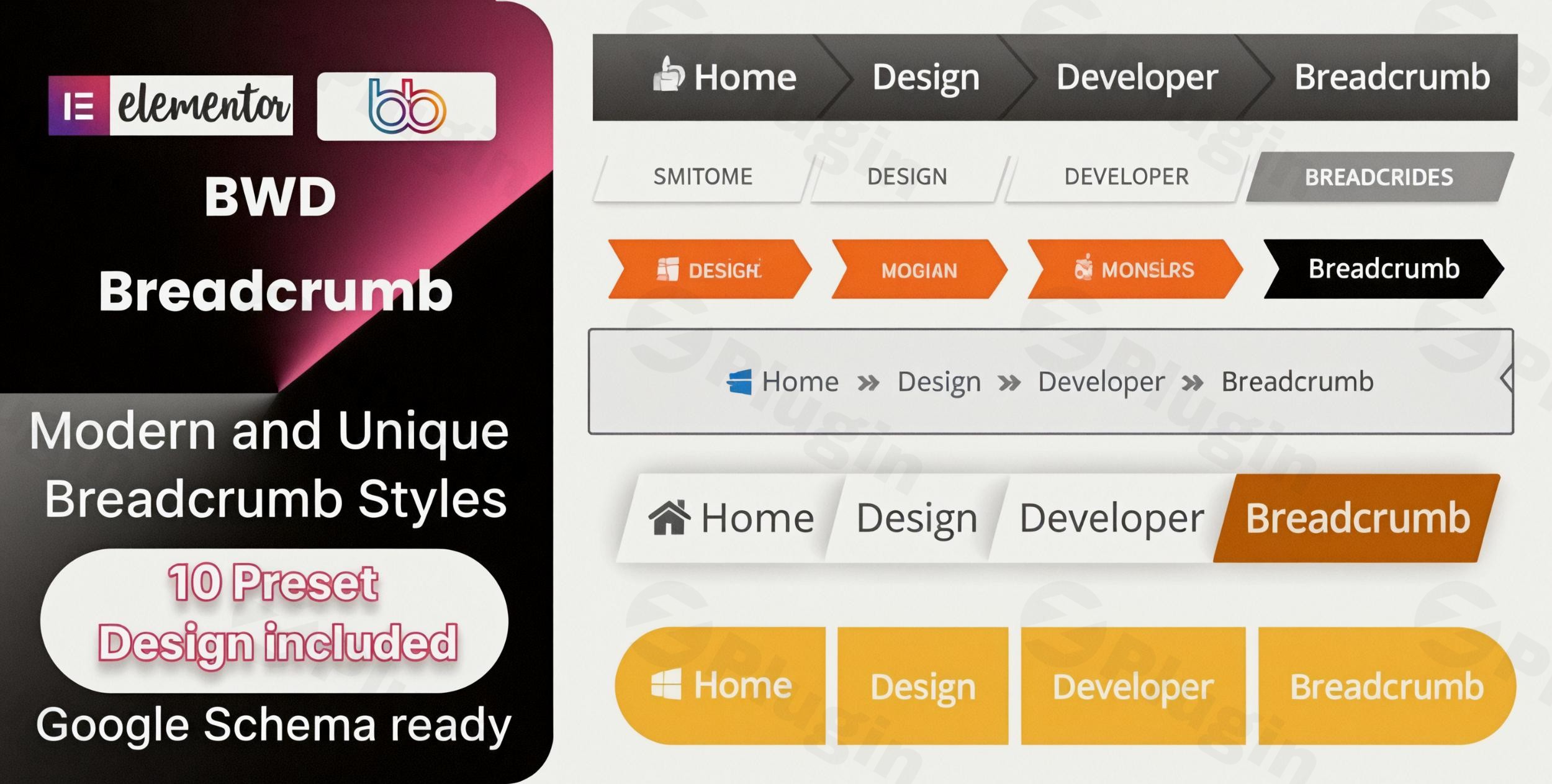
 Transform your WordPress website’s user experience with the BWD Breadcrumb Addon for Elementor. This powerful, lightweight, and premium plugin seamlessly integrates with the Elementor page builder, enabling you to implement professional, attractive breadcrumb navigation without the need for any coding. Enhance usability, significantly improve your site’s SEO, and guide your visitors effortlessly through your website’s hierarchical structure.
Why Choose This Premium Breadcrumb Navigation Solution?
Breadcrumbs are a critical navigational element that not only improves the overall user experience but also enhances search engine visibility by clarifying site structure. Our addon provides a feature-rich, intuitive, and reliable solution meticulously designed for marketers, bloggers, e-commerce store owners, and business professionals who prioritize both aesthetic appeal and robust functionality. It stands out as a premium choice for those seeking advanced, dependable navigation capabilities.
Key Features and Benefits That Set BWD Breadcrumb Addon Apart
The BWD Breadcrumb Addon for Elementor offers a comprehensive suite of features engineered to provide unparalleled control and flexibility in designing your site’s navigation.
Extensive Design Library & Customization
Access an impressive library of 10 unique, professionally designed breadcrumb presets, with over 100 additional designs slated for future release. Each design is fully customizable, allowing you to tailor every aspect to perfectly match your brand identity. Users can adjust:
- Colors: Fine-tune text, background, and border colors.
- Typography: Control font families, sizes, weights, and styles.
- Separators: Choose between various text or icon separators to visually distinguish navigation levels.
- Background and Border: Customize these elements for a distinct look.This level of detail ensures your breadcrumbs are not just functional but also a seamless part of your site’s aesthetic.
Seamless Elementor Integration
Built from the ground up specifically for Elementor, this addon works flawlessly within the familiar drag-and-drop interface. It requires the Elementor Page Builder to be installed and activated (compatible with Elementor 2.5 and higher). With simple point-and-click controls, you can effortlessly add sophisticated breadcrumb trails to any section of your website, leveraging Elementor’s intuitive design environment.
No Coding Required
Implement advanced navigation features without needing any technical knowledge or writing a single line of code. The intuitive controls empower you to customize colors, typography, spacing, and even animations through a visual interface, making professional website design accessible to everyone.
Enhanced SEO Value
Breadcrumbs are more than just a navigational aid; they create an additional internal linking structure that search engines highly value. By clearly defining your site’s hierarchy, the BWD Breadcrumb Addon for Elementor can potentially boost your search engine rankings. Furthermore, it is Google Schema ready, ensuring that search engines can accurately interpret your site structure and display rich snippets, further improving your visibility and click-through rates.
Fully Responsive Design
In today’s multi-device world, responsive design is paramount. All breadcrumb designs provided by this addon automatically adapt to mobile, tablet, and desktop screens, guaranteeing a perfect viewing experience across all devices and resolutions. This ensures your navigation is always accessible and user-friendly, regardless of how your visitors access your site.
Dynamic Breadcrumbs
The plugin intelligently and automatically creates breadcrumbs based on your website’s page hierarchy. This dynamic functionality saves significant time and effort, ensuring that your navigation always reflects the most current structure of your site without manual intervention.
WooCommerce Compatibility
For e-commerce sites, clear navigation is crucial. The BWD Breadcrumb Addon is fully compatible with WooCommerce, allowing online stores to implement robust breadcrumb trails that simplify product discovery and category navigation for shoppers, leading to a smoother purchasing journey.
Translation Ready
Reaching a global audience is made easier with the plugin’s translation-ready capabilities. It includes a POT file, enabling quick and efficient translation into any language, ensuring your site’s navigation is accessible to users worldwide.
Clean and Optimized Code
Developed with best practices in mind, the plugin features clean, optimized, and W3C validated code. This commitment to coding standards ensures optimal performance, security, and compatibility with other WordPress plugins and themes.
Technical Specifications & Compatibility
- WordPress Compatibility: Fully compatible with the latest WordPress versions, designed to work seamlessly with all WordPress themes built on Elementor.
- Elementor Compatibility: Perfect for Elementor 2.5 and higher.
- Installation: Can be installed easily via the standard WordPress plugin installer or by uploading the plugin files directly to your WordPress plugins directory.
- Requirements: Requires the Elementor plugin to be installed and activated on your WordPress website.
Setup & Installation Guide
Getting started with the BWD Breadcrumb Addon For Elementor is straightforward. Follow these simple steps to integrate powerful breadcrumb navigation into your site:
- Download the Plugin: Obtain the BWD Breadcrumb Addon For Elementor plugin file.
- Upload & Install (Method 1: WordPress Dashboard):
- Navigate to your WordPress dashboard.
- Go to Plugins > Add New.
- Click on the “Upload Plugin” button at the top.
- Choose the downloaded plugin
.zipfile and click “Install Now.”
- Upload & Install (Method 2: FTP):
- Unzip the plugin file.
- Connect to your website via FTP.
- Upload the unzipped plugin folder to the
wp-content/plugins/directory.
- Activate the Plugin: After installation, go to Plugins > Installed Plugins in your WordPress dashboard and click “Activate” next to “BWD Breadcrumb Addon For Elementor.”
- Ensure Elementor is Active: Verify that the Elementor Page Builder plugin is also installed and activated, as it is a prerequisite for this addon.
- Add Breadcrumbs to Your Pages:
- Edit any page or post with Elementor.
- Search for the “Breadcrumb” widget in the Elementor editor.
- Drag and drop the widget onto your page.
- Customize its appearance using the extensive design options available in the Elementor panel.
Who Benefits from This Premium Addon?
The BWD Breadcrumb Addon for Elementor offers significant advantages for a diverse range of users:
- WordPress Developers: Efficiently build sophisticated client websites with robust navigation and reduced development time.
- Bloggers & Content Creators: Improve site navigation, enhance SEO performance, and lower bounce rates by providing clear paths through extensive content.
- E-commerce Stores: Simplify complex category hierarchies, making it easier for customers to browse products and navigate their shopping journey.
- Business Websites: Enhance user experience, present a professional online image, and guide visitors effectively to key information.
Trust and Reliability: Your Investment is Secure
When you acquire digital products through our platform, you receive genuine GPL-licensed software with regular updates to ensure seamless compatibility with the latest WordPress and Elementor versions. All plugin files undergo thorough security scanning via VirusTotal and other leading third-party services to guarantee utmost safety and reliability. Our unwavering commitment to update frequency means your investment remains functional, secure, and future-proof long after purchase.Best WP Developer consistently delivers high-quality solutions, and this plugin is no exception, empowering creators to design stunning, high-performing websites with complete confidence.
Transform Your Website Navigation Today
The BWD Breadcrumb Addon for Elementor combines elegant design with practical, advanced functionality to create a superior navigation experience for your visitors. With easy customization, dynamic breadcrumb generation, comprehensive compatibility, regular updates, and guaranteed safety, this premium plugin offers exceptional value for anyone serious about elevating their WordPress website’s usability and search engine performance. Invest in a truly professional navigation solution and guide your audience with confidence.