

Bwd Creative Buttons Elementor Addon
/Year
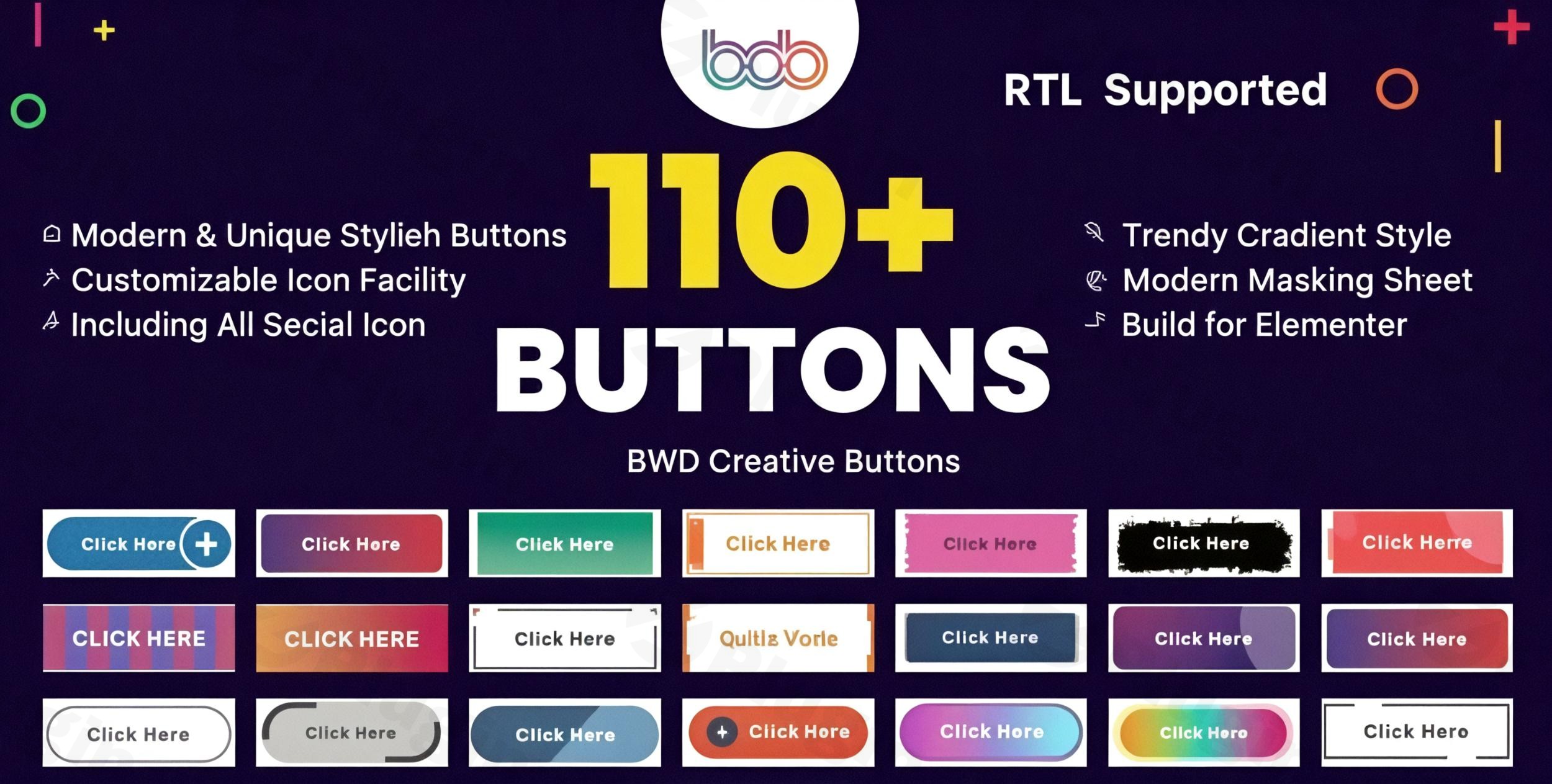
In the world of web design, your Call-to-Action (CTA) is the bridge between a visitor and a conversion. However, standard buttons often fail to capture attention. The BWD Creative Buttons Elementor Addon is a dedicated solution designed to transform mundane links into high-converting, interactive elements. By using this powerful Elementor Creative Buttons tool, WordPress site owners can implement sophisticated hover effects and unique designs without writing a single line of code.Whether you are building a landing page for a SaaS product or a professional portfolio, the BWD Creative Buttons Elementor Addon provides the visual flexibility needed to make your site stand out from the competition.
Key Features of BWD Creative Buttons Elementor Addon
The BWD Creative Buttons Elementor Addon is more than just a styling tool; it is a comprehensive library of over 110+ pre-designed button styles. Here is a breakdown of what makes it a top-tier WordPress button plugin for Elementor.
1. 110+ Stunning Hover Effects
The addon features an extensive library of hover animations. These aren’t just simple color changes—they include sliding backgrounds, border transformations, and shadow shifts that make your Elementor button widget feel alive and responsive to user interaction.
2. Advanced Visual Effects: Gradients & Masking
- Elementor Gradient Button Styles: Create modern, vibrant buttons with animated gradient backgrounds that flow smoothly.
- Masking Buttons: Use unique shapes and masks to define the button’s appearance, moving beyond the standard rectangular or rounded-corner looks.
- 3D Text Effects: Give your button labels depth and a tactile feel with built-in 3D text styling.
3. Interactive Parallax & Animations
For designers looking to create a premium user experience, the addon includes:
- Cursor Image & Background Parallax: The button or its background reacts to the user’s mouse movement.
- Floating Animations: Ideal for “sticky” CTAs or high-priority alerts that need to gently bob or pulse on the screen.
4. Technical Performance & Compatibility
Unlike many heavy addons, BWD is optimized for speed.
- SEO Friendly: The code structure follows SEO best practices, ensuring your buttons are crawlable.
- Responsive & RTL Ready: Buttons look perfect on mobile devices and fully support Right-to-Left (RTL) languages like Arabic or Hebrew.
* Lightweight Assets: It uses on-demand asset loading, meaning it only loads the CSS and JS required for the specific button you are using.
How to Install BWD Creative Buttons Elementor Addon
Setting up your new button suite is straightforward. Follow these steps to get started:
- Download the Plugin: Purchase and download the BWD Creative Buttons Elementor Addon (usually as a .zip file) from CodeCanyon or the developer’s site.
- Upload to WordPress: Log in to your WordPress dashboard. Navigate to Plugins > Add New > Upload Plugin. Choose your file and click Install Now.
- Activate: Once the upload is complete, click Activate Plugin.
- Open Elementor: Edit any page or post with Elementor. Search for “BWD” or “Creative Button” in the widget search bar.
5. Drag and Drop: Drag the widget into your column and begin choosing from the 110+ styles in the settings panel.
Practical Usage & Best Practices
To get the most out of your custom buttons in Elementor, consider these real-world workflows:
High-Converting E-commerce CTAs
If you use WooCommerce, the BWD addon is an excellent way to replace standard “Add to Cart” buttons. Use a gradient button style with a “Pulse” floating animation on your product page to draw the eye directly to the purchase button.
SaaS Landing Pages
For “Start Free Trial” buttons, use the Masking Effect. A unique shape helps the button stand out against busy backgrounds, increasing the click-through rate (CTR) for your primary business goal.
Engaging Portfolio Links
Creative professionals should utilize the Cursor Parallax feature. When a potential client hovers over your “View My Work” button, the subtle movement creates a high-end, bespoke feel that signals technical expertise and attention to detail.
Best Way to Maintain Consistency
* Global Styles: Once you find a style you love, save it as an Elementor Global Widget. This ensures all buttons across your site remain consistent in color, font (via Google Fonts support), and animation style.
FAQ: What You Need to Know
What are the features of BWD Creative Buttons Elementor Addon?
The addon features over 110 pre-designed button hover effects, animated gradients, masking shapes, social sharing capabilities, 3D text effects, and cursor parallax animations. It is fully responsive, SEO-friendly, and supports RTL languages.
Is BWD Creative Buttons Elementor Addon compatible with the latest WordPress?
Yes, the plugin is regularly updated and has been tested for compatibility with WordPress 4.9 up to the most recent versions (including WP 6.x). It also works seamlessly with Elementor 2.5+ and Elementor Pro.
Does this plugin work with WooCommerce?
Absolutely. The BWD Creative Buttons Addon is compatible with WooCommerce versions 5.x through 8.x. You can use these creative widgets to replace or enhance standard shop buttons.
Can I customize the buttons with my own code?
Yes. For advanced developers, the addon provides dedicated fields for Custom JS and CSS, allowing you to further tweak the 110+ base styles to fit your exact requirements.
Final Verdict
The BWD Creative Buttons Elementor Addon is a must-have for any designer or marketer who feels limited by Elementor’s default button options. By offering a massive library of 110+ hover effects combined with modern features like gradients and 3D effects, it provides an incredible return on investment through improved user engagement. If you are looking for the best Elementor addon for unique button designs, BWD offers a high-performance, lightweight, and incredibly versatile solution that fits any professional WordPress site. For more insights and WordPress plugin reviews, visit us at wppick.com.
I. Download Limits & Account Benefits
- Free Downloads: Each email address receives 3 downloads per day for free products
- Upgrade Benefits: Purchase any paid product to increase your daily download limit by 3 for each paid product
- No Account Required: You can download immediately by receiving the download link via email
- Account Recommended: Create an account for easier access to your order history and direct update downloads
II. Understanding GPL vs Official Versions
Important: The products available on WPPick are GPL-licensed versions, which differ from official developer versions. Before purchasing, please read our comprehensive guide: Understanding GPL & Official Differences at WPPick
Key Points:
- GPL versions may not include premium support from original developers
- Updates may be delayed compared to official releases
- Some premium features might have limitations
- Always consider your specific needs and support requirements
III. Support & Assistance
We’re here to help through multiple channels:
- Email Support: Direct email assistance for all inquiries
- Live Chat: Real-time support during business hours
- Comprehensive Documentation: Detailed guides and tutorials
IV. Order Tracking
Access your complete purchase history and download links anytime: Order History
V. Account Access
New to WPPick? Login or Create Account to manage your downloads and orders efficiently.
VI. Refund Protection
We stand behind our products with a clear refund policy. Review our terms: Refund Policy
VII. Privacy & Security
Your data security is our priority. Learn how we protect your information: Privacy Policy
VII. Terms of Service
Understanding our service terms ensures a smooth experience: Terms of Use
Quick Tips for Best Experience
- Verify Compatibility: Check plugin/theme compatibility with your WordPress version
- Backup First: Always backup your site before installing new plugins or themes
- Test Environment: Consider testing on a staging site first
- Stay Updated: Regularly check for updates in your account dashboard
- Read Documentation: Review any included documentation for optimal setup
Need Help?
If you have questions about downloads, licensing, or need technical assistance, don’t hesitate to contact our support team. We’re committed to ensuring you have the best possible experience with WPPick products.
Ready to get started? Your download adventure begins with just one click!