
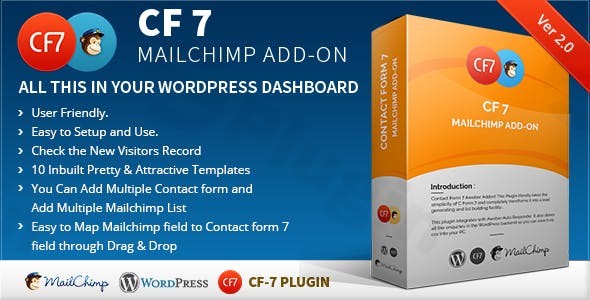
Cf7 7 Mailchimp Add
/Year
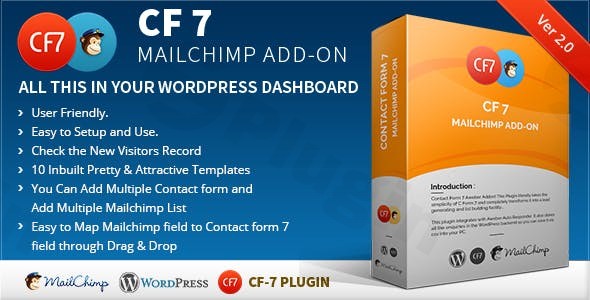
Automate Lead Growth with Form-Based Subscriptions
Connecting your website inquiry points directly to your marketing pipeline is essential for modern business automation. The CF7 7 Mailchimp Add-on acts as a dedicated bridge between Contact Form 7, the widely-used free form builder, and your Mailchimp email marketing platform. Instead of manually exporting submission files or copy-pasting email addresses, this plugin handles the heavy lifting in real time as soon as a user submits a form on your site.
How the Add-on Powers Your Marketing Workflow
When a visitor completes a form on your website, their contact details are sent instantly to your designated mailing audience. The plugin uses your Mailchimp API key to securely communicate with your account, passing names, email addresses, phone numbers, and custom metadata. You can configure individual forms to send data to different lists, ensuring that a contact request goes to a general newsletter list while a quote request tags the subscriber as a potential sales lead.
Who Benefits Most from This Integration?
This utility is designed for business owners, agency developers, and site administrators who rely on Contact Form 7 but want a professional solution for growing their newsletter lists. It serves lead generation websites, blogs, and local service providers who need reliable subscriber growth without paying for bulky, standalone marketing suites.
Key Functional Capabilities
- Simple API Connection: Authenticate your account quickly using standard Mailchimp API credentials.
- Form-Specific Audience Routing: Send subscribers from different forms to unique audiences or specific groups.
- Custom Field Mapping: Assign specific form fields to custom merge tags within your marketing lists.
- Opt-in Consent Checks: Support double opt-in settings or conditional checkboxes to remain compliant with privacy standards.
- Error Logging: Access diagnostic data to verify that your submissions are syncing successfully.
Practical WordPress Use Cases
Consider a real estate agency utilizing Contact Form 7 for property inquiries. By installing this add-on, any prospect who inquires about a listing is automatically tagged under a property-buyer segment in Mailchimp. Alternatively, an educational blog can use a simple newsletter form to route new readers into a welcome sequence, keeping their audience engaged without requiring manual administration.
Why Choose the GPL Version on WPPick?
Choosing this plugin from WPPick gives you access to full integration features under the GPL license. It allows you to run unlimited site tests, build functional client mockups, and run integrations on staging domains without restrictive license keys blocking your setup. It is a cost-effective, developer-friendly way to scale your marketing workflow.
Latest Version Context
Detailed release notes are not available from the provided sources. This version continues to focus on maintaining core compatibility with modern iterations of Contact Form 7 and the standard Mailchimp API endpoints, ensuring smooth data flow on your live site.
Frequently Asked Questions
Does this plugin require the official Contact Form 7 plugin to work?
Yes, this is an integration add-on. You must have the Contact Form 7 plugin active on your WordPress site in order to configure the mapping settings and direct submissions to your audience lists.
Can I send subscribers to different groups based on what they select?
Yes, you can configure form fields to map to specific groups, tags, or segments within your audience dashboard, allowing you to organize your contacts automatically based on user choices.
Is this plugin compliant with GDPR and privacy regulations?
The add-on supports standard Mailchimp settings, including double opt-in requirements and compliance fields. You can also integrate consent checkboxes directly inside your forms to ensure users explicitly agree to join your marketing campaigns.
What should I do if my test submissions are not appearing in my list?
Ensure that your API key is correctly saved in the plugin settings and that your form field names match the corresponding merge tags in your audience list. You can also check the integration log for potential error codes returned from the platform API.
I. Download Limits & Account Benefits
- Free Downloads: Each email address receives 3 downloads per day for free products
- Upgrade Benefits: Purchase any paid product to increase your daily download limit by 3 for each paid product
- No Account Required: You can download immediately by receiving the download link via email
- Account Recommended: Create an account for easier access to your order history and direct update downloads
II. Understanding GPL vs Official Versions
Important: The products available on WPPick are GPL-licensed versions, which differ from official developer versions. Before purchasing, please read our comprehensive guide: Understanding GPL & Official Differences at WPPick
Key Points:
- GPL versions may not include premium support from original developers
- Updates may be delayed compared to official releases
- Some premium features might have limitations
- Always consider your specific needs and support requirements
III. Support & Assistance
We’re here to help through multiple channels:
- Email Support: Direct email assistance for all inquiries
- Live Chat: Real-time support during business hours
- Comprehensive Documentation: Detailed guides and tutorials
IV. Order Tracking
Access your complete purchase history and download links anytime: Order History
V. Account Access
New to WPPick? Login or Create Account to manage your downloads and orders efficiently.
VI. Refund Protection
We stand behind our products with a clear refund policy. Review our terms: Refund Policy
VII. Privacy & Security
Your data security is our priority. Learn how we protect your information: Privacy Policy
VII. Terms of Service
Understanding our service terms ensures a smooth experience: Terms of Use
Quick Tips for Best Experience
- Verify Compatibility: Check plugin/theme compatibility with your WordPress version
- Backup First: Always backup your site before installing new plugins or themes
- Test Environment: Consider testing on a staging site first
- Stay Updated: Regularly check for updates in your account dashboard
- Read Documentation: Review any included documentation for optimal setup
Need Help?
If you have questions about downloads, licensing, or need technical assistance, don’t hesitate to contact our support team. We’re committed to ensuring you have the best possible experience with WPPick products.
Ready to get started? Your download adventure begins with just one click!
- Download CF7 7 Mailchimp Add-on v2.5