

Chat – Support Board – WordPress Chat Plugin
/Year
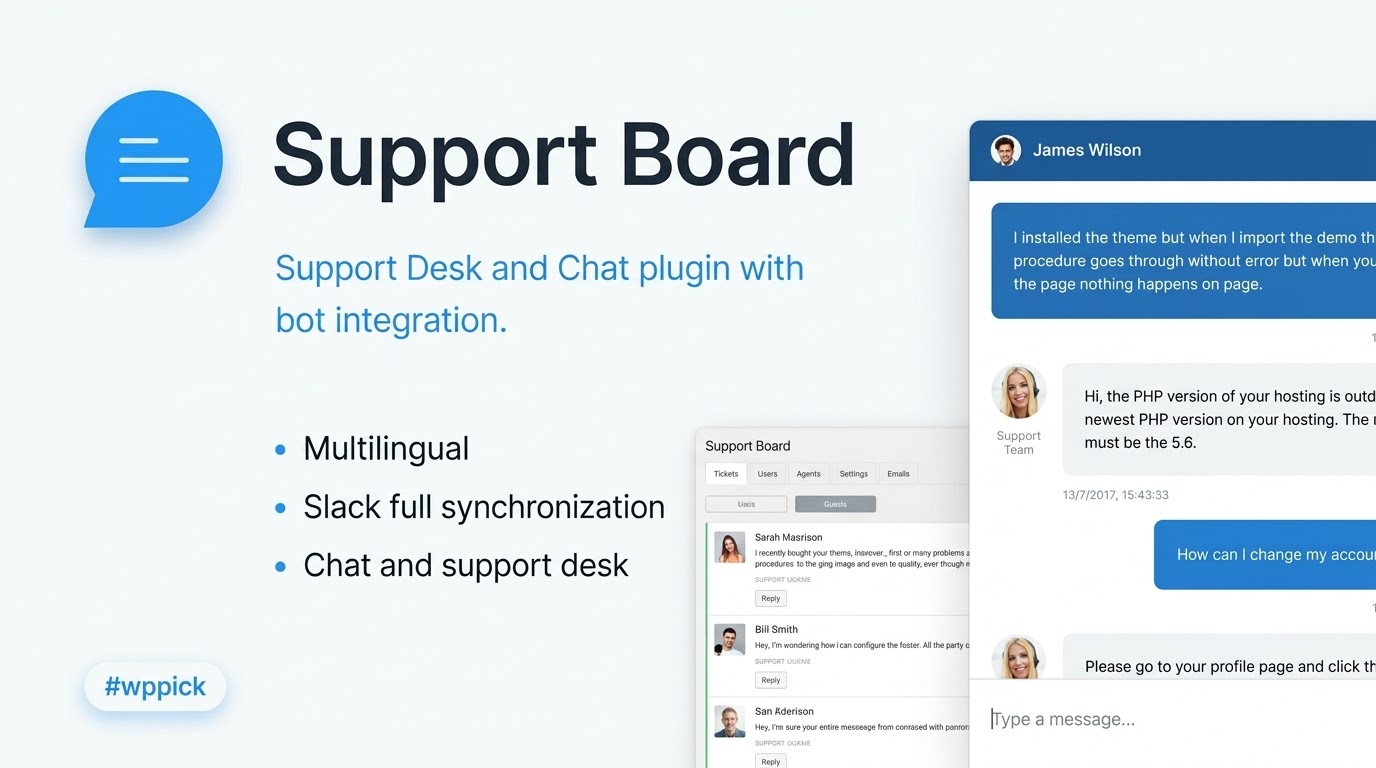
Empower Customer Operations with Support Board
Support Board delivers a structured mechanism to interface directly with visitors, manage internal support requests, and integrate automated conversational logic directly within WordPress. By shifting interactions away from siloed applications onto a centralized hub, business owners can maintain data control, lower external subscription overhead, and improve operational transparency. The platform is engineered to treat every interaction as an asset, transforming simple chat boxes into high-converting consumer touchpoints.
What Support Board Does
The plugin serves as a comprehensive assistance solution that operates natively on any WordPress architecture. It handles concurrent incoming communications through a web-based widget while giving administrators an organized dashboard to resolve inquiries, dispatch automated answers, and triage help desk tickets. Whether routing complex multi-channel inquiries or relying on AI frameworks to resolve generic FAQs instantly, it bridges the gap between client expectations and manual back-office labor.
Who It Is For
Support Board is designed for digital commerce merchants, growing digital service agencies, and software platforms that need structured user service. It provides tools for single-operator operations looking to handle higher volume via automation, as well as complex organizations that route chat workloads among distributed support agents. Website administrators seeking to eliminate expensive monthly software-as-a-service costs find extreme utility in this standalone self-hosted asset.
Key Capabilities
- Automated ticket compilation and message routing configurations.
- Multilingual AI integration options for around-the-clock problem resolution.
- Bi-directional integrations with internal enterprise communication platforms like Slack.
- Customization controls for chat widgets to align with specific brand palettes.
- Structured visitor monitoring and user status profiling profiles.
Practical WordPress Use Cases
- E-Commerce Cart Abandonment: Populates proactive chat triggers based on user behavior to resolve hesitation during checkout.
- Technical Helpdesk: Serves as an intake matrix for client issues, generating trackable support incidents directly from a frontend user dashboard.
- Pre-Sales Inquiries: Answers recurring queries regarding product dimensions, delivery estimates, or service level agreements automatically.
- Global Audience Localization: Detects browser settings and presents localized chat fields and pre-programmed chatbot routing rules natively.
Setup and Compatibility Notes
Installation occurs via standard WordPress plugin deployment protocols. The solution operates efficiently with major theme layouts and page builders without loading complex, render-blocking scripts that diminish performance grades. For advanced omnichannel features or third-party CRM hooks, API keys from respective platforms must be properly declared inside the central admin panel settings.
Reasons to Choose It on WPPick
Securing Support Board through WPPick lets site owners test, customize, and roll out enterprise-ready customer communication tools without recurrent licensing obstacles. The available package provides direct access to all core help desk tools, continuous verification files, and unhampered administrative capabilities, allowing lean operations to deploy modern support interfaces cost-effectively.
Latest Version Context
Detailed release notes are not available from the provided sources. The system indicates that internet research could not verify specific standalone version notes for this exact revision profile, meaning update summaries cannot be generated at this time.
Frequently Asked Questions
Does Support Board require a external subscription to function?
No, the core architecture functions as a self-hosted implementation within your database ecosystem, allowing you to manage incoming messages and tickets without paying recurring monthly vendor user fees.
Can multiple support agents access the control interface at once?
Yes, administrators can establish specific agent user profiles with distinct permission hierarchies, enabling simultaneous chat triage and collaborative support workflows from the unified platform dashboard.
How does the Slack integration benefit my external support workflows?
The system synchronizes incoming customer chats directly to dedicated channels within your Slack space, allowing external operators to answer user inquiries directly from Slack without opening WordPress.
Is the chat widget fully responsive on mobile viewports?
Yes, the frontend conversational layout adapts automatically to smartphone screens, ensuring user inquiries can be completed on mobile browsers without layout breaking or touch-input difficulties.
Can I preserve conversation histories for returning users?
Yes, returning visitors are identified securely by the system via database cookies or user accounts, allowing past threads to remain viewable so agents always have historical context during follow-up interactions.
I. Download Limits & Account Benefits
- Free Downloads: Each email address receives 3 downloads per day for free products
- Upgrade Benefits: Purchase any paid product to increase your daily download limit by 3 for each paid product
- No Account Required: You can download immediately by receiving the download link via email
- Account Recommended: Create an account for easier access to your order history and direct update downloads
II. Understanding GPL vs Official Versions
Important: The products available on WPPick are GPL-licensed versions, which differ from official developer versions. Before purchasing, please read our comprehensive guide: Understanding GPL & Official Differences at WPPick
Key Points:
- GPL versions may not include premium support from original developers
- Updates may be delayed compared to official releases
- Some premium features might have limitations
- Always consider your specific needs and support requirements
III. Support & Assistance
We’re here to help through multiple channels:
- Email Support: Direct email assistance for all inquiries
- Live Chat: Real-time support during business hours
- Comprehensive Documentation: Detailed guides and tutorials
IV. Order Tracking
Access your complete purchase history and download links anytime: Order History
V. Account Access
New to WPPick? Login or Create Account to manage your downloads and orders efficiently.
VI. Refund Protection
We stand behind our products with a clear refund policy. Review our terms: Refund Policy
VII. Privacy & Security
Your data security is our priority. Learn how we protect your information: Privacy Policy
VII. Terms of Service
Understanding our service terms ensures a smooth experience: Terms of Use
Quick Tips for Best Experience
- Verify Compatibility: Check plugin/theme compatibility with your WordPress version
- Backup First: Always backup your site before installing new plugins or themes
- Test Environment: Consider testing on a staging site first
- Stay Updated: Regularly check for updates in your account dashboard
- Read Documentation: Review any included documentation for optimal setup
Need Help?
If you have questions about downloads, licensing, or need technical assistance, don’t hesitate to contact our support team. We’re committed to ensuring you have the best possible experience with WPPick products.
Ready to get started? Your download adventure begins with just one click!
- Fixed bug related to duplicated messages from email piping
- Fixed bug related to user login via chat widget
- Fixed bug related to unsuccessful WordPress admin login
- Fixed bug related to email notifications
- Option to filter conversations by agent
- Assign an agent to multiple conversations at once