

Checkout Field Editor for WooCommerce Pro By ThemeHigh
/Year
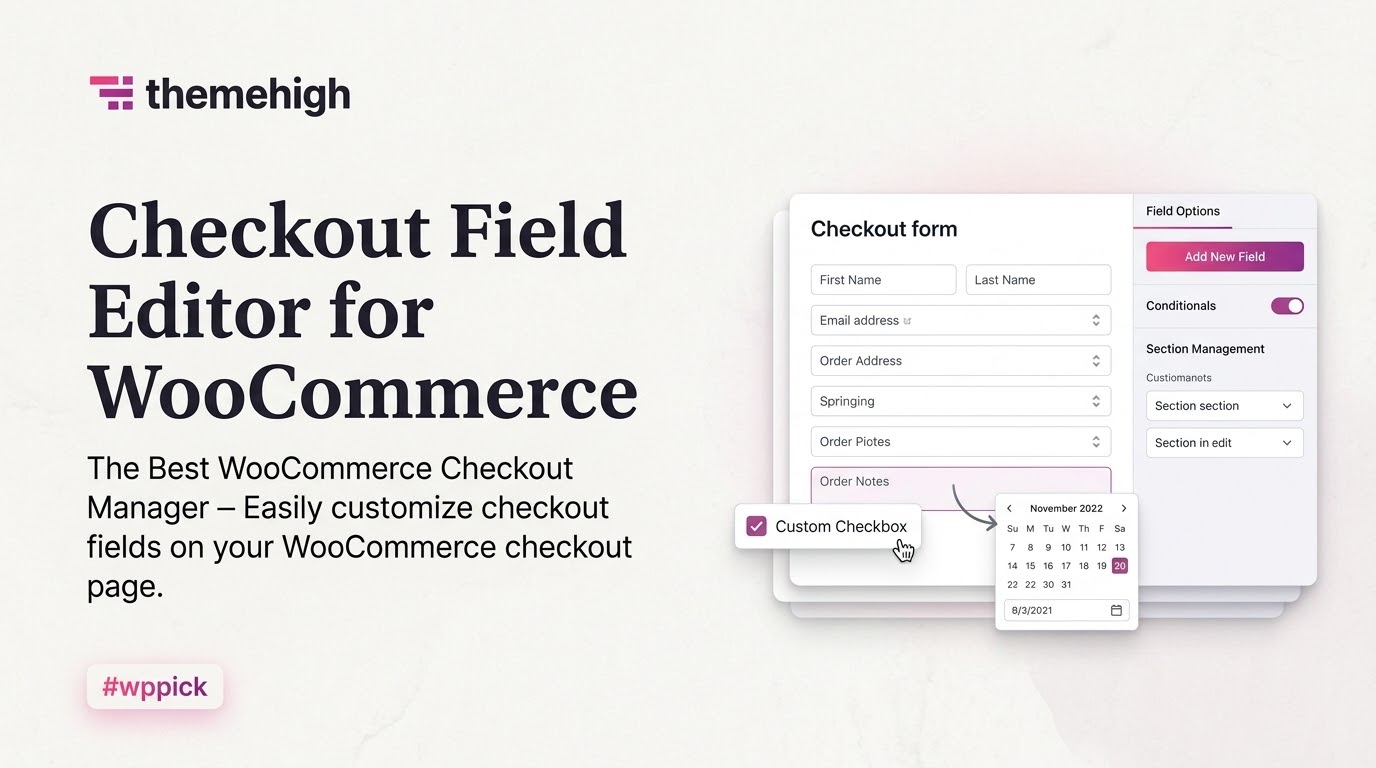
Optimize Your E-Commerce Checkout Flow
The checkout page is the most critical step in your online store sales funnel. Checkout Field Editor for WooCommerce Pro provides store managers with complete control over the customer details collected during an order. This extension removes default structural limitations, allowing you to add specialized inputs, change field layout orders, or hide unnecessary default inputs to reduce transactional friction and cart abandonment.
What Checkout Field Editor for WooCommerce Pro Does
This plugin alters the standard architecture of the WooCommerce billing, shipping, and additional fields sections. Store managers can build customized forms through a centralized layout dashboard. Beyond simple text boxes, the extension supports diverse data collection inputs, such as file upload slots, checkboxes, select dropdowns, and interactive date calendars. It manages everything safely behind the scenes, ensuring captured metrics route directly into order details and admin notifications.
Who This Plugin Is For
This extension is engineered for e-commerce developers and business owners running digital stores on WordPress. It is highly beneficial for business setups that require extra details beyond basic addresses. B2B storefronts collecting corporate tax IDs, subscription services requiring scheduling dates, digital agencies validating user files, and gift shops capturing custom notes can adapt their funnels to match operational needs perfectly.
Key Capabilities and Field Types
- Supports over a dozen unique field types including text, password, email, phone, textarea, select, multiselect, radio buttons, checkboxes, and date pickers.
- Advanced conditional logic rules to display or hide specific fields dynamically based on cart values, product categories, or user roles.
- Custom section creation to group related information and position it cleanly across the checkout framework.
- Price adjustments linked directly to field selections, enabling store owners to charge fees for custom options like gift wrapping.
- Built-in validation rules to verify format accuracy before a buyer successfully places an order.
Practical WordPress Use Cases
Consider a digital store selling custom apparel. Using this extension, the administrator can deploy an option that reveals an image upload section only when a buyer places a customizable item into the cart. Another scenario involves specialized delivery routes: an online grocery shop can hide specific calendar booking dates unless a particular delivery tier is chosen at checkout. This flexible setup reduces site layout confusion for users while collecting exact operational parameters.
Setup and Integration Context
The plugin integrates smoothly with default WordPress data structures. Custom user values can be assigned directly to account profiles, meaning registered customers do not have to fill out structural forms repeatedly during subsequent purchases. Furthermore, the fields sync predictably into core transactional files, remaining accessible for PDF invoices, pack slips, and third-party fulfillment applications that draw directly from the database layer.
Why Choose This Extension on WPPick
Acquiring this utility through WPPick ensures access to clean, uncompromised asset files tailored for deployment. Testing workflows become straightforward as developers get to build out complex conditional funnels without facing activation hurdles. It offers a practical path to construct tailored client solutions while maintaining an optimized budget structure for testing or live site design.
Latest Version Context
Detailed release notes for version 3.7.5 are not available from the provided internet search sources. The vendor continues to update the infrastructure to align with current e-commerce developments, but independent verification of this exact milestone update was unavailable during research.
Frequently Asked Questions
Can I hide standard WooCommerce checkout fields using this extension?
Yes, you can easily disable or hide standard fields like company name, second address line, or phone numbers from the checkout layout screen without needing custom code.
Will custom fields appear in the admin order emails?
Yes, all custom field values are captured and appended natively into the core WooCommerce order details, making them visible on the backend edit screens and in transaction notification emails sent to customers and admins.
Can I charge an additional fee based on a field selection?
Yes, the plugin includes functional price parameters allowing you to assign a fixed fee or percentage charge to specific selections, which dynamically adjusts the checkout order total.
Does the extension support multi-language translation?
Yes, it supports standard translation procedures and is built to remain compatible with popular localization frameworks like WPML to serve international shopper groups accurately.
I. Download Limits & Account Benefits
- Free Downloads: Each email address receives 3 downloads per day for free products
- Upgrade Benefits: Purchase any paid product to increase your daily download limit by 3 for each paid product
- No Account Required: You can download immediately by receiving the download link via email
- Account Recommended: Create an account for easier access to your order history and direct update downloads
II. Understanding GPL vs Official Versions
Important: The products available on WPPick are GPL-licensed versions, which differ from official developer versions. Before purchasing, please read our comprehensive guide: Understanding GPL & Official Differences at WPPick
Key Points:
- GPL versions may not include premium support from original developers
- Updates may be delayed compared to official releases
- Some premium features might have limitations
- Always consider your specific needs and support requirements
III. Support & Assistance
We’re here to help through multiple channels:
- Email Support: Direct email assistance for all inquiries
- Live Chat: Real-time support during business hours
- Comprehensive Documentation: Detailed guides and tutorials
IV. Order Tracking
Access your complete purchase history and download links anytime: Order History
V. Account Access
New to WPPick? Login or Create Account to manage your downloads and orders efficiently.
VI. Refund Protection
We stand behind our products with a clear refund policy. Review our terms: Refund Policy
VII. Privacy & Security
Your data security is our priority. Learn how we protect your information: Privacy Policy
VII. Terms of Service
Understanding our service terms ensures a smooth experience: Terms of Use
Quick Tips for Best Experience
- Verify Compatibility: Check plugin/theme compatibility with your WordPress version
- Backup First: Always backup your site before installing new plugins or themes
- Test Environment: Consider testing on a staging site first
- Stay Updated: Regularly check for updates in your account dashboard
- Read Documentation: Review any included documentation for optimal setup
Need Help?
If you have questions about downloads, licensing, or need technical assistance, don’t hesitate to contact our support team. We’re committed to ensuring you have the best possible experience with WPPick products.
Ready to get started? Your download adventure begins with just one click!
- FIX: Unauthorized file access issue in legacy file download reported by 0xd4rk5id3 in Wordfence.
- FIX: Preserve the hidden country field for Stripe optimized checkout compatibility.
- IMPROVED: Default block address field customization.
- IMPROVED: Added WooCommerce 10.9 compatibility.
- Resolved issue where user-role–based conditions were not working in block checkout.
- Fixed radio button display rules in Block Checkout.
- Fixed issue where custom fields in the address section were not working with conditional rules in block checkout.
- Fixed Datepicker browser/server time mismatch issue in block checkout.
- Fixed handling of block user-meta–enabled fields in the User Profile page.
- Corrected react datepicker behavior where a disabled default date (disabled day/date) was still being selected in block checkout.
- Added filter to support checkbox descriptions with HTML.
- Added filter to translation support for the placeholder property in field preparation.
- Improved datepicker behavior to start the week based on WordPress date settings in block checkout.
- Added shipping-method–based display rules support in Block Checkout.
- Added custom field support in PDF Invoice & Packing Slip integrations for block checkout.
- Added compatibility with WooCommerce 10.4
- Added compatibility with WordPress 6.9.
- Added field-based conditional rules for additional sections and their fields in the block checkout.
- Added price option support for section fields in the block checkout.
- Added required validation for the checkbox field in the block checkout (WC 9.8+).
- Added a new filter to display all custom fields when an admin creates an order.
- Added compatibility with WooCommerce 9.9.
- Added compatibility with WordPress 6.8.
- Fixed shipping calculation issue when "Hide shipping costs until an address is entered" is enabled.
- Added Date Picker (React) field to the block checkout.
- Added support for JS dynamic string translation in block checkout using WPML.