

CheckoutWC – Beautiful, Conversion Optimized Checkout Templates For WC
/Year
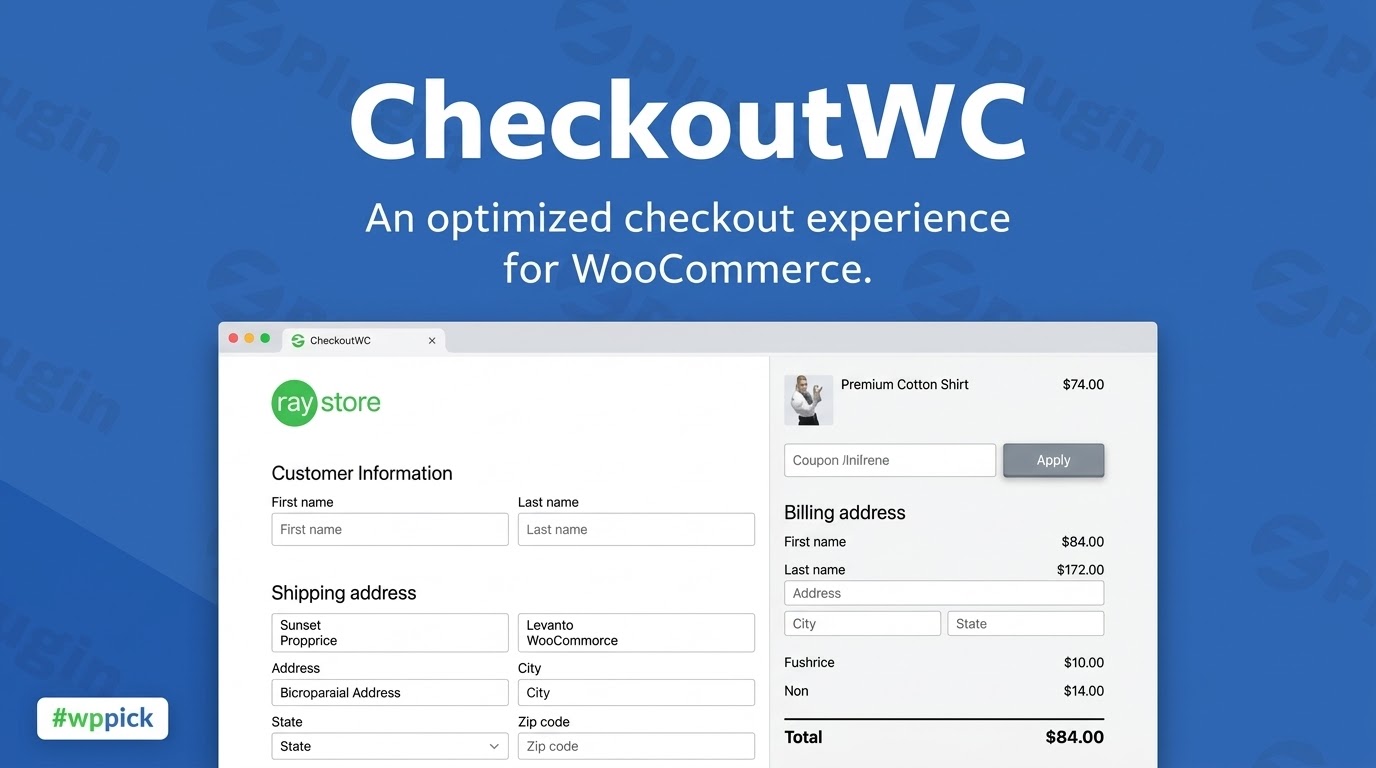
Streamline Your Store with High-Converting Checkout Templates
Optimizing the final stage of the purchasing journey is essential for any digital store. CheckoutWC replaces the default, multi-step layout of WooCommerce with responsive, conversion-focused templates. Designed to minimize user friction and modernise the user experience, this plugin simplifies form fields, structures steps logically, and keeps customers focused on completing their transactions. By refining the visual hierarchy and checkout flow, store owners can recover lost revenue and improve overall transaction success rates without modifying complex template code.
Who Is CheckoutWC For?
This replacement framework is built for digital store owners, e-commerce managers, and WordPress developers looking to enhance the user experience at the crucial point of purchase. It serves stores experiencing high cart abandonment rates or those running outdated interfaces that cause friction on mobile devices. Agencies and freelance developers can utilize the system to deliver clean, modern interfaces across client projects quickly, eliminating the need to custom code or style native WooCommerce checkout forms from scratch.
Key Capabilities and Conversion Tools
The system provides multiple responsive layouts inspired by major retail platforms to ensure a familiar and fast customer journey. Features include smart address autocomplete fields, inline real-time error validation, and persistent summaries that keep order totals clear. Additionally, it contains built-in order bumps to present relevant cross-sells or up-sells directly within the checkout steps. Field persistence ensures that even if a user accidentally refreshes the browser, their input details are preserved, reducing repetitive data entry and cart abandonment.
Practical WordPress Use Cases
- Multi-Step Checkouts: Breaking lengthy forms into distinct steps for customer details, shipping methods, and payment details to lower cognitive load.
- Mobile-Optimized Shopping: Providing fluid, touch-friendly form interactions and clean summary dropdowns that cater specifically to smartphone shoppers.
- One-Page Transaction Outlets: Consolidating standard processes into a single streamlined view for high-intent landing pages and subscription sales.
- Strategic Order Enhancements: Offering impulse add-ons, warranties, or premium shipping upgrades at the exact moment of payment execution.
Setup, Integrity, and Compatibility Notes
CheckoutWC functions as an independent layout framework that overrides standard WooCommerce checkout pages. It is engineered to maintain compatibility with major payment gateways, including Stripe, PayPal, and Apple Pay solutions, alongside standard shipping extensions. Because it operates outside the active WordPress theme layout, it works independently of page builders like Elementor or Divi, ensuring structural stability. For testing changes or specific custom setups, activating the framework in a staging environment allows layout adjustments without interrupting live customer checkouts.
Why Choose This Framework on WPPick?
Acquiring this optimization solution via WPPick grants digital store owners access to premium checkout enhancements at an approachable price point. This allows budget-conscious developers and growing e-commerce stores to deploy professional conversion tools, order bump mechanics, and stylized designs without incurring steep subscription overheads. Users receive clean, authentic plugin files optimized for deployment, ensuring essential optimization resources remain accessible to stores of all operational scales.</p
Latest Version Context and New Releases
Detailed release notes are not available from the provided sources. While the platform tracks ongoing core compatibility adjustments, code maintenance updates, and minor interface refinements, specific logs for this version were unavailable during research. Store owners are advised to test updates on a development or staging clone to verify compatibility with active extensions, custom shipping conditions, and payment processing rules prior to production release.
Frequently Asked Questions
Does CheckoutWC alter underlying theme styling?
No, the system operates as a dedicated template override that replaces standard checkout views. It bypasses regular theme template styles to present an independent layout, minimizing structural style conflicts from external themes or page builders.
Can I present custom offers during the transaction?
Yes, the tool features dedicated options for creating contextual order bumps, allowing you to highlight extra items, matching accessories, or special upgrade services to customers prior to order completion.
Is this checkout template framework mobile-ready?
Yes, all included templates are designed natively for mobile viewports, restructuring information, field inputs, and order summaries to ensure seamless interactions on tablets and smartphones.
Will it support my existing payment processing methods?
The framework maintains wide compatibility with standard WooCommerce payment gateways. Core transaction structures, express payment options, and authorization pop-ups integrate directly into the updated templates.
I. Download Limits & Account Benefits
- Free Downloads: Each email address receives 3 downloads per day for free products
- Upgrade Benefits: Purchase any paid product to increase your daily download limit by 3 for each paid product
- No Account Required: You can download immediately by receiving the download link via email
- Account Recommended: Create an account for easier access to your order history and direct update downloads
II. Understanding GPL vs Official Versions
Important: The products available on WPPick are GPL-licensed versions, which differ from official developer versions. Before purchasing, please read our comprehensive guide: Understanding GPL & Official Differences at WPPick
Key Points:
- GPL versions may not include premium support from original developers
- Updates may be delayed compared to official releases
- Some premium features might have limitations
- Always consider your specific needs and support requirements
III. Support & Assistance
We’re here to help through multiple channels:
- Email Support: Direct email assistance for all inquiries
- Live Chat: Real-time support during business hours
- Comprehensive Documentation: Detailed guides and tutorials
IV. Order Tracking
Access your complete purchase history and download links anytime: Order History
V. Account Access
New to WPPick? Login or Create Account to manage your downloads and orders efficiently.
VI. Refund Protection
We stand behind our products with a clear refund policy. Review our terms: Refund Policy
VII. Privacy & Security
Your data security is our priority. Learn how we protect your information: Privacy Policy
VII. Terms of Service
Understanding our service terms ensures a smooth experience: Terms of Use
Quick Tips for Best Experience
- Verify Compatibility: Check plugin/theme compatibility with your WordPress version
- Backup First: Always backup your site before installing new plugins or themes
- Test Environment: Consider testing on a staging site first
- Stay Updated: Regularly check for updates in your account dashboard
- Read Documentation: Review any included documentation for optimal setup
Need Help?
If you have questions about downloads, licensing, or need technical assistance, don’t hesitate to contact our support team. We’re committed to ensuring you have the best possible experience with WPPick products.
Ready to get started? Your download adventure begins with just one click!
- Feature - Side Cart: the free shipping progress bar now supports up to three stacked "spend-to-unlock" tiers, each with its own reward, messages, and color
- Feature - Side Cart: exclude products in selected shipping classes from the free shipping progress bar calculation
- Feature - Side Cart: a "free gift" reward tier automatically adds a chosen product to the cart free when its threshold is reached, and removes it if the cart drops back below
- Feature - Side Cart: upload a custom image to show in the empty side cart
- Tweak - Side Cart: warn in the settings when a free shipping reward tier has no matching WooCommerce Free Shipping method, or its threshold does not match the method's minimum, with a link to shipping settings
- Fix - Checkout Slots: the "After Billing Address" slot now shows on digital / no-shipping checkouts, where it follows the billing address onto the information step; shipping-only slots are flagged in the editor so their absence on those checkouts is expected
- Fix - Order bump plan limit no longer counts or blocks A/B test variants — a bump with a running A/B test counts as one bump toward your plan's limit, and variants can still be published even when you're at your bump limit
- Fix - A/B testing is now correctly restricted to Pro and Agency plans — lower plans can no longer create tests (and any that were created never ran on checkout), and order bumps are no longer left locked in the Checkout Editor on those plans
- Checkout Slots: place order bumps, trust badges, review badges, headings, and custom HTML into named positions across the checkout from the Checkout Editor, with drag-to-reorder and per-item spacing
- Trust badges can now be placed individually per badge, and review badges positioned on their own, instead of sharing one global location
- Existing order bump display locations and trust badge placement migrate automatically into Checkout Slots on update — after updating, review your order bumps and trust badges on the checkout to confirm their placement
- Show the customer phone number in the Abandoned Cart Recovery report
- Abandoned Cart Recovery no longer garbles customer names and phone numbers when restoring a recovered cart
- Glass template's selected shipping and payment method highlight color can now be changed from the editor (Colors > Misc)
- Glass template breadcrumb colors (completed, current and next step text, and the current step accent) now follow the editor's Breadcrumb color settings instead of being locked to the button color
- The "Accent Color" control (Colors > Misc) no longer appears in the editor for templates that don't use it
- Suppress PHP warnings during SmartyStreets address validation when optional address line 2 or company fields are empty
- A privacy policy or terms & conditions page built with a page builder (e.g. Avada) no longer collapses the checkout to a single column with no order summary
- Glass template footer no longer overlaps the terms and privacy policy modals
- Google Address Autocomplete no longer drops apartment/unit numbers or house-number additions (e.g. NL "5-3", US "Ste 205") when selecting a suggested address
- Checkout no longer fatals on PHP 8 when a shipping extension gives shipping packages string keys
- Removed the cfw_trust_badges_output_action filter — trust badge placement is now managed by Checkout Slots - sites that repositioned badges via this filter should set the position in the Checkout Editor's Slots panel instead
- Order bump and trust/review badge output is now registered dynamically by Checkout Slots. Snippets that used remove_action() against the old fixed hook/priority pairs (e.g. cfw_checkout_cart_summary priority 41) no longer have any effect - placement is controlled from the Checkout Editor
- Slot output is wrapped in a cfw-slot-wrap div - custom CSS or JS that targeted order bumps or badges by their previous position in the DOM may need updating
- Checkout could submit an empty country on single-country stores, blocking orders with "Please enter an address to continue" on some browsers
- Local pickup orders no longer trigger shipping field validation errors during Apple Pay express checkout with Payment Plugins for Stripe
- Shipping address fields no longer reappear after a checkout update when local pickup is selected
- Preserve custom order-received page content when CheckoutWC isn't taking over
- Klaviyo newsletter and SMS consent checkboxes now honor their pre-checked default at checkout, matching standard WooCommerce
- Local pickup review pane now shows the configured pickup option label instead of a hardcoded "Pick up in store"
- Open the privacy policy link in a modal at checkout, matching the existing Terms and Conditions behavior
- Show A/B Testing as a locked premium menu entry in the Lite version
- Prevent the client-side error logger from endlessly retrying when its own logging request fails
- Prevent the bundled updater from resetting the WordPress plugin update timer, which could stall update checks with persistent object caches
- Translate checkout field labels and placeholders even when the WooCommerce language pack is not installed on the site
- Admin header tab menus breaking when the admin language uses a non-Latin alphabet
- Prevent advancing past the address step with an empty address when Fetchify address autocomplete is enabled
- Google Address Autocomplete could fill the city field with the province instead of the town for some Italian addresses
- Prevent WooCommerce Subscriptions from emptying the cart when changing a subscription variation at checkout with Mixed Checkout disabled
- Exclude products hidden from the catalog from the side cart suggested products carousel
- Show the remove link for applied coupons in the side cart
- Make the "View Product" label in the side cart suggested products carousel translatable
- Order Bumps category search now returns up to 100 matching categories instead of the first 10
- License verification notice no longer appears after a brief connection issue, clears itself once resolved, and can be dismissed
- Duplicate "Method" row on the order review step when local pickup is selected
- Shipping country dropdown showed all countries instead of the configured shipping countries after switching from local pickup to ship
- "Create account" checkbox no longer re-checks itself after a guest unticks it and reloads the checkout or edits their email
- Scrollbar appearing on the Apple Pay, Google Pay, and Link order buttons with Payment Plugins for Stripe
- Add cfw_enable_accessibility_improvements filter hook: In an upcoming release, we are updating the HTML output of CheckoutWC to improve screen reader support, keyboard navigation, and semantic correctness. You can opt in early by enabling the new filter. We recommend testing with your current theme or customizations so the transition is seamless.
- Add href and aria-label fallbacks to order review change links to improve accessibility
- Fix an issue where the abandoned cart recovery report may fail to load
- Prevent email addresses from being entered in first name, last name, and full name fields to ensure payment gateway compatibility
- Order Bump Rules: Added "Cart Subtotal After Discounts" condition
- Accessibility: Screen reader support with semantic headings and step announcements when navigating checkout tabs
- Accessibility: "Change" links in order review pane now have descriptive aria-labels (e.g., "Change shipping method")
- Accessibility: Remove item button now includes product name in aria-label
- Accessibility: Required field asterisk display is now consistent across label styles
- Removed unused Pending Offers admin notice
- Fix express payment buttons not appearing in some configurations
- Fix shipping methods heading showing when no methods are available
- Fix select field arrow position with normal label style
- Fix Astra compatibility CSS for non-floated label checkouts
- Fix Abandoned Cart Recovery API loading when feature is not enabled
- Add compatibility for German Market plugin on order pay page
- Updated dependencies for security and performance