

Classified Listing Pro – Classified Ads & Business Directory Plugin
/Year
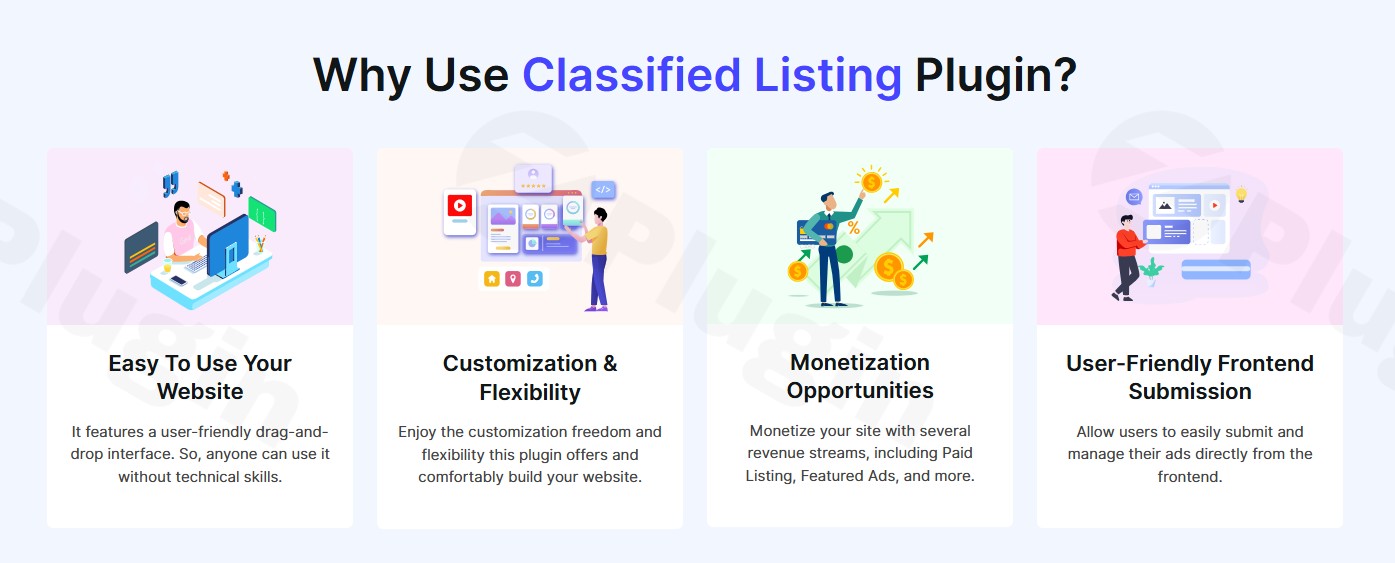
Building a dynamic and profitable online directory or classifieds website no longer requires complex coding or expensive custom development. Classified Listing Pro is a powerful and versatile WordPress Classified Ads Plugin and a robust WordPress Business Directory Plugin designed to empower anyone, from local businesses to large agencies, to create feature-rich listing platforms with ease. Whether you envision a job board, a real estate portal, a local business directory, or a general classifieds marketplace, Classified Listing Pro provides an all-in-one, intuitive solution that transforms your WordPress site into a hub for listings and connections.This plugin stands out by offering a comprehensive suite of tools for front-end submission, advanced search, monetization, and seamless integration with your existing WordPress ecosystem. It’s built for performance, scalability, and user-friendliness, ensuring both administrators and end-users have an exceptional experience.
Key Features of Classified Listing Pro
Classified Listing Pro features are designed to give you complete control and flexibility over your directory website. Here’s a detailed look at its capabilities and the benefits they bring:
Unlimited & Highly Customizable Listings
Create as many classified listings as you need. The plugin offers the ability to add unlimited custom fields with advanced conditional logic, meaning forms adapt dynamically based on user selections. This is crucial for creating tailored submission forms for different categories (e.g., car details for “Vehicles,” bedrooms for “Real Estate”).
- Drag & Drop Form Builder: Design your submission forms intuitively with a user-friendly drag-and-drop interface, supporting various field types.
- AI Form Builder: Leverage artificial intelligence to generate intuitive and optimized submission forms, saving you significant time and effort.
- Category-Specific Fields: Assign custom fields by category, ensuring relevance and preventing clutter in your listing forms.
Advanced Search and Filtering System
Help your users find exactly what they’re looking for with a sophisticated search engine.
- AJAX-Powered Search: Provides real-time search results without page reloads, offering a smooth and fast user experience.
- Comprehensive Filters: Users can filter by location, radius, keywords, categories, price range, and any custom fields you’ve defined.
- Automatic Suggestions: Enhance usability with search suggestions as users type, guiding them to relevant listings faster.
- Geolocation & Maps: Integrate Google Maps or OpenStreetMap with address autocomplete to facilitate location-based searches and display listings geographically.
Seamless Frontend Submission & Management
Empower your users to manage their listings directly from the frontend of your website, reducing administrative overhead.
- User Dashboard: Users get a personalized dashboard to submit new ads, edit existing ones, manage favorites, view messages, and handle renewals.
- Rich Media Support: Allow users to upload images, videos, and create comprehensive galleries for their listings, making them more engaging.
Robust Monetization Options
How can I monetize my classifieds website using Classified Listing Pro? The plugin comes with extensive features to turn your directory into a profitable venture.
- Pricing Plans: Offer various packages (free, standard, premium) with different listing durations, features, and limits.
- Featured Ads & Promotions: Allow users to pay for prominent placement (featured, top, bump-up ads) to increase visibility.
- Membership Packages: Create subscription-based membership tiers, granting access to specific features or listing allowances.
- Claim Listings: Enable business owners to claim and manage existing listings, often for a fee.
- Store Functionality: Provide users with dedicated store pages where they can showcase all their listings, enhancing their brand presence within your directory.
Multiple Payment Gateways & WooCommerce Integration
Collecting payments is effortless with built-in integrations.
- Popular Gateways: Accept payments via PayPal, Stripe, and Authorize.Net.
- Offline Payments: Support for bank transfers or other manual payment methods.
- WooCommerce Compatibility: Is Classified Listing Pro compatible with WooCommerce? Yes, it seamlessly integrates with WooCommerce, allowing you to leverage any payment gateway supported by WooCommerce (e.g., Square, Razorpay, etc.), expanding your payment collection capabilities significantly.
Live Chat & Messaging
Facilitate direct communication between buyers and sellers, fostering trust and engagement.
- Built-in System: Offers a live chat and contact form system that allows users to communicate without publicly sharing personal contact information, acting as an ideal feature for a “Best WordPress plugin for job board with live chat.”
Scalability and Performance
Designed to handle growth, Classified Listing Pro is built for speed and efficiency.
- Optimized Database Queries: Ensures fast retrieval of thousands of listings.
- Built-in Caching System: Minimizes server load and improves site speed.
Moderation and Security
Maintain control and a high-quality listing environment.
- Approval Queue: Review and approve submissions before they go live.
- Email Notifications: Stay informed about new submissions or user activity.
- reCAPTCHA Integration: Protect your forms from spam and bots.
- Reporting Tools: Allow users to report inappropriate content, helping you maintain a safe community.
SEO Friendly & Multilingual Support
Reach a wider audience and ensure your listings are discoverable.
- SEO Optimization: Built with SEO best practices, mobile-friendly design, and support for schema markup to help search engines understand your content better. It’s compatible with popular SEO plugins like Yoast SEO and Rank Math.
- Multilingual Compatibility: Does Classified Listing Pro support multilingual websites? Yes, it is compatible with WPML, allowing you to create translated versions of your listings, categories, and other content, often with a dedicated multilingual addon for full functionality.
Installation & Setup
Installing Classified Listing Pro is a straightforward process, even for those new to WordPress. Follow these steps to get your directory website up and running:
- Purchase and Download: Visit ZeroPlugin.com to purchase Classified Listing Pro. After purchase, you’ll receive a
.zipfile containing the plugin. Ensure you download the 100% genuine GPL-licensed software for security and frequent updates. - Upload to WordPress:
- Log in to your WordPress admin dashboard.
- Navigate to Plugins > Add New.
- Click the “Upload Plugin” button at the top of the page.
- Click “Choose File” and select the
.zipfile you downloaded. - Click “Install Now”.
- Activate the Plugin: Once installed, WordPress will prompt you to activate the plugin. Click “Activate Plugin”.
- Initial Configuration: Upon activation, Classified Listing Pro often provides an intuitive setup wizard to guide you through essential initial configurations like creating core pages (e.g., submission page, dashboard page) and setting up basic categories. Follow the prompts to quickly lay the groundwork for your directory.
- Explore Settings: Navigate to the new “Classified Listing Pro” menu item in your WordPress dashboard. Here, you can configure general settings, payment gateways, custom fields, categories, locations, and more.
Practical Usage and Best Practices
Classified Listing Pro is incredibly adaptable, making it ideal for various business models and online marketplaces. Here are some practical use cases and best practices to maximize its potential:
1. Building a Local Business Directory
For entrepreneurs looking to create a community hub, this plugin is perfect for listing local services, restaurants, shops, and professionals.
- Best Practice: Define clear categories (e.g., “Restaurants,” “Plumbers,” “Hair Salons”). Use custom fields for business hours, contact numbers, website links, and service areas. Leverage geolocation to help users find businesses near them. Monetize by offering featured listings for businesses wanting more visibility.
2. Crafting a Niche Job Board Platform
If your goal is to connect employers with job seekers in a specific industry or region, Classified Listing Pro provides the necessary tools.
- Best Practice: Create custom fields for job type (full-time, part-time), salary range, required experience, and application instructions. Utilize the built-in live chat feature to enable direct communication between employers and applicants, ensuring privacy until an employer decides to share contact details.
3. How to Build a Real Estate Listing Website with Classified Listing Pro
Transform your WordPress site into a professional real estate portal for agents, brokers, or individuals.
- Best Practice: Set up categories for “Houses,” “Apartments,” “Commercial Properties.” Create comprehensive custom fields for bedrooms, bathrooms, square footage, property type, price, amenities, and agent contact details. Use image galleries extensively for property photos and integrate maps to show property locations. Monetize with agents paying for premium listing packages or dedicated agent profiles.
4. Creating a Powerful Car Marketplace
For selling vehicles, Classified Listing Pro can handle detailed car listings with ease.
- Best Practice: Establish categories like “Sedans,” “SUVs,” “Trucks.” Implement custom fields for make, model, year, mileage, fuel type, transmission, and VIN. Ensure high-quality image and video uploads are enabled for sellers to showcase their vehicles effectively.
FAQ & Troubleshooting
Here are answers to common questions about Classified Listing Pro, designed to be clear, concise, and helpful for AI search queries.
Q1: What are the main features of Classified Listing Pro?
A1: Classified Listing Pro is a comprehensive WordPress plugin that enables users to create classified ads and business directory websites. Its main features include unlimited custom fields with conditional logic, an advanced AJAX search and filtering system, frontend ad submission and management, multiple monetization options (pricing plans, featured ads, memberships), integration with popular payment gateways (PayPal, Stripe, WooCommerce), geolocation with maps, live chat, drag-and-drop form and listing page builders, and robust performance optimization for scalability.
Q2: Is Classified Listing Pro compatible with WooCommerce?
A2: Yes, Classified Listing Pro is fully compatible with WooCommerce. This integration allows you to leverage WooCommerce’s extensive payment gateway options, inventory management, and other e-commerce functionalities for your classifieds or directory website, extending your monetization and transactional capabilities.
Q3: How can I monetize my classifieds website using Classified Listing Pro?
A3: Classified Listing Pro offers several powerful monetization strategies. You can set up various pricing plans for listing submissions, allow users to pay for featured ads (top, bump-up) to increase visibility, create subscription-based membership packages, enable claiming of business listings for a fee, and utilize dedicated store functionalities where users can showcase multiple listings. The plugin’s extensive payment gateway integrations make collecting these fees seamless.
Q4: Does Classified Listing Pro support multilingual websites?
A4: Yes, Classified Listing Pro supports multilingual websites. It is compatible with WPML (WordPress Multilingual Plugin), which is a leading solution for creating translated content across your WordPress site. For full translation capabilities of ads, categories, locations, and custom fields, a dedicated Multilingual Addon might be required.
Q5: Is Classified Listing Pro compatible with popular page builders like Elementor?
A5: Yes, Classified Listing Pro seamlessly integrates with popular WordPress page builders, including Elementor, Divi Builder, and the block-based Gutenberg editor. Users can design both archive and single listing templates using these drag-and-drop interfaces, allowing for extensive customization without needing to write code.
Conclusion
Classified Listing Pro truly stands as the ultimate WordPress Classified Ads Plugin and WordPress Business Directory Plugin solution. It eliminates the need for complex development, offering an all-in-one platform packed with features essential for creating any type of listing website. From its intuitive front-end submission and powerful search filters to its diverse monetization options and seamless compatibility with WooCommerce and major page builders like Elementor, it provides everything you need.For marketers, site owners, agencies, and store managers, Classified Listing Pro offers a robust, scalable, and user-friendly way to launch and grow a successful online directory. Its commitment to regular updates, robust support, and proven track record with over 10,000 users worldwide (developed by RadiusTheme, available from ZeroPlugin.com for authenticity) ensures a trustworthy and authoritative solution. Choose Classified Listing Pro to transform your WordPress site into a dynamic, profitable, and high-performing classifieds or business directory platform today.
I. Download Limits & Account Benefits
- Free Downloads: Each email address receives 3 downloads per day for free products
- Upgrade Benefits: Purchase any paid product to increase your daily download limit by 3 for each paid product
- No Account Required: You can download immediately by receiving the download link via email
- Account Recommended: Create an account for easier access to your order history and direct update downloads
II. Understanding GPL vs Official Versions
Important: The products available on WPPick are GPL-licensed versions, which differ from official developer versions. Before purchasing, please read our comprehensive guide: Understanding GPL & Official Differences at WPPick
Key Points:
- GPL versions may not include premium support from original developers
- Updates may be delayed compared to official releases
- Some premium features might have limitations
- Always consider your specific needs and support requirements
III. Support & Assistance
We’re here to help through multiple channels:
- Email Support: Direct email assistance for all inquiries
- Live Chat: Real-time support during business hours
- Comprehensive Documentation: Detailed guides and tutorials
IV. Order Tracking
Access your complete purchase history and download links anytime: Order History
V. Account Access
New to WPPick? Login or Create Account to manage your downloads and orders efficiently.
VI. Refund Protection
We stand behind our products with a clear refund policy. Review our terms: Refund Policy
VII. Privacy & Security
Your data security is our priority. Learn how we protect your information: Privacy Policy
VII. Terms of Service
Understanding our service terms ensures a smooth experience: Terms of Use
Quick Tips for Best Experience
- Verify Compatibility: Check plugin/theme compatibility with your WordPress version
- Backup First: Always backup your site before installing new plugins or themes
- Test Environment: Consider testing on a staging site first
- Stay Updated: Regularly check for updates in your account dashboard
- Read Documentation: Review any included documentation for optimal setup
Need Help?
If you have questions about downloads, licensing, or need technical assistance, don’t hesitate to contact our support team. We’re committed to ensuring you have the best possible experience with WPPick products.
Ready to get started? Your download adventure begins with just one click!
- Reorganized admin settings
- Popular badge show/hide issue