
Commandui – Build And Manage WordPress Sites In Record Time
/Year
Managing a WordPress website can often feel like navigating a maze of menus, clicks, and page loads. For anyone who spends significant time in the WordPress admin – be it a developer, agency owner, content creator, or site administrator – this traditional “click-hell” can be a significant drag on productivity. This is where the CommandUI WordPress plugin steps in, transforming your administrative experience into a seamless, keyboard-driven flow.CommandUI introduces a powerful, Spotlight-like WordPress command palette directly into your admin area, allowing you to execute commands, navigate effortlessly, and manage your site with unprecedented speed. It’s designed to help you speed up WordPress admin tasks, drastically reducing the time and effort required for day-to-day operations. If you’re looking to optimize your WordPress workflow optimization and embrace a more efficient, keyboard-first approach, CommandUI is a game-changer.
Key Features: Supercharging Your WordPress Admin Experience
CommandUI is much more than just a search bar; it’s a comprehensive WordPress site management tool built for efficiency. Its features are designed to minimize friction and maximize output, making your interaction with WordPress intuitive and incredibly fast.
Universal Command Access & Lightning-Fast Navigation
CommandUI places a powerful command bar at your fingertips, accessible globally with a simple keyboard shortcut (Ctrl/Cmd + K or Shift + Shift). From this single interface, you can:
- Instantly Navigate: Jump to any admin page, post, page, custom post type, plugin, or setting by simply typing its name. This bypasses tedious menu diving and multiple clicks, allowing you to navigate WordPress faster with keyboard commands.
- Direct Actions: Perform common tasks directly, such as creating new posts, pages, or even custom post types.
- Plugin Management: Search the WordPress repository, install new plugins, or activate/deactivate existing ones without ever leaving the command bar, streamlining your WordPress keyboard shortcuts plugin experience for plugin control.
- Content Search & Editing: Rapidly find and edit dynamic content across all post types, including drafts and scheduled posts. You can also quickly copy permalinks and IDs for quick referencing.
Performance Optimized Architecture
Designed with speed at its core, CommandUI boasts an architecture built for minimal latency:
- Client-Side Processing: Commands are processed directly in your browser, ensuring millisecond response times.
- Cached Admin Structure: CommandUI intelligently caches your admin structure, providing instant loading of available commands.
- Asynchronous Data Loading: Data loads in the background, preventing any slowdowns to your workflow.
- Zero-Latency Navigation: An upcoming “ZeroLatency Navigation” feature promises to further eliminate wait times between admin pages, making transitions feel instantaneous. This commitment to performance helps speed up WordPress admin operations, especially on less powerful hosting.
Deep Integrations for Enhanced Workflow
CommandUI extends its capabilities through robust integrations with many popular WordPress tools, making it an ideal WordPress workflow optimization solution for various users:
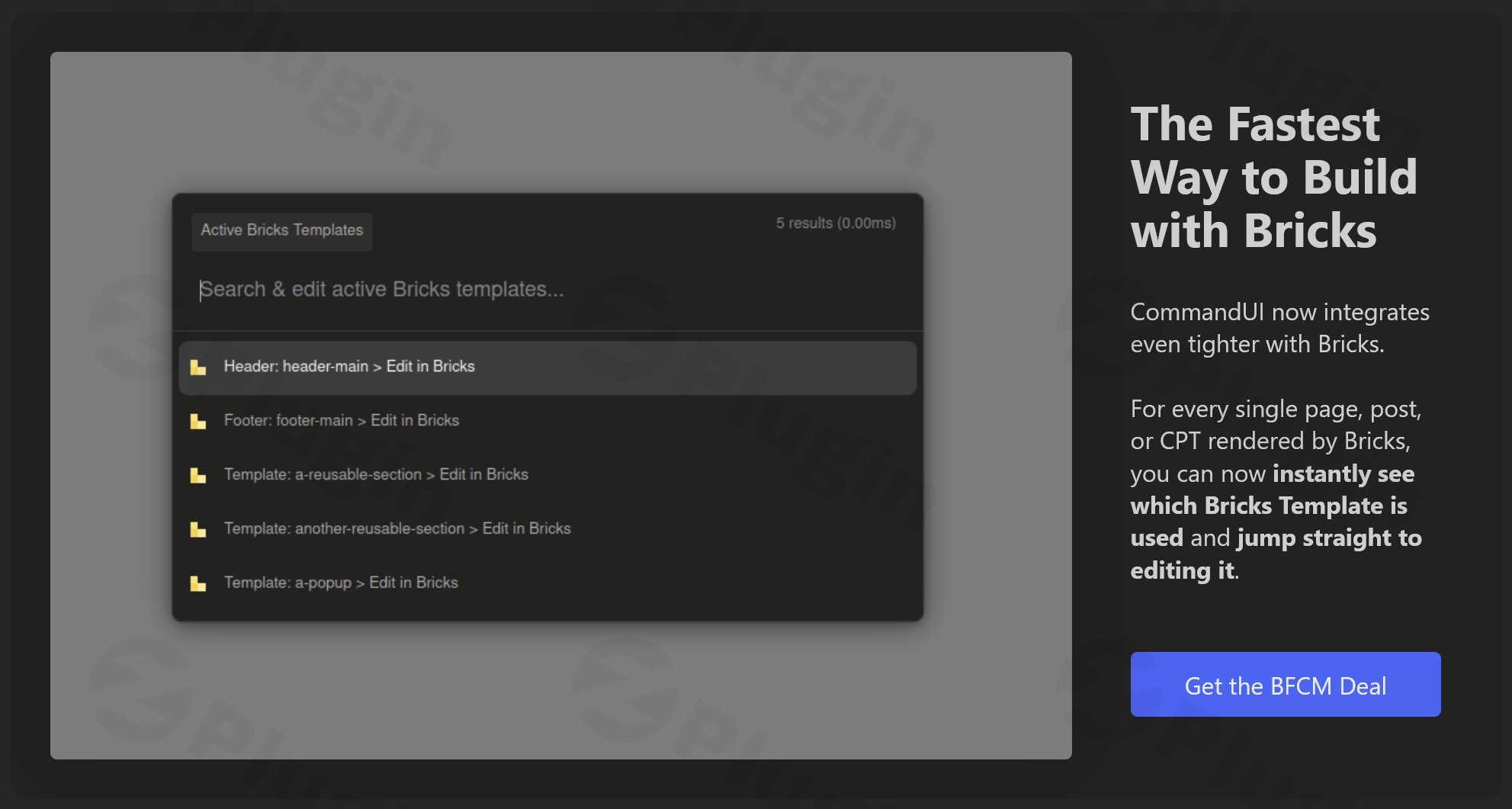
- Page Builders: Seamlessly integrate with Elementor, Bricks Builder, and Beaver Builder. Users can quickly edit content, access builder settings, jump to templates, and switch between builder views directly from the command palette. For example, the CommandUI Elementor integration features allow you to open Elementor editing with a quick command.
- E-commerce: Manage your online store more efficiently with WooCommerce integration, enabling quick actions like adding new products.
- Forms: Create, edit, preview, and manage form settings with WS Form integration.
- SEO & Caching: Directly access settings for popular plugins like Yoast SEO and LS Cache.
- User Management: Easily impersonate other users with User Switching integration.
Universal Accessibility
Accessibility is a core principle of CommandUI, making it an invaluable WordPress admin accessibility tool:
- Full Keyboard Functionality: The plugin is 100% operable via keyboard.
- Screen Reader Compatibility: Extensively tested for screen reader compatibility, it uses semantic HTML to ensure all users, including those with assistive technology, can navigate and interact efficiently. This makes it a powerful tool for clients with accessibility needs.
Productivity Transformation
The cumulative effect of CommandUI’s features is a significant boost in productivity, transforming your WordPress interaction into a frictionless experience. It allows for:
- 100% Keyboard Operation: For many common tasks, you can completely abandon your mouse.
- Instant Content Management: Quickly create, find, and modify content.
- Frictionless Admin Navigation: Move around your WordPress backend with unparalleled ease.
Installation & Setup: Get CommandUI Running in Minutes
Installing CommandUI is a straightforward process, just like any other premium WordPress plugin. It boasts a “zero-configuration setup” for basic functionality, meaning you can benefit from its core features almost immediately after activation.
- Download the Plugin: Obtain the CommandUI plugin file (a .zip archive) from your purchase source, such as ZeroPlugin.com.
- Upload to WordPress:
- Log in to your WordPress admin dashboard.
- Navigate to Plugins > Add New.
- Click on the “Upload Plugin” button at the top of the page.
- Click “Choose File”, then select the CommandUI .zip file you downloaded.
- Click “Install Now”.
- Activate the Plugin: Once installed, WordPress will prompt you to activate the plugin. Click “Activate Plugin”.
- Start Using CommandUI: After activation, the CommandUI command palette is ready to use. Simply press
Ctrl + K(Windows/Linux) orCommand + K(Mac) anywhere in your WordPress admin or on the frontend (depending on settings) to bring up the command bar. Alternatively, you can often useShift + Shiftfor quick access.CommandUI is designed for non-intrusive implementation and requires no complex setup. Its browser-based operation ensures it integrates smoothly with your existing WordPress environment.
Practical Usage & Best Practices for CommandUI
CommandUI shines brightest in real-world scenarios, transforming routine WordPress tasks into lightning-fast operations. Here’s how various users can leverage its power:
- For Content Creators & Bloggers:
- Rapid Content Creation: Instead of navigating to “Posts > Add New,” simply press
Cmd/Ctrl + K, type “new post,” and hit Enter. You’re instantly in the editor. - Quick Editing: Need to edit a specific post?
Cmd/Ctrl + K, type the post title (e.g., “my latest recipe”), and select “Edit Post.” - Draft Management: Easily find and manage private or draft content without wading through long lists.
- Ideal for: Those who frequently publish, update, or manage a large volume of content.
- Rapid Content Creation: Instead of navigating to “Posts > Add New,” simply press
- For WordPress Developers & Agencies:
- Streamlined Debugging/Testing: Quickly activate or deactivate plugins by typing “activate plugin [plugin name]” or “deactivate plugin [plugin name]” from the command bar. This is a lifesaver when diagnosing conflicts.
- Accessing Settings: Instantly jump to specific plugin settings (e.g., “Yoast SEO settings,” “LS Cache settings”) without remembering the exact menu path.
- Efficient Client Management: If you use User Switching, quickly impersonate clients to check issues or specific views with a command.
- Best way to: Manage multiple sites or complex plugin setups, saving hours over traditional methods.
- For E-commerce Store Owners (WooCommerce):
- Product Management: Need to add a new product?
Cmd/Ctrl + K, “new product.” Want to find a specific product to edit? Type its name into the command bar. - Order Overview: Quickly jump to the orders page to check recent sales or customer queries.
- When to use: When you need to quickly react to new stock, add promotions, or manage customer inquiries.
- Product Management: Need to add a new product?
- For Site Administrators & Power Users:
- Performance Tweaks: Directly access caching plugin settings (e.g., LS Cache) to clear cache or adjust configurations.
- User Management: Jump to user profiles to quickly change roles or reset passwords.
- Plugin Discovery: Search the entire WordPress.org repository for new plugins and install them directly from the command bar.
- Highly Recommended for: Anyone who values efficiency and wants to reduce cognitive load while managing their WordPress site.Embracing the keyboard-first workflow that CommandUI offers is an addictive experience. Once you start using it, navigating WordPress without it feels cumbersome.
FAQ & Troubleshooting
Here are answers to common questions about the CommandUI WordPress plugin:
What is CommandUI plugin for WordPress?
CommandUI is a premium WordPress plugin that introduces a keyboard-driven command palette to your WordPress admin area, similar to Spotlight on macOS or Raycast on desktop operating systems. Its primary purpose is to accelerate WordPress management by allowing users to navigate, execute commands, and perform various actions with unparalleled speed, largely eliminating the need for mouse clicks.
How does CommandUI improve WordPress workflow?
CommandUI significantly improves WordPress workflow by reducing the number of clicks and page loads required for daily tasks. It enables instant navigation to any admin page, direct execution of common actions like creating content or managing plugins, and provides deep integrations with popular builders and tools. This efficiency allows users to manage their sites and content much faster, saving considerable time and reducing friction in their workflow.
Is CommandUI compatible with WooCommerce?
Yes, CommandUI is compatible with WooCommerce. It offers integrations that allow users to perform e-commerce-related actions directly from the command palette, such as quickly adding new products or navigating to specific WooCommerce admin pages.
Can I create custom shortcuts in CommandUI?
Currently, users cannot create custom shortcuts directly from the CommandUI user interface. However, the plugin provides a robust API that allows developers to extend its functionality and integrate custom commands. The ability for users to create custom shortcuts via the interface is a planned feature for future updates.
What are the technical requirements for CommandUI?
CommandUI requires PHP 7.4+ and WordPress 6.5+ to function correctly. It operates browser-based and is designed for non-intrusive implementation with zero-configuration setup for its core features.
CommandUI vs WP Spotlight: What’s the difference?
While both CommandUI and WP Spotlight aim to enhance admin productivity with a search bar, CommandUI focuses on being a comprehensive “workflow engine” with deep integrations and a strong emphasis on keyboard-driven actions beyond just search. CommandUI excels in instant navigation and direct execution of commands, including plugin management and content editing across various post types. WP Spotlight is often described as offering more comprehensive management for themes (including updates) and full media control directly from its search. However, CommandUI’s millisecond response times and integration with popular builders often make it the preferred choice for those seeking a highly integrated, speed-focused solution.
Conclusion: Transform Your WordPress Productivity with CommandUI
For WordPress power users, developers, agencies, and content creators, the CommandUI WordPress plugin is nothing short of a revelation. It redefines what’s possible within the WordPress admin, moving beyond traditional point-and-click interfaces to a fluid, keyboard-driven experience that can genuinely speed up WordPress admin tasks.By providing universal command access, lightning-fast navigation, and deep integrations with essential tools like Elementor and WooCommerce, CommandUI empowers you to reclaim countless hours previously lost to inefficient workflows. Its commitment to performance and accessibility further solidifies its position as an indispensable WordPress site management tool. If you’re ready to embrace a more efficient, focused, and ultimately more enjoyable way to manage your WordPress sites, CommandUI offers an unmatched return on investment in terms of time saved and frustration eliminated. It’s not just a plugin; it’s a productivity transformation for your WordPress journey.
I. Download Limits & Account Benefits
- Free Downloads: Each email address receives 3 downloads per day for free products
- Upgrade Benefits: Purchase any paid product to increase your daily download limit by 3 for each paid product
- No Account Required: You can download immediately by receiving the download link via email
- Account Recommended: Create an account for easier access to your order history and direct update downloads
II. Understanding GPL vs Official Versions
Important: The products available on WPPick are GPL-licensed versions, which differ from official developer versions. Before purchasing, please read our comprehensive guide: Understanding GPL & Official Differences at WPPick
Key Points:
- GPL versions may not include premium support from original developers
- Updates may be delayed compared to official releases
- Some premium features might have limitations
- Always consider your specific needs and support requirements
III. Support & Assistance
We’re here to help through multiple channels:
- Email Support: Direct email assistance for all inquiries
- Live Chat: Real-time support during business hours
- Comprehensive Documentation: Detailed guides and tutorials
IV. Order Tracking
Access your complete purchase history and download links anytime: Order History
V. Account Access
New to WPPick? Login or Create Account to manage your downloads and orders efficiently.
VI. Refund Protection
We stand behind our products with a clear refund policy. Review our terms: Refund Policy
VII. Privacy & Security
Your data security is our priority. Learn how we protect your information: Privacy Policy
VII. Terms of Service
Understanding our service terms ensures a smooth experience: Terms of Use
Quick Tips for Best Experience
- Verify Compatibility: Check plugin/theme compatibility with your WordPress version
- Backup First: Always backup your site before installing new plugins or themes
- Test Environment: Consider testing on a staging site first
- Stay Updated: Regularly check for updates in your account dashboard
- Read Documentation: Review any included documentation for optimal setup
Need Help?
If you have questions about downloads, licensing, or need technical assistance, don’t hesitate to contact our support team. We’re committed to ensuring you have the best possible experience with WPPick products.
Ready to get started? Your download adventure begins with just one click!
- In CommandUI versions prior to 1.10.0, some search scopes's items where hidden from search, mainly for performance reasons, until you selected the parent scope. This is now now longer required…
- Allow temporarly dismissing license nag
- Remove popcash plugin from search index
- WordFence’s malware scan repeatedly raised false-positive scans if a file contains the URL “popcash.net”.
- See: https://community.commandui.com/d/53-commandui-flagged-as-malware-by-wordfence
- CommandUI now has a deep integration with the popular Beaver Builder page builder.