

Content Egg – All in one plugin for Affiliate, Price Comparison, Deal sites
/Year
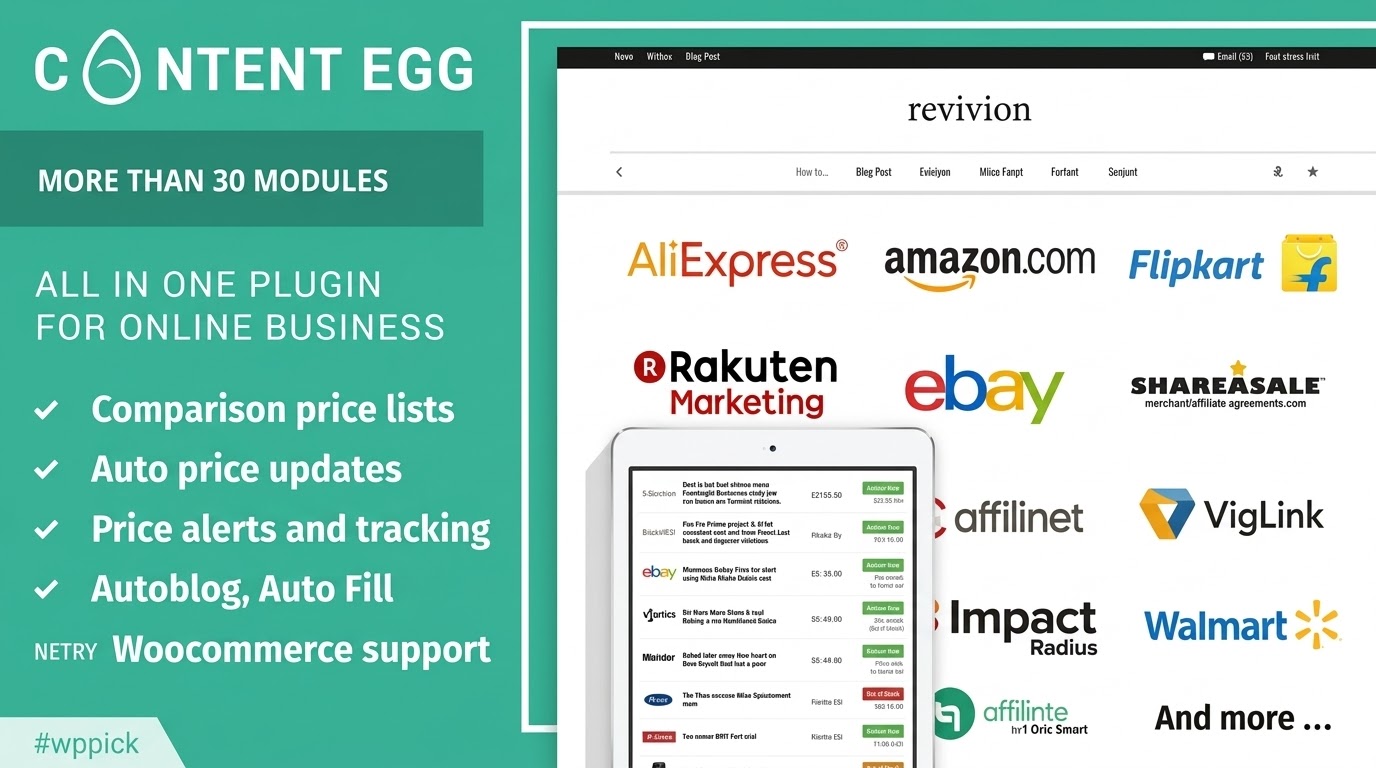
Automate Your Affiliate and Price Comparison Content
Content Egg provides a comprehensive toolkit for niche bloggers, deal portals, and review websites looking to scale their affiliate monetization strategy. Instead of manually copying affiliate links and images across multiple affiliate networks, this plugin connects directly to product APIs, data feeds, and web scrapers. It extracts live product information, dynamic price alerts, and specifications, compiling them into conversion-focused web layouts. By providing real-time data directly inside the native WordPress post editor, it simplifies the workflow required to maintain high-traffic review sites.
What Content Egg Does and Who It Is For
Content Egg serves as a bridge between official affiliate networks and your WordPress backend. The plugin scans merchant databases using targeted keywords or specific product URLs to retrieve images, feature descriptions, and live pricing metrics. It is designed specifically for content creators who run price comparison sites, digital product review blogs, product hubs, or curated discount aggregators. Publishers looking to reduce administrative overhead while avoiding static, outdated pricing errors will find the automation tools valuable for scaling their catalog.
Key Capabilities and Synchronization Features
- Multi-Network API Integration: Connects seamlessly with primary retail APIs, custom merchant feeds, and visual data scrapers.
- Automated Price Update Engine: Synchronizes price changes on a scheduled background routine to maintain accurate consumer data.
- Dynamic Comparison Blocks: Generates structured comparison grids, list views, and individual deal cards instantly.
- Price Drop Alerts and Price History Charts: Offers interactive consumer widgets that capture user intent through email notifications when prices drop.
- Autoblogging and Content Expansion: Creates structured draft posts or appends relevant merchant offers to existing content fields based on search parameters.
Practical WordPress Use Cases
- Niche Review Websites: Insert real-time buying options from diverse retailers alongside deep-dive product examinations.
- Daily Deal and Coupon Frameworks: Build aggregate tables highlighting top price drops, expired promotions, and daily retail clearances.
- E-Commerce Product Hubs: Enhance informational landing pages by overlaying standard product descriptions with real-time multi-merchant price comparisons.
- Automated Catalog Generation: Generate bulk item listings matching specific category filters to populate wide-scale directories with low maintenance requirements.
Setup, Environment, and Compatibility Context
Content Egg operates directly within the WordPress ecosystem and maintains compatibility with standard page structures, block environments, and classic editors. Setup requires configuring specific merchant modules by entering API credentials or uploading product data feeds. For custom or unsupported networks, advanced configuration modules handle structural file processing. The data structure is lightweight, relying on dynamic server-side calls or targeted local database caching to prevent performance constraints during front-end rendering routines.
Why Choose Content Egg on WPPick
Acquiring Content Egg via WPPick provides an efficient path to evaluating premium marketing solutions without complex subscription frameworks. This distribution ensures clean, uncompromised assets reviewed for technical safety and structural integrity. Users can test advanced API logic, evaluate feed synchronization performance, and integrate multi-merchant comparison models across test environments, ensuring the asset perfectly fulfills project requirements before commitment.
Latest Version Context
Detailed release notes are not available from the provided sources. While broader system indexes show the platform roadmap continues to advance, verified changelog summaries for version 18.7.0 are absent from current official documentation channels. The product remains optimized for modern WordPress installations, focusing on dependable data scraping and data source processing workflows.
Frequently Asked Questions
Does Content Egg require active API keys for all modules?
No. While official APIs provide the most reliable automated data updates, Content Egg includes alternative data mechanisms such as custom file feed processing, CSV modules, and web scraping options for various platforms where official developer keys are unavailable or restricted.
How does the plugin handle price accuracy for different locations?
The system pulls localized pricing directly from the network parameters specified within individual module configurations. By targeting geographical data endpoints or regional store identifiers, the plugin ensures currency codes and values reflect the appropriate retail markets.
Can I combine products from different networks in a single comparison table?
Yes. The core functionality allows you to assign a uniform keyword or identification code across multiple separate merchant engines. The system aggregates all valid returned items into a centralized, unified layout block on your post or page.
Does the background data synchronization impact page load times?
No. Data retrieval tasks run through background cron schedules or asynchronous routines rather than front-end execution. Visitor page loads pull pre-cached structured content from your local WordPress database, protecting your server performance and user metrics.
I. Download Limits & Account Benefits
- Free Downloads: Each email address receives 3 downloads per day for free products
- Upgrade Benefits: Purchase any paid product to increase your daily download limit by 3 for each paid product
- No Account Required: You can download immediately by receiving the download link via email
- Account Recommended: Create an account for easier access to your order history and direct update downloads
II. Understanding GPL vs Official Versions
Important: The products available on WPPick are GPL-licensed versions, which differ from official developer versions. Before purchasing, please read our comprehensive guide: Understanding GPL & Official Differences at WPPick
Key Points:
- GPL versions may not include premium support from original developers
- Updates may be delayed compared to official releases
- Some premium features might have limitations
- Always consider your specific needs and support requirements
III. Support & Assistance
We’re here to help through multiple channels:
- Email Support: Direct email assistance for all inquiries
- Live Chat: Real-time support during business hours
- Comprehensive Documentation: Detailed guides and tutorials
IV. Order Tracking
Access your complete purchase history and download links anytime: Order History
V. Account Access
New to WPPick? Login or Create Account to manage your downloads and orders efficiently.
VI. Refund Protection
We stand behind our products with a clear refund policy. Review our terms: Refund Policy
VII. Privacy & Security
Your data security is our priority. Learn how we protect your information: Privacy Policy
VII. Terms of Service
Understanding our service terms ensures a smooth experience: Terms of Use
Quick Tips for Best Experience
- Verify Compatibility: Check plugin/theme compatibility with your WordPress version
- Backup First: Always backup your site before installing new plugins or themes
- Test Environment: Consider testing on a staging site first
- Stay Updated: Regularly check for updates in your account dashboard
- Read Documentation: Review any included documentation for optimal setup
Need Help?
If you have questions about downloads, licensing, or need technical assistance, don’t hesitate to contact our support team. We’re committed to ensuring you have the best possible experience with WPPick products.
Ready to get started? Your download adventure begins with just one click!
- Feed module — added support for FTP and FTPS feed URLs
- Feed module — added support for GZIP archive format
- Feed module — added XML processor option