

Convert Pro Addon
/Year
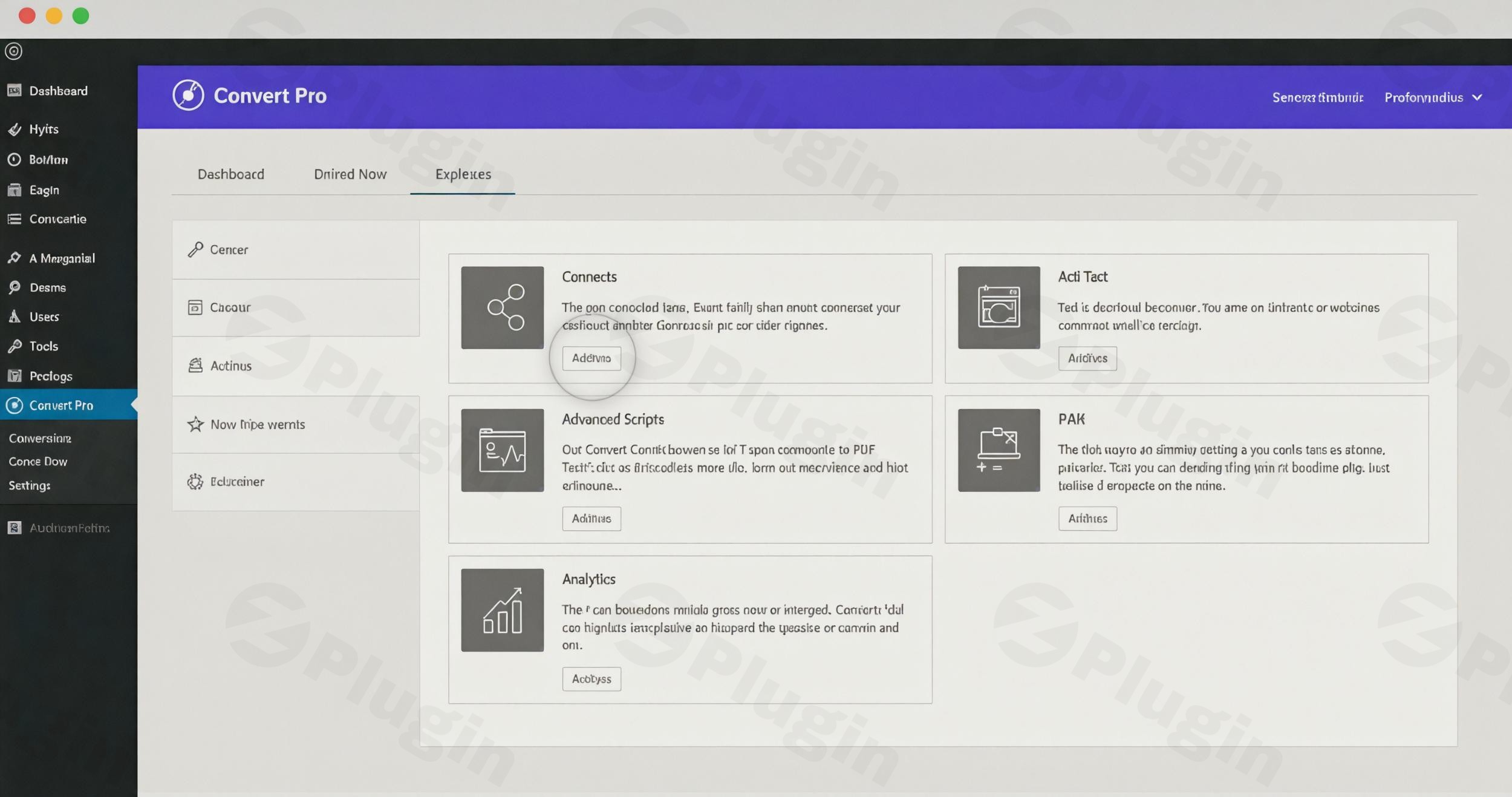
In the competitive world of digital marketing, capturing leads is only half the battle; the real challenge lies in optimizing those touchpoints for maximum conversion. Convert Pro Addon is a powerful extension for the base Convert Pro plugin, specifically designed to transform your website into a high-performance lead capture engine. Developed by Brainstorm Force—the team behind the legendary Astra theme—this wordpress lead generation plugin provides the advanced tools necessary to move beyond basic popups and into data-driven user engagement.
Whether you are a blogger looking to grow your newsletter or an eCommerce store owner aiming to reduce cart abandonment, the Convert Pro Addon unlocks professional-grade features like A/B testing, advanced triggers, and seamless mailer integrations.
Key Features of Convert Pro Addon
The Convert Pro Addon isn’t just a single tool; it is a suite of advanced modules that you can activate based on your specific needs. This modular approach ensures your site remains lightweight while providing “pro” functionality.
1. Advanced Third-Party Mailer Integrations
One of the core strengths of this wordpress popup plugin is its ability to sync data instantly. The Addon connects with over 30 popular email marketing platforms and CRMs.
- Benefits: Eliminate manual data entry and ensure your leads are nurtured immediately.
- Supported Platforms: Mailchimp, HubSpot, ActiveCampaign, AWeber, ConvertKit, and more.
2. Real-Time Analytics and Google Integration
Stop guessing what works. The Convert Pro Analytics module provides detailed insights into how your forms are performing.
- Performance Tracking: Monitor impressions, conversions, and conversion rates directly within your WordPress dashboard.
- Google Analytics: Seamlessly integrate with GA to track user behavior and form interactions in real-time.
3. Effortless A/B Testing
The Convert Pro A/B Test module allows you to run experiments to see which designs or copy variants perform best.
- Optimization: Create two versions of a popup, change a single element (like the CTA button color), and let the plugin determine the winner based on actual data.
4. Precision Targeting and Triggers
The Addon introduces sophisticated rules to ensure your popups are helpful, not annoying:
- AdBlock Detection: Tailor messages specifically for users who use ad blockers.
- Geo-location Targeting: Show specific offers based on the visitor’s country or region.
- Device-Specific Popups: Create unique designs optimized specifically for mobile, tablet, or desktop users.
- User Inactivity Trigger: Re-engage visitors who have stopped interacting with your page.
5. Design and Workflow Tools
- Grid Lines: Use the built-in grid system to align elements perfectly for a professional look.
- Import/Export Templates: Agencies can create a high-converting template on one site and export it to others instantly.
- White Labeling: Ideal for developers who want to present the plugin interface under their own brand.
Installation & Setup: How to Use Convert Pro Addon
Setting up the Addon is straightforward. Follow these steps to begin your lead generation for WordPress journey:
- Install the Core Plugin: Ensure you have the base Convert Pro plugin installed and activated on your WordPress site.
- Upload the Addon: Navigate to Plugins > Add New in your WordPress dashboard. Upload the
convert-pro-addon.zipfile and click Activate. - Activate Specific Modules: Go to Settings > Convert Pro > Addons. Here, you will see a list of available modules (Analytics, A/B Test, Connects, etc.). Click Activate only on the modules you plan to use.
- Connect Your Mailer: If you want to sync leads, go to the “Connects” tab, select your email provider (e.g., Mailchimp), and follow the API integration prompts.
- Configure Settings: Set your PHP memory limit to at least 128MB (recommended) to ensure the drag-and-drop editor runs smoothly.
Practical Usage & Best Practices
To get the most out of Convert Pro features, consider these real-world workflows:
- For eCommerce (WooCommerce): Use the Device-Specific feature to show a simplified “10% off” coupon to mobile users, while showing a more detailed “Related Products” popup to desktop users.
- For Content Marketers: When looking for the best way to increase subscribers, use the User Inactivity Trigger. If a reader stops scrolling through a long-form article, trigger a “Download as PDF” popup to capture their email before they leave.
- For Agencies: Use the White Labeling feature to hide Brainstorm Force branding, providing a seamless, professional experience for your high-ticket clients.
- For Data-Driven Growth: Always run an A/B testing tutorial for your main site popup. Test a “Discount” offer vs. a “Free Guide” offer to see what your specific audience values more.
FAQ & Troubleshooting
What are the main features of Convert Pro Addon?
The Convert Pro Addon includes advanced modules for A/B testing, real-time analytics, 30+ third-party mailer integrations, adblock detection, geo-location targeting, and device-specific popup controls. It extends the core plugin to provide a full suite of conversion optimization tools.
Is Convert Pro Addon compatible with Astra theme?
Yes, Convert Pro Addon is fully compatible with the Astra theme. Both products are developed by Brainstorm Force, ensuring seamless integration, high performance, and matching design aesthetics.
How does Convert Pro Addon analytics work?
The analytics module tracks every impression and conversion on your forms. It can be viewed directly in your WordPress backend or integrated with Google Analytics for deeper insights into user journeys and conversion goals.
What is the difference between Convert Pro and OptinMonster?
While both are top-tier tools, Convert Pro is often preferred for its one-time or annual pricing (no “per-lead” fees) and its lightweight, high-performance code. While OptinMonster offers gamified “Spin-to-Win” forms, Convert Pro provides more flexible drag-and-drop design and advanced targeting features like AdBlock detection out of the box.
What should I do if the editor is slow?
Ensure your server meets the technical requirements: PHP 5.4+ (PHP 7.4+ recommended), cURL enabled, and a PHP memory limit of at least 128MB. Low memory is the most common cause of editor lag.
Conclusion
The Convert Pro Addon is a robust, high-performance solution for anyone serious about digital growth. By combining ease of use with enterprise-level features like geo-targeting and A/B testing, it stands as a top-tier wordpress lead generation plugin.
If you are currently using a basic popup tool, upgrading to the Addon offers a significant ROI by allowing you to make decisions based on data rather than intuition. For those seeking a professional, lightweight, and highly compatible tool, Convert Pro Addon is the definitive choice for modern WordPress sites.
For more WordPress plugin reviews and tutorials, visit wppick.com.
I. Download Limits & Account Benefits
- Free Downloads: Each email address receives 3 downloads per day for free products
- Upgrade Benefits: Purchase any paid product to increase your daily download limit by 3 for each paid product
- No Account Required: You can download immediately by receiving the download link via email
- Account Recommended: Create an account for easier access to your order history and direct update downloads
II. Understanding GPL vs Official Versions
Important: The products available on WPPick are GPL-licensed versions, which differ from official developer versions. Before purchasing, please read our comprehensive guide: Understanding GPL & Official Differences at WPPick
Key Points:
- GPL versions may not include premium support from original developers
- Updates may be delayed compared to official releases
- Some premium features might have limitations
- Always consider your specific needs and support requirements
III. Support & Assistance
We’re here to help through multiple channels:
- Email Support: Direct email assistance for all inquiries
- Live Chat: Real-time support during business hours
- Comprehensive Documentation: Detailed guides and tutorials
IV. Order Tracking
Access your complete purchase history and download links anytime: Order History
V. Account Access
New to WPPick? Login or Create Account to manage your downloads and orders efficiently.
VI. Refund Protection
We stand behind our products with a clear refund policy. Review our terms: Refund Policy
VII. Privacy & Security
Your data security is our priority. Learn how we protect your information: Privacy Policy
VII. Terms of Service
Understanding our service terms ensures a smooth experience: Terms of Use
Quick Tips for Best Experience
- Verify Compatibility: Check plugin/theme compatibility with your WordPress version
- Backup First: Always backup your site before installing new plugins or themes
- Test Environment: Consider testing on a staging site first
- Stay Updated: Regularly check for updates in your account dashboard
- Read Documentation: Review any included documentation for optimal setup
Need Help?
If you have questions about downloads, licensing, or need technical assistance, don’t hesitate to contact our support team. We’re committed to ensuring you have the best possible experience with WPPick products.
Ready to get started? Your download adventure begins with just one click!
- Improved code quality syntax and security checks for better coding standards and practices.