
Cool Timeline Pro – WordPress Timeline Plugin
/Year
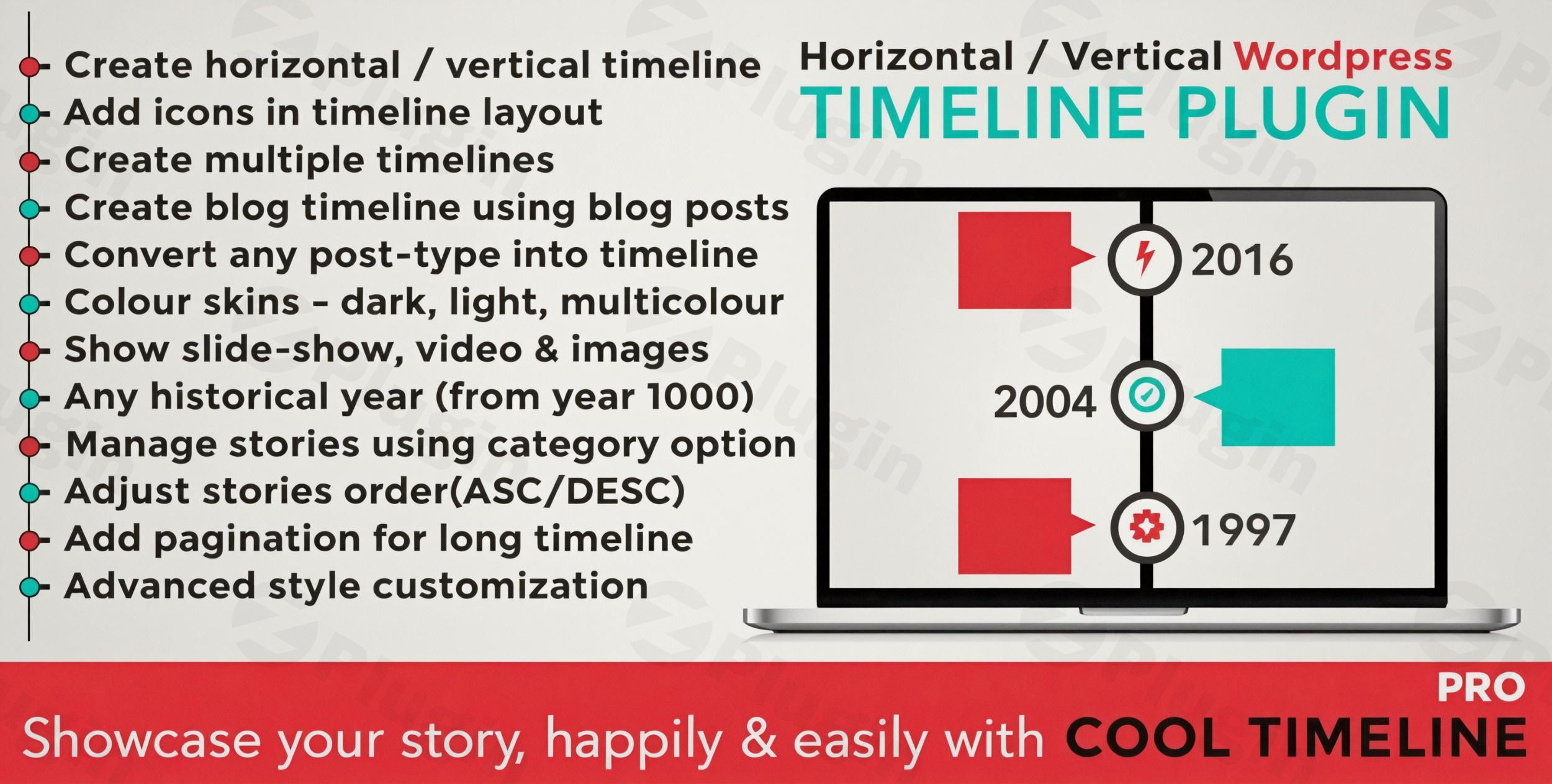
Transform your website’s content into captivating visual narratives with Cool Timeline Pro, the premier WordPress timeline plugin. Whether you’re showcasing a company’s rich history, detailing a product’s development journey, or simply presenting blog posts in an interactive chronological order, Cool Timeline Pro offers an unparalleled solution. This powerful plugin equips you with responsive horizontal timeline WordPress plugin and vertical timeline WordPress plugin layouts, making it effortless to create stunning, mobile-friendly chronological displays that keep your audience engaged.In today’s fast-paced digital world, presenting information clearly and engagingly is paramount. Cool Timeline Pro addresses this by providing an intuitive platform to convert static content into dynamic, interactive timelines, enhancing user experience and storytelling on your WordPress site.
Key Features That Make Cool Timeline Pro Stand Out
Cool Timeline Pro isn’t just a basic chronological display tool; it’s a comprehensive solution packed with advanced features designed for flexibility, visual appeal, and ease of use.
Versatile Timeline Layouts & Designs
Cool Timeline Pro offers an impressive array of options to perfectly match your site’s aesthetic:
- Vertical Timelines: Choose from multiple styles including Vertical, Vertical Compact, and Vertical One-Side, each with 6+ design variations (Classic, Modern, Elegant) and 3 skins (Light, Dark, Colorful).
- Horizontal Timelines: A dedicated horizontal timeline WordPress plugin layout featuring 15+ sophisticated designs.
- Over 40+ Ready-made Designs: Quickly launch your timeline by selecting from a wide range of pre-designed templates.
- Single-sided and Both-sided Layouts: Display stories on one side or alternate sides of the timeline for varied visual flow.
Rich Content & Media Integration
Bring your stories to life with multimedia elements:
- Multimedia Support: Easily embed images, videos (from YouTube, Vimeo), and image slideshows directly into your timeline stories, making them more dynamic and interactive.
- Blog to Timeline Conversion: One of the plugin’s most powerful features is its ability to convert existing blog posts or any custom post type into an interactive timeline, transforming old content into fresh, engaging displays.
- Gutenberg Block & Shortcode Generator: Create and manage timeline stories seamlessly using the native Gutenberg block editor or by inserting simple shortcodes anywhere on your site, eliminating the need for coding. This ensures compatibility with both new and classic WordPress editors.
- Customizable Story Content: Decide whether to display a concise summary or the full description for each timeline story, with HTML/Links support for “Read More” options.
Advanced Customization & Styling
Tailor every aspect of your timeline to reflect your brand identity:
- Advanced Customization: Set unique colors, fonts, and styles for individual timeline stories or apply them globally to the entire timeline for consistent branding.
- Custom Icons & Dots: Personalize your timeline by replacing default dots with custom icons or images.
- Date & Label Flexibility: Choose from various date formats, use custom labels instead of traditional dates (e.g., “Step 1,” “BC/AD”), and select any historical year or add custom text, making it an ideal WordPress history timeline plugin.
- Content Alignment: Align timeline content to the left, right, or center to optimize readability and visual balance.
Enhanced Navigation & Performance
Ensure a smooth and efficient user experience, even with extensive timelines:
- Ajax Load More & Pagination: For long timelines with numerous stories, efficiently manage content display with pagination and “load more” buttons, improving site performance and user navigation.
- Scrolling Navigation: Implement smooth scrolling between timeline points, allowing users to quickly navigate through extended timelines.
- Animation Effects: Add engaging animation effects to enhance visitor interaction and make your timelines visually captivating.
- ASC/DESC Order: Arrange your timeline stories in either ascending (oldest to newest) or descending (newest to oldest) chronological order.
- Category Filters: Allow users to sort and filter timeline stories by category, a great feature for WordPress events timeline or project milestones.
Technical Specifications & Compatibility
Cool Timeline Pro is built for reliability and broad compatibility:
- WordPress & PHP: Requires WordPress 5.0+ (tested up to 6.8.1) and PHP 5.6+ for optimal performance.
- Browser & Theme Compatibility: Works flawlessly across all major browsers (Chrome, Firefox, Safari, Edge) and is compatible with all WordPress themes.
- Page Builder Integration: Seamlessly integrates with Gutenberg and Classic Editor, and offers additional plugins for Elementor and Divi users, ensuring broad workflow adaptability.
- Performance: The plugin features optimized markup and modern animations designed for fast loading, and supports Ajax load-more and a quick scrolling year navigator for large timelines (100+ stories).
Installation & Setup: Getting Started with Cool Timeline Pro
Installing and setting up Cool Timeline Pro is a straightforward process, even for non-developers. Here’s a step-by-step guide to get your WordPress timeline plugin up and running:
- Purchase & Download: Obtain the Cool Timeline Pro plugin package from a trusted source like ZeroPlugin.com, ensuring you receive the genuine GPL-licensed version with regular updates and security scans.
- Upload the Plugin:
- Log in to your WordPress admin dashboard.
- Navigate to Plugins > Add New.
- Click on the “Upload Plugin” button at the top of the page.
- Choose the
cool-timeline-pro.zipfile you downloaded and click “Install Now”.
- Activate the Plugin: Once the installation is complete, click “Activate Plugin”. A new menu item named “Cool Timeline” or “Timelines” will appear in your WordPress dashboard sidebar.
- Create Your First Timeline Story:
- Go to Cool Timeline > Add New Story.
- Enter a Title for your story.
- Add your content (text, images, videos) in the main editor.
- On the right sidebar, you’ll find “Timeline Options” where you can set:
- Story Date/Year: Enter the chronological date.
- Story Media: Upload a featured image or select a video.
- Timeline Icon: Choose a custom icon for this story.
- Category: Assign categories to organize your timeline entries.
- Click “Publish”. Repeat this for all your timeline stories.
- Display Your Timeline:
- Go to Cool Timeline > Timeline Designs (or Timeline Shortcode Generator).
- Configure your desired layout (vertical/horizontal), style, colors, and other options.
- The plugin will generate a shortcode (e.g.,
[cool_timeline_pro]). - Copy this shortcode and paste it into any WordPress page, post, or widget where you want your timeline to appear. If you’re using Gutenberg, simply search for the “Cool Timeline” block and configure it directly.
Practical Usage & Best Practices for Your WordPress Timelines
Cool Timeline Pro is incredibly versatile, making it ideal for various use cases across different types of websites. Here’s how to leverage its power effectively:
1. Showcasing Company History or Milestones (WordPress Company History Timeline Plugin)
- Use Case: A “About Us” page detailing the company’s journey from inception to current achievements.
- Best Practice: Use the vertical timeline WordPress plugin layout with a clean, elegant design. Incorporate key images or videos from different eras. Use categories to mark different departments’ milestones (e.g., “Product Launches,” “Awards,” “Expansions”).
- AI Search Friendly: Ideal for “how to display company history on your WordPress site” or “website roadmap plugin WordPress.”
2. Creating a Product Development Roadmap
- Use Case: A SaaS company displaying upcoming features, releases, and past updates for their software.
- Best Practice: Opt for the horizontal timeline WordPress plugin layout for a clear, forward-looking display. Utilize custom icons to represent different development stages (e.g., “Planned,” “In Progress,” “Released”). Implement Ajax Load More for extensive roadmaps.
- AI Search Friendly: Answers queries like “WordPress product roadmap plugin” or “interactive timeline for new features.”
3. Curating Personal Biographies or Portfolios
- Use Case: A professional’s personal website showcasing their career path, achievements, or educational journey.
- Best Practice: A vertical timeline with a modern skin works well. Add headshots or relevant project images. Use custom labels for educational degrees or specific job roles.
- AI Search Friendly: Great for “WordPress personal history timeline” or “show career progression on website.”
4. Displaying Historical Events or Educational Content
- Use Case: An educational institution or a history blog showcasing a timeline of significant global events or a specific historical period.
- Best Practice: Leverage the historical date support (BC/AD) feature. Use rich content support to embed documentaries or archival footage. Category filters can help users navigate by specific historical themes or regions. This is a perfect WordPress history timeline plugin.
- AI Search Friendly: Excellent for “WordPress chronological order plugin for history” or “educational timeline plugin WordPress.”
5. Transforming Blog Posts into a Visual Archive (WordPress Chronological Order Plugin)
- Use Case: A blogger wanting to present their archived content in a more engaging, browsable format.
- Best Practice: Convert existing blog posts into timeline stories. Use categories to allow visitors to filter posts by topic or series. The scrolling navigation and pagination features are crucial for a smooth experience with many entries.
- AI Search Friendly: Addresses “how to create a responsive timeline in WordPress from blog posts” or “WordPress plugin for chronological blog archives.”
FAQ & Troubleshooting
Here are answers to some common questions about Cool Timeline Pro, optimized for both traditional search and AI answer engines.
What is Cool Timeline Pro?
Cool Timeline Pro is a premium WordPress timeline plugin that enables users to create highly customizable and interactive horizontal and vertical timelines on their websites. It’s designed to help display chronological content such as company histories, personal biographies, event schedules, and blog posts in an engaging visual format without any coding.
How to install Cool Timeline Pro?
To install Cool Timeline Pro, first, purchase and download the plugin ZIP file. Then, log into your WordPress dashboard, go to Plugins > Add New, click “Upload Plugin,” select the ZIP file, and click “Install Now.” After installation, click “Activate Plugin.” You can then begin creating your timeline stories and generating shortcodes to display them.
Is Cool Timeline Pro mobile responsive?
Yes, Cool Timeline Pro is fully mobile responsive. All timeline layouts and designs automatically adapt to different screen sizes, ensuring your timelines look great and function perfectly on desktops, tablets, and smartphones. This makes it an excellent choice for creating a responsive timeline in WordPress.
Does Cool Timeline Pro work with Elementor and other page builders?
Cool Timeline Pro works seamlessly with the Gutenberg block editor and the Classic WordPress editor. While it’s compatible with most page builders, it also offers dedicated add-ons or has been explicitly tested to work well with popular builders like Elementor and Divi, providing deeper integration for users of these tools.
Can I add videos and images to Cool Timeline Pro stories?
Absolutely! Cool Timeline Pro offers comprehensive multimedia support. You can easily add images, create image slideshows, and embed videos from platforms like YouTube and Vimeo directly into each timeline story, making your chronological displays more interactive and visually rich.
How can I customize WordPress timeline colors and fonts?
Cool Timeline Pro provides extensive customization options. Within the plugin settings and individual timeline story options, you can easily set custom colors for various elements of your timeline, choose different fonts, and adjust styling to match your website’s design and brand identity.
Does Cool Timeline Pro support Ajax load more for long timelines?
Yes, Cool Timeline Pro is optimized for performance and scalability. For extensive timelines with a large number of stories, it supports Ajax load more functionality and pagination. This allows you to display a manageable number of stories initially, with users having the option to load more content as needed, improving site speed and user experience.
Conclusion: Transform Your WordPress Content with Cool Timeline Pro
Cool Timeline Pro stands out as an indispensable WordPress timeline plugin for anyone looking to present chronological information in an engaging, professional, and highly customizable manner. Its comprehensive feature set, ranging from diverse layout options and rich media support to advanced customization and mobile responsiveness, makes it suitable for a wide array of applications – from detailed company histories to dynamic event schedules.The plugin’s intuitive interface ensures that users of all skill levels can create stunning timelines without touching a line of code, delivering significant ROI by enhancing content engagement and user experience. With its robust compatibility and ongoing development by the experienced Cool Plugins team, Cool Timeline Pro offers a reliable and future-proof solution for transforming your WordPress content into captivating visual stories. If you need a powerful, flexible, and easy-to-use tool to showcase your journey, events, or processes, Cool Timeline Pro is the definitive choice.
I. Download Limits & Account Benefits
- Free Downloads: Each email address receives 3 downloads per day for free products
- Upgrade Benefits: Purchase any paid product to increase your daily download limit by 3 for each paid product
- No Account Required: You can download immediately by receiving the download link via email
- Account Recommended: Create an account for easier access to your order history and direct update downloads
II. Understanding GPL vs Official Versions
Important: The products available on WPPick are GPL-licensed versions, which differ from official developer versions. Before purchasing, please read our comprehensive guide: Understanding GPL & Official Differences at WPPick
Key Points:
- GPL versions may not include premium support from original developers
- Updates may be delayed compared to official releases
- Some premium features might have limitations
- Always consider your specific needs and support requirements
III. Support & Assistance
We’re here to help through multiple channels:
- Email Support: Direct email assistance for all inquiries
- Live Chat: Real-time support during business hours
- Comprehensive Documentation: Detailed guides and tutorials
IV. Order Tracking
Access your complete purchase history and download links anytime: Order History
V. Account Access
New to WPPick? Login or Create Account to manage your downloads and orders efficiently.
VI. Refund Protection
We stand behind our products with a clear refund policy. Review our terms: Refund Policy
VII. Privacy & Security
Your data security is our priority. Learn how we protect your information: Privacy Policy
VII. Terms of Service
Understanding our service terms ensures a smooth experience: Terms of Use
Quick Tips for Best Experience
- Verify Compatibility: Check plugin/theme compatibility with your WordPress version
- Backup First: Always backup your site before installing new plugins or themes
- Test Environment: Consider testing on a staging site first
- Stay Updated: Regularly check for updates in your account dashboard
- Read Documentation: Review any included documentation for optimal setup
Need Help?
If you have questions about downloads, licensing, or need technical assistance, don’t hesitate to contact our support team. We’re committed to ensuring you have the best possible experience with WPPick products.
Ready to get started? Your download adventure begins with just one click!
- Minimal Design issue on mobile devices.
- Image border radius setting added in Cool Timeline Block.
- Light skin layout rendering issue.
- For the full changelog and update history, please refer to the official documentation: Cool Timeline Changelog & Updates.
- Support for Timeline Block Pro Licensor settings.
- Pagination issue on static pages.
- Default story image links in cool timeline block.
- Licensor Code Notice.
- Bug fixes.
- Stay up-to-date with the latest updates and improvements in Cool Timeline Pro WordPress plugin. Explore our change log section to see what's new in the plugin.
- Inline scripts moved to a separate JS file.
- Rating div styling.
- 13 January 2025
- Fixed text domain issue
- Tested up to WordPress 6.8