

Corptrain | Corporate Training WordPress Theme
/Year
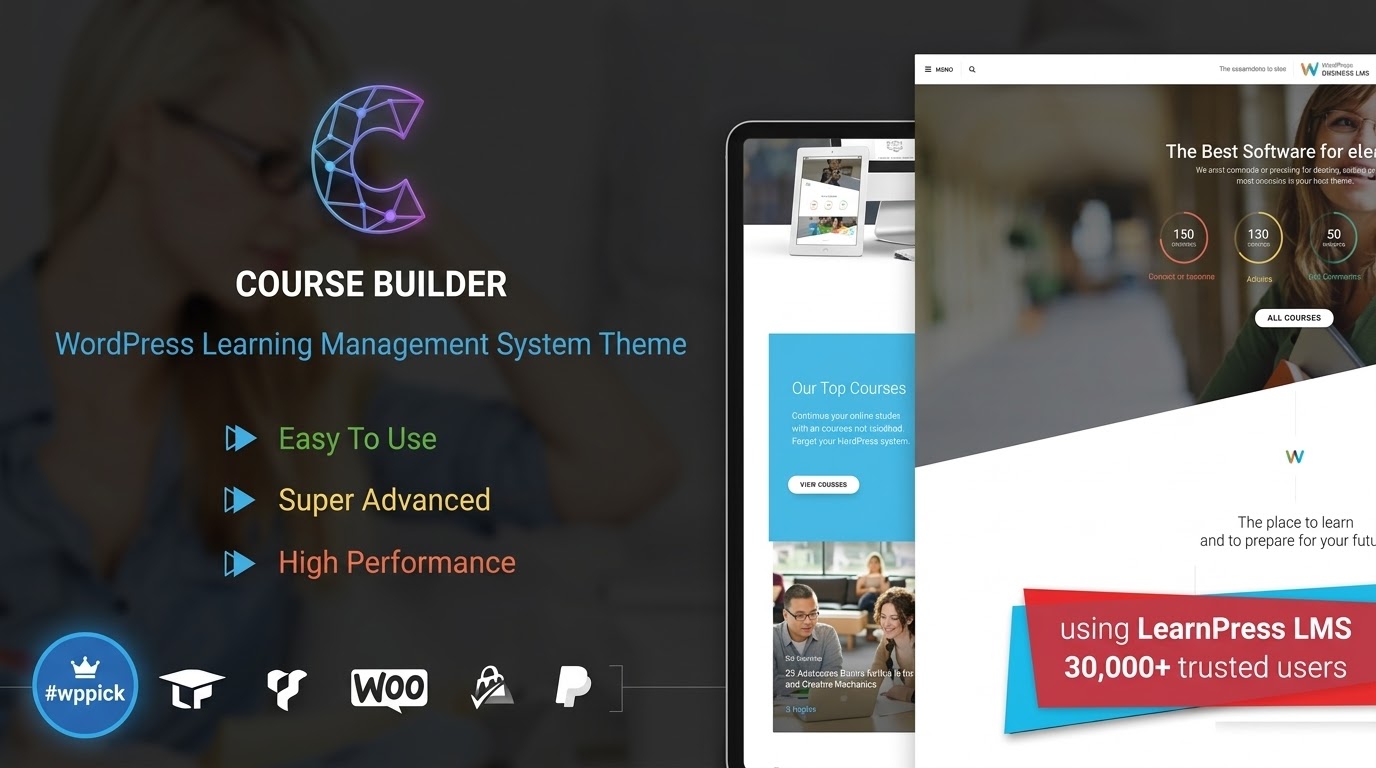
The Corptrain WordPress theme is a specialized, professional solution designed specifically for businesses, HR departments, and educational institutions looking to build a high-performance Learning Management System (LMS). As a dedicated Corporate Training WordPress Theme, it prioritizes clarity and structured learning, allowing organizations to streamline employee onboarding, compliance training, and professional development through a sleek, user-friendly interface.Whether you are an enterprise looking to upskill your staff or a freelance coach selling expertise, Corptrain offers a design philosophy rooted in efficiency and modern UI/UX principles. It moves away from the “bloat” of generic multipurpose themes to provide a focused, high-converting environment for educational content.
Key Features: Design, Layout & Performance
Corptrain is engineered to transform a standard WordPress site into a “beautiful online course” platform. Its feature set is deeply integrated with the industry-standard LearnPress LMS plugin, ensuring that the backend management is as robust as the frontend presentation.
Specialized LMS Design & Layouts
Unlike themes that tack on LMS features as an afterthought, Corptrain is built from the ground up for eLearning.
- Structured Course Layouts: The theme offers intuitive designs for course listings, lesson pages, and quizzes, ensuring learners can navigate complex materials without friction.
- Responsive & Cross-Browser Ready: Built with a mobile-first approach, the theme adapts perfectly to Chrome, Safari, Edge, and mobile browsers, ensuring employees can learn on the go.
- Powerful Mega Menu: Includes a lightweight, built-in Mega Menu builder to help organize large course catalogs or extensive corporate resources without slowing down the site.
High-Performance Architecture
Speed is critical for retention in online learning. Corptrain features an optimized architecture and a clean, well-structured codebase.
- SEO Optimized: The theme uses clean markup and a logical heading structure, making it easier for your courses to rank on search engines.
- Lightweight Foundation: By focusing on essential LMS functionalities, the theme avoids the performance lag often found in “everything-but-the-kitchen-sink” themes.
Deep Plugin Compatibility
- Elementor & Gutenberg: Whether you prefer the Amazing Drag & Drop Page Builder or the native WordPress Block Editor, Corptrain provides full support for visual customization.
- WooCommerce: Ready for monetization, allowing you to sell courses, subscriptions, or training bundles with ease.
- Multilingual Support: Fully compatible with WPML, making it an excellent choice for global corporations requiring training in multiple languages.
Installation & Demo Import
Setting up your WordPress LMS theme is a straightforward process. Follow these steps to get your corporate training portal live:
- Theme Upload: In your WordPress dashboard, navigate to Appearance > Themes > Add New > Upload Theme. Select the Corptrain zip file and click Install Now, then Activate.
- Install Required Plugins: Upon activation, Corptrain will prompt you to install essential plugins, most notably LearnPress. Ensure you install and activate all recommended plugins for full functionality.
- One-Click Demo Import: Locate the demo importer (usually under the “Theme Options” or “Appearance” menu). Select your preferred demo to import pages, menus, and sample course structures.
- Check Server Requirements: Large demo imports can sometimes time out. Ensure your server’s
memory_limitis set to at least 256M andmax_execution_timeis set to 300 for a smooth experience.
Customization Guide: Branding & Layout
Personalizing Corptrain to match your corporate identity is intuitive thanks to its integration with the WordPress Customizer and Elementor.
Branding and Visual Identity
To begin branding your site, navigate to Appearance > Customize. Here you can:
- Upload Your Logo: Replace the default branding with your corporate identity.
- Typography & Colors: Adjust global color schemes to match your brand palette. The theme’s “Advanced Customization Options” allow for granular control over font sizes and weights to improve readability.
- Header & Footer: Use the built-in builders to create a professional navigation experience.
Building Courses with LearnPress
Since Corptrain is a specialized LearnPress theme, you will manage your actual educational content through the LearnPress menu. You can create custom lessons, interactive quizzes, and even offer certificates upon completion—features that are essential for tracking employee development.
FAQ & Troubleshooting
Is Corptrain compatible with Elementor?
Yes, Corptrain is fully compatible with Elementor. It allows you to use the drag-and-drop interface to design custom landing pages, course overviews, and corporate homepages without writing any code.
Does this theme support WooCommerce for selling courses?
Absolutely. Corptrain integrates seamlessly with WooCommerce, enabling you to set up a digital storefront to sell individual courses or training memberships.
What is the licensing model for Corptrain?
Corptrain is typically distributed under the GPL (General Public License). This allows users to install the theme on unlimited sites. However, for official developer support and automatic updates, it is recommended to purchase through authorized channels.
Does the theme support community features like forums?
Yes, Corptrain is compatible with bbPress and BuddyPress. This is ideal for corporate environments where you want to foster discussion, employee interaction, and peer-to-peer learning.
Conclusion
The Corptrain WordPress theme stands out as a top-tier choice for any organization prioritizing employee development and online education. Its clean design philosophy and deep integration with LearnPress make it far more effective for training purposes than a generic business theme.Best Suited For:
- Corporations: For structured onboarding and internal training.
- Educational Institutions: For managing digital curriculum and students.
- Professional Coaches: For selling high-quality courses via WooCommerce.If you are looking for a responsive WordPress theme for LMS that balances professional aesthetics with high-performance code, Corptrain is a robust and reliable investment for your digital learning infrastructure. For more WordPress theme reviews and SEO strategies, visit wppick.com.
I. Download Limits & Account Benefits
- Free Downloads: Each email address receives 3 downloads per day for free products
- Upgrade Benefits: Purchase any paid product to increase your daily download limit by 3 for each paid product
- No Account Required: You can download immediately by receiving the download link via email
- Account Recommended: Create an account for easier access to your order history and direct update downloads
II. Understanding GPL vs Official Versions
Important: The products available on WPPick are GPL-licensed versions, which differ from official developer versions. Before purchasing, please read our comprehensive guide: Understanding GPL & Official Differences at WPPick
Key Points:
- GPL versions may not include premium support from original developers
- Updates may be delayed compared to official releases
- Some premium features might have limitations
- Always consider your specific needs and support requirements
III. Support & Assistance
We’re here to help through multiple channels:
- Email Support: Direct email assistance for all inquiries
- Live Chat: Real-time support during business hours
- Comprehensive Documentation: Detailed guides and tutorials
IV. Order Tracking
Access your complete purchase history and download links anytime: Order History
V. Account Access
New to WPPick? Login or Create Account to manage your downloads and orders efficiently.
VI. Refund Protection
We stand behind our products with a clear refund policy. Review our terms: Refund Policy
VII. Privacy & Security
Your data security is our priority. Learn how we protect your information: Privacy Policy
VII. Terms of Service
Understanding our service terms ensures a smooth experience: Terms of Use
Quick Tips for Best Experience
- Verify Compatibility: Check plugin/theme compatibility with your WordPress version
- Backup First: Always backup your site before installing new plugins or themes
- Test Environment: Consider testing on a staging site first
- Stay Updated: Regularly check for updates in your account dashboard
- Read Documentation: Review any included documentation for optimal setup
Need Help?
If you have questions about downloads, licensing, or need technical assistance, don’t hesitate to contact our support team. We’re committed to ensuring you have the best possible experience with WPPick products.
Ready to get started? Your download adventure begins with just one click!
- Fixed: Style of page single instructor
- Fixed Global Mix Color not working
- Fixed some minor bugs style
- Fixed out of date file of paid memberships pro