

Countdown Pro Wp Plugin – Websites/products/offers
/Year
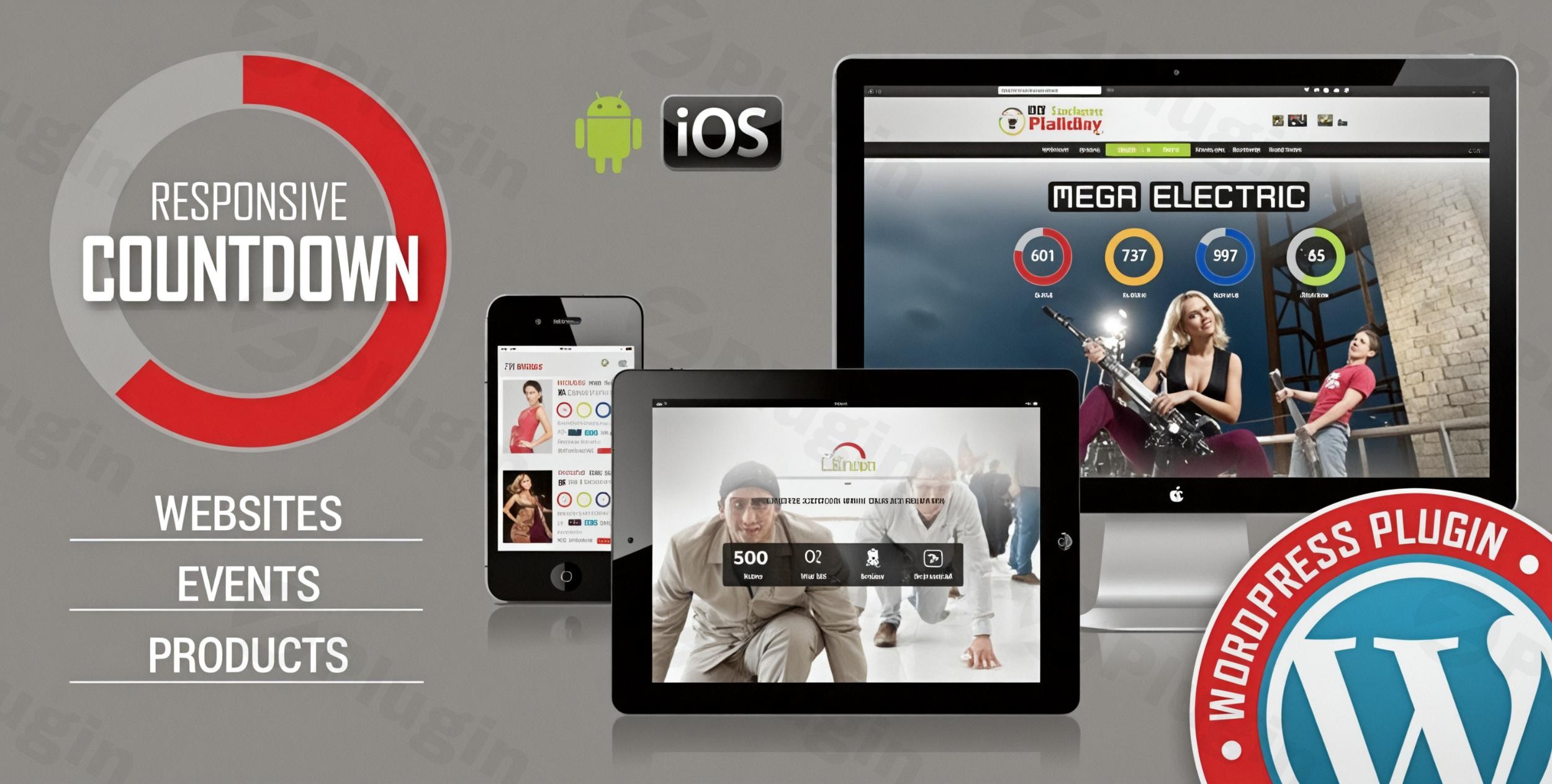
In the competitive world of digital marketing, scarcity and urgency are the two most powerful drivers of conversion. Whether you are building hype for a new brand or running a limited-time flash sale, a high-quality WordPress countdown plugin is essential for capturing user attention. Countdown Pro WP Plugin, developed by LambertGroup, is a premium, professional-grade solution designed to create high-converting timers for websites, products, and special offers. By integrating this tool, site owners can transform passive visitors into active customers through visual cues that signal “don’t miss out.”
Key Features of Countdown Pro WP Plugin
The Countdown Pro WP Plugin stands out in the crowded WordPress ecosystem due to its deep customization and technical flexibility. It is designed not just to count down, but to match your brand’s specific aesthetic.
1. Extensive Visual Customization
With over 80 customization options, you are never locked into a “one-size-fits-all” design. You can adjust:
- Styles: Choose between “Circular” and “Electronic” visual versions.
- Aesthetics: Fine-tune colors, fonts, transparency, borders, and dimensions.
- Animations: Access up to 39 different animation effects (depending on the version) to ensure your timer catches the eye without being intrusive.
2. Intelligent Functionality & Callbacks
Beyond simple timekeeping, this plugin offers advanced logic:
- Callback Functions: You can define a specific JavaScript function to trigger the moment the timer hits zero—ideal for revealing a hidden discount code or redirecting users to a “Sale Ended” page.
- Auto-Reset Feature: For recurring daily deals, the website countdown timer can be set to automatically reset every 24 hours.
- Time Synchronization: Choose between the server’s time (most accurate for global sales) or the visitor’s computer time.
3. Seamless Integration & Branding
To maintain a professional look, the plugin allows you to:
- Integrate Logos: Display your brand logo directly within the timer setup with a clickable link.
- Social Sharing: Add social icons to encourage visitors to share your product launch countdown with their own networks.
- Placement Flexibility: Use the plugin in posts, pages, or sidebar widgets. You can even run multiple countdown instances on a single page.
How to Install Countdown Pro WP Plugin (Step-by-Step)
Setting up your first timer is straightforward. Follow these steps to get your responsive countdown plugin up and running.
- Download the Plugin: After purchasing Countdown Pro WP (typically via CodeCanyon), download the .zip file to your computer.
- Upload to WordPress: Log in to your WordPress dashboard. Navigate to Plugins > Add New > Upload Plugin. Select your file and click Install Now.
- Activate: Once the upload is complete, click the Activate button.
- Access Settings: Look for the “Countdown Pro” menu item in your sidebar. This is where you will manage your timer instances.
- Create Your Timer:
- Click “Add New.”
- Select your preferred style (Circular or Electronic).
- Set your target date and time.
- Customize the colors and fonts to match your theme.
- Deploy: Copy the generated shortcode and paste it into any page, post, or widget area where you want the timer to appear.
Practical Usage & Best Practices
To get the highest ROI from the Countdown Pro WP Plugin, consider these real-world workflows used by top marketers:
Ideal for Product Launches
When launching a new SaaS tool or an eCommerce product, use the “Circular” style on a dedicated landing page. Set the timer to the exact second the “Buy” button goes live. Use the callback functionality to automatically refresh the page or swap a “Coming Soon” button for a “Buy Now” button the moment the timer expires.
Best Way to Manage Flash Sales
For 24-hour flash sales, utilize the offer expiry timer WordPress feature. Placing a timer in a top bar or a sidebar widget creates a persistent sense of urgency. The responsive design ensures that mobile shoppers—who make up a huge portion of flash sale traffic—see the exact same countdown as desktop users.
When to Use the Auto-Reset Feature
If you run a “Deal of the Day” site or have a recurring shipping deadline (e.g., “Order within the next 4 hours for same-day shipping”), the 24-hour auto-reset is your best friend. It automates the scarcity mindset without requiring manual daily updates.
FAQ & Troubleshooting
Does Countdown Pro WP Plugin work with Elementor?
Yes, Countdown Pro WP Plugin is fully compatible with Elementor. You can easily drop the plugin’s shortcode into an Elementor Shortcode Widget or Text Editor widget to see your timer within your custom layouts.
Is the plugin mobile-responsive?
Absolutely. It is a responsive countdown plugin designed to adapt its dimensions and layouts automatically for smartphones, tablets, and desktops, ensuring a consistent user experience.
What should I do if the “Circular” timer doesn’t appear?
The circular countdowns are built using HTML5 canvas. If you are testing on very old browsers (like Internet Explorer 7 or 8), the canvas may not render. Ensure you are using a modern browser like Chrome, Firefox, Safari, or Edge for the best results.
Can I use multiple timers on the same page?
Yes, the plugin supports multiple instances. You can have different countdowns for different products or offers all on one page without any technical conflicts.
Conclusion: Final Verdict
If you are looking for a robust, highly customizable way to customize a countdown timer in WordPress, the Countdown Pro WP Plugin is an excellent investment. Unlike free, lightweight alternatives, it provides the “pro” level of detail—such as JS callbacks and extensive animation libraries—that agencies and serious site owners require.By focusing on user experience and conversion-centric features like auto-resets and social integration, this plugin serves as a complete marketing tool. Whether you are an agency managing client launches or a solo store owner, the Countdown Pro WP Plugin offers the reliability and visual polish needed to drive results on wppick.com.
I. Download Limits & Account Benefits
- Free Downloads: Each email address receives 3 downloads per day for free products
- Upgrade Benefits: Purchase any paid product to increase your daily download limit by 3 for each paid product
- No Account Required: You can download immediately by receiving the download link via email
- Account Recommended: Create an account for easier access to your order history and direct update downloads
II. Understanding GPL vs Official Versions
Important: The products available on WPPick are GPL-licensed versions, which differ from official developer versions. Before purchasing, please read our comprehensive guide: Understanding GPL & Official Differences at WPPick
Key Points:
- GPL versions may not include premium support from original developers
- Updates may be delayed compared to official releases
- Some premium features might have limitations
- Always consider your specific needs and support requirements
III. Support & Assistance
We’re here to help through multiple channels:
- Email Support: Direct email assistance for all inquiries
- Live Chat: Real-time support during business hours
- Comprehensive Documentation: Detailed guides and tutorials
IV. Order Tracking
Access your complete purchase history and download links anytime: Order History
V. Account Access
New to WPPick? Login or Create Account to manage your downloads and orders efficiently.
VI. Refund Protection
We stand behind our products with a clear refund policy. Review our terms: Refund Policy
VII. Privacy & Security
Your data security is our priority. Learn how we protect your information: Privacy Policy
VII. Terms of Service
Understanding our service terms ensures a smooth experience: Terms of Use
Quick Tips for Best Experience
- Verify Compatibility: Check plugin/theme compatibility with your WordPress version
- Backup First: Always backup your site before installing new plugins or themes
- Test Environment: Consider testing on a staging site first
- Stay Updated: Regularly check for updates in your account dashboard
- Read Documentation: Review any included documentation for optimal setup
Need Help?
If you have questions about downloads, licensing, or need technical assistance, don’t hesitate to contact our support team. We’re committed to ensuring you have the best possible experience with WPPick products.
Ready to get started? Your download adventure begins with just one click!
- Patch applied.