

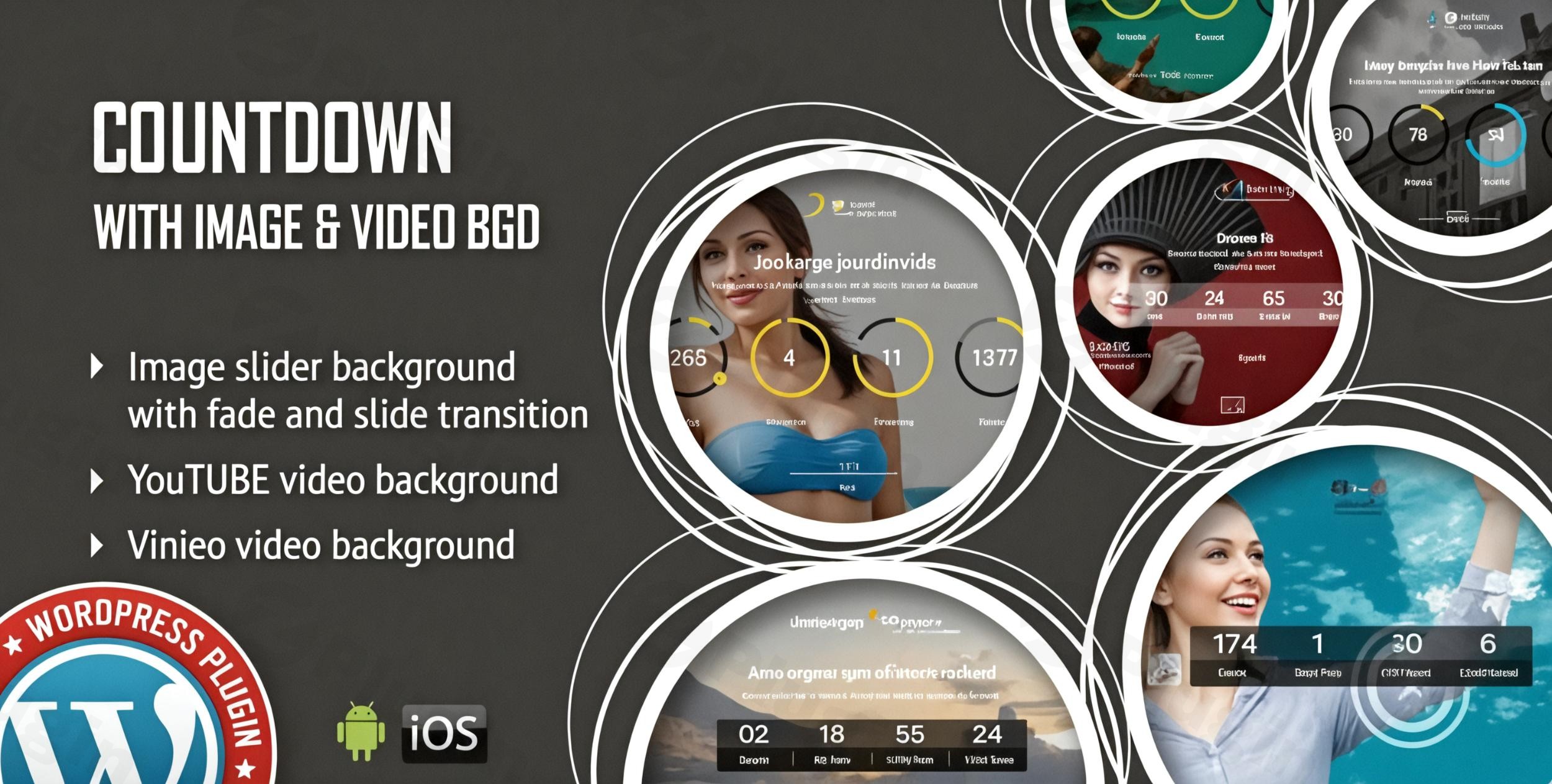
Creating a sense of urgency is one of the most effective ways to drive conversions, but a basic, text-only timer often fails to capture a visitor’s attention. The Countdown With Image Or Video Background WordPress plugin solves this problem by allowing you to build a high-impact, visual WordPress countdown timer with image background or full-motion video. Whether you are launching a new product, teasing a “Coming Soon” page, or running a flash sale, this plugin provides the professional aesthetic needed to keep users engaged.
Key Features of the Countdown With Image Or Video Background Plugin
This plugin is designed for site owners who prioritize design as much as functionality. Unlike standard timers that offer limited styling, this tool provides over 100 customization options to ensure your countdown matches your brand identity perfectly.
1. Dynamic Visual Backgrounds
The standout feature of this plugin is its support for rich media. You can set a custom image or embed YouTube and Vimeo videos directly behind the timer.
- Transitions: Choose between ‘Fade’ and ‘Slide’ transitions to move between multiple background images.
- Textures: Apply an optional texture overlay to images within the plugin settings, saving you the time of editing images in Photoshop.
2. Flexible Timer Versions
Depending on your site’s layout, you can choose between two distinct styles:
- Circular Version: Ideal for modern, minimal designs and landing pages.
- Digital/Electronic Version: Best for high-tech or classic “Coming Soon” vibes.
3. Extensive Style Customization
You have granular control over every visual element, making it a truly customizable countdown plugin for WordPress. You can adjust:
- Typography: Change font family and font size.
- Colors: Customize text, background, and border colors.
- Geometry: Modify border width and border radius for a sharp or rounded look.
4. Seamless Responsiveness & Performance
This responsive countdown timer for WordPress is built to work across all devices, including iOS and Android. It is compatible with major browsers (Chrome, Firefox, Safari, Edge, and IE9+) and supports touch-screen navigation for mobile users.
Installation & Setup: How to Add a Video Background Countdown to Your WordPress Website
Setting up your countdown is straightforward and does not require coding knowledge. Follow these steps to get started:
- Download and Upload: Purchase and download the plugin files. In your WordPress dashboard, go to Plugins > Add New > Upload Plugin and select the .zip file.
- Activation: Once uploaded, click Activate.
- Create Your Timer: Navigate to the plugin’s settings page (usually found in the sidebar under the plugin’s name).
- Configure Backgrounds:
- To use an image, upload your file to the Media Library and paste the URL into the background settings.
- To use a video, simply paste the link to your YouTube or Vimeo video.
- Set the Deadline: Choose the target date and time for your countdown to end.
6. Deploy via Shortcode or Elementor: Copy the generated shortcode and paste it into any page or post. If you use Elementor, look for the plugin’s widget in the sidebar for a drag-and-drop experience.
Practical Usage & Best Practices
To maximize the ROI of your visual countdown, consider these real-world workflows:
Coming Soon & Maintenance Pages
If your site is under development, use a full-screen video background of your product or team in action. This builds anticipation and looks significantly more professional than a static “Under Construction” sign.
E-commerce Flash Sales
For WooCommerce store owners, a WordPress countdown timer with image background featuring the product on sale creates immediate FOMO (Fear Of Missing Out). Set the “Callback Function” to automatically hide the timer or redirect users to a “Sale Ended” page once the clock hits zero.
Event Registration
Ideal for webinars or physical events. Use an image background of the venue or a video clip of a previous event to encourage sign-ups. Incorporate the Social Sharing icons included in the plugin to allow visitors to promote your event to their networks.
FAQ & Troubleshooting
Can I use a video as a background for my WordPress countdown timer?
Yes, the Countdown With Image Or Video Background plugin supports both YouTube and Vimeo links. You can easily set these as a full-motion background to create a more immersive experience for your visitors.
Is this plugin compatible with Elementor?
Yes, this plugin is Elementor compatible. You can easily integrate your countdown timers within the Elementor page builder, allowing for seamless design without switching between the backend and frontend.
What happens when the countdown reaches zero?
The plugin includes a Callback Functionality. You can define a specific action—such as displaying a message, hiding the timer, or triggering a Javascript event—to occur the moment the countdown ends.
Does it support mobile devices and touch screens?
Absolutely. The plugin is fully responsive and includes a specific parameter to enable touch screen navigation, ensuring a smooth experience for users on Android and iOS devices.
Final Verdict
The Countdown With Image Or Video Background plugin is a premium choice for marketers and site owners who want more than just a functional clock. Its ability to blend high-quality media with a responsive countdown timer for WordPress makes it an essential tool for high-converting landing pages.If you need a simple widget, there are free alternatives; however, if your goal is to create a professional-grade “Coming Soon” page or a high-impact sales trigger, the visual flexibility of this plugin provides excellent value for your investment. For more WordPress tips and plugin reviews, visit wppick.com.