

Crawler – Ticker Plugin For Elementor
/Year
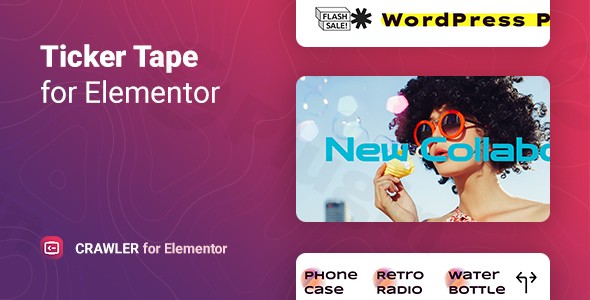
In the fast-paced world of digital content, grabbing a visitor’s attention within the first few seconds is critical. The Crawler Ticker Plugin for Elementor is a powerful WordPress plugin designed to solve the problem of static, unengaging headers and sidebars. By adding dynamic, scrolling news tickers and announcement bars, this tool ensures your most important updates—whether they are breaking news, flash sales, or trending products—are impossible to miss.
As a dedicated Elementor ticker plugin, Crawler integrates directly into your existing design workflow, allowing you to build professional-grade scrolling displays without touching a single line of code.
Key Features of the Crawler Ticker Plugin
The Crawler plugin isn’t just a simple text scroller; it is a comprehensive content delivery system for Elementor users. Here is a breakdown of the features that provide real-world value to your site:
1. Diverse Content Sources
Unlike basic widgets that only support manual text, Crawler allows you to pull data from multiple sources:
- Posts & Pages: Automatically display your latest blog titles.
- WooCommerce Products: Perfect for showcasing “Trending Now” items or specific product categories.
- Manual Mixed Types: Combine custom text, links, and specific posts into a single ticker.
- Custom Content: Full control over what your audience sees.
2. High-End Customization & Aesthetics
To ensure your ticker matches your brand identity, the plugin offers:
- 5 Unique Styled Templates: Ready-to-use designs to get you started in seconds.
- Icon & SVG Support: Use Font Awesome icons or upload your own SVGs to add visual cues (like a “Fire” icon for hot deals).
- Full RTL Support: Essential for websites operating in languages like Arabic or Hebrew.
3. Precision Performance Settings
Control exactly how your content moves across the screen. You can adjust the speed and direction (Left-to-Right or Right-to-Left) and utilize advanced animation settings for the news slider functionality. Because it is a lightweight WordPress plugin, it won’t bog down your PageSpeed scores.
Installation & Setup: How to Add a News Ticker to Elementor
Setting up the Crawler plugin is straightforward. Follow these steps to get your first ticker live:
- Install the Plugin: Navigate to your WordPress Dashboard > Plugins > Add New. Upload the Crawler plugin .zip file or search for it if you have it in your repository. Click Install and then Activate.
- Open Elementor: Launch the Elementor editor on the page where you want the ticker to appear.
- Search for the Widget: In the Elementor side panel, search for “Crawler” or “Ticker”.
- Drag and Drop: Drag the Crawler widget into your desired section (usually at the top of the page or just below the navigation bar).
- Configure Content: In the “Content” tab, select your source (e.g., WooCommerce Products or Latest Posts).
- Style Your Ticker: Move to the “Style” tab to adjust colors, typography, and background settings to match your site’s theme.
Practical Usage & Best Practices
The Crawler Ticker Plugin for Elementor is versatile enough for various industries. Here are the best ways to implement it:
- For E-commerce Store Managers: Use the ticker to display “Flash Sale: 20% off all Summer Gear!” or to scroll through specific WooCommerce categories. This creates a sense of urgency that boosts conversions.
- For News Portals & Bloggers: Set the ticker to pull from “Latest Posts” to keep readers informed of breaking news without them having to scroll down the page.
- For SaaS & Corporate Sites: Use it as an announcement bar for system updates, new feature releases, or upcoming webinars.
- Best Practice Tip: Keep the scrolling speed moderate. If it’s too fast, users can’t read it; if it’s too slow, it loses the “dynamic” feel. Aim for a speed that allows a user to read a full headline in 3–5 seconds.
FAQ & Troubleshooting
What is the Crawler Ticker Plugin for Elementor?
The Crawler Ticker Plugin for Elementor is a WordPress-based widget specifically designed for the Elementor page builder. It allows users to create horizontal scrolling tickers or sliders using various content sources like blog posts, WooCommerce products, or custom manual text.
Is Crawler Ticker Plugin for Elementor compatible with the latest WordPress?
Yes, the plugin is developed to be compatible with modern WordPress versions (up to 6.9.x and beyond) and is regularly updated to ensure it works with the latest Elementor releases and PHP versions.
Can the Crawler plugin display WooCommerce products in a ticker?
Absolutely. One of its core features is the ability to filter and display WooCommerce products. You can choose to show all products or filter them by specific categories, making it an ideal Elementor ticker plugin for WooCommerce products.
How can I customize the look to match my brand?
You can use the built-in “Style” tab in Elementor to modify fonts, colors, borders, and backgrounds. Additionally, you can choose from 5 pre-designed templates or add custom SVG icons to ensure the ticker aligns perfectly with your site’s aesthetic.
Does it support Right-to-Left (RTL) languages?
Yes, the Crawler plugin is fully RTL compatible, making it suitable for international websites and local languages that read from right to left.
Final Verdict
If you are looking for the best Elementor plugin for announcements tickers, the Crawler plugin by Merkulove is a top-tier choice. It balances lightweight performance with deep customization, making it an essential tool for any site owner looking to increase user engagement. Whether you are running a high-traffic news site or a boutique WooCommerce store, the ROI comes from improved visibility for your most important content.
Ready to enhance your site? You can find more tools and reviews like this at wppick.com.
I. Download Limits & Account Benefits
- Free Downloads: Each email address receives 3 downloads per day for free products
- Upgrade Benefits: Purchase any paid product to increase your daily download limit by 3 for each paid product
- No Account Required: You can download immediately by receiving the download link via email
- Account Recommended: Create an account for easier access to your order history and direct update downloads
II. Understanding GPL vs Official Versions
Important: The products available on WPPick are GPL-licensed versions, which differ from official developer versions. Before purchasing, please read our comprehensive guide: Understanding GPL & Official Differences at WPPick
Key Points:
- GPL versions may not include premium support from original developers
- Updates may be delayed compared to official releases
- Some premium features might have limitations
- Always consider your specific needs and support requirements
III. Support & Assistance
We’re here to help through multiple channels:
- Email Support: Direct email assistance for all inquiries
- Live Chat: Real-time support during business hours
- Comprehensive Documentation: Detailed guides and tutorials
IV. Order Tracking
Access your complete purchase history and download links anytime: Order History
V. Account Access
New to WPPick? Login or Create Account to manage your downloads and orders efficiently.
VI. Refund Protection
We stand behind our products with a clear refund policy. Review our terms: Refund Policy
VII. Privacy & Security
Your data security is our priority. Learn how we protect your information: Privacy Policy
VII. Terms of Service
Understanding our service terms ensures a smooth experience: Terms of Use
Quick Tips for Best Experience
- Verify Compatibility: Check plugin/theme compatibility with your WordPress version
- Backup First: Always backup your site before installing new plugins or themes
- Test Environment: Consider testing on a staging site first
- Stay Updated: Regularly check for updates in your account dashboard
- Read Documentation: Review any included documentation for optimal setup
Need Help?
If you have questions about downloads, licensing, or need technical assistance, don’t hesitate to contact our support team. We’re committed to ensuring you have the best possible experience with WPPick products.
Ready to get started? Your download adventure begins with just one click!
- Fixed plugin security issues.
- Improved compatibility with the latest Elementor version.