

Css3 Responsive WordPress Compare Pricing Tables
/Year
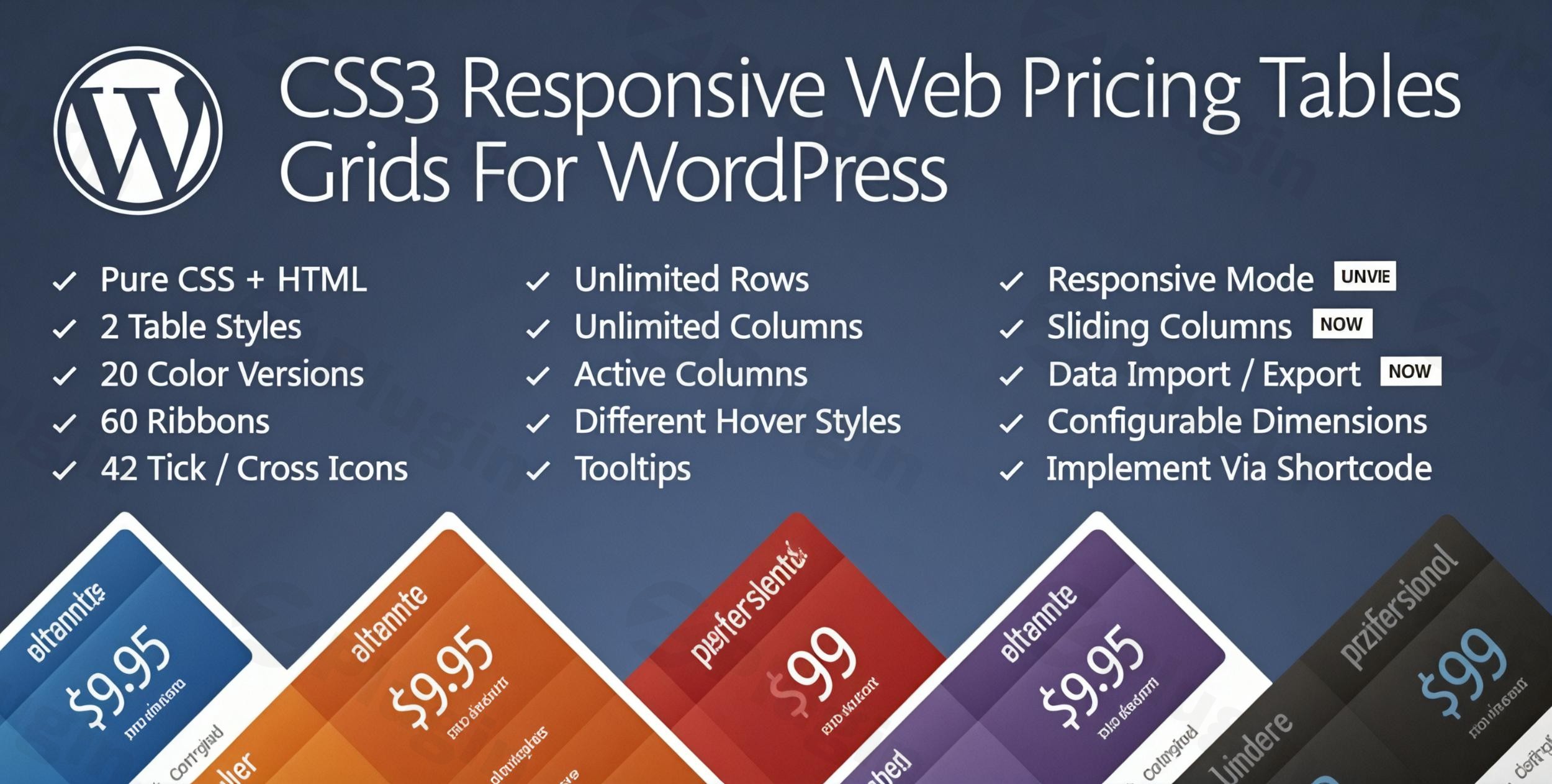
In today’s competitive digital landscape, clearly presenting your pricing and feature comparisons is crucial for converting visitors into customers. For WordPress users, finding a powerful yet easy-to-use solution can be a challenge. The CSS3 Responsive WordPress Compare Pricing Tables plugin emerges as an exceptional WordPress pricing table plugin designed to help you create stunning, professional, and responsive pricing tables WordPress sites need. This versatile tool is ideal for showcasing service packages, SaaS subscriptions, product features, or membership plans with clarity and style, making it a must-have for any business looking to enhance its conversion rates.
Key Features That Make This Plugin Stand Out
The CSS3 Responsive WordPress Compare Pricing Tables plugin, sometimes referred to as “CSS3 Responsive Web Pricing Tables Grids For WordPress” by its original developer QuanticaLabs, is built on a foundation of pure CSS3 and HTML, prioritizing performance and design flexibility. It delivers an extensive suite of functionalities for building highly engaging and customizable pricing and comparison tables.
Flexible & Performance-Driven Design
- Pure CSS + HTML Foundation: This plugin leverages pure CSS3 and HTML, minimizing reliance on JavaScript. This approach ensures lightweight performance and faster loading times, which is critical for user experience and SEO.
- Fully Responsive Design: Your tables will look impeccable on any device, from desktops to tablets and smartphones. The design is fully responsive, adapting seamlessly to various screen sizes without manual coding, supporting the “mobile-friendly” aspect of your website.
- Multiple Table Styles & Color Schemes: Choose from 2 unique table styles and 20 predefined color schemes to perfectly match your brand’s aesthetic. This flexibility allows you to deploy diverse design options quickly.
- Customizable Breakpoints & Column Widths: Gain precise control over how your tables adapt by defining custom breakpoints and adjusting column widths in pixels or percentages.
Advanced Functionality for Enhanced User Experience
- Intuitive Admin Panel with Live Preview: The plugin boasts an easy-to-use admin interface that includes a live preview. This allows for quick setup and real-time visualization of your changes, simplifying the pricing table builder WordPress workflow.
- Interactive Elements:
- Sliding Columns and Expandable Rows: Improve user experience by managing content density effectively. Users can expand rows for more detail or slide columns to view additional plans.
- Hover States & CSS3 Tooltips: Engage your visitors with smooth hover effects, such as column enlargement, and provide additional explanatory information with sleek CSS3-based tooltips. This makes your WordPress pricing table with ribbons tooltips dynamic and informative.
- Ribbons & Icons: Highlight special offers or recommended plans with 60 predefined ribbon options. Use 42 tick/cross icons to clearly indicate feature availability, enhancing visual appeal and clarity.
- Dynamic Column Features: Set one or more columns to appear “active” or “popped-up” by default, drawing immediate attention to your featured pricing plans.
Unparalleled Customization & Control
- Unlimited Tables, Columns, and Rows: There are no limits to how many tables, columns, or rows you can create, offering significant flexibility for detailed comparisons and diverse pricing structures.
- Easy Sorting & Configuration: Manage your content effortlessly with simple drag-and-drop sorting for rows and columns directly within the admin panel.
- Shortcode Implementation: Embedding your beautifully designed tables into any post or page is straightforward with a simple shortcode, making it a highly accessible WordPress comparison table plugin.
- Import/Export Functionality: Quickly set up new sites or back up your configurations with the convenient import/export feature.
- Multi-site (WordPress MU) Compatibility: This plugin is fully compatible with WordPress MultiSite installations, making it an excellent choice for agencies or networks.
- Content Management: Insert HTML code, images, and Font Awesome icons directly into cells, giving you ultimate control over your table content.
Installation & Setup: How to Create a Responsive Pricing Table in WordPress
Installing and setting up the CSS3 Responsive WordPress Compare Pricing Tables plugin is a straightforward process, even for those who aren’t developers. This guide will walk you through the steps to get your stylish pricing tables up and running.
- Purchase and Download: First, purchase the plugin. As a premium solution available under GPL license, you’ll receive regular updates and access to all features. Every release is scanned for safety using VirusTotal, guaranteeing a secure installation.
- Upload the Plugin:
- Log in to your WordPress dashboard.
- Navigate to Plugins > Add New.
- Click on the “Upload Plugin” button at the top of the page.
- Choose the plugin’s
.zipfile that you downloaded and click “Install Now.”
- Activate the Plugin: Once installed, click the “Activate Plugin” button.
- Access the Settings: After activation, you’ll typically find a new menu item in your WordPress dashboard sidebar, often named “Pricing Tables” or similar. Click on it to access the plugin’s intuitive admin panel.
- Create Your First Table:
- Within the plugin’s admin panel, look for an option to “Add New Table” or “Create New.”
- Give your table a descriptive name.
- Start adding columns and rows. You can easily define column headers, feature lists, pricing details, and call-to-action buttons.
- Utilize the live preview to see your changes in real-time.
- Customize Design & Content:
- Explore the extensive customization options: choose from 2 table styles and 20 color schemes, adjust column widths, add ribbons to highlight popular plans, and incorporate tick/cross icons for feature comparisons.
- Add CSS3 tooltips for extra information where needed.
- Embed Your Table: Once you’re satisfied with your table, save it. The plugin will provide a shortcode (e.g.,
[css3_pricing_table id="123"]).- Go to the page or post where you want to display the table.
- Paste the shortcode into the content editor (Gutenberg block, Classic Editor, or even your page builder’s text module).
- Publish or update the page, and your responsive pricing table will appear!
Practical Usage & Best Practices for Maximizing Conversions
The CSS3 Responsive WordPress Compare Pricing Tables plugin is a versatile tool that caters to a wide range of business needs. Here’s how different users can leverage it effectively:
- Service-Based Businesses: Consultants, agencies, and freelancers can use the plugin to clearly outline their service packages (e.g., “Basic,” “Pro,” “Enterprise”). Highlight key features, deliverables, and pricing tiers to help potential clients quickly identify the best fit.
- SaaS and Subscription Models: For software-as-a-service providers, this plugin is perfect for showcasing different subscription plans. Emphasize value propositions, feature limits, and call-to-action buttons (e.g., “Start Free Trial,” “Subscribe Now”) to drive sign-ups. The “active” or “popped-up” column feature is ideal for drawing attention to your most popular plan.
- E-commerce Product Comparisons: While primarily for pricing, you can easily adapt this plugin into a WordPress plugin for comparing product features prices. Create comparison grids for similar products, highlighting differences in specifications, warranties, or bundled accessories to guide purchasing decisions.
- Membership & Pricing Pages: Online communities, course creators, and content sites can define various membership levels (e.g., “Free,” “Premium,” “VIP”), detailing access to exclusive content, support, and features.Best Practices:
- Keep it Simple: While the plugin offers extensive customization, avoid overwhelming users with too many options or overly complex tables. Focus on clarity.
- Highlight the Best Value: Use the ribbon options and “active column” feature to draw attention to your recommended or best-value plan.
- Clear Call-to-Actions: Ensure each pricing tier has a distinct and compelling call-to-action button that leads directly to the sign-up or purchase page.
- Test on Different Devices: Always preview your tables on various screen sizes to ensure the responsive pricing table WordPress design is flawless across all devices.
FAQ & Troubleshooting
Here are answers to some common questions about the CSS3 Responsive WordPress Compare Pricing Tables plugin.
How to create a responsive pricing table in WordPress?
To create a responsive pricing table, install the CSS3 Responsive WordPress Compare Pricing Tables plugin. Navigate to its settings in your WordPress dashboard, add a new table, define your columns and rows with pricing and features, customize the design using the intuitive admin panel, and then embed the generated shortcode into any page or post. The plugin automatically handles responsiveness via its CSS3 foundation.
What are the best WordPress pricing table plugins?
The market offers several good WordPress pricing table plugins. The CSS3 Responsive WordPress Compare Pricing Tables is consistently listed among the best premium options due to its pure CSS3 foundation, extensive customization, responsive design, and performance focus. Other popular choices include Go Pricing and ARPrice, but this plugin often offers an excellent balance of features and value.
Does Css3 Responsive WordPress Compare Pricing Tables support Elementor?
Yes, the CSS3 Responsive WordPress Compare Pricing Tables plugin includes dedicated widgets/components for popular page builders like Elementor and WPBakery Page Builder (formerly Visual Composer). This ensures seamless integration and allows you to easily add and customize your pricing tables directly within your preferred page builder interface.
Is Css3 Responsive WordPress Compare Pricing Tables mobile-friendly?
Absolutely. The CSS3 Responsive WordPress Compare Pricing Tables plugin is designed with a pure CSS + HTML foundation that ensures fully responsive tables. This means your pricing displays will automatically adapt and look great on all screen sizes, including desktops, tablets, and smartphones, providing an optimal user experience across all devices.
Does the plugin support unlimited tables and columns?
Yes, the plugin allows you to create an unlimited number of tables, columns, and rows. This provides maximum flexibility for showcasing any number of pricing plans or product comparison matrices.
Conclusion: Elevate Your Conversions with a Professional Pricing Table Plugin
The CSS3 Responsive WordPress Compare Pricing Tables plugin is a robust and highly effective solution for any WordPress website owner looking to present their pricing and feature comparisons with professionalism and clarity. Its foundation in pure CSS3 and HTML ensures superior performance and responsiveness, while the comprehensive suite of design options and intuitive admin panel makes customization accessible to everyone.Whether you’re a service provider, a SaaS company, an e-commerce store, or managing a membership site, this WordPress pricing table plugin provides the tools you need to create engaging, high-converting displays. By emphasizing user experience, flexibility, and a commitment to secure, updated code, it stands out as a top-tier choice to enhance your website and drive your business forward.
I. Download Limits & Account Benefits
- Free Downloads: Each email address receives 3 downloads per day for free products
- Upgrade Benefits: Purchase any paid product to increase your daily download limit by 3 for each paid product
- No Account Required: You can download immediately by receiving the download link via email
- Account Recommended: Create an account for easier access to your order history and direct update downloads
II. Understanding GPL vs Official Versions
Important: The products available on WPPick are GPL-licensed versions, which differ from official developer versions. Before purchasing, please read our comprehensive guide: Understanding GPL & Official Differences at WPPick
Key Points:
- GPL versions may not include premium support from original developers
- Updates may be delayed compared to official releases
- Some premium features might have limitations
- Always consider your specific needs and support requirements
III. Support & Assistance
We’re here to help through multiple channels:
- Email Support: Direct email assistance for all inquiries
- Live Chat: Real-time support during business hours
- Comprehensive Documentation: Detailed guides and tutorials
IV. Order Tracking
Access your complete purchase history and download links anytime: Order History
V. Account Access
New to WPPick? Login or Create Account to manage your downloads and orders efficiently.
VI. Refund Protection
We stand behind our products with a clear refund policy. Review our terms: Refund Policy
VII. Privacy & Security
Your data security is our priority. Learn how we protect your information: Privacy Policy
VII. Terms of Service
Understanding our service terms ensures a smooth experience: Terms of Use
Quick Tips for Best Experience
- Verify Compatibility: Check plugin/theme compatibility with your WordPress version
- Backup First: Always backup your site before installing new plugins or themes
- Test Environment: Consider testing on a staging site first
- Stay Updated: Regularly check for updates in your account dashboard
- Read Documentation: Review any included documentation for optimal setup
Need Help?
If you have questions about downloads, licensing, or need technical assistance, don’t hesitate to contact our support team. We’re committed to ensuring you have the best possible experience with WPPick products.
Ready to get started? Your download adventure begins with just one click!
- Dedicated Elementor widget added
- Fix for font family setting issue
- css3_web_pricing_tables_grids.php
- js/main.js
- table1/css3_grid_style.css
- table2/css3_grid_style.css
- elementor/class/CSS3_Compare_Pricing_Tables.php
- Security improvements.
- css3_web_pricing_tables_grids.php
- js/css3_grid_admin.js