

Css3 Tooltips For WordPress
/Year
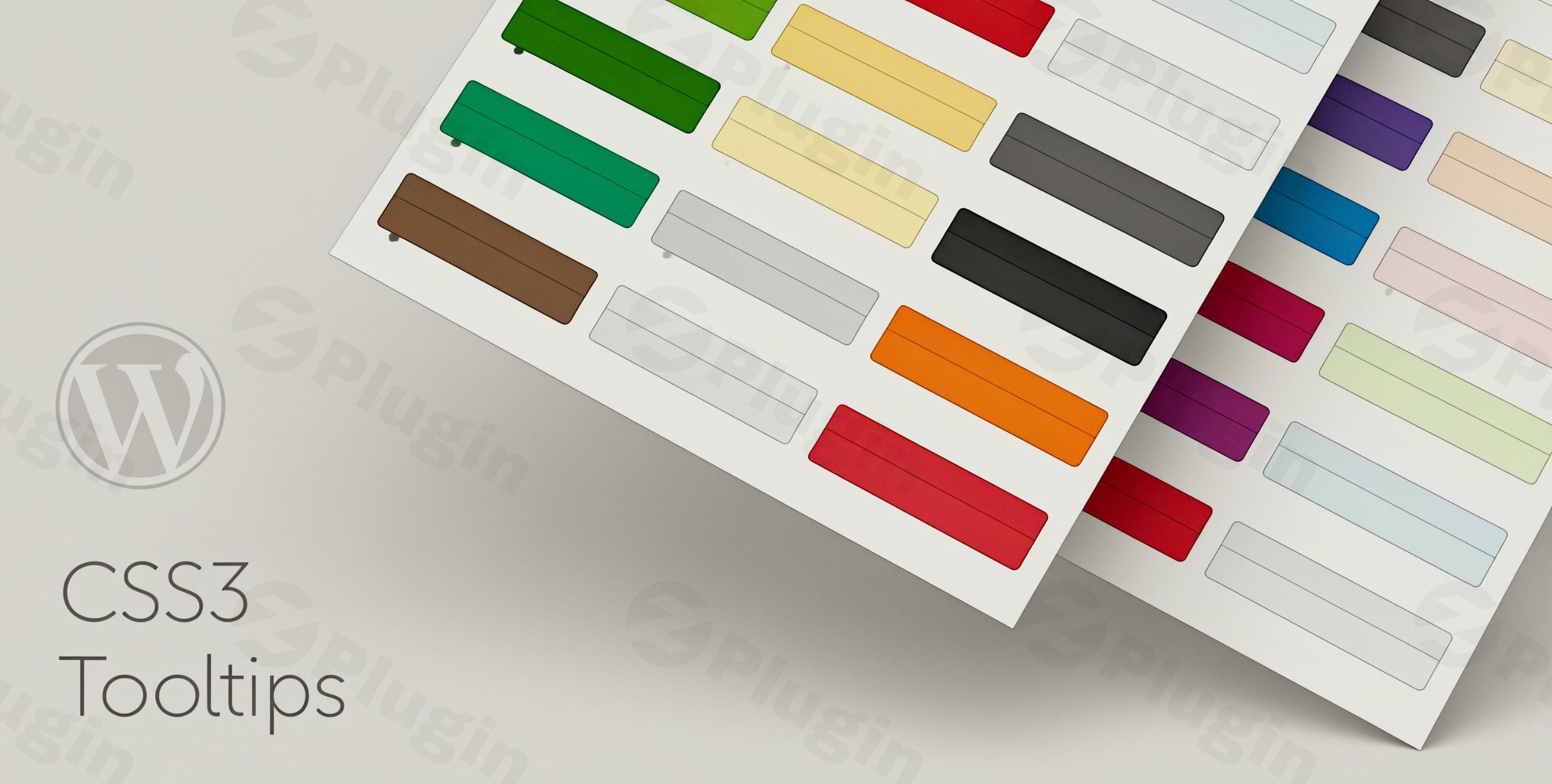
In the world of web design, providing additional context without cluttering your layout is a major challenge. The CSS3 Tooltips For WordPress plugin offers a elegant, high-performance solution for site owners who want to enhance user experience (UX) through interactive hints. By leveraging a pure CSS3 foundation, this WordPress CSS3 Tooltips solution ensures that your site remains fast and responsive while providing rich information to your visitors.
Whether you are looking to explain technical jargon, provide product specifications, or add “quick views” to your links, this plugin is designed to handle it all without the heavy performance overhead associated with JavaScript-based alternatives.
Key Features & Benefits of the CSS3 Tooltips WordPress Plugin
The CSS3 Tooltips WordPress Plugin is packed with features that cater to both beginners and power users. Here is a breakdown of why this plugin is a top choice for modern WordPress sites:
- Pure CSS3 Foundation: Unlike many tooltip plugins that rely on heavy JavaScript libraries, this plugin uses CSS3 for its effects. This results in lightweight WordPress tooltips that load almost instantly and don’t drag down your PageSpeed scores.
- Extensive Visual Library: The plugin includes 50 predefined CSS3 styles. Whether your site is minimalist, corporate, or colorful, you can find a style that matches your branding perfectly.
- Flexible Positioning: With 10 different tooltip positions (top, bottom, left, right, and various offsets), you can ensure your tooltips never overlap critical content or go off-screen.
- Interactive Triggers: You can choose to trigger tooltips on hover (standard for desktops) or on click (ideal for mobile users and specific calls to action).
- Multimedia Support: Move beyond simple text. You can easily embed images and videos directly inside your tooltips, making them perfect for “how-to” snippets or product previews.
- Shortcode Generator: No coding is required. The built-in generator allows you to create custom tooltips in WordPress and insert them into any page or post with a simple shortcode.
- Mobile-First Design: The plugin is fully responsive, ensuring that your tooltips look and function correctly on smartphones and tablets.
How to Install and Set Up CSS3 Tooltips For WordPress
Setting up your WordPress tooltip plugin is straightforward. Follow these steps to get started:
- Installation: Log in to your WordPress dashboard. Navigate to Plugins > Add New, upload the plugin file (or search for it if using a repository version), and click Activate.
- Access Settings: Go to the new “CSS3 Tooltips” menu item in your sidebar. Here, you can configure Global Settings, such as default colors, delay times, and whether you want to automatically convert all website links into tooltips.
- Create Your First Tooltip:
- Open the page or post editor.
- Look for the CSS3 Tooltips icon in the editor toolbar (Shortcode Generator).
- Enter your content, select one of the 50 styles, and choose your preferred position.
- Click “Insert,” and the shortcode will be added to your content.
- Optional: Advanced Customization: If you need a specific look, use the Custom CSS field in the settings to add your own classes or styles to override the defaults.
Practical Usage & Best Practices
To get the most ROI from this plugin, consider these real-world workflows:
1. eCommerce Product Specifications
If you run a WooCommerce store, use tooltips to explain complex technical specs. Instead of a messy table, users can hover over a feature (e.g., “IP68 Rating”) to see a tooltip explaining what it means. This keeps the product page clean while remaining informative.
2. SaaS and App Onboarding
For software-focused sites, CSS3 Tooltips For WordPress is ideal for explaining dashboard features. Use a “Notification Icon” style tooltip to draw attention to new features without interrupting the user’s workflow.
3. Affiliate Marketing and Blogs
Affiliate marketers can use the “Global Link Conversion” feature. When a reader hovers over a link, a tooltip can display a disclosure or a brief summary of the product, increasing transparency and click-through rates (CTR).
4. Educational Content & Glossaries
If you write technical articles, use tooltips to define industry terms. This is a responsive tooltip WordPress strategy that allows experts to skip the definitions while providing immediate value to beginners.
FAQ & Troubleshooting
Is CSS3 Tooltips For WordPress compatible with Elementor and Gutenberg?
Yes. The plugin works seamlessly with major page builders like Elementor and the native Gutenberg block editor. You can simply use the Shortcode block to place your tooltips anywhere within your custom layouts.
Can I include images and videos inside the tooltips?
Absolutely. The plugin supports rich media. You can include HTML tags for images or embed video URLs within the tooltip content field to create interactive, multimedia hints.
Will this plugin slow down my website?
No. Because it is built on a pure CSS3 foundation, it avoids the “bloat” of JavaScript-heavy plugins. It is widely considered one of the most lightweight WordPress tooltip solutions available.
How do I handle tooltips on mobile devices?
Since hover effects don’t exist on touchscreens, you should set important tooltips to the “Click” trigger. The plugin is fully responsive and will adjust the tooltip’s width to fit the mobile screen.
What should I do if the tooltip is cut off by the edge of the screen?
You can adjust the “Position” setting (choosing from the 10 available options) or set a Fixed Width in the plugin settings to ensure the content stays within the viewport.
Final Verdict
CSS3 Tooltips For WordPress is a powerful, high-performance tool for any site owner looking to improve UI/UX. Its standout feature is the balance between deep customization (50+ styles) and a lightweight footprint that won’t compromise your SEO or speed.
If you need a reliable CSS3 Tooltips WordPress Plugin that is mobile-friendly and easy to use without a developer, this is an excellent investment for your WordPress toolkit. For more tips on optimizing your site, visit wppick.com.
I. Download Limits & Account Benefits
- Free Downloads: Each email address receives 3 downloads per day for free products
- Upgrade Benefits: Purchase any paid product to increase your daily download limit by 3 for each paid product
- No Account Required: You can download immediately by receiving the download link via email
- Account Recommended: Create an account for easier access to your order history and direct update downloads
II. Understanding GPL vs Official Versions
Important: The products available on WPPick are GPL-licensed versions, which differ from official developer versions. Before purchasing, please read our comprehensive guide: Understanding GPL & Official Differences at WPPick
Key Points:
- GPL versions may not include premium support from original developers
- Updates may be delayed compared to official releases
- Some premium features might have limitations
- Always consider your specific needs and support requirements
III. Support & Assistance
We’re here to help through multiple channels:
- Email Support: Direct email assistance for all inquiries
- Live Chat: Real-time support during business hours
- Comprehensive Documentation: Detailed guides and tutorials
IV. Order Tracking
Access your complete purchase history and download links anytime: Order History
V. Account Access
New to WPPick? Login or Create Account to manage your downloads and orders efficiently.
VI. Refund Protection
We stand behind our products with a clear refund policy. Review our terms: Refund Policy
VII. Privacy & Security
Your data security is our priority. Learn how we protect your information: Privacy Policy
VII. Terms of Service
Understanding our service terms ensures a smooth experience: Terms of Use
Quick Tips for Best Experience
- Verify Compatibility: Check plugin/theme compatibility with your WordPress version
- Backup First: Always backup your site before installing new plugins or themes
- Test Environment: Consider testing on a staging site first
- Stay Updated: Regularly check for updates in your account dashboard
- Read Documentation: Review any included documentation for optimal setup
Need Help?
If you have questions about downloads, licensing, or need technical assistance, don’t hesitate to contact our support team. We’re committed to ensuring you have the best possible experience with WPPick products.
Ready to get started? Your download adventure begins with just one click!
- Fix for plugin options access control vulnerability.