

Custom Instagram Feed Pro Developer
/Year
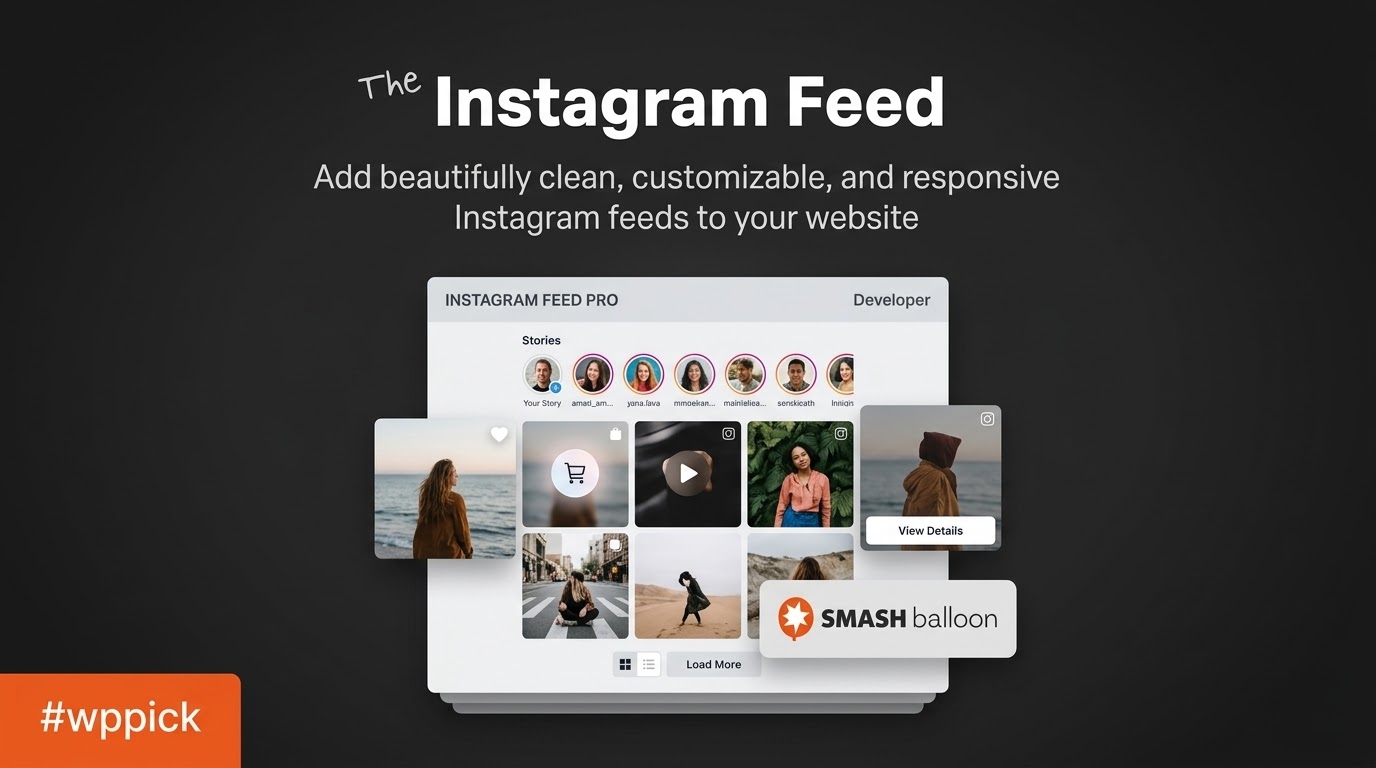
Streamline Your Social Integration with Custom Instagram Feed Pro
Custom Instagram Feed Pro Developer by Smash Balloon is a premium WordPress plugin engineered to embed fully customizable and responsive Instagram feeds directly into your website. Rather than relying on generic, inflexible embeds, this plugin utilizes the Instagram API to pull photos, videos, and stories seamlessly. It is designed for website owners, digital agencies, and e-commerce managers who want to keep their site content fresh without manually updating images, while retaining complete control over the visual presentation.
Key Capabilities and Features
The plugin provides extensive functionality to ensure your social content matches your brand aesthetics while delivering advanced user engagement tools. Integration is seamless across various WordPress environments. Beyond standard photo grids, you can configure carousel sliders to maximize space or utilize masonry layouts to display vertical and horizontal images dynamically without cropping. The responsive design ensures that your galleries look perfectly aligned on desktop monitors, tablets, and mobile devices.
- Multiple Layout Options: Choose between grid, carousel, masonry, and highlight layouts to best fit your site design.
- Shoppable Feeds: Link Instagram posts directly to product pages, allowing users to purchase items they see in your feed.
- Visual Customization: Modify colors, spacing, columns, and typography natively without writing any custom CSS.
- Advanced Content Moderation: Create visual whitelist or blacklist filters to explicitly hide or show specific posts, ensuring absolute brand safety.
- Instagram Stories and IGTV: Display active stories in a popup lightbox directly on your WordPress site to maximize content reach.
- Performance Optimized: Built-in caching mechanisms minimize API calls and ensure fast page load times even during high traffic spikes.
Practical WordPress Use Cases
Website administrators across various niches utilize this plugin to bridge the gap between their social media presence and their primary domain.
- E-commerce Stores: Retailers use shoppable feeds to turn social engagement into direct sales by linking lifestyle photos to WooCommerce product pages.
- Photographers and Creatives: Portfolio websites benefit from an auto-updating gallery of recent work directly from their Instagram profile.
- Corporate Brands: Companies aggregate brand hashtags to display user-generated content, building social proof and community trust.
- Bloggers and Influencers: Content creators embed targeted feeds within blog posts to increase their follower count and time-on-site metrics.
Setup and Compatibility Notes
Integrating the plugin into a WordPress environment is straightforward. It supports the native WordPress block editor via a dedicated block, as well as shortcodes for classic editor or page builder users. The plugin is compatible with major caching solutions and page builders like Elementor, Divi, and Beaver Builder. Authentication requires connecting an Instagram Business or Personal account via an intuitive OAuth process, removing the need to manually configure complex API keys.
Why Choose This Plugin on WPPick
Accessing the Developer edition of Custom Instagram Feed Pro through WPPick provides you with a fully functional archive ready for immediate deployment. You can integrate advanced social features into your WordPress projects without heavy upfront costs, allowing for comprehensive testing in staging environments before rolling out to live production servers. The codebase remains unmodified, ensuring reliable performance across your entire portfolio.
Latest Version Context
The latest version 6.13.0 focuses heavily on reliability, accessibility, and compatibility. While detailed release notes are not currently available from the provided external web sources, the plugin’s internal changelog reveals major connectivity and accessibility enhancements. A significant improvement introduces intelligent API fallback notices; if the feed cannot reach Instagram due to rate limits or API throttling, it automatically serves a cached copy of the posts while attempting to retry in the background without prompting unnecessary reconnection errors. The weekly Feed Issue Email Report has been upgraded to notify administrators if a feed has been relying on cached data for extended periods. Accessibility has received significant attention, with extensive keyboard and focus improvements across the published feed, lightbox, and customizer interfaces, ensuring screen readers can easily navigate posts and carousel items. Additionally, this release confirms full compatibility with WordPress 7.1 and includes routine security hardening.
Frequently Asked Questions
Here are common questions about operating and managing this Instagram integration on WordPress.
- Does this plugin require an Instagram Business account? While a personal account can display basic feeds, an Instagram Business account is required for advanced features like hashtag feeds and shoppable integrations.
- Will the feed slow down my website load time? The plugin uses an intelligent caching system that stores API data locally in your WordPress database, preventing slow API calls from affecting your frontend page speed.
- Can I display feeds from multiple different Instagram accounts? Yes, the Developer edition allows you to connect multiple accounts and display separate feeds, or even combine them into a single unified gallery.
- How does the shoppable feed feature work? You can link specific Instagram posts to custom URLs by adding the target URL in the caption of your Instagram post or via the plugin dashboard, turning your gallery into a clickable product catalog.
- Does the plugin support Instagram Stories? Yes, you can display your active Instagram Stories natively within the feed header, allowing users to click and view them in a responsive lightbox.
- What happens if the Instagram API goes down? The plugin includes a reliable fallback mechanism that will automatically display the most recently cached version of your feed until the API connection is restored.
I. Download Limits & Account Benefits
- Free Downloads: Each email address receives 3 downloads per day for free products
- Upgrade Benefits: Purchase any paid product to increase your daily download limit by 3 for each paid product
- No Account Required: You can download immediately by receiving the download link via email
- Account Recommended: Create an account for easier access to your order history and direct update downloads
II. Understanding GPL vs Official Versions
Important: The products available on WPPick are GPL-licensed versions, which differ from official developer versions. Before purchasing, please read our comprehensive guide: Understanding GPL & Official Differences at WPPick
Key Points:
- GPL versions may not include premium support from original developers
- Updates may be delayed compared to official releases
- Some premium features might have limitations
- Always consider your specific needs and support requirements
III. Support & Assistance
We’re here to help through multiple channels:
- Email Support: Direct email assistance for all inquiries
- Live Chat: Real-time support during business hours
- Comprehensive Documentation: Detailed guides and tutorials
IV. Order Tracking
Access your complete purchase history and download links anytime: Order History
V. Account Access
New to WPPick? Login or Create Account to manage your downloads and orders efficiently.
VI. Refund Protection
We stand behind our products with a clear refund policy. Review our terms: Refund Policy
VII. Privacy & Security
Your data security is our priority. Learn how we protect your information: Privacy Policy
VII. Terms of Service
Understanding our service terms ensures a smooth experience: Terms of Use
Quick Tips for Best Experience
- Verify Compatibility: Check plugin/theme compatibility with your WordPress version
- Backup First: Always backup your site before installing new plugins or themes
- Test Environment: Consider testing on a staging site first
- Stay Updated: Regularly check for updates in your account dashboard
- Read Documentation: Review any included documentation for optimal setup
Need Help?
If you have questions about downloads, licensing, or need technical assistance, don’t hesitate to contact our support team. We’re committed to ensuring you have the best possible experience with WPPick products.
Ready to get started? Your download adventure begins with just one click!
- A notice now warns you when a feed has been showing an older saved copy of its posts because Instagram could not be reached, escalating to a more urgent warning if the connection stays broken.
- The weekly Feed Issue Email Report now also tells you when a feed has quietly been showing an older saved copy of its posts for days, not just when there is an outright connection error.
- Keyboard and focus improvements across the published feed, its lightbox, and the feed customizer — posts and carousel items are reachable by Tab and announced to screen readers, focus outlines are clearer and correctly placed, and focus no longer gets stuck in the customizer's color picker.
- The customizer preview is clickable again — moderation, shoppable, and caption expansion work as expected, and clicking a shoppable tile no longer opens Instagram.com in a new tab.
- Rate limits and temporary throttling from Instagram no longer mark a working connection as invalid or ask you to reconnect — the feed keeps serving cached posts and retries automatically once the limit clears.
- Repeated failures to refresh a connected account's access token are now recorded properly, so a connection that keeps failing no longer appears up to date.
- Confirmed compatibility with WordPress 7.1.
- Plugin security hardening.
- Custom templates cache key now works correctly when enabled.
- Various PHP 8.4 compatibility enhancements.
- Added optional deactivation feedback survey to help us improve the plugin.
- Added support for Instagram's Media API. This will future-proof the plugin and prevent issues with Instagram deprecating the 'thumbnail_url' from the oEmbed API.
- Additional plugin hardening.
- Additional plugin hardening.