

Database Cleaner By Meow Apps
/Year
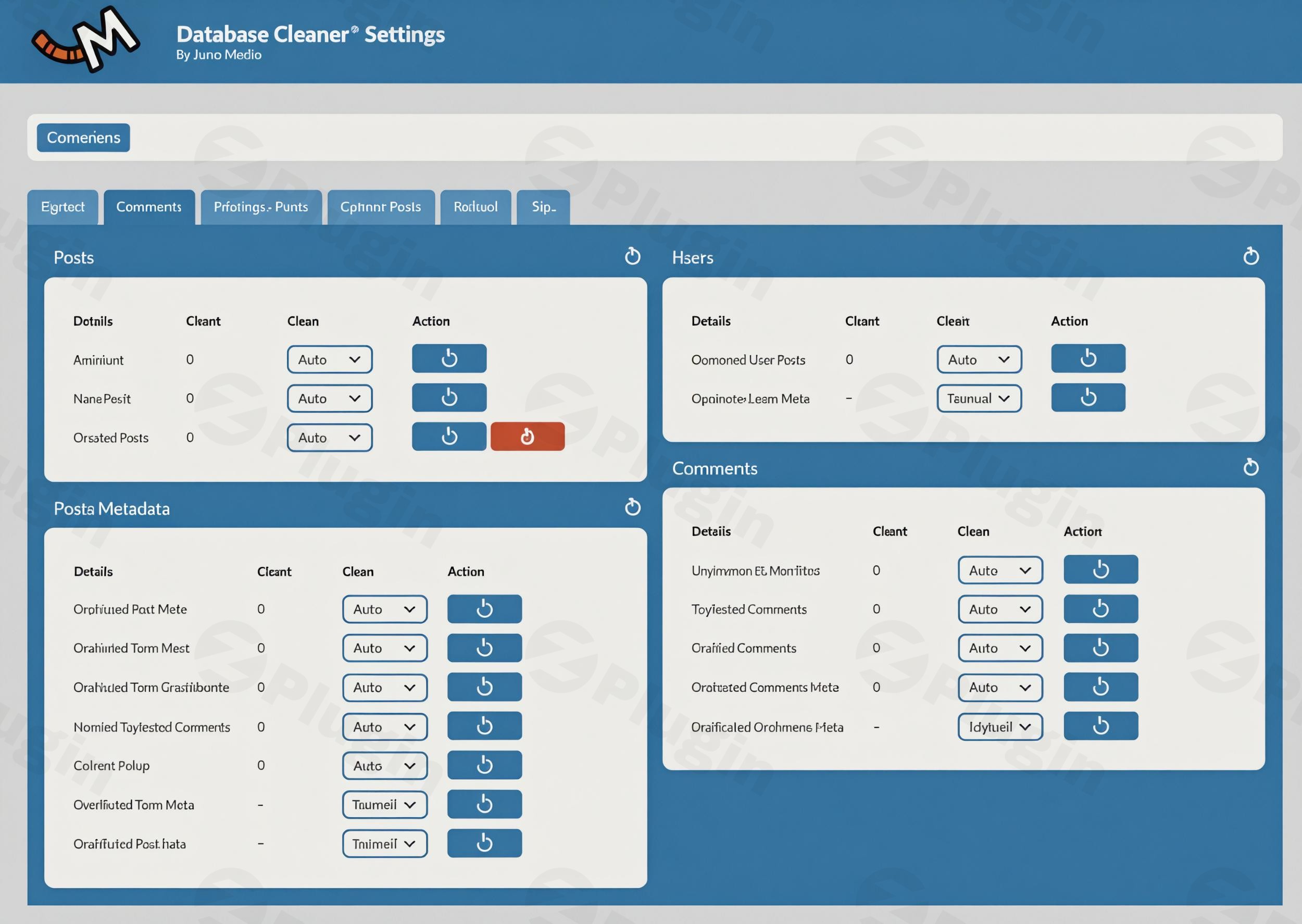
Optimize and Streamline Your WordPress Site Performance
Over time, every WordPress website accumulates digital clutter within its database. Unused post revisions, orphaned metadata, transient options, and left-over tables from deleted plugins can drastically slow down your site execution speed and complicate backups. Database Cleaner By Meow Apps offers a professional solution to clean up, structuralize, and speed up your database records safely and efficiently.
What It Does
Database Cleaner scans your entire WordPress infrastructure to identify redundant, orphaned, or obsolete data. It gives you a clear overview of items that can be discarded without harming your website functionality. By systematically removing items like old auto-drafts, spam comments, unattached media references, and expired transients, the plugin reduces database size and helps minimize query execution times.
Who Is It For
This optimization tool is designed for WordPress administrators, agency developers, and website owners who want to keep their database lightweight. It caters specifically to two types of users: beginners who prefer an automated single-click solution, and expert developers or system administrators who want granular control over individual tables, indexes, and custom post types before executing any deletion commands.
Key Capabilities and Features
- Dual Operational Modes: Switch between Easy Mode for quick standard maintenance or Expert Mode for advanced table inspection.
- Orphaned Data Detection: Track down hidden rows left behind by deactivated plugins that standard optimization scripts miss.
- Automated Scheduling: Set background maintenance routines to continuously keep database performance at peak efficiency.
- AI Integration: Leverage modern workflow features that allow automated assistants to securely analyze or format database health stats.
- Core Guardrails: Built-in safety mechanisms prevent the accidental modification or removal of essential WordPress core tables.
Practical WordPress Use Cases
- Cleaning Up Large E-Commerce Stores: Safely remove millions of expired session rows, abandoned cart transients, and old webhooks without disrupting live orders.
- Post-Development Site Handoff: Bulk delete thousands of testing revisions, draft configurations, and dummy comments before delivering a pristine site to a client.
- Restoring Speed to Older Blogs: Purge legacy metadata and old database tables inherited from years of changing active plugins and themes.
Setup and Compatibility Context
Database Cleaner installs quickly through the standard WordPress dashboard interface. It features compatibility protocols that respect the tables of widely used third-party plugins. Before running deep cleaning procedures, users are always encouraged to maintain a complete offline or server-level backup. It runs smoothly on multi-site networks and scales exceptionally well on complex, multi-gigabyte databases without causing timeout errors.
Why Choose It on WPPick
Downloading Database Cleaner through WPPick ensures you receive a highly secure, verified version of this exceptional optimization asset. We provide clean, fully installable packages that pass rigorous file safety checks, giving you access to premium-tier features without subscription hurdles. It is the smartest alternative for developers managing multiple client projects who need reproducible, efficient cleaning results across different hosting architectures.</p
Latest Version Context
The provided version 1.3.9 introduces robust table security features alongside modern developer enhancements. In this release, table deletion safety checks have been reinforced to guarantee that essential WordPress core tables can never be inadvertently erased. Furthermore, Meow Apps tables are now identified more reliably through their native database prefix rather than a hardcoded lookup file. This version also integrates technical Model Context Protocol (MCP) support, enabling AI engine tools to securely inspect or evaluate database metrics on your behalf.
Frequently Asked Questions
Will using this plugin delete my actual posts or pages?
No, Database Cleaner is built with structural guardrails designed to target metadata, leftovers, or items marked as trash. Your actual published posts, active pages, and media files will remain completely intact unless you explicitly choose to remove them under specific filtering rules.
What is the difference between Easy Mode and Expert Mode?
Easy Mode simplifies the interface by highlighting common harmless items like spam, auto-drafts, and expired transient records for quick removal. Expert Mode exposes individual database tables, data types, and index performance, giving advanced developers deep control to clean up highly specific code elements.
Can I schedule automated database optimization routines?
Yes, the plugin includes a scheduling mechanism that lets you run background sweeping jobs. This means you can keep your database consistently lean and fast without needing to manually run cleanup tasks every single week.
Is it safe to delete custom tables left over from old plugins?
Expert Mode helps identify which plugin a custom table originally belonged to. While removing tables from uninstalled plugins is generally a great way to save space and reduce bloat, you should always review the table contents and confirm the plugin is gone permanently before choosing to drop it.
Do I need to make a backup before using Database Cleaner?
Yes, creating a complete database backup is highly recommended before performing any database cleaning or optimization tasks. Modifying structural database rows is an irreversible action, so having a fresh restore point ensures complete peace of mind.
I. Download Limits & Account Benefits
- Free Downloads: Each email address receives 3 downloads per day for free products
- Upgrade Benefits: Purchase any paid product to increase your daily download limit by 3 for each paid product
- No Account Required: You can download immediately by receiving the download link via email
- Account Recommended: Create an account for easier access to your order history and direct update downloads
II. Understanding GPL vs Official Versions
Important: The products available on WPPick are GPL-licensed versions, which differ from official developer versions. Before purchasing, please read our comprehensive guide: Understanding GPL & Official Differences at WPPick
Key Points:
- GPL versions may not include premium support from original developers
- Updates may be delayed compared to official releases
- Some premium features might have limitations
- Always consider your specific needs and support requirements
III. Support & Assistance
We’re here to help through multiple channels:
- Email Support: Direct email assistance for all inquiries
- Live Chat: Real-time support during business hours
- Comprehensive Documentation: Detailed guides and tutorials
IV. Order Tracking
Access your complete purchase history and download links anytime: Order History
V. Account Access
New to WPPick? Login or Create Account to manage your downloads and orders efficiently.
VI. Refund Protection
We stand behind our products with a clear refund policy. Review our terms: Refund Policy
VII. Privacy & Security
Your data security is our priority. Learn how we protect your information: Privacy Policy
VII. Terms of Service
Understanding our service terms ensures a smooth experience: Terms of Use
Quick Tips for Best Experience
- Verify Compatibility: Check plugin/theme compatibility with your WordPress version
- Backup First: Always backup your site before installing new plugins or themes
- Test Environment: Consider testing on a staging site first
- Stay Updated: Regularly check for updates in your account dashboard
- Read Documentation: Review any included documentation for optimal setup
Need Help?
If you have questions about downloads, licensing, or need technical assistance, don’t hesitate to contact our support team. We’re committed to ensuring you have the best possible experience with WPPick products.
Ready to get started? Your download adventure begins with just one click!
- Table deletion check no longer incorrectly allows WordPress core tables to be deleted.
- Capabilities limitations that were built but never returned are now properly reported.
- MCP tools to allow AI assistants to inspect and clean the database through AI Engine.
- Meow Apps tables are now recognized by their prefix instead of relying on a CSV list.
- Support more plugins.
- New module_devtools option to give developers easier access to debugging.
- Improved sweeper update logic to run more efficiently.
- Better multi-site support.
- Discuss with others about Database Cleaner on the Discord.
- Keep us motivated with a little review here. Thank you!
- If you want to help us, check our Patreon. Thank you!
- New option in the settings to control whether protected content can be deleted.
- Expanded compatibility with additional plugins.
- Expanded compatibility with additional plugins.
- Discuss with others about Database Cleaner on the Discord.
- Keep us motivated with a little review here. Thank you!
- If you want to help us, check our Patreon. Thank you!
- Enhanced UI and UX
- 'Protected Items' option to safely delete more items
- Hotfix to ensure proper cleanup of scheduled hooks by refactoring cron entry removal