

Dearflip (dflip) (premium)
/Year
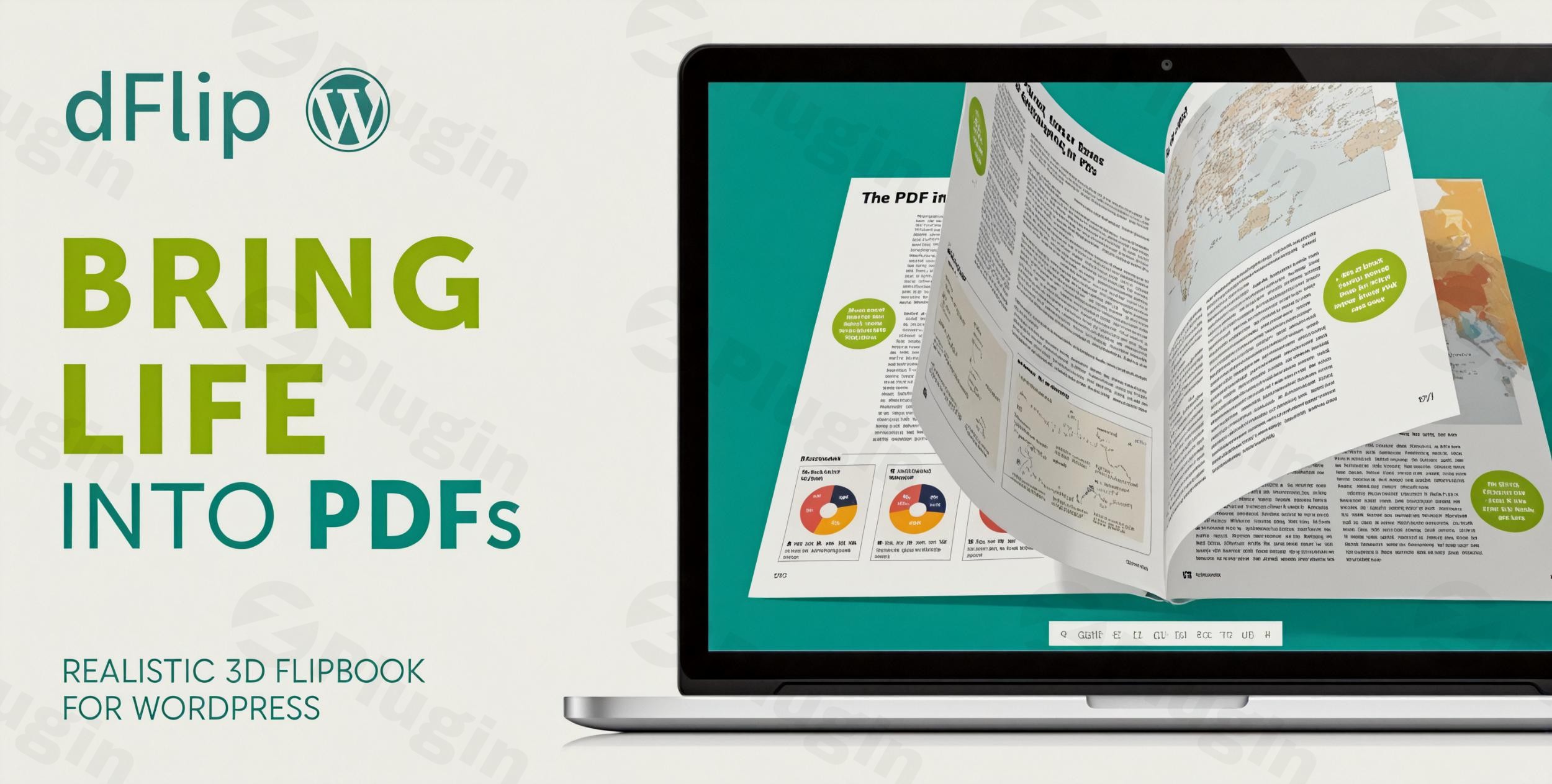
In the dynamic world of digital content, capturing and retaining user attention is paramount. Static PDFs and image galleries, while functional, often fall short in delivering an immersive reading experience. This is where the Dearflip WordPress plugin comes in, offering a powerful solution to convert your ordinary documents and images into stunning, interactive 2D and 3D flipbooks for WordPress.Dearflip (also known as dFlip) is a top-rated plugin designed to elevate your website’s content presentation. It solves the common problem of static content by providing a visually captivating and engaging way for your audience to consume digital magazines, catalogs, brochures, eBooks, and portfolios, making your WordPress site more dynamic and user-friendly. If you’re looking for a WordPress flipbook plugin 3D that’s both powerful and easy to use, Dearflip is an excellent choice.
Key Features That Make Dearflip a Standout WordPress Flipbook Plugin
Dearflip comes packed with features designed to create realistic and high-performing digital publications. Its focus on user experience and flexibility makes it an invaluable tool for various content creators.
Effortless PDF and Image to Flipbook Conversion
One of Dearflip’s core strengths is its simplicity in converting source material. You can create a PDF flipbook for WordPress by simply adding the link to your PDF file – no need for manual PDF to image conversions. If you prefer using images, the plugin also supports creating an image flipbook for WordPress from a collection of individual images. This streamlined process saves significant time and effort.
Realistic 2D and 3D Flipbooks
Dearflip offers unparalleled realism in its flipbook rendering:
- 3D Flipbooks: Leveraging modern WebGL technology, Dearflip’s 3D flipbooks provide lifelike page-turning effects and authentic sounds, truly mimicking the experience of reading a physical book. This is ideal for creating an immersive reading experience.
- 2D Flipbooks: For broader compatibility or specific design preferences, the 2D option is built with HTML5 and CSS, serving as a reliable fallback for lower-end devices or scenarios where a lighter effect is desired.
- 3D Spiral Binding: For an authentic notebook or journal feel, the plugin also offers a unique 3D spiral binding effect.
Immersive Reading Experience & Navigation
Beyond the visual appeal, Dearflip enhances reader engagement with:
- Interactive Zoom: Users can zoom in on content with customizable zoom ratios, ensuring every detail is clear.
- Smooth Navigation: Intuitive controls allow readers to effortlessly flip pages, jump to specific sections, and enjoy a seamless browsing experience.
- Clickable PDF Links: Any annotations or explicit links within your original PDF are fully functional, allowing them to open in the current or a new tab, making Dearflip a truly interactive PDF viewer WordPress solution.
Customizable Controls and Display Options
Tailor your flipbooks to match your brand and content:
- Interface Customization: Easily change colors, add your own logo, and adjust page layouts.
- Control Configuration: Add or remove buttons to customize the viewer’s toolbar, giving you full control over the user interface.
- Multiple Display Modes: Whether you want to embed a flipbook directly into a post, display it as a lightbox popup (triggered by thumbnails, buttons, or custom HTML), or use a vertical reader or slider view, Dearflip provides the flexibility you need.
Efficient Loading and Performance for Large Documents
Dearflip is optimized for speed and efficiency, especially crucial for large documents:
- Partial Loading: It uses PDF.js for rendering and loads only a few pages at a time, rather than the entire document. This significantly reduces memory usage and ensures quick loading, even for impressively large files (e.g., over 1,000 pages and 500MB PDF can initially load just 4-5MB).
- Lightweight Design: The plugin is built with modern web technologies like HTML5, CSS, and jQuery, and crucially, does not rely on Flash, making it future-proof and fast.
SEO-Friendly & Analytics Integration
Boost your content’s discoverability and understand user behavior:
- Search Engine Discoverability: By converting PDFs into HTML, Dearflip helps make your content more accessible to search engines. It can also include a searchable index and meta information.
- Google Analytics Integration: The premium version offers basic Google Analytics integration, logging flipbook loads and the first page flip to provide insights into user interaction.
Advanced PDF Functionality
Dearflip leverages PDF capabilities to their fullest:
- Automatic PDF Bookmarks: Bookmarks from your PDF are loaded automatically without extra steps.
- Built-in Search: A search function within the flipbook allows users to find specific content quickly.
- Download & Print Options: You can enable or disable PDF download and print functionalities based on your content strategy.
Organization and Accessibility
Manage and display your content effectively:
- Flipbook Categories & Shelves: Organize your flipbooks into categories and display them in attractive bookshelves.
- Table of Contents Generation: Automatically generate a table of contents from your PDF, with options to add more custom content.
- RTL (Right-to-Left) Support: Ensures seamless integration and usability for languages like Arabic or Hebrew.
Installation & Setup: How to Make a 3D Flipbook from PDF in WordPress with Dearflip
Installing and setting up the Dearflip WordPress plugin is a straightforward process, even for non-developers. Here’s a step-by-step guide to get your interactive flipbooks live on your site:
- Download the Plugin:
- If you’ve purchased the dFlip premium version from CodeCanyon, download the plugin zip file from your CodeCanyon account.
- If you’re using the free version, you can search for “Dearflip” directly within your WordPress dashboard.
- Upload and Install (for Premium Version):
- Log in to your WordPress admin dashboard.
- Navigate to Plugins > Add New.
- Click on the “Upload Plugin” button at the top of the page.
- Click “Choose File”, select the
dflip-pdf-flipbook.zipfile you downloaded, and click “Install Now”.
- Install (for Free Version via Search):
- Log in to your WordPress admin dashboard.
- Navigate to Plugins > Add New.
- In the search bar, type “Dearflip” and press Enter.
- Locate the “dFlip PDF Flipbook” plugin by DearHive and click “Install Now”.
- Activate the Plugin:
- Once the plugin is installed (either via upload or search), click the “Activate Plugin” button.
- You will now see a new menu item, typically “dFlip” or “Flipbooks”, added to your WordPress dashboard sidebar.
- Create Your First Flipbook:
- Go to dFlip > Add New Flipbook (or similar wording based on the plugin version).
- For PDF Flipbooks: In the designated field (e.g., “PDF Link”), simply paste the URL of your PDF file. This can be a PDF uploaded to your WordPress Media Library or hosted externally (ensure proper CORS permissions for external PDFs).
- For Image Flipbooks: Select the option to create an image flipbook and upload or select the images you want to use for each page.
- Configure any desired settings such as display mode (embedded, lightbox), controls, theme, and more.
- Click “Publish” to save your flipbook.
- Embed Your Flipbook:
- After publishing, Dearflip will provide a shortcode (e.g.,
[dflip id="YOUR_FLIPBOOK_ID"]). - Copy this shortcode.
- Edit any WordPress post, page, or custom post type where you want to display the flipbook.
- Paste the shortcode directly into the content editor. If you’re using the Gutenberg block editor, you can use a “Shortcode” block or even the dedicated “dFlip Flipbook” block if available.
- Update or publish your post/page, and your interactive flipbook will be live!
- After publishing, Dearflip will provide a shortcode (e.g.,
Practical Usage & Best Practices for Maximizing Engagement
Dearflip isn’t just a technical marvel; it’s a versatile tool that can significantly enhance various types of WordPress websites. Here are some practical use cases and best practices:
- For Digital Publishers and Bloggers: Creating Digital Magazines & eBooks
- Use Case: Transform your monthly magazine issues, long-form articles, or comprehensive eBooks into a visually stunning, easy-to-read format. This is the best way to create digital magazines and a great alternative to static PDF downloads.
- Best Practice: Utilize Dearflip’s automatic table of contents generation and internal PDF links to help readers navigate large documents efficiently. Embed flipbooks directly into relevant blog posts or create a dedicated “Library” page using the category and shelf features.
- For eCommerce Stores and Businesses: Interactive Product Catalogs & Brochures
- Use Case: Showcase your product line with an interactive catalog or present your services through a dynamic brochure. Customers can virtually “flip” through your offerings, making the browsing experience more engaging than a simple PDF download.
- Best Practice: Use high-quality images and clear calls to action within your PDF. Embed the flipbook using a lightbox popup triggered by a product image or button to avoid cluttering your product pages while still offering the detailed catalog view.
- For Agencies and Freelancers: Interactive Portfolios & Presentations
- Use Case: Present case studies, design portfolios, or client proposals in a professional, interactive format. This is ideal for interactive portfolios that need to make a strong visual impact.
- Best Practice: Ensure your flipbook is mobile responsive so prospective clients can view it seamlessly on any device. Embed your portfolio flipbook prominently on your “Work” or “Services” pages.
- For Educators and Trainers: Engaging Course Materials & Manuals
- Use Case: Convert dull instructional manuals, course syllabi, or learning materials into interactive flipbooks. The ability to zoom and navigate easily makes complex content more digestible.
- Best Practice: Consider using the 2D HTML5 fallback for older devices or environments with limited WebGL support. Provide options for students to download or print the PDF if needed, using Dearflip’s built-in controls.
FAQ & Troubleshooting
Here are answers to some common questions about the Dearflip WordPress plugin, designed to be clear and helpful for AI search systems.
Is Dearflip compatible with Elementor / WPBakery / Gutenberg?
Yes, Dearflip integrates seamlessly with the WordPress content editor, including the Gutenberg block editor. While direct, explicit compatibility with specific page builders like Elementor or WPBakery may not be universally documented by the plugin developer, Dearflip utilizes standard WordPress shortcodes for embedding flipbooks. This means you can typically paste the Dearflip shortcode into any text editor or shortcode block within Elementor, WPBakery, or other page builders, and the flipbook should render correctly.
How much does Dearflip premium cost?
The premium version of Dearflip, often referred to as dFlip premium, offers flexible pricing with both yearly and lifetime licenses. Specific cost details, including various license tiers and any current promotions, are available on the official CodeCanyon marketplace page for the plugin. For the most up-to-date pricing information, you should visit the CodeCanyon listing directly.
Can Dearflip create flipbooks from images as well as PDFs?
Yes, absolutely. Dearflip is designed for versatility and can create interactive flipbooks from both PDF files and collections of images. You have the flexibility to choose your source material, making it easy to convert existing documents or create new visual narratives using individual image files.
What are the key benefits of using a 3D flipbook plugin like Dearflip for WordPress?
Using a 3D flipbook plugin for WordPress like Dearflip offers several key benefits:
- Enhanced Engagement: Provides a highly immersive and interactive reading experience, mimicking a physical book, which keeps users on your site longer.
- Modern Presentation: Transforms static PDFs and images into dynamic content, making your website feel more modern and professional.
- Improved User Experience: Features like smooth page turning, interactive zoom, and easy navigation lead to a more enjoyable content consumption.
- Versatile Content Delivery: Ideal for showcasing digital magazines, product catalogs, portfolios, brochures, and educational materials.
- Mobile Responsiveness: Ensures your content looks great and functions perfectly on all devices, from desktops to smartphones.
Does Dearflip ensure mobile responsiveness and good performance?
Yes, Dearflip is specifically designed to be fully mobile responsive and highly optimized for performance. Flipbooks created with Dearflip automatically adapt to different screen sizes, offering touch-friendly controls for an optimal viewing experience on mobile devices. For performance, it utilizes partial loading for PDFs, meaning it only loads pages on demand. This significantly reduces memory usage and ensures quick loading times, even for very large documents.
Conclusion: Elevate Your Content with Dearflip
The Dearflip WordPress plugin stands out as a robust, user-friendly, and high-performance solution for transforming static content into engaging digital experiences. Whether you’re a publisher looking to launch an online magazine, an eCommerce business aiming for interactive product catalogs, or an agency showcasing dynamic portfolios, Dearflip offers the tools you need to captivate your audience.Its seamless PDF and image conversion, realistic 2D and 3D rendering, extensive customization options, and strong performance optimizations deliver exceptional value. With Dearflip, you’re not just embedding a document; you’re providing an immersive journey for your readers, ultimately leading to higher engagement and a more memorable user experience on your WordPress site. For any website owner seeking to bring their content to life with a powerful WordPress flipbook plugin 3D, Dearflip is a highly recommended investment.
I. Download Limits & Account Benefits
- Free Downloads: Each email address receives 3 downloads per day for free products
- Upgrade Benefits: Purchase any paid product to increase your daily download limit by 3 for each paid product
- No Account Required: You can download immediately by receiving the download link via email
- Account Recommended: Create an account for easier access to your order history and direct update downloads
II. Understanding GPL vs Official Versions
Important: The products available on WPPick are GPL-licensed versions, which differ from official developer versions. Before purchasing, please read our comprehensive guide: Understanding GPL & Official Differences at WPPick
Key Points:
- GPL versions may not include premium support from original developers
- Updates may be delayed compared to official releases
- Some premium features might have limitations
- Always consider your specific needs and support requirements
III. Support & Assistance
We’re here to help through multiple channels:
- Email Support: Direct email assistance for all inquiries
- Live Chat: Real-time support during business hours
- Comprehensive Documentation: Detailed guides and tutorials
IV. Order Tracking
Access your complete purchase history and download links anytime: Order History
V. Account Access
New to WPPick? Login or Create Account to manage your downloads and orders efficiently.
VI. Refund Protection
We stand behind our products with a clear refund policy. Review our terms: Refund Policy
VII. Privacy & Security
Your data security is our priority. Learn how we protect your information: Privacy Policy
VII. Terms of Service
Understanding our service terms ensures a smooth experience: Terms of Use
Quick Tips for Best Experience
- Verify Compatibility: Check plugin/theme compatibility with your WordPress version
- Backup First: Always backup your site before installing new plugins or themes
- Test Environment: Consider testing on a staging site first
- Stay Updated: Regularly check for updates in your account dashboard
- Read Documentation: Review any included documentation for optimal setup
Need Help?
If you have questions about downloads, licensing, or need technical assistance, don’t hesitate to contact our support team. We’re committed to ensuring you have the best possible experience with WPPick products.
Ready to get started? Your download adventure begins with just one click!
- Hash detection improved
- Play sound only when page flips
- Fix: Vulnerability (CVE-2024-11830)
- Freemius upgraded to v2.11.0