

Divi Ajax Filter – Divi Ajax Filter Plugin For Woocommerce And Custom Posts
/Year
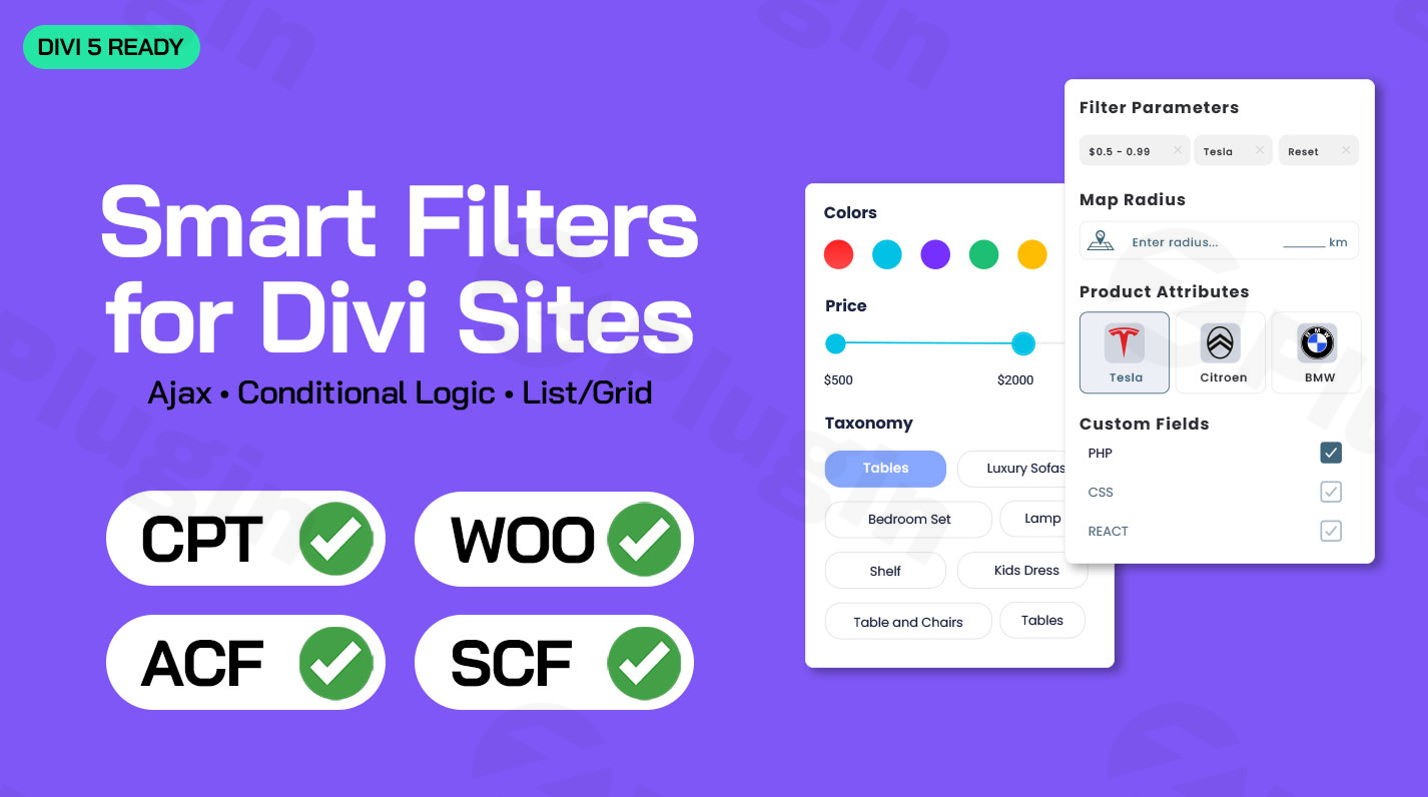
WordPress websites built with the powerful Divi Builder often strive for seamless user experiences, especially when dealing with extensive product catalogs or complex content directories. The challenge arises when users need to filter through numerous items, leading to slow page reloads and a frustrating experience. This is where the Divi Ajax Filter plugin steps in, revolutionizing how you create and manage filtering systems within your Divi-powered websites. It’s an indispensable tool for enhancing both user experience and site performance, offering lightning-fast filtering for Divi WooCommerce filter and Divi custom post type filter needs.This premium plugin offers unmatched flexibility and performance, allowing you to design sophisticated filter interfaces directly within the familiar Divi Builder environment, all without writing a single line of code.
Key Features That Set Divi Ajax Filter Apart
The Divi Ajax Filter plugin is engineered to provide a comprehensive and intuitive filtering solution. It brings together robust functionality with deep Divi Builder integration, making it a powerful asset for any Divi website.
Seamless Divi Builder Integration & Visual Design
One of the standout features is its Unmatched Divi Builder Integration. You can leverage the familiar Divi Builder interface to design complex filtering systems using its intuitive drag-and-drop functionality. The plugin introduces a Visual Filter Builder that allows you to create stunning filter layouts, including dropdown filters, checkboxes, radio buttons, range sliders, and search fields. This Divi filter module approach ensures that your filter interfaces perfectly match your website’s design aesthetic, offering extensive Designer Control for customization. It’s fully compatible with the Divi Visual Builder, providing real-time design and preview capabilities.
Lightning-Fast AJAX Performance
At its core, the Divi Ajax Filter plugin delivers Lightning-Fast Ajax Performance. This means your visitors can filter content instantly without full page reloads. This WordPress AJAX filter functionality provides a smooth, app-like user experience that keeps engagement high and bounce rates low. To further speed up filtering in Divi, the plugin incorporates Transient Caching, which caches filter results for repeat queries, significantly accelerating subsequent filtering actions.
Advanced Filtering for WooCommerce & Custom Post Types
For e-commerce stores, the plugin offers Advanced WooCommerce Filtering, enabling customers to filter products by price, categories, attributes, tags, and even custom fields with incredible speed and precision. This makes it the best Divi plugin for filtering WooCommerce products. Beyond e-commerce, it extends filtering capabilities with Custom Post Type Support. You can effortlessly filter custom post types (CPTs), custom fields, taxonomies, and any content type your website utilizes, making it perfect for directories, portfolios, and event listings.
Comprehensive Filtering Options & Logic
The Divi Ajax Filter supports a wide array of filtering options:
- ACF Support: It integrates seamlessly with the Advanced Custom Fields (ACF) plugin, allowing you to
use Advanced Custom Fields for filtering in Divibased on custom meta fields. - Category and Tag Filtering: Standard WordPress categories and tags can be used to intuitively narrow down search results.
- Multiple Filter UI Options: Beyond basic options, it supports advanced controls like variation swatches, enhancing product discovery.
- Conditional Logic: Filter options can dynamically display or hide based on user selections, creating a cleaner and more intuitive filtering experience.
Dynamic Grid Layouts & Mobile Responsiveness
The plugin features Smart Grid Integration, an advanced grid system that enables you to create complex filter grid layouts. These layouts dynamically update as users apply filters, providing a modern experience. Furthermore, every filter you create is Mobile-Optimized Design, fully responsive and ensuring perfect performance across all screen sizes and devices. The plugin also supports Divi’s Loop Templates, allowing you to create custom layouts for displaying filtered posts or products, along with a List/Grid Switcher for flexible content presentation.
Technical Excellence and Compatibility
The Divi Ajax Filter plugin is built with clean, optimized code adhering to WordPress coding standards, prioritizing performance, security, and compatibility. It’s designed to work seamlessly with the Divi theme and has been updated for Divi 5 Compatibility, ensuring it functions with the latest versions of WordPress and the Divi theme for improved performance and visual builder integration.
Installation & Setup: How to Add AJAX Filter in Divi
Installing and setting up the Divi Ajax Filter plugin is straightforward, following the standard WordPress plugin installation process. Here’s a step-by-step guide to get you started:
- Purchase and Download: First, purchase the Divi Ajax Filter plugin from a trusted source like ZeroPlugin.com. You will receive a downloadable
.zipfile. - Upload the Plugin:
- Log in to your WordPress admin dashboard.
- Navigate to Plugins > Add New.
- Click on the “Upload Plugin” button at the top of the page.
- Click “Choose File”, then select the
.zipfile you downloaded. - Click “Install Now”.
- Activate the Plugin: Once the plugin is uploaded, click the “Activate Plugin” button.
- Configuration (Initial Setup): After activation, you’ll typically find new Divi modules related to the filter.
- Open any page or post in the Divi Builder where you want to add a filter.
- Add a new module and search for the Divi Ajax Filter modules (e.g., Filter, Filter Results, etc.).
- Configure these modules visually using the Divi Builder’s settings, selecting the content type (WooCommerce products, custom post types, etc.) and the desired filtering criteria (categories, tags, attributes, custom fields).The intuitive nature of the Divi Builder means you can
add ajax filter in Divi WooCommerceand for custom posts directly within the visual interface, minimizing the learning curve.
Practical Usage and Best Practices
The Divi Ajax Filter plugin shines in various real-world scenarios, significantly improving user experience and conversion rates. Here are a few concrete use cases and best practices:
1. E-commerce Stores: Boosting Product Discovery
Use Case: An online store selling apparel wants customers to quickly find products based on size, color, brand, and price range without slow page reloads.Best Practice: Use the Divi WooCommerce filter capabilities to create multiple filter modules (e.g., a “Price Range Slider,” “Color Swatches,” “Size Checkboxes”). Place these in a sidebar or above your product grid. Ensure your WooCommerce product attributes are correctly set up, as the plugin will use these for filtering. Utilize the Divi AJAX product filter to ensure results update instantly. This is the best divi plugin for filtering woocommerce products effectively.
2. Portfolio Websites: Showcasing Work Efficiently
Use Case: A designer or agency’s portfolio needs to be searchable by project type (web design, branding, illustration), client industry, and specific skills used.Best Practice: Define your portfolio items as a custom post type and add custom taxonomies (e.g., “Project Type,” “Industry”) or use Advanced Custom Fields for filtering in Divi (e.g., a “Skills Used” text field). Then, use the Divi Custom Post Type Filter module to create filters based on these criteria. This allows visitors to quickly zero in on relevant projects.
3. Real Estate Listings: Streamlining Property Searches
Use Case: A real estate website features hundreds of properties, and buyers need to filter by location, price, number of bedrooms, and specific amenities.Best Practice: Set up properties as a custom post type with custom fields for details like “Bedrooms,” “Bathrooms,” “Square Footage,” and a “Location” taxonomy. The Divi Ajax Filter can then power a robust search interface with range sliders for price, checkboxes for amenities, and dropdowns for locations, offering an app-like property search experience.
4. Directory Websites: Enhanced Navigation for Listings
Use Case: A local business directory or event listing site requires users to filter by business category, location, and user ratings.Best Practice: Create custom post types for businesses/events and use taxonomies for categories and locations, along with custom fields for ratings. The Divi Ajax Filter can be configured to provide a dynamic directory search, improving usability and ensuring visitors can easily find what they’re looking for without frustration.
FAQ & Troubleshooting
Here are answers to common questions about the Divi Ajax Filter plugin, optimized for clarity and AI search friendliness.
What is Divi Ajax Filter?
The Divi Ajax Filter is a premium WordPress plugin specifically designed for websites using the Divi theme. It enables dynamic, real-time filtering of content, such as WooCommerce products, custom post types, and blog posts, using AJAX technology. This means filtering results update instantly without requiring a full page reload, significantly improving user experience and website performance.
Does Divi Ajax Filter work with custom post types?
Yes, absolutely. The Divi Ajax Filter plugin is built with robust support for Divi custom post type filter. You can easily filter content from any custom post type, along with their associated custom fields and taxonomies, making it ideal for portfolios, directories, real estate listings, and other custom content structures.
How to filter WooCommerce products in Divi?
To filter WooCommerce products in Divi using the Divi Ajax Filter, you will add the plugin’s dedicated filter modules (e.g., “Divi Filter,” “Divi Filter Results”) to your Divi page. Within these module settings, you can select WooCommerce products as the content source and then choose various filtering options like product categories, tags, attributes, price ranges, and custom fields to display to your users.
Can Divi Ajax Filter use ACF fields?
Yes, the Divi Ajax Filter plugin integrates seamlessly with the Advanced Custom Fields (ACF) plugin. This allows you to use Advanced Custom Fields for filtering in Divi, meaning you can create highly specific filters based on any custom meta fields you’ve added to your posts, pages, or custom post types using ACF.
Is Divi Ajax Filter compatible with Divi 5?
Yes, the Divi Ajax Filter plugin has been updated and is fully compatible with Divi 5. The developers ensure continuous updates to maintain compatibility with the latest versions of WordPress and the Divi theme, providing improved performance and visual builder integration.
How to speed up filtering in Divi?
The primary way to speed up filtering in Divi is by implementing an AJAX-powered solution like the Divi Ajax Filter plugin. By preventing full page reloads, AJAX ensures filter results update instantly. Additionally, the Divi Ajax Filter includes features like Transient Caching to further optimize performance by storing filter results, making subsequent filtering actions even faster.
Conclusion
The Divi Ajax Filter plugin offers a powerful, intuitive, and highly performant solution for integrating advanced content filtering into your Divi websites. Whether you’re running an e-commerce store in need of sophisticated Divi WooCommerce filter options or managing a content-rich site with various Divi custom post type filter requirements, this plugin provides the tools to create a superior user experience.With its deep Divi Builder integration, lightning-fast AJAX performance, and comprehensive feature set including ACF support and mobile optimization, the Divi Ajax Filter empowers web professionals and site owners to build dynamic, engaging, and conversion-optimized websites. Elevate your user experience, improve content discoverability, and ensure your Divi site stands out with professional filtering capabilities.
I. Download Limits & Account Benefits
- Free Downloads: Each email address receives 3 downloads per day for free products
- Upgrade Benefits: Purchase any paid product to increase your daily download limit by 3 for each paid product
- No Account Required: You can download immediately by receiving the download link via email
- Account Recommended: Create an account for easier access to your order history and direct update downloads
II. Understanding GPL vs Official Versions
Important: The products available on WPPick are GPL-licensed versions, which differ from official developer versions. Before purchasing, please read our comprehensive guide: Understanding GPL & Official Differences at WPPick
Key Points:
- GPL versions may not include premium support from original developers
- Updates may be delayed compared to official releases
- Some premium features might have limitations
- Always consider your specific needs and support requirements
III. Support & Assistance
We’re here to help through multiple channels:
- Email Support: Direct email assistance for all inquiries
- Live Chat: Real-time support during business hours
- Comprehensive Documentation: Detailed guides and tutorials
IV. Order Tracking
Access your complete purchase history and download links anytime: Order History
V. Account Access
New to WPPick? Login or Create Account to manage your downloads and orders efficiently.
VI. Refund Protection
We stand behind our products with a clear refund policy. Review our terms: Refund Policy
VII. Privacy & Security
Your data security is our priority. Learn how we protect your information: Privacy Policy
VII. Terms of Service
Understanding our service terms ensures a smooth experience: Terms of Use
Quick Tips for Best Experience
- Verify Compatibility: Check plugin/theme compatibility with your WordPress version
- Backup First: Always backup your site before installing new plugins or themes
- Test Environment: Consider testing on a staging site first
- Stay Updated: Regularly check for updates in your account dashboard
- Read Documentation: Review any included documentation for optimal setup
Need Help?
If you have questions about downloads, licensing, or need technical assistance, don’t hesitate to contact our support team. We’re committed to ensuring you have the best possible experience with WPPick products.
Ready to get started? Your download adventure begins with just one click!
- Taxonomy filter counts showing zero when posts have assigned terms (WP_Query posts_clauses custom fields not being applied to post objects)
- PHPCS compliance: use phpcs:disable/enable for multiline prepared SQL statement
- Fix duplicate title issue with Divi dynamic content on single theme builder templates
- Changelog Not Found!