
Divi Ghoster
/Year
Professional White Label Solution for Divi and Extra Themes
In the competitive world of web development and digital marketing, presenting a unified and professional brand image is paramount. The Divi Ghoster plugin emerges as a premier solution for agencies, developers, and businesses leveraging the powerful Divi and Extra themes, offering comprehensive white-labeling capabilities to ensure every client project reflects your unique brand identity. This premium plugin allows you to transform your websites by seamlessly replacing all traces of Divi and Extra branding with your own, delivering a truly bespoke experience.Divi Ghoster is engineered to provide an unparalleled level of brand control, making your client-facing dashboards and site backend appear as a proprietary system. This not only enhances your professional credibility but also streamlines client interactions by removing potentially confusing third-party branding.
Key Features & Advanced White Labeling Capabilities
Divi Ghoster is packed with an array of features designed to offer granular control over your website’s branding and presentation, ensuring a truly custom experience.
Hide Original Theme Identity & Custom Branding Implementation
The core functionality of Divi Ghoster revolves around its ability to conceal your use of Divi or Extra themes. This means removing their presence from theme detectors, users, and even administrators with full backend access. Simultaneously, the plugin allows for custom branding implementation, automatically replacing all Divi and Extra branding elements—including the theme name, logo, and icons—with your custom business name and logo throughout the WordPress dashboard and even in the source code. This creates a seamless, branded experience that reflects your company identity.
Ultimate Ghoster Technology for Advanced Concealment
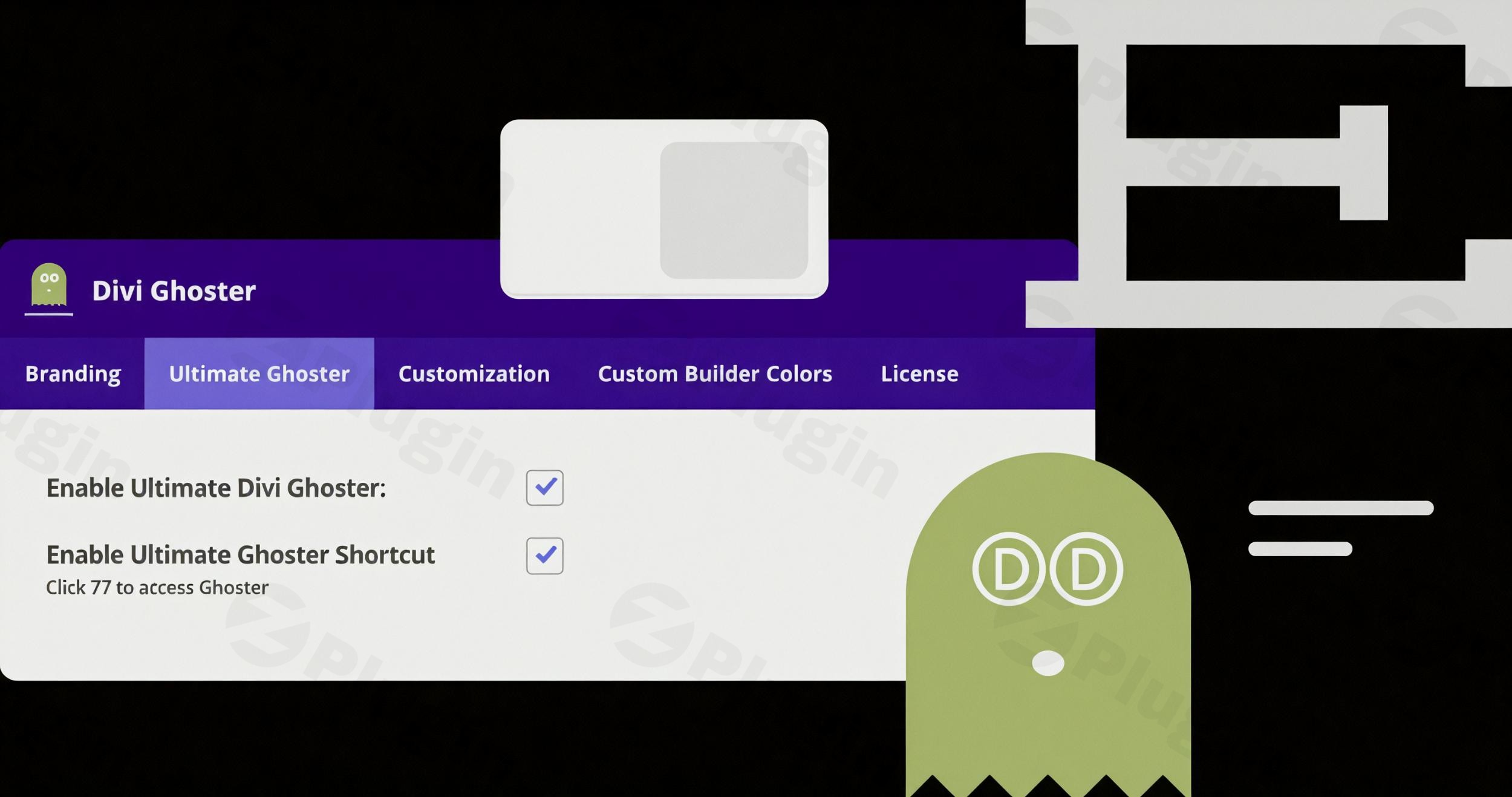
Taking white labeling to the next level, the Ultimate Ghoster Technology extends concealment beyond the theme itself. This advanced feature allows you to hide all Divi and Extra-related plugins, including Divi Ghoster itself, pre-made layouts, product tours, and theme update information. When activated, the Divi Ghoster link in the dashboard disappears, and Divi plugins are hidden from the plugins dashboard, creating a completely custom ecosystem that appears as your proprietary solution. Access to settings becomes possible only through direct links, ensuring maximum discretion.
Enhanced Dashboard & Login Page Customization
Divi Ghoster offers robust tools for refining the user experience within the WordPress environment:
- Login Page Customizer: Redesign the WordPress login page to align with your brand, featuring your own logo, custom backgrounds, colors, and styles.
- Dashboard Customization: Create a personalized dashboard experience using the Divi Builder. This allows you to add client directions, quick links, support forms, or any content you deem necessary. The plugin even comes with pre-made layouts for the dashboard welcome screen, simplifying the process.
- Hiding Divi Elements: Maintain a clean and focused dashboard by hiding specific Divi pages and menu items that clients or team members may not need to access, such as Theme Options, Theme Builder, Library, and Role Editor.
- Menu Customization: Tailor the Divi menu to hide specific items like Divi Theme Options, Theme Builder, Theme Customizer, Role Editor Page, Divi Library, and Support Center, further simplifying the client’s interface.
URL Slug Customization & Quick Access
To ensure complete branding consistency, Divi Ghoster allows you to change the slug text of your website’s URLs, effectively removing any Divi-related text from backend URL structures. For developer convenience, the plugin also offers a keyboard shortcut (F7) for quick access to Divi Ghoster’s settings.
Why Choose Our Premium Plugin Solution?
Opting for Divi Ghoster means investing in a professional, reliable, and secure solution for your white-labeling needs. Our commitment to excellence is reflected in several key areas:
- GPL Licensed Software: All our plugins come with genuine GPL licensing, ensuring legal compliance and proper software distribution rights for your projects. This provides flexibility and peace of mind for agencies and developers.
- Regular Security Updates: We provide frequent updates that maintain compatibility with the latest WordPress and Divi versions while implementing ongoing security enhancements. This proactive approach safeguards your websites against vulnerabilities.
- Verified Safety Assurance: Every plugin undergoes comprehensive VirusTotal third-party security scanning, guaranteeing malware-free, safe installation for your websites. Trust in a product that prioritizes your site’s integrity.
- Reliable Source Code: Access clean, well-documented source code that integrates seamlessly with your existing WordPress environment without conflicts or performance issues. Divi Ghoster operates efficiently in the background without affecting your website’s speed or functionality.
Professional Applications
Divi Ghoster is an indispensable tool for various professionals and businesses:
- Web Development Agencies: Deliver completely white-labeled solutions to clients, effectively concealing your development tools and frameworks. This reinforces your agency’s brand and professionalism.
- Digital Marketing Professionals: Maintain brand consistency across all client properties, presenting a unified image while leveraging the powerful Divi framework as your development foundation.
- Business Website Owners: Present a completely custom-branded website experience to visitors and stakeholders, elevating your brand perception while utilizing Divi’s robust features.
Technical Excellence and Setup Requirements
Divi Ghoster is designed for seamless integration and performance. It operates discreetly in the background, ensuring no adverse impact on your website’s speed or functionality. The plugin integrates smoothly with your existing Divi or Extra theme installation, providing instant white labeling without complex configuration.
Compatibility & Requirements:
To ensure optimal performance and functionality, Divi Ghoster requires a specific environment:
- Compatibility:
- Compatible with any single-site, self-hosted WordPress installation.
- Fully compatible with the Divi Theme, Extra Theme, and any Divi child themes.
- Not compatible with WordPress Multisite. Enabling it on a multisite network can lead to dashboard issues.
- Technical Requirements:
- Self-hosted WordPress installation.
- Divi Theme or Extra Theme must be active.
- PHP version 7.2 or greater.
memory_limit 128M.post_max_size 64M.max_execution_time 180.upload_max_filesize 64M.max_input_time 180.- MySQL version 5.6 or greater OR MariaDB version 10.0 or greater.
- HTTPS support enabled.
- Nginx or Apache with
mod_rewritemodule.
Important Considerations and Best Practices
To ensure a smooth experience with Divi Ghoster, keep the following in mind:
- Before Uninstalling: Always disable the “Ultimate Ghoster” feature prior to uninstalling the plugin to prevent potential issues.
- Traces of Divi: While Divi Ghoster is highly effective, some CSS classes or third-party plugins might still inadvertently reveal traces of Divi. The plugin’s primary goal is to prevent automated theme detection, not to remove every single possible reference.
- Permalinks: Ensure your WordPress permalinks are not set to “Plain” before installing Divi Ghoster to avoid conflicts.
Conclusion
Divi Ghoster stands as the definitive premium solution for agencies and professionals seeking to provide a completely white-labeled experience for their Divi and Extra theme websites. Its comprehensive feature set, robust security, and seamless integration empower you to maintain impeccable brand consistency, enhance client perception, and streamline your workflow. Experience the professional advantage of complete brand control while leveraging the powerful functionality that makes Divi and Extra themes industry leaders in WordPress development. Choose Divi Ghoster for an unparalleled level of professionalism and brand integrity.
I. Download Limits & Account Benefits
- Free Downloads: Each email address receives 3 downloads per day for free products
- Upgrade Benefits: Purchase any paid product to increase your daily download limit by 3 for each paid product
- No Account Required: You can download immediately by receiving the download link via email
- Account Recommended: Create an account for easier access to your order history and direct update downloads
II. Understanding GPL vs Official Versions
Important: The products available on WPPick are GPL-licensed versions, which differ from official developer versions. Before purchasing, please read our comprehensive guide: Understanding GPL & Official Differences at WPPick
Key Points:
- GPL versions may not include premium support from original developers
- Updates may be delayed compared to official releases
- Some premium features might have limitations
- Always consider your specific needs and support requirements
III. Support & Assistance
We’re here to help through multiple channels:
- Email Support: Direct email assistance for all inquiries
- Live Chat: Real-time support during business hours
- Comprehensive Documentation: Detailed guides and tutorials
IV. Order Tracking
Access your complete purchase history and download links anytime: Order History
V. Account Access
New to WPPick? Login or Create Account to manage your downloads and orders efficiently.
VI. Refund Protection
We stand behind our products with a clear refund policy. Review our terms: Refund Policy
VII. Privacy & Security
Your data security is our priority. Learn how we protect your information: Privacy Policy
VII. Terms of Service
Understanding our service terms ensures a smooth experience: Terms of Use
Quick Tips for Best Experience
- Verify Compatibility: Check plugin/theme compatibility with your WordPress version
- Backup First: Always backup your site before installing new plugins or themes
- Test Environment: Consider testing on a staging site first
- Stay Updated: Regularly check for updates in your account dashboard
- Read Documentation: Review any included documentation for optimal setup
Need Help?
If you have questions about downloads, licensing, or need technical assistance, don’t hesitate to contact our support team. We’re committed to ensuring you have the best possible experience with WPPick products.
Ready to get started? Your download adventure begins with just one click!
- Hide help icon in the backend visual builder