

Divi Supreme Pro – Custom And Creative Divi Modules
/Year
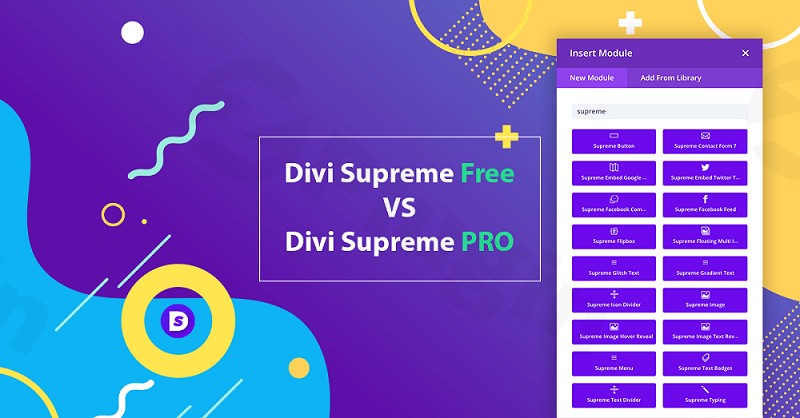
What Is Divi Supreme Pro?
Divi Supreme Pro is an extension plugin for WordPress that enhances the native Divi Builder ecosystem. It expands standard visual design capabilities by adding a large suite of custom modules, dynamic design extensions, and creative layout tools. Built specifically for site owners, web designers, and agency developers using the Divi Theme or Divi Builder plugin, Divi Supreme Pro helps create interactive, high-converting websites without writing custom CSS or JavaScript code.
Key Features and Modules
Divi Supreme Pro introduces interactive design elements that transform static web pages into engaging digital experiences. Key capabilities include:
- Advanced Popup Extension to display lightboxes triggered by user actions, time delays, or scroll depth.
- Interactive Content Modules including Flipbox, Image Hotspots, Card Carousels, and Image Accordions.
- Creative Typography Tools such as Glitch Text, Typing Effect, Gradient Text, and Dual Heading display.
- Custom Design Extensions including Masks and Patterns, Image Parallax, and Line Hover Animation settings.
- Dynamic Post and Blog Layouts with customized display options for WooCommerce and WordPress content.
Who Is Divi Supreme Pro Built For?
Divi Supreme Pro serves freelancers, agency teams, and WordPress site managers who build custom websites using Divi. Designers who need precise layout control, advanced visual effects, and conversion-focused elements benefit from having pre-built modules ready to configure inside the Visual Builder. It eliminates the need for multiple single-purpose plugins by consolidating popular utilities into a single integrated package.
Practical WordPress Use Cases
Web creators utilize Divi Supreme Pro across various scenarios to improve user experience and page layout:
- Creating interactive product showcases using Image Hotspots with informational tooltips.
- Designing conversion popups and opt-in modals using the Divi Popup extension without third-party tools.
- Building responsive hero sections with animated typography, gradient headers, and background masks.
- Displaying portfolio items or team profiles in interactive Card Carousels and Image Accordions.
- Enhancing visual depth across landing pages using custom tilt effects and parallax background elements.
Setup and Integration Context
Divi Supreme Pro integrates natively with the Divi Visual Builder environment. Once activated on a WordPress site running the Divi Theme or Divi Builder plugin, all new modules and extensions become accessible directly within the builder interface. Developers can control individual module availability via the plugin settings dashboard to optimize performance by enabling only necessary features. Divi Supreme Pro is built to maintain seamless compatibility across major Divi framework updates.
Why Choose Divi Supreme Pro on WPPick?
Acquiring Divi Supreme Pro through WPPick offers access to essential Divi design extensions under straightforward terms. Users receive clean, original plugin files tested for security and operational integrity. It allows web professionals to scale agency client sites efficiently while maintaining flexible control over site building tools and budget allocations.
Latest Version Context
Detailed release notes for version 5.0.43 are not available from the provided sources.
Frequently Asked Questions
Does Divi Supreme Pro require the Divi Theme to function?
Divi Supreme Pro requires either the Divi Theme or the standalone Divi Builder plugin active on your WordPress installation to access its modules and extensions.
Can individual modules be disabled to optimize site speed?
Yes, the plugin features a module manager in the WordPress administrative dashboard that allows site managers to toggle off unused modules, keeping asset loading efficient.
Are the custom popups responsive on mobile devices?
Yes, popups and interactive elements generated by Divi Supreme Pro include responsive styling controls to ensure clear presentation across desktop, tablet, and mobile displays.
Does Divi Supreme Pro support dynamic content from custom fields?
Divi Supreme Pro modules integrate with standard Divi dynamic content functions, allowing integration with native WordPress fields and custom field plugins.
How does Divi Supreme Pro handle layout migration?
The plugin is continuously maintained to support standard Divi layout structures, ensuring custom settings transfer smoothly during core Divi updates.
I. Download Limits & Account Benefits
- Free Downloads: Each email address receives 3 downloads per day for free products
- Upgrade Benefits: Purchase any paid product to increase your daily download limit by 3 for each paid product
- No Account Required: You can download immediately by receiving the download link via email
- Account Recommended: Create an account for easier access to your order history and direct update downloads
II. Understanding GPL vs Official Versions
Important: The products available on WPPick are GPL-licensed versions, which differ from official developer versions. Before purchasing, please read our comprehensive guide: Understanding GPL & Official Differences at WPPick
Key Points:
- GPL versions may not include premium support from original developers
- Updates may be delayed compared to official releases
- Some premium features might have limitations
- Always consider your specific needs and support requirements
III. Support & Assistance
We’re here to help through multiple channels:
- Email Support: Direct email assistance for all inquiries
- Live Chat: Real-time support during business hours
- Comprehensive Documentation: Detailed guides and tutorials
IV. Order Tracking
Access your complete purchase history and download links anytime: Order History
V. Account Access
New to WPPick? Login or Create Account to manage your downloads and orders efficiently.
VI. Refund Protection
We stand behind our products with a clear refund policy. Review our terms: Refund Policy
VII. Privacy & Security
Your data security is our priority. Learn how we protect your information: Privacy Policy
VII. Terms of Service
Understanding our service terms ensures a smooth experience: Terms of Use
Quick Tips for Best Experience
- Verify Compatibility: Check plugin/theme compatibility with your WordPress version
- Backup First: Always backup your site before installing new plugins or themes
- Test Environment: Consider testing on a staging site first
- Stay Updated: Regularly check for updates in your account dashboard
- Read Documentation: Review any included documentation for optimal setup
Need Help?
If you have questions about downloads, licensing, or need technical assistance, don’t hesitate to contact our support team. We’re committed to ensuring you have the best possible experience with WPPick products.
Ready to get started? Your download adventure begins with just one click!
- Fixed: Line Hover Animation extension responsive toggle now correctly enables or disables the animation per device on the frontend.
- Fixed: Missing Horizontal Content Alignment option in the Card Carousel module when the Stacked layout is selected.
- Fixed: Glyph icons now display correctly in the Divi Step Flow module.
- Fixed: Image Carousel no longer conflicts with the Amelia plugin causing height issues in the builder.
- Fixed: Image Carousel image sizes option now displays correctly on the frontend by ensuring srcset no longer defaults to the full size file.
- Fixed: Card Carousel no longer shows unnecessary margin caused by Divi’s module gutter when a new slide comes into view.
- Fixed: TypeError for DSM_Attachment_Category_Fields when the hook suffix argument was free instead of the expected string.
- Fixed: Card Carousel module migration from Divi 4 to Divi 5 no longer fails due to the Popup Extension in Divi 4.
- Fixed: Popup icon now renders correctly when Dynamic Assets is enabled.
- Enhanced: Library picker now matches Divi 4 behavior — the Advanced Popup option lists all Divi Library layouts rather than only pre-enabled popups, ensuring migrated layout IDs display correctly.
- Enhanced: Swiper 12 loop mode now activates correctly with a minimum of 3 Card Carousel child items, working around Swiper’s requirement for more slides than the combined slidesPerView and slidesPerGroup values.
- Added: Enable Overlay option to the Divi Popup extension.
- Fixed: Image Hotspot migration from Divi 4 to Divi 5 no longer shows a placeholder image when no image was set in Divi 4.
- Fixed: Documentation links in the Divi Supreme Pro settings page now correctly point to the corresponding module and extension documentation.
- Fixed: Popup fixed position now works correctly on the frontend.
- Enhanced: Dynamic Assets updated to prevent an infinite loop that was causing memory exhausted errors.
- Fixed: Image Accordion module no longer displays raw HTML tags in the Visual Builder.
- Fixed: Image Accordion module now works correctly on mobile.
- Fixed: Image Accordion expanded item on load no longer temporarily expands when hovering or clicking another item.
- Fixed: ArrayUtility get_value argument type error when a string was passed instead of an array, affecting Block Reveal Text, Text Divider, Blob Image, and Image Accordion Child modules.
- Fixed: Masonry Gallery module no longer shows a plus icon in the overlay after migration.
- Fixed: Random Image border settings now migrate correctly from Divi 4 to Divi 5.
- Fixed: Content Toggle module migration from Divi 4 to Divi 5 now correctly carries over header and content font styles.
- Fixed: Blog and Post Carousel equal height option now works correctly when the Multirows option is enabled.
- Fixed: Blog and Post Carousel no longer resets to incorrect values after a builder reload, preventing layout issues.
- Fixed: Blog and Post Carousel pagination placement now displays correctly in the builder.
- Added: Background preset group for the Flipbox module front and back sides.
- Added: Masks and Patterns Library Extension — over 100+ patterns and 50+ masks to choose from.
- Fixed: Center button alignment now works correctly for the Flipbox module front and back sides.
- Fixed: Incorrect script enqueue notice for the dsm-icon-libraries-vb-hooks handle caused by a dependency on the unregistered divi-vendor-wp-hooks script.
- Added: Preset Group options added to all Divi Supreme modules.
- Icon List tooltip content migration from Divi 4 to Divi 5 no longer causes a TypeError and white screen fatal error, resolving an issue where content stored as a plain HTML string was not compatible with the Divi 5 format.
- Fixed: Replacing an image in the Image Parallax extension could crash the module in the builder.
- Fixed: Improved smoothness and stability of the Image Parallax extension in the builder.
- Fixed: Price List module rendering .dsm-pricelist-image even when no image was uploaded, causing a left gap in the builder.
- Fixed: Price List module vertical text alignment on the frontend.
- Fixed: Icon Library icons not rendering for the Supreme Icon List on the frontend.
- Enhanced: AJAX saving in Divi Supreme Settings for a smoother, more responsive experience.
- Enhanced: Post-update “update available” handling by clearing stale update_plugins, beta manifest, and stable HTTP caches on upgrader_process_complete, tightening version comparison using the live plugin header and normalized semver, stripping stale transient entries when the plugin is already up to date, and preventing the stable updater from re-injecting cached offers when beta updates are enabled.