

Duplicator Pro – Best Site Migration & Backup Plugin For WordPress
/Year
What is Duplicator Pro?
Duplicator Pro is an advanced WordPress plugin engineered to handle site migrations, clones, and comprehensive backups with high reliability. It simplifies the process of moving WordPress websites between hosts, domains, or staging environments, removing the technical hurdles typically associated with database serialization and file transfers.
What Does Duplicator Pro Do?
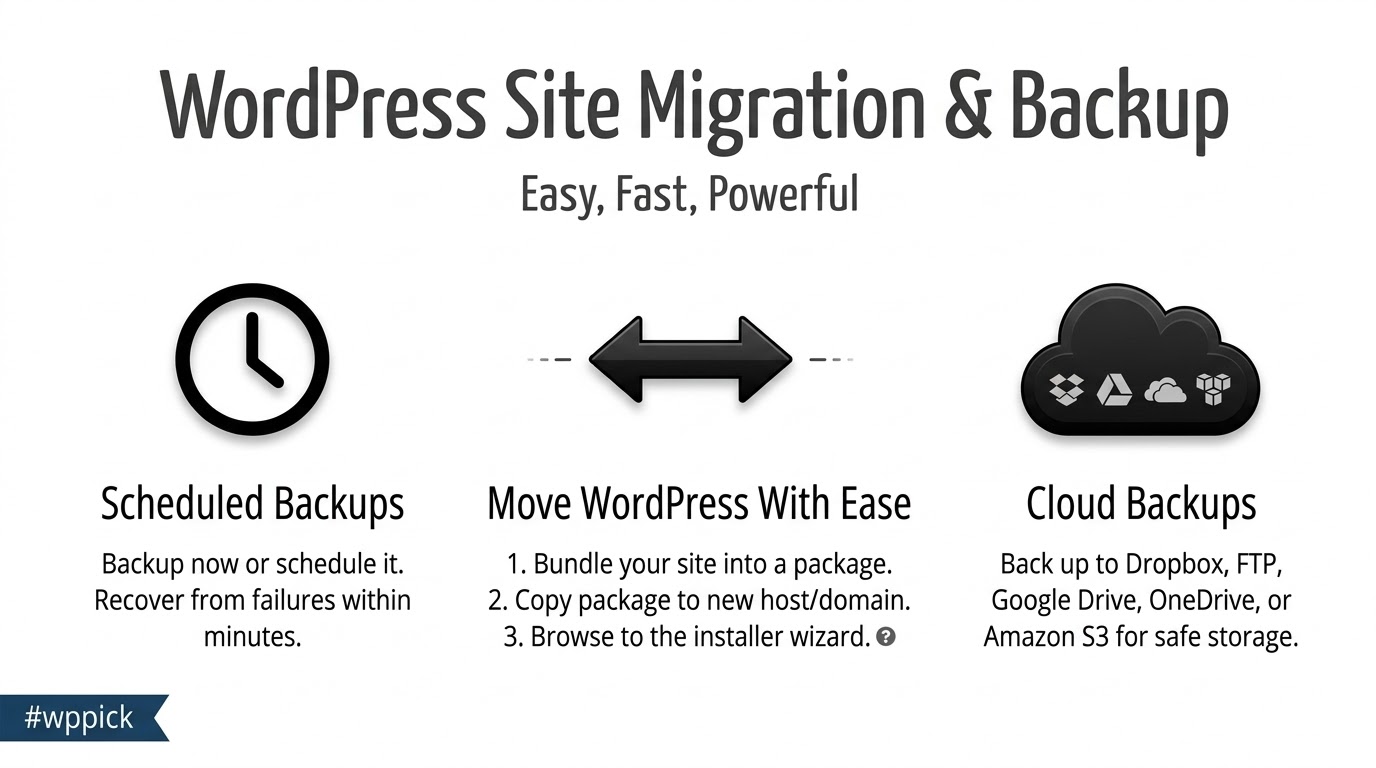
The plugin packages your entire WordPress installation—including the database, themes, plugins, and media uploads—into a single archive. Using its accompanying installer script, it unpacks and configures the site on a new server destination. Key operations include:
- Full site duplication and cloning for staging or testing purposes.
- Scheduled automated backups with remote storage options like Google Drive, Dropbox, and Amazon S3.
- Handling large databases and oversized websites through chunked processing and advanced filtering.
- Comprehensive multisite network backup and subsite migration support.
Who Is Duplicator Pro For?
Duplicator Pro serves web professionals, freelance developers, agency owners, and site administrators who manage multiple WordPress properties. It eliminates manual database queries and FTP transfers, making it an essential tool for anyone needing dependable site deployment workflows and disaster recovery solutions.
Key Capabilities
Designed for performance and ease of use, Duplicator Pro offers a robust set of features to streamline site management:
- Smart Filtering: Exclude specific files, directories, or database tables to reduce backup sizes and optimize storage usage.
- Cloud Storage Integration: Send backup archives directly to external cloud providers for off-site security.
- Advanced Multisite Support: Back up entire networks or isolate individual subsites for migration and restoration.
- Robust Recovery Tools: Restore a broken site quickly using disaster recovery points and clear activity logs.
Practical WordPress Use Cases
Administrators deploy Duplicator Pro in several common scenarios, such as migrating a live site to a new web hosting provider, duplicating a production site onto a local server or staging environment for safe updates, and establishing automated routine backup schedules to prevent data loss.
Setup and Compatibility Notes
Duplicator Pro runs smoothly on standard WordPress environments operating on PHP 7.4 or higher with Apache or Nginx servers. Configuration involves defining your storage endpoints, setting up backup frequencies, and utilizing the built-in diagnostic scan before generating packages to ensure server compatibility.
Latest Version Context
Version 4.6.9 introduces targeted improvements for Apache 2.4 compatibility, updating .htaccess protection rules to prevent HTTP 500 errors during remote archive downloads. It also enhances multisite stability by adding import validation for source sites and making subsite creation safe to retry after an interrupted extraction.
Frequently Asked Questions
Can Duplicator Pro handle very large WordPress websites?
Yes, the plugin uses chunked processing and optimized database routines to manage large sites and oversized databases without timing out.
Does Duplicator Pro support multisite networks?
It supports both single sites and complex WordPress multisite networks, allowing you to back up whole networks or migrate individual subsites.
Where can backup archives be stored?
Backups can be saved locally on your server or sent automatically to remote cloud storage providers including Google Drive, Dropbox, and Amazon S3.
Is technical expertise required to migrate a site?
While designed for professionals, the step-by-step installer script guides users through the deployment process, making migrations straightforward for experienced site owners.
I. Download Limits & Account Benefits
- Free Downloads: Each email address receives 3 downloads per day for free products
- Upgrade Benefits: Purchase any paid product to increase your daily download limit by 3 for each paid product
- No Account Required: You can download immediately by receiving the download link via email
- Account Recommended: Create an account for easier access to your order history and direct update downloads
II. Understanding GPL vs Official Versions
Important: The products available on WPPick are GPL-licensed versions, which differ from official developer versions. Before purchasing, please read our comprehensive guide: Understanding GPL & Official Differences at WPPick
Key Points:
- GPL versions may not include premium support from original developers
- Updates may be delayed compared to official releases
- Some premium features might have limitations
- Always consider your specific needs and support requirements
III. Support & Assistance
We’re here to help through multiple channels:
- Email Support: Direct email assistance for all inquiries
- Live Chat: Real-time support during business hours
- Comprehensive Documentation: Detailed guides and tutorials
IV. Order Tracking
Access your complete purchase history and download links anytime: Order History
V. Account Access
New to WPPick? Login or Create Account to manage your downloads and orders efficiently.
VI. Refund Protection
We stand behind our products with a clear refund policy. Review our terms: Refund Policy
VII. Privacy & Security
Your data security is our priority. Learn how we protect your information: Privacy Policy
VII. Terms of Service
Understanding our service terms ensures a smooth experience: Terms of Use
Quick Tips for Best Experience
- Verify Compatibility: Check plugin/theme compatibility with your WordPress version
- Backup First: Always backup your site before installing new plugins or themes
- Test Environment: Consider testing on a staging site first
- Stay Updated: Regularly check for updates in your account dashboard
- Read Documentation: Review any included documentation for optimal setup
Need Help?
If you have questions about downloads, licensing, or need technical assistance, don’t hesitate to contact our support team. We’re committed to ensuring you have the best possible experience with WPPick products.
Ready to get started? Your download adventure begins with just one click!
- Storage: Updated .htaccess protection for Apache 2.4 compatibility, preventing HTTP 500 errors that could block remote archive downloads while preserving custom protection rules (Installer)
- Multisite: Added validation that prevents imports when a backup contains no eligible source site (Installer)
- Multisite: Made subsite creation safe to retry after interrupted extraction and restored URL-collision validation (Installer)
- Backups are now more resilient to transient issues: files that vanish mid-compression, temporarily invalid storages, or disk-full conditions no longer crash the entire backup; the build completes and surfaces warnings instead.
- Notification emails now always use the site's configured language.
- On multisite, the installer no longer hangs during subsite import when a source-site mapping is incomplete.
- Users also get clearer, phase-specific guidance when a backup times out, and the activity log now shows the actual failure reason when a backup fails.
- Backups: ZipArchive multi-thread builds now recover from a chunk-close failure caused by files vanishing between add and close, instead of failing the entire backup (Installer)
- Backups: Added a build warnings system that lets backups complete with warnings instead of failing on transient conditions such as files vanishing mid-compression, unverifiable post-build file counts, or database row-count drift on write-active tables
- Backups: Backups with an invalid configured storage now skip the broken storage and fall back to the default local storage instead of failing the entire build, with a dismissible admin notice explaining what was skipped
- Backups: Fixed a race condition where double-clicking or resubmitting the manual backup confirmation could create duplicate backup packages
- Backups: Fixed a race condition where concurrent build workers could both report the same failure, duplicating cleanup and failure notifications
- Backups: Fixed shell zip engine silently treating some non-zero exit codes as success when stderr was empty, which could produce incomplete archives without surfacing any error
- Backups: Fixed false "skipped files" warning on DupArchive backups caused by benign skip-count increments including the archive root directory
- Base: Fixed email summary subject containing HTML-encoded entities (e.g. &) due to incorrect use of esc_html_x() instead of _x()
- Backups: Improved scan performance on large sites by aligning the scan chunk timeout with the environment-aware worker time budget instead of a fixed 5-second limit
- Backups: The failure reason is now shown directly in the Activity Log detail view as a "Failure Message" field, giving an immediate human-readable explanation of why a backup failed
- Backups: Improved recommended fix suggestions for Max Build Time failures — guidance is now tailored to the specific build phase (scan, database, or archive) and kickoff mode (client-side vs. server-side) instead of showing generic advice
- Multisite: Fixed multisite subsite import hanging indefinitely on the "Parameters update" step when a source-site mapping entry was missing (Installer)
- Backups: Disk-full and quota-exhaustion errors are now detected and reported consistently across installer build, database export, and all archive engines, with centralized user-facing messages (Installer)
- Storage: Google Drive storage no longer passes the refresh token to the Google SDK client, preventing an unhandled exception when the SDK attempted auto-refresh without client credentials
- Backups: Backup builds and WordPress core/plugin/theme updates no longer run concurrently, an update waits for an active backup build to finish, and a new backup build waits for an in-progress update to complete, avoiding potential file conflicts (BASE [LITE])
- Backups: Improved the error messages shown when a backup build doesn't complete, so they better identify the specific issue (e.g. a missing, incomplete, or truncated file) and how to resolve it (BASE [LITE])
- Backups: Improved reliability of the backup archive process, resolving an occasional "Invalid or uninitialized Zip object" message and related issues that could interrupt a build (BASE [LITE])
- Backups: Resolved an edge case where a backup build could leave the system in a busy state after an unexpected issue, delaying the next scheduled or manual build (BASE [LITE])
- Capabilities: Fixed an issue where custom user capabilities contributed by certain features could be removed on load if registered later in the startup sequence (BASE [LITE])
- Backups: Resolved a multisite edge case where a build started from a subsite could conflict with one started from the main site (PRO)
- Base: Admin notice when encrypted settings are reset to defaults after a decrypt failure, explaining the likely cause and how to recover
- Staging: Staging site database tables are now removed when uninstalling the plugin with "Delete plugin settings" enabled
- Base: Reduced false positives from web application firewalls blocking the loopback connectivity probe, preventing unnecessary Client-side Kickoff fallback on affected hosts
- Base: Expanded package build log header with richer diagnostics including SQL engine, build/transfer time limits, and auto-detect vs manual-override indicators
- Staging: Updated Uninstall settings descriptions to clarify what each option deletes, including staging site data
- Base: Fixed loopback probe false negative caused by WAF keyword blocking, which incorrectly enabled Client-side Kickoff and stalled scheduled builds on low-traffic sites
- Staging: Fixed staging-site backups including wrong database tables — backups created on a staging site now correctly contain only that site’s own tables
- Staging: Fixed restoring a staging-site backup onto a normal site leaving the destination deindexed with outbound email blocked
Been using Duplicator Pro for a few weeks, and it’s pretty solid. Does exactly what it says it will. No complaints here.
ngl, this plugin is a lifesaver! migrations are so smooth now, fr. works great 👍
Running 4.5.18 for my client backups. Noticed the changelog for 4.5.23.1 mentions improved support for multisite subdomains. Can anyone confirm if the upgrade is worth it just for that feature alone? My current version is struggling with one particular client’s setup.
OMG, finally a backup plugin that’s not a pain! So easy to migrate sites with this, literally saves so much time. 💯🔥
Duplicator Pro is the gold standard for WordPress site management. It simplifies what used to be a complex task. I was thrilled to discover it on WPPick. They have such a good selection of plugins and themes, and the whole download experience was seamless. It’s a truly reliable source, and frankly, a much better alternative when you need plugins quickly without the hassle of the official channels. WPPick’s service makes my life so much easier!
Duplicator Pro is a lifesaver! One feature I’d really appreciate is the ability to exclude specific post types or taxonomies from a migration, not just files/folders. For staging sites, I often need to migrate everything *except* certain dynamic content. Is there a way to do this already, or could this be a future enhancement?
I can’t recommend Duplicator Pro enough for anyone needing robust WordPress backups and migrations. It just works! What made it even better was getting it from WPPick. I love their curation – they truly pick the best. The download was super quick and straightforward, and I feel confident knowing I’m getting a legitimate, reliable version. WPPick is my go-to now; their service is truly appreciated.
STILL getting timeout errors when migrating sites over 5GB on version 4.5.15! This is a HUGE problem for my work! Please tell me that 4.5.23.1 fixes the large file handling and performance. Need this update ASAP!
Duplicator Pro is an absolute lifesaver for site migrations and backups! I’ve used it countless times, and it’s always flawless. Finding it on WPPick was a game-changer. Their selection is always top-notch, and the download process was incredibly easy. It’s such a reliable source, honestly a fantastic alternative to going through the official repo every time. Huge thanks to WPPick for their excellent service!
Hi, I’m currently on 4.5.20 and everything is stable. I see the current version is 4.5.23.1. I’m running WP 6.6 with PHP 8.1. Are there any known compatibility issues with those environments that I should watch out for before I try updating?