
Eazydocs Pro
/Year
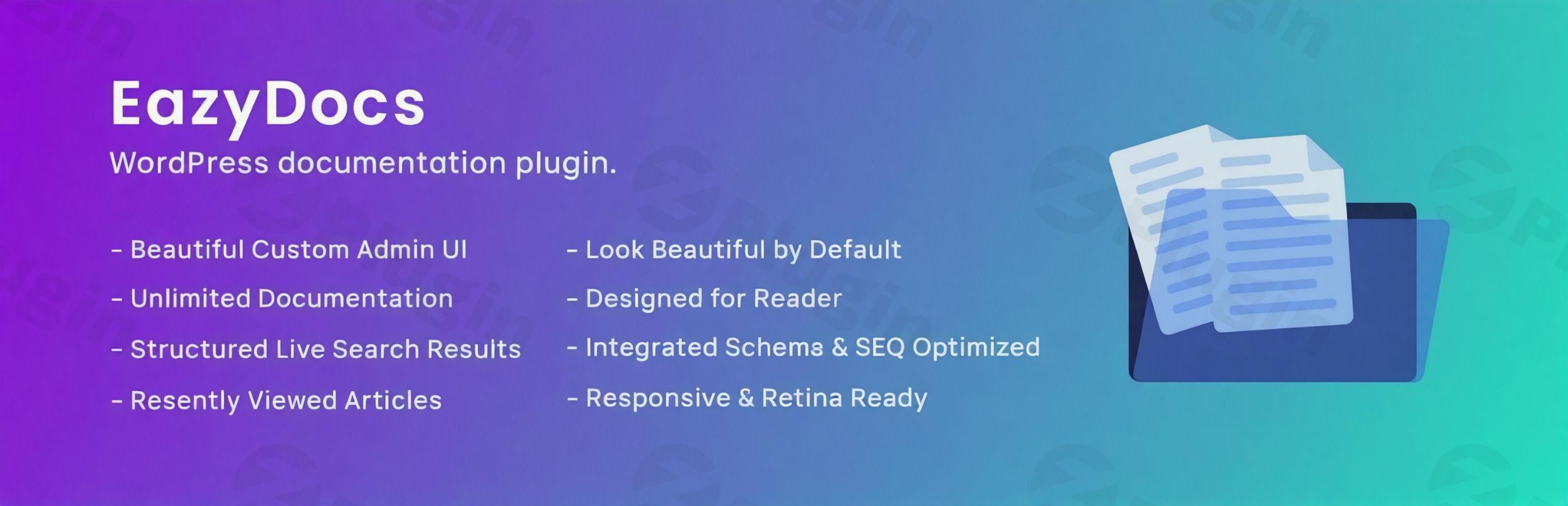
EazyDocs Premium is a comprehensive and robust WordPress plugin meticulously engineered to revolutionize how you create, manage, and deliver knowledge bases and documentation portals. Designed for businesses, developers, and support teams alike, EazyDocs empowers you to build unlimited, professionally designed documentation sites that provide unparalleled self-service support experiences for your audience. With its intuitive interface, advanced features, and unwavering commitment to user experience, EazyDocs Pro stands out as a premium solution for transforming complex information into accessible, structured knowledge.
Why Choose EazyDocs for Your Documentation Needs?
Selecting the right documentation solution is crucial for effective support and user empowerment. EazyDocs distinguishes itself with a suite of features built for efficiency, aesthetics, and optimal information delivery:
- Unlimited Documentation Creation: Scale your knowledge base without limits. EazyDocs allows you to build as many documentation portals as your products, services, or departments demand, offering complete freedom to organize vast amounts of information.
- Intuitive Drag-and-Drop Organization: Effortlessly structure your content. The plugin’s drag-and-drop interface simplifies the process of nesting and reordering documents, ensuring a logical and easy-to-navigate hierarchy for your users.
- Professional Design Out of the Box: Launch stunning, modern knowledge bases without needing any coding expertise. EazyDocs provides extensive styling options and customizable layouts for individual documents, allowing you to perfectly align your documentation with your brand identity.
- Reader-Focused Experience: EazyDocs prioritizes the end-user. It’s built to facilitate optimal reading comprehension and navigation, enabling visitors to quickly and efficiently locate the information they need, thus enhancing their overall experience and reducing support queries.
Advanced Features for Superior Documentation
EazyDocs Pro is packed with powerful features designed to streamline content management, enhance user engagement, and boost your documentation’s visibility.
Comprehensive Content Management & Organization
- Hierarchical Document Builder: An advanced administrative interface allows for precise content management, including filtering, status tracking, and drag-and-drop organization. Monitor feedback ratios and maintain granular control over your content.
- Four-Level Depth Support: Structure complex information with up to four hierarchical levels (Document → Section → Article → Sub-article), ensuring clarity and easy navigation for even the most extensive knowledge bases.
- Revision History & Backup: Track all changes made to your documents and easily revert to previous versions. This critical feature ensures data integrity and prevents loss of important updates.
- Excerpt & Summary Content: Provide concise, descriptive summaries that appear in document listings and on single pages, giving users a quick overview before they delve into the full content.
- Glossary Docs & Suggested Search Keywords: Enhance search precision and content discoverability with dedicated glossary sections and intelligent suggested keywords that guide users to relevant information.
Dynamic User Experience & Engagement
- AJAX Live Search: Deliver instant search results without full page reloads. The contextual live search provides relevant articles instantly, significantly improving the user’s ability to find information.
- Doc Helper Assistant: An integrated assistant provides instant search functionality, helping users locate relevant articles quickly, and even includes contact forms and support system integration for comprehensive assistance.
- Smart Navigation Systems: Facilitate seamless browsing with features like sticky sidebars, collapsible menus, and tree-view navigation, ensuring essential navigation elements are always accessible.
- Feedback & Voting Systems: Actively collect user feedback, article ratings, and comments. This invaluable insight helps you understand content effectiveness and identify areas for improvement.
- Reading Assistant Tools: Enhance accessibility and comfort with features like font size controls, printing capabilities, and automatic table of contents generation.
- Content Discovery Features: Promote further exploration with “recently viewed articles,” “related content suggestions,” and article tagging, helping users uncover additional relevant information effortlessly.
- Comprehensive Sharing Options: Empower users to easily share valuable documentation across various platforms via social sharing, email distribution, and direct link copying.
- Responsiveness & Retina-Ready Design: Ensure your knowledge base looks impeccable and functions perfectly on all devices and screen sizes, from desktops to tablets and smartphones.
- Doc Dark Mode: Offer multiple display options, including a comfortable dark mode, to cater to user preferences and reduce eye strain.
Content Creation & Customization
- Live Customizer & Advanced Settings: Modify your documentation’s appearance and functionality in real-time without writing a single line of code. An extensive settings panel with search functionality allows for quick adjustments.
- Multiple Page Builder Integration: Seamlessly integrate with popular WordPress page builders, including Gutenberg blocks and Elementor widgets, allowing you to build documentation pages using dedicated components within your preferred environment.
- Customizable Layouts & OnePage Documentation: Beyond general design options, customize the layout for individual documents, and even create entire documentation sections as a single, scrollable page for specific use cases.
- Conditional Content Dropdown: Display dynamic content based on specific conditions, offering a tailored experience to your users.
- Doc Badge & Extended Doc Layout: Utilize badges to highlight specific articles and leverage extended layout configurations for unique presentation needs.
SEO Optimization & Analytics
- SEO Optimization & Schema Integration: Boost your search engine rankings with built-in SEO tools and Schema.org integration. This helps search engines understand and effectively display your documentation, driving more organic traffic.
- Analytics & Email Reporting: Gain insights into your documentation’s performance with detailed analytics. Track user engagement, identify popular articles, and make data-driven decisions. Static and dynamic analytics reports can be delivered via email.
- Read Time & View Analytics: Display estimated reading times and view counts, helping users manage their time and giving you an understanding of content popularity.
Advanced Management & Permissions
- Doc Contributor & User Role Management: Enable designated users to add and edit content directly from the front-end. Sophisticated user role configurations allow you to control access and editing permissions with precision.
- Private Docs & User Restriction: Restrict access to specific documentation, making it private for logged-in users or password-protected for exclusive content. Bulk Doc Visibility also allows managing access on a larger scale.
- Bulk Duplicate Documentation: Efficiently duplicate single or multiple documents, saving time when creating similar content.
- Editable Single Doc Sidebar Area: Customize the sidebar content for individual documents, providing tailored navigation or additional information.
Global Language Support
- Multilingual Support & RTL Compatibility: EazyDocs is fully translation-ready and compatible with WPML, supporting multiple languages and Right-to-Left (RTL) writing for a truly global audience.
Pro Max Features (for the most demanding needs)
- Subscribe to Docs: Allow users to subscribe to specific documentation updates.
- Feedback on Selected Text: Collect highly granular feedback by enabling users to comment on specific text selections.
- Contributor (add/edit doc from Frontend): Empowers designated contributors with front-end document creation and editing capabilities.
- Footnotes: Easily add and manage footnotes within your documentation.
- Elementor pre-made templates: Speed up content creation with ready-to-use Elementor templates.
- Author/Contributor profile page: Showcase your content creators with dedicated profile pages.
Technical Specifications & Compatibility
EazyDocs Pro is built with performance and compatibility in mind, ensuring a smooth experience for both administrators and users:
- Compatibility: Works seamlessly with any standard WordPress theme and is regularly updated to maintain compatibility with the latest WordPress versions.
- WordPress Version: Requires WordPress version 5.0 or higher.
- Third-Party Plugin Support: Engineered to integrate smoothly with popular WordPress plugins, including WooCommerce, expanding its utility.
- Full Site Editing: EazyDocs blocks (EazyDocs Shortcode and Docs Search Banner) are compatible with WordPress’s Full Site Editing environment.
- Performance Optimized: The plugin is designed to be lightweight and efficient, ensuring your website remains fast and responsive.
- Hosting Requirements: While specific requirements are minimal due to its lightweight nature, standard WordPress hosting environments are sufficient.
Setting Up Your EazyDocs Knowledge Base
Getting started with EazyDocs Pro is straightforward, designed to be accessible even for non-developers:
- Installation: Once you’ve downloaded the EazyDocs Premium plugin, log into your WordPress dashboard. Navigate to
Plugins > Add New > Upload Plugin, then select the EazyDocs zip file and click ‘Install Now’. - Activation: After installation, click ‘Activate Plugin’.
- Initial Configuration: EazyDocs will guide you through an initial setup. You can access the main settings from your WordPress dashboard under the EazyDocs menu. Here, you can configure global settings, design preferences, and set up your first knowledge base.
- Creating Your First Document: Go to
EazyDocs > Add New Document. Use the intuitive editor (Gutenberg or Elementor) to create your content. Utilize the drag-and-drop interface within the EazyDocs admin panel to organize your documents into a hierarchical structure. - Customization: Dive into the Live Customizer to personalize the appearance of your knowledge base, ensuring it perfectly matches your brand. Experiment with layouts, colors, and typography.
- Publishing: Once your documentation is ready, publish it. EazyDocs will automatically generate a clean, responsive knowledge base for your users.
Why Purchase from ZeroPlugin.com?
When you choose EazyDocs Premium from ZeroPlugin.com, you benefit from several assurances that enhance your experience and trust:
- GPL Licensed Software: All plugins provided come with genuine GPL licenses, guaranteeing legal compliance and the freedom to use, modify, and distribute the software.
- Regular Update Schedule: Receive timely updates as new versions of EazyDocs are released, ensuring your installation remains secure, compatible with the latest WordPress, and equipped with the newest features.
- Security Verified: All plugin files undergo comprehensive VirusTotal scanning and rigorous security verification before distribution, ensuring you receive clean, safe software.
- Clean, Unmodified Source Code: You receive original, unaltered plugin files directly from the source, guaranteeing stability, reliability, and peace of mind.
Conclusion
EazyDocs Premium is more than just a WordPress plugin; it’s a complete solution for creating professional, user-friendly, and highly functional knowledge bases. With its extensive feature set, intuitive design, and robust content management tools, EazyDocs empowers both technical and non-technical users to build and maintain comprehensive documentation. It simplifies complex workflows, enhances user self-service capabilities, and ultimately contributes to improved customer satisfaction and reduced support overhead. Transform your WordPress documentation strategy today with EazyDocs Premium and provide your audience with the exceptional support experience they deserve.
I. Download Limits & Account Benefits
- Free Downloads: Each email address receives 3 downloads per day for free products
- Upgrade Benefits: Purchase any paid product to increase your daily download limit by 3 for each paid product
- No Account Required: You can download immediately by receiving the download link via email
- Account Recommended: Create an account for easier access to your order history and direct update downloads
II. Understanding GPL vs Official Versions
Important: The products available on WPPick are GPL-licensed versions, which differ from official developer versions. Before purchasing, please read our comprehensive guide: Understanding GPL & Official Differences at WPPick
Key Points:
- GPL versions may not include premium support from original developers
- Updates may be delayed compared to official releases
- Some premium features might have limitations
- Always consider your specific needs and support requirements
III. Support & Assistance
We’re here to help through multiple channels:
- Email Support: Direct email assistance for all inquiries
- Live Chat: Real-time support during business hours
- Comprehensive Documentation: Detailed guides and tutorials
IV. Order Tracking
Access your complete purchase history and download links anytime: Order History
V. Account Access
New to WPPick? Login or Create Account to manage your downloads and orders efficiently.
VI. Refund Protection
We stand behind our products with a clear refund policy. Review our terms: Refund Policy
VII. Privacy & Security
Your data security is our priority. Learn how we protect your information: Privacy Policy
VII. Terms of Service
Understanding our service terms ensures a smooth experience: Terms of Use
Quick Tips for Best Experience
- Verify Compatibility: Check plugin/theme compatibility with your WordPress version
- Backup First: Always backup your site before installing new plugins or themes
- Test Environment: Consider testing on a staging site first
- Stay Updated: Regularly check for updates in your account dashboard
- Read Documentation: Review any included documentation for optimal setup
Need Help?
If you have questions about downloads, licensing, or need technical assistance, don’t hesitate to contact our support team. We’re committed to ensuring you have the best possible experience with WPPick products.
Ready to get started? Your download adventure begins with just one click!
- Updated the Pro features to work seamlessly with the newly rebuilt, faster Docs Builder page.
- Under-the-hood efficiency updates to make the Analytics page load faster.
- Reduced behind-the-scenes file sizes so your documentation pages continue to load at blazing-fast speeds.
- Added per-doc role visibility for Private Docs, allowing different access levels per document.
- Added option to control which user roles can contribute to documentation.
- Analytics charts (Overview, Views, Feedback, Search) now display a dynamic date range in the header instead of individual x-axis date labels for a cleaner look.
- Analytics “Last 30 Days” overview now loads via AJAX, significantly improving dashboard performance.
- Automatic Email Reports enhanced with better functionality and improved email template design.
- Added customizable email template for Doc Update Notifications under Settings > Email Settings.
- Email settings reorganized by grouping Doc Update Notifications and Automatic Email Reports under Email Settings.
- Analytics page UI and Doc Builder notification popover design refined.
- User activity fetching optimized using database-level meta_query instead of PHP filtering.
- Role visibility logic refined to respect global role visibility toggle and prevent unintended resets on child docs.
- Subscription email options enhanced with email design and social link fields.
- Doc access control enhanced with custom capabilities and improved role merging.
- Documentation role capabilities and permission checks updated.
- Doc content area now displays badges alongside the articles list.
- Dark mode switcher compatibility fixed for Docy and Docly themes.
- Analytics filters now fully support keyboard interaction (Enter/Space).
- Walker_Docs_Onepage_Fullscreen performance optimized by eliminating duplicate queries and priming cache.
- Stored XSS vulnerability in OnePage Docs meta handling by sanitizing user input.
- Pro and theme-based conditional dropdown visibility issues.
- Missing capability checks in admin actions to prevent unauthorized access.
- Analytics search log query now uses prepared statements to prevent SQL injection.
- Improved search analytics security by using deterministic table names with $wpdb->prefix.
- Added rate limiting to feedback email handler to prevent spam and abuse.
- Fixed N+1 query issue in analytics dashboard using meta cache priming.
- Optimized OnePage walker queries for faster load times.
- Removed recursive flush_rewrite_rules from init and moved it to plugin activation to eliminate unnecessary database writes and improve runtime performance.
- EazyDocs “Book Chapter” now available as a Gutenberg block for flexible editing
- EazyDocs “Glossary Doc” now available as a Gutenberg block for better content management
- Skin values whitelisted to prevent unauthorized file inclusion
- Minor tweaks and overall performance enhancements for smoother experience
- Freemius SDK updated to 2.13.0
- Added a “Search Mode” option to allow searching by title only or by title and content
- Doc Single File Attachment feature introduced
- Added an accordion for each doc to display attached files
- Attachments can now be added from the Doc Edit page
- Dark mode behavior and styling refined for consistency
- AJAX search enhanced to match exact titles, partial titles, and content
- Docs sidebar content update functionality for better reliability
- JS logic updated to apply dark mode only when the switcher is enabled
- OnePage doc creation and editing flow for smoother experience
- Removed extra dark mode styles from SCSS and CSS files
- Custom headers removed from wp_mail and option keys fixed
- Removed unnecessary CSS to clean up the codebase and improve performance
- Broken Access Control vulnerability resolved by adding proper permission checks to AJAX endpoints
- Security improved by sanitizing input and checking user capabilities in document visibility and duplication functions
- Removed unnecessary for and id attributes from subscription form labels to resolve conflicts with custom form handlers
- Design feedback on text adjusted for better readability and alignment
- Selected comment feature enhanced for better usability
- Doc badges and assistant design refined for a more consistent and appealing look
- Subscription field colors adjusted for better visibility and consistency in dark mode
- Feedback on Selected Text settings fields updated
- Analytics default number for most viewed docs modified for accuracy
- Feedback management logic to handle both full doc and text feedback
- Doc Ranks code refactored with templating for better performance and maintainability
- Helpful Docs renamed to Doc Ranks for clarity
- Unused settings option Button Text removed
- Added Email Reporting with static and dynamic analytics reports
- Added option to set the Number of Docs displayed in the Assistant
- SVG icon not showing on the profile page
- Security issues fixed
- Non-matching sidebar items are now hidden when filtering with search
- Assistant font now matches the theme
- Enhanced notification filter functionality and the notification icon on the EazyDocs dashboard
- Freemius SDK updated to 2.12.2